Blog

  • 3 Official Ways to Cancel Cobblestone Car Wash Membership

    3 Official Ways to Cancel Cobblestone Car Wash Membership

    You can cancel a Cobblestone Unlimited Wash Plan online through the Manage My Plan portal or by phone. Under Cobblestone’s cancellation policy, the request must reach it at least 7 days before your next billing date (5 days for Family Plans).

    There’s no cancellation fee, but Cobblestone gives no refunds or credits for partial months, so your plan stays active until the end of the 30-day cycle you’ve already paid for. Colorado members have extra options, covered below.

    The steps below are specific to Cobblestone. For other chains, see our car wash cancellation guides.
    RELATED
    Mister Car Wash Cancel Membership

    How to Cancel Mister Car Wash Membership

    Key Takeaways Before You Cancel

    1. Billing Cycle: Billing occurs every 30 days from your sign-up date (e.g., if you signed up on September 15, the next charge is October 15).
    2. Notice Period: You must submit your cancellation request at least 7 days before your next billing date (5 days for Family Plans) to avoid being charged for the next month.
    3. No Cancellation Fees: Plans are month-to-month. There are no hidden cancellation fees or long-term contract penalties.
    4. No Partial Refunds: Cobblestone does not issue refunds or credits for unused days.
    5. Benefits Remain Active: Even after you cancel, your plan remains active for the full 30 days of that billing cycle, and you can continue to wash your car.
    6. No Pause: Cobblestone explicitly states that memberships cannot be paused or frozen. You must either cancel entirely or downgrade.

    Keep proof that you cancelled. Some members report being charged after cancelling (BBB reviews, 2026). Screenshot the confirmation screen or save the confirmation email, and send it to Cobblestone support if a later charge appears.

    How to Cancel Cobblestone Membership Online (Free & Fast)

    The fastest and most reliable way to cancel your unlimited plan without waiting on hold is through the official online management portal.

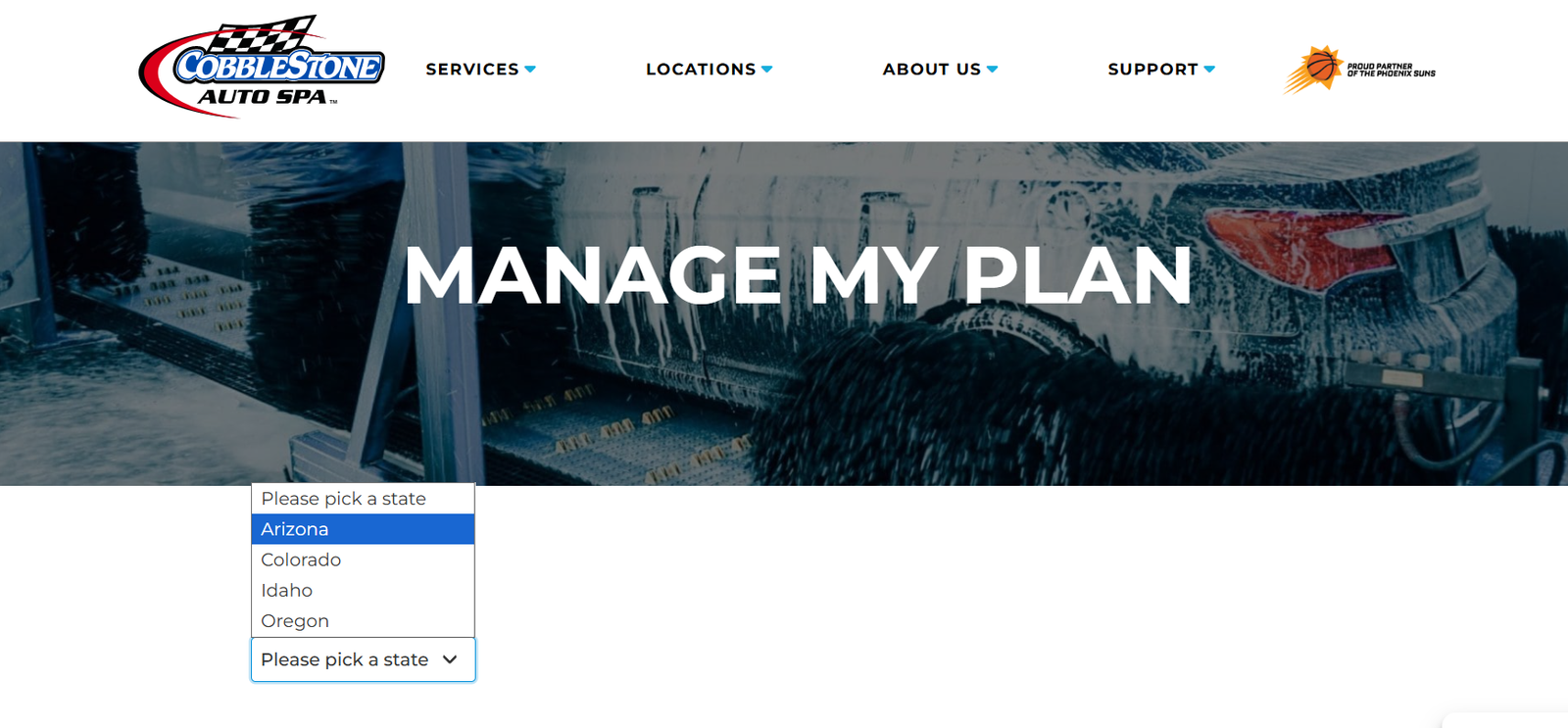
    1. Go to the Cobblestone Auto Spa Membership Portal
      Go to the Cobblestone Auto Spa Membership Portal

      Visit the official Cobblestone management page at https://cobblestone.com/manage-my-plan/.

      (You can also access this by clicking “Support” then “Manage My Plan” from their homepage).

    2. Select Your State

      Choose your state to be routed to the correct system.

    3. Authenticate Your Account

      Authenticate Your Account

      You will be redirected to a secure login page. You must enter the registered phone number or email address associated with your active plan.

      If your phone or email is not recognized, select the “Full Name” login option to locate your account.

    4. Go to Manage Membership

      Once logged into your dashboard, navigate to Settings or profile and click on Manage Membership.

    5. Click on cancel button

      Finally, click on Cancel button and follow the final prompts to terminate the billing.

    If you are located in Colorado, Cobblestone also allows you to submit a direct cancellation request via their official Zendesk Support system.
    RELATED
    cancel luv car wash membership

    Cancel Luv Car Wash membership

    Submitting a Colorado Cancellation Request via Zendesk

    For customers in the Denver and greater Colorado areas, Cobblestone provides a direct online support ticketing system. Use the layout below to ensure your request is routed to the correct regional billing team immediately.
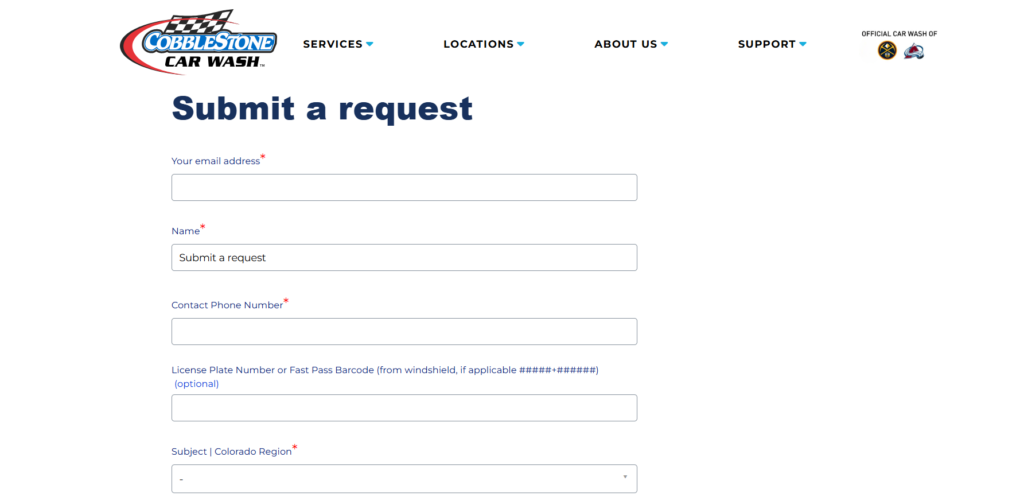
    zendesk cancellation form page for Colorado Region

    Where to Go: Navigate to the official Cobblestone Colorado Support Portal and fill out the form using the exact structure below.

    Required Form Fields Checklist

    • Your Email Address: Enter the exact email address linked to your car wash account.
    • Name: Provide the primary account holder’s full name.
    • Contact Phone Number: Use the phone number associated with your membership billing.
    • License Plate Number or FastPass Barcode (Optional but Recommended):
      • Locate the small sticker on your windshield.
      • Enter your license plate or the barcode numbers using the standard #####+###### format. Including this prevents delays if your name matches another user.
    • Subject: Choose “Colorado Region” from the dropdown menu (this specifically alerts Denver, CO area customer service teams).
    • Description: Copy and paste the clean template below into the text box:

    Subject: Unlimited Membership Cancellation Request – Colorado Region

    Dear Cobblestone Support Team,

    Please cancel my Unlimited Membership at the end of my current billing cycle.

    Account Details:

    • Name: [Your Name]
    • Phone: [Your Phone Number]
    • Associated Car Wash Location: [Select Your CO Location]

    I am submitting this request at least 7 days prior to my next billing cycle to ensure no further automated charges are processed. Please send a confirmation email once the cancellation is finalized.

    Thank you.

    Colorado members can also cancel by calling or texting (720) 445-8600, according to Cobblestone’s Colorado membership page.

    The 2026 Colorado auto-renewal settlement

    On August 20, 2026 the Colorado Attorney General announced a settlement with Cobblestone under the state’s auto-renewal law (HB21-1239). Cobblestone agreed to keep a one-step online cancellation link on its website and to give at least 25 days’ notice before price increases. Certain Colorado customers who bought a membership between January 1, 2022 and February 2, 2025 may be eligible for a $19 payment, according to Cobblestone.

    This is general information about one state’s settlement, not legal advice.

    How to Cancel Cobblestone Auto Spa (Car Wash) by Phone

    To cancel your Cobblestone Auto Spa membership by phone call, follow the steps listed below.
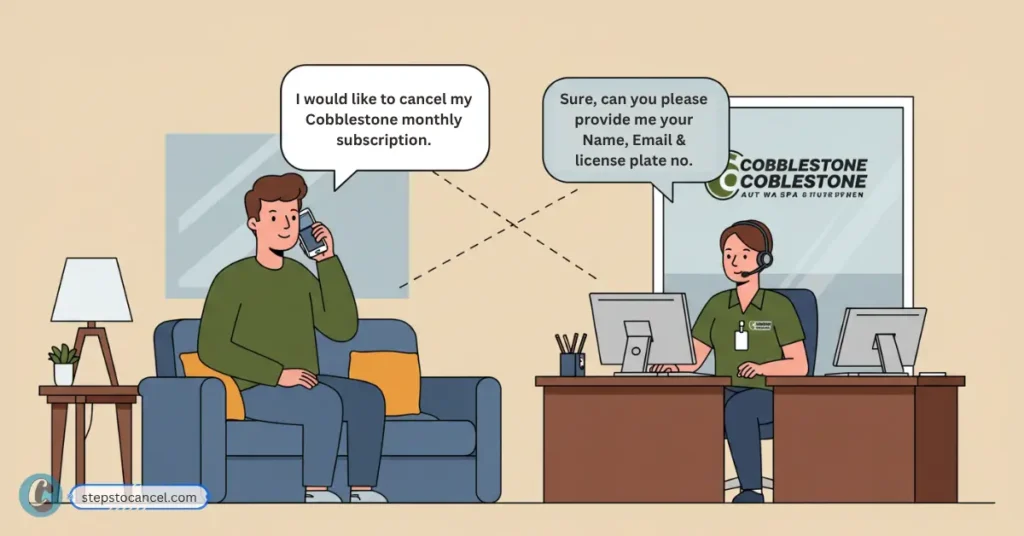
    Cobblestone subscriber requesting membership cancellation via phone call to customer support

    Call Cobblestone Customer Support using the Phone Numbers:

    Information to Have Ready Before Calling:

    To successfully verify your identity over the phone, the customer care representative will require:

    Either your license plate number or the 11-digit FastPass Barcode matching the #####+###### layout printed on your windshield RFID sticker.

    1. Your full name.
    2. The phone number attached to the account profile.
    3. Your primary account email address.

    Cobblestone’s website doesn’t list phone support hours (checked October 2026), so note the date, time and agent’s name when you call.

    If the online portal can’t find your account, call support instead. Plan changes such as a downgrade can also be made at a Cobblestone location.

    Frequently Asked Questions

    Does Cobblestone charge cancellation fees?

    No. Cobblestone Car Wash does not charge cancellation fees or account termination penalties. All unlimited plans are entirely month-to-month commitments.

    Can I pause my Cobblestone membership?

    No. memberships cannot be paused, frozen, or suspended at this time. If you are not using the wash, you must cancel or downgrade.

    Can I downgrade my membership instead of canceling?

    Yes. If you prefer to switch to a cheaper monthly plan, you can downgrade your membership for the following billing cycle. However, Cobblestone requires at least four days’ notice prior to your auto-renewal date to successfully change your plan tier.

    How do I stop text alerts from Cobblestone Auto Spa?

    Simply reply “STOP” to any of Cobblestone’s text messages to cancel SMS marketing. To stop emails, click the “unsubscribe” link at the very bottom of the promotional email.
  • How to Cancel Your LUV Car Wash Membership (Online, Email, Text or Phone)

    How to Cancel Your LUV Car Wash Membership (Online, Email, Text or Phone)

    To cancel a LUV Car Wash membership, log in to your account on LUV’s Manage Membership page and cancel there, or ask LUV customer support to cancel it by email at support@luvcarwash.com or by text or call: 904.774.2900 for Georgia, Florida and Pennsylvania, 805.900.3525 for California and Nevada. Do it at least three days before your next bill date. LUV gives no refunds or credits for partial months, so a late request means one more monthly charge.

    Staff at the wash typically don’t process cancellations; LUV says they will give you a card with the support contacts or point you to the online account. Everything below comes from LUV’s help center (cancellation articles updated March 2, 2026), checked on October 5, 2026.

    Have a membership with another chain? See our guide to cancel a Cobblestone Car Wash membership.

    Cancellation Requirements

    LUV’s membership terms include a 3-day cancellation policy: cancel at least three days before your next billing date, or that month’s charge goes through and is not refunded. Your bill date is the calendar day you signed up (for example, the 5th of every month); sign-ups on the 29th, 30th or 31st are billed on the 28th. If a pending charge already shows on your bank statement, LUV says that charge has been processed: you can keep washing, and the membership ends on the following month’s bill date.

    To help Luv locate your account quickly—whether you’re emailing, texting, or speaking with a representative—make sure to include or be ready to provide the following details:

    1. Full name
    2. The location where you signed up or usually wash (street name, city and state)
    3. Your license plate number
    4. Sometimes, the last four digits of the billing card on file

    How to Cancel Luv Car Wash Membership

    luv car wash cancellation guide

    LUV’s help center lists three ways to cancel: your online account, email, or a text or call to the regional support number.

    1. Cancel online in your LUV account

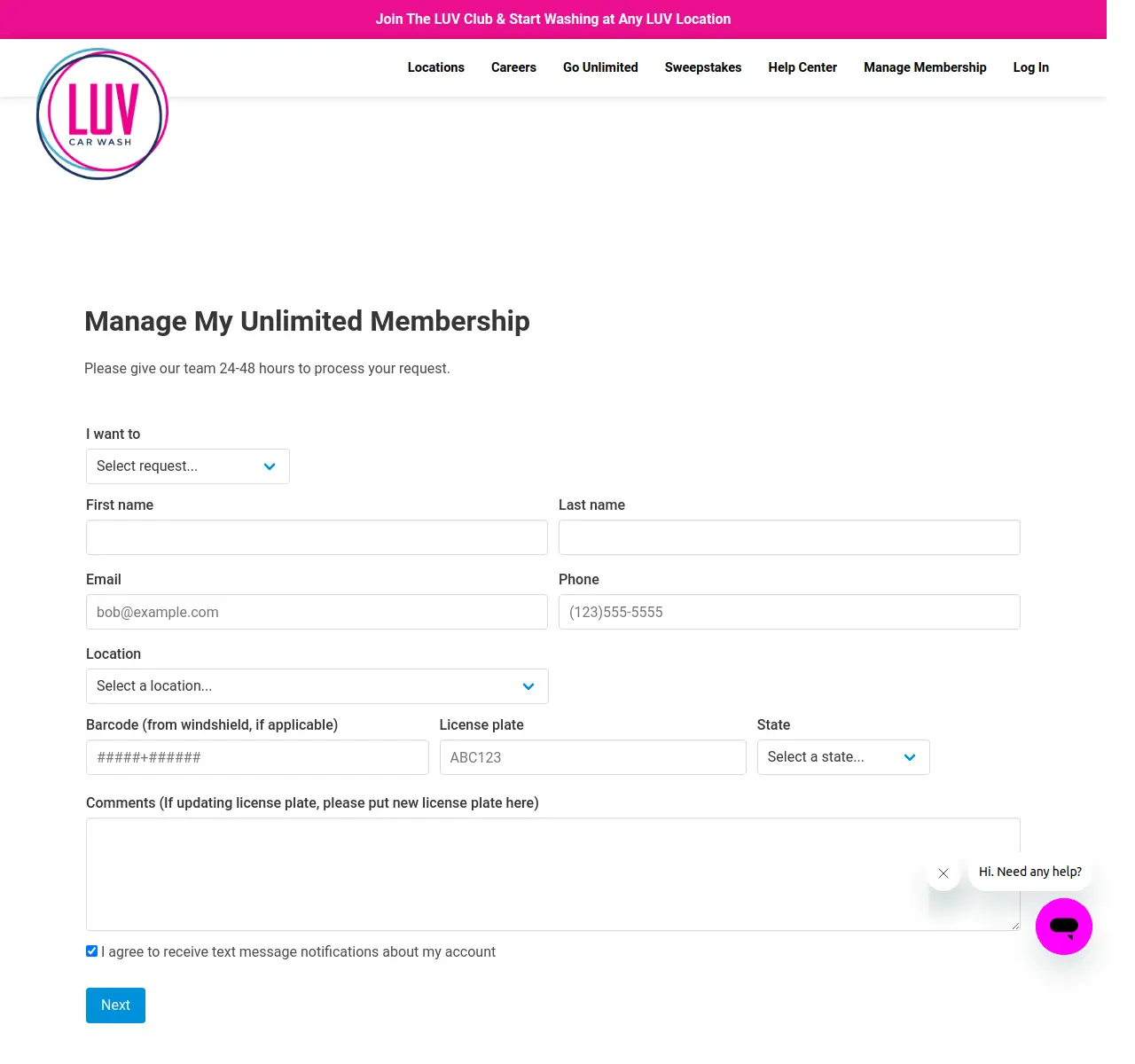
    LUV Car Wash earlier online membership form
    LUV’s earlier membership form (2024). The Manage Membership link now opens the account login.

    LUV recommends the online account for urgent requests and whenever you are within three days of your bill date:

    1. Open LUV’s Manage Membership page.
    2. Log in, or register an account if you haven’t yet. Have your license plate number ready.
    3. Open your membership and choose the option to cancel it.
    4. Save or screenshot the confirmation, and check that no new charge appears on your next bill date.

    The account pages sit behind a login, so we could not check the exact button names. If you can’t find a cancel option, email or text support before the three-day cutoff and keep their reply.

    If you think you were charged twice, contact support right away. LUV says it may ask for bank statements showing the cleared charges.

    RELATED
    cancel flagship car wash membership

    How to Cancel Your Flagship Carwash Membership (Online Form, Portal or Phone)

    2. Cancel by text or phone

    LUV’s support team takes cancellation requests by text or call on two regional numbers. A text also leaves you a written record of the date you asked.

    Support hours are Monday through Friday, 9am–7pm EST:

    BBB complaints filed between March and May 2026 describe charges that continued after members asked to cancel by phone or in person (checked October 5, 2026). Ask for written confirmation and keep it until your next bill date has passed.

    3. Cancel via Email

    To cancel your Luv Car Wash via email, send a cancellation request email to customer support at support@luvcarwash.com.

    Below is a simple message LUV Car Wash Cancellation request email format:

    Subject: Membership Cancellation Request
    
    Dear Luv Car Wash Support,
    I, [Your Name], am asking you to cancel my car wash membership before my next bill date. Here are my details:
    
    Sign-Up Location: [Street, City, State]
    License Plate Number: [Your Info]
    Last 4 Digits of Billing Card: [Optional]
    
    Please confirm this cancellation by email.
    
    Thank you,
    [Your Name]
    [Your Phone or Email]

    Email works outside support hours. If you are already within three days of your bill date, LUV recommends the online account instead so the change goes through before billing renews.

    Ask LUV to confirm the cancellation in its reply, and keep a copy of your sent message.

    If you also have a GO Car Wash membership, see our guide to cancel a GO Car Wash membership.

    No reply and your bill date is close? Text the regional support number too, so the request is on record before the three-day cutoff.

    LUV Car Wash customer support contacts

    contact and locations of luv car wash
    contact and locations of luv car wash

    Your membership works at any LUV location in any market, but on-site staff typically don’t handle cancellations, so use the support contacts below. LUV lists 81 locations in California, Nevada, Florida, Georgia and Pennsylvania.

    To find a specific wash, use LUV’s location finder.

    InformationDetails
    Online accountManage Membership (login)
    Support emailsupport@luvcarwash.com
    Text or call: East Coast (GA, FL, PA)904.774.2900
    Text or call: West Coast (NV, CA)805.900.3525
    Support hoursMonday–Friday, 9am–7pm EST

    FAQs

    How do I cancel my LUV Car Wash membership?

    Log in to your account on LUV’s Manage Membership page and cancel there, or ask customer support by email (support@luvcarwash.com), text or phone (904.774.2900 East Coast, 805.900.3525 West Coast). Do it at least three days before your next bill date.

    Are there any cancellation fees?

    LUV’s help center does not list a cancellation fee and describes memberships as “No contracts, cancel anytime!” The cost to watch is timing: a request made less than three days before your bill date means one more monthly charge.

    When will I be billed each month?

    On the same calendar day you signed up. If you signed up on the 29th, 30th or 31st, you are billed on the 28th from then on.

    Do I get a refund if I cancel in the middle of a month?

    No. LUV says the plan stays in effect for 30 full days and gives no refunds or credits for partial periods. You can keep using the membership until it ends. Contact support if you think you were charged twice.
  • How to Cancel Onelife Fitness Membership

    How to Cancel Onelife Fitness Membership

    Onelife Fitness takes cancellations two ways: email Member Services at memberservices@onelifefitness.com, or speak to the front desk at your club.[1] Onelife processes cancellations by email to keep a paper trail, so send the email even if you start at the front desk.[5] First check whether you’re still inside your initial term (12 months, or 10 in D.C.), and keep the reply until a statement arrives with no charge.[2]

    Cancel Onelife Fitness by email to Member Services

    Onelife’s FAQ names Member Services at memberservices@onelifefitness.com as one of the two ways to change your membership status.[1] Email works from anywhere and gives you a written record.

    1. Note your home club’s name and the email address on your account. Your club’s page lists its phone and email; find it with Onelife’s club locator.[4]
    2. Write to memberservices@onelifefitness.com from that email address, using the template below.[1]
    3. Ask Member Services to confirm in writing the date of your last charge and whether any buyout or other fee applies.
    4. Save the reply, and check your next bank or card statement for any further charge.

    Tip: if you don’t get a reply within a few business days, forward your first email to Member Services and copy your club’s own email address.

    Subject: Cancel my Onelife Fitness membership
    
    Please cancel my Onelife Fitness membership.
    
    Name on the membership: [full name]
    Home club: [club name]
    Phone and email on the account: [phone] / [email]
    Date I joined (if known): [date]
    
    Please confirm in writing the date of my final charge, whether any
    buyout or other fee applies, and the date my membership ends.
    
    Thank you,
    [full name]

    Cancel at your Onelife Fitness club’s front desk

    You can also speak to the front desk at your club to cancel.[1] Bring photo ID, ask the staff member to note the request on your account, and ask what date your membership ends.

    After speaking with the front desk, email Member Services so you have a written cancellation record. In one disputed case, Onelife’s reply pointed out that the member “never sent the email to member services”.[5]

    Onelife Fitness contract: the 12-month term, buyout and notice

    Onelife’s online sign-up says memberships are based on a 12-month agreement, or 10 months in D.C.[2] After the initial term, most memberships continue month to month until you cancel.[1]

    When you join, you choose whether the agreement renews month to month after the initial term.[2]

    The sign-up page also says “You can cancel anytime”, but that line sits in the box about auto-renewal. Don’t read it as a fee-free exit during your first 12 months.

    Your membership agreement sets the buyout amount and the notice period.[3] If you’re still in your first year, you may owe a buyout fee to cancel early, so ask Member Services for the exact amount in writing before you decide.[5]

    Check before you send: find your join date on your welcome email or agreement and add 12 months (10 in D.C.). If that date hasn’t passed, ask about the buyout first; if it has, your membership is most likely month to month.

    RELATED
    Cancel Planet Fitness membership

    How to Cancel Planet Fitness Membership (Online, Mail or In Person)

    Pause instead: Onelife Fitness freeze, student and military options

    You ask for a pause the same way you cancel, at the front desk or through Member Services.[1] Ask what a freeze costs and how long it can last before you start one.

    OptionWho it’s forWhat Onelife says
    Freeze or pauseMembers (ask your club about cost and length)The membership reactivates automatically when the freeze or pause ends; contact Member Services or your club to restart early.[1]
    Student pauseVerified college students aged 18–24Pause and reactivate to fit your school schedule.[1]
    Military pause or cancelService members with active-duty ordersPause or cancel without penalties once the orders are verified.[1]

    A pause isn’t automatic, so request a freeze through your club or Member Services.[6] Put the end date in your calendar, because billing restarts on its own when the pause expires.[1]

    Contact Onelife Fitness: phone, email and address

    Onelife has no central phone number.[8] Use one of these instead:

    There’s no address for mailed cancellations. The McLean, Va., address in the Terms of Use is the corporate office of US Fitness Holdings, LLC, which operates Onelife Fitness, so don’t send your cancellation there.[3]

    Prices and joining fees are listed on each club’s page, so check your own club rather than relying on a single national figure.[4] For another chain’s notice and fee rules, see our other gym cancellation guides.

    RELATED
    Cancel Anytime Fitness membership

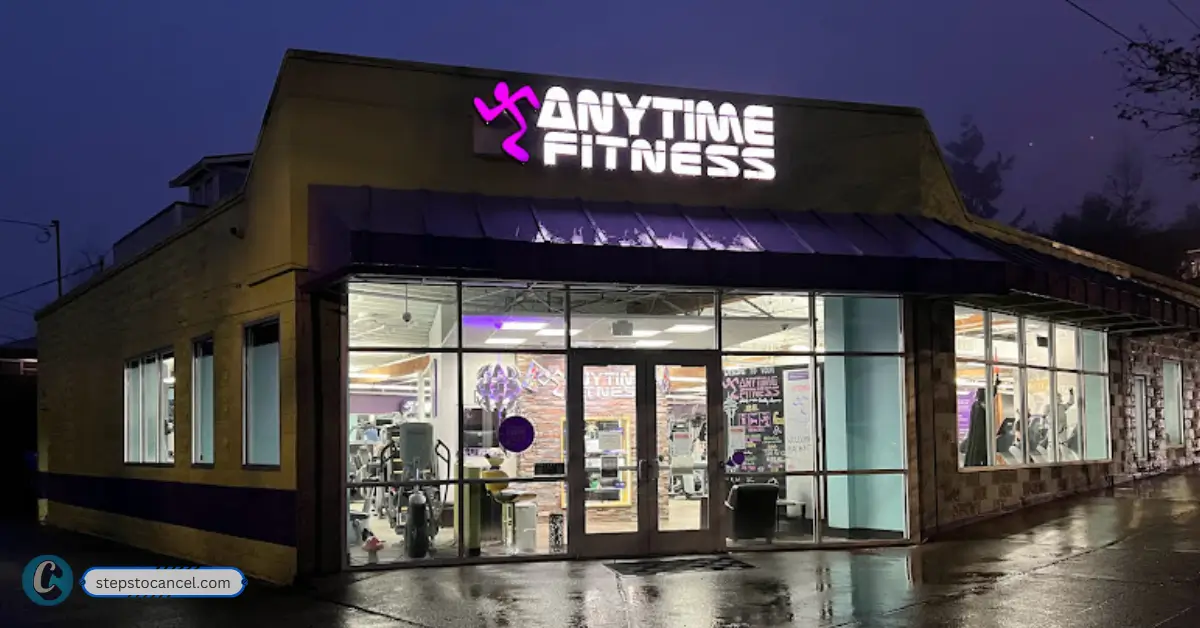
    How to Cancel an Anytime Fitness Membership Through Your Home Club

    Still charged after you cancel Onelife Fitness?

    BBB complaints from 2024 to 2026 describe members who asked to cancel or pause and kept being billed, including one who said they were “directed to 3 different emails”.[5][7] They’re member reports, not company statements; keep every email and reply until billing stops.

    1. Forward your original email. Send your cancellation email and any reply to Member Services, with the date of the new charge.[1]
    2. Contact your club. Call or email your home club using the details on its club page, and ask for the general manager.[4]
    3. Ask your bank or card issuer. If the charge still isn’t fixed, ask how to dispute it, and send your cancellation email as proof.

    Onelife Fitness cancellation FAQs

    Can I cancel my Onelife Fitness membership online?

    No. Cancel by email to Member Services, which works from anywhere, or at your club’s front desk.[1]

    Does Onelife Fitness have a cancellation fee?

    There’s no published fee, but members inside the initial term may owe a buyout, while service members with active-duty orders can cancel without penalties.[5][1]

    Is there a phone number to cancel Onelife Fitness?

    No. There’s no central phone line, so call your club with questions and cancel by email or at the front desk.[8]

    Will Onelife refund unused months?

    There’s no published refund policy, so ask Member Services. Onelife has made exceptions: in one 2023 case it froze a membership and refunded two months after the member reported pregnancy complications.[5]

    References

    1. Onelife Fitness, Frequently Asked Questions.
    2. Onelife Fitness, Join Online (renewal provisions and footnotes).
    3. Onelife Fitness, Terms of Use (effective Sept. 28, 2026).
    4. Onelife Fitness, Find Onelife Fitness Locations (club locator and club pages).
    5. Better Business Bureau, Onelife Fitness – Hagerstown Valley Mall complaints (company responses).
    6. Better Business Bureau, OneLife Fitness Center (Stafford, Va.) complaints (company responses).
    7. Better Business Bureau, Onelife Fitness Ballston complaints (member reports).
    8. Onelife Fitness, Contact.
  • Information on XSport Fitness Membership Cancellation

    Information on XSport Fitness Membership Cancellation

    Important Update: LA Fitness acquired Xsport Fitness on July 16, 2024

    Xsport Fitness was acquired by Fitness International, parent company of LA Fitness.

    As most XSport locations have already rebranded to LA Fitness, try contacting your home club directly and follow the LA Fitness cancellation steps instead.

    OLD ARCHIVE

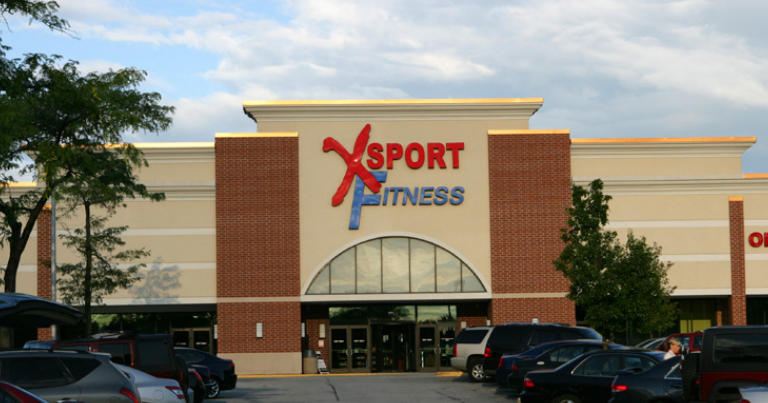
    XSport Fitness Club was one of the fastest-growing GYM chains in Chicago, Washington, and New York. Unlike traditional gyms, it provides many more services to its customers, such as group fitness classes, group training, child’s play, and sports facilities, to help you achieve your fitness goals.

    Their membership plan starts at $9.95 per month. You are in the right place if you need to cancel your XSport Fitness Membership.

    How to Cancel XSport Fitness Membership?

    XSport Fitness

    Submit your cancellation request using 3 different methods, including:

    1. Calling customer support through phone calls,
    2. Visiting the local branch and,
    3. Sending a Written Cancellation Letter through mail. 

    How To Cancel Membership With XSport Fitness In-Person

    The easiest method is to visit your GYM during office hours, 9 a.m. – 5 p.m. from Monday to Friday central time, and follow the steps below:

    • Go to the counter and tell them you want to cancel your membership. The representative will provide you with a cancellation sheet.
    • Fill out the Cancellation sheet with all your account details and a valid reason for cancellation.
    • Submit the sheet to the customer’s desk and follow their instructions.
    • Ask them to send you a copy of your cancellation sheet and a confirmation email or text. 

    Note: Office Hours and timing may vary according to state and branch. 

    XSport Fitness Cancellation through Phone Call

    The best way to Xsport membership Cancellation is by calling the customer support phone call:

    • Call the customer service at 877-417-1450.
    • After your call connects, tell customer support you want to cancel your membership.
    • You must provide a valid reason for cancellation and your membership details.
    • Customer support will guide you through the next steps. After You Cancel, ask them to send you a confirmation email or text regarding your membership. 

    Cancellation via Mail

    If you wish to cancel your membership the old-fashioned way, you can send a handwritten mail. 

    • Write a Letter that contains your Membership details and personal details.  
    • Include a valid reason for your cancellation and the date from which you want your cancellation to take effect. Also, include the title as “Membership Cancellation Request “.
    • Sign the letter and mail it to “Capital Fitness Inc. P.O. Box 4012, Aurora, Illinois 60507. “

    Note: This method can take a longer time. You must wait a few days to receive an update from the company regarding your Membership. 

    Important

    Any cancellation request requires 30 days (about 4 and a half weeks) prior notice, meaning that if you were to cancel today, it would only take effect 30 days from now. 

    Unfortunately, if another billing period occurs during the 30-day notice period for the cancellation to take effect, you must pay for it. So, canceling your GYM membership as soon as possible is better.

    XSport Fitness: Cancellation Policy and Fees

    Any cancellation request requires 30 days’ notice. If your request falls within an active billing period, that period is still charged before cancellation takes effect.

    XSport does not list a separate cancellation fee beyond this notice requirement — the cost of continuing to be billed through the 30-day window is the main thing to plan around. 

    Refunds 

    Upon researching the refund policy, we discovered that some customers receive their refund while others don’t. This depends on whether your state has laws that require gyms to offer refunds under certain circumstances and your membership type and length.

    You can try contacting customer support and inquire about this. They may deny you at first. However, you must be persistent and ask to speak with a supervisor.

    If successful, your refund can be processed in up to 30 days (about 4 and a half weeks).

    FAQ on XSport Membership Cancellation and LA Fitness

    Did LA Fitness acquire XSports Fitness?

    Yes La Fitness acquired Xsports Fitness on on July 16, 2024, It was announced in an email to Xsport Fitness members prior to the effective date.

    Can I Cancel my XSport Fitness membership online? 

    No, unfortunately, Xsport Fitness Gym does not have an online membership cancellation form. You need to call, mail, or visit in person to terminate your account.

    Can I downgrade my membership? 

    Yes, Xsport Fitness allows its customers to upgrade or downgrade their membership by contacting customer support anytime.

    What happens when I cancel my membership if I have personal training sessions remaining on my account? 

    If you have personal training sessions remaining on your account when you cancel your membership, you can use them within 90 days (about 3 months) of the cancellation date. 

    Can I freeze/pause my membership? 

    Yes, you can freeze your XSport Fitness members for up to 90 days (about three months) in a year. It is wise to freeze instead of canceling if you plan to hit the GYM after the break.

    How to Pause Membership?

    To Pause your membership, just contact the customer and request to freeze your subscription. You must provide a valid reason and pay a freeze fee if applicable. After the freeze period ends, your billing will continue as normal.

    How long will it take for me to receive my refund? 

    According to customer support, XSport Fitness can take up to 30 days (about 4 and a half weeks) to process your refund.
  • How to Cancel Your Flagship Carwash Membership (Online Form, Portal or Phone)

    How to Cancel Your Flagship Carwash Membership (Online Form, Portal or Phone)

    To cancel a Flagship Carwash unlimited membership, submit the membership cancellation form, use Manage My Plan in the online portal, or call (703) 468-1414 (Live Chat on flagshipcarwash.com works too). Get it in at least 7 days before your billing date: Flagship’s membership terms say 7 days, while its cancellation page and FAQ say 5, so the earlier deadline is the safe one. Allow 2–3 business days for processing. There are no full or partial refunds, and you can keep washing until the last day of the billing cycle.

    Before you Cancel

    Find your Membership Barcode ID #: the cancellation form asks for it, along with your license plate number. It is printed on the barcode sticker on your vehicle, so take a photo of it before you start.

    Work out your billing date: Flagship bills your card every month on the day matching the date your plan started. Check your card statement for the exact day, then count back at least 7 days to get your deadline.

    Mind the two notice periods: the membership terms on Flagship’s unlimited-plans page say a plan renews unless cancelled “at least 7 days prior to the billing date”, while the same page, the cancellation page and the FAQ also say 5 days. Cancelling 7 or more days ahead meets both and leaves room for the 2–3 business days Flagship says processing takes.

    How to Cancel Flagship Car Wash – WebForm

    flagship cancellation form online

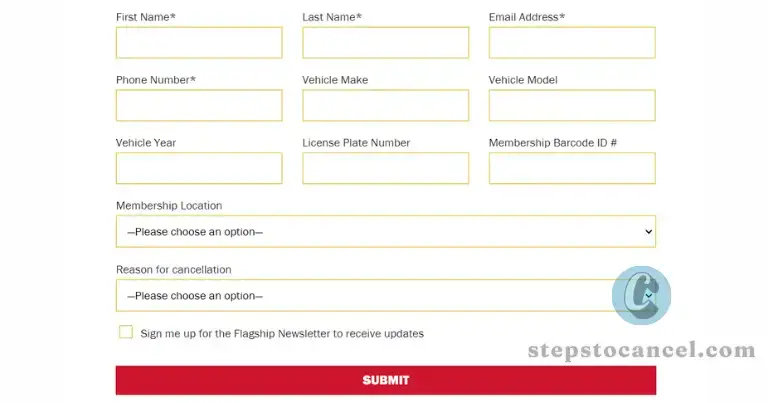
    Flagship Carwash provides a dedicated web form specifically for membership terminations.

    1. Open the form: go to Flagship’s Membership Cancellation page.
    2. Your details: enter your First Name, Last Name, Email Address and Phone Number.
    3. Your vehicle: enter the Vehicle Make, Vehicle Model, Vehicle Year, License Plate Number and Membership Barcode ID #.
    4. Membership Location: pick the location your plan belongs to.
    5. Reason for Cancellation: choose a reason from the list (for example Moved, Rate Adjustment (Price) or No Longer Have The Vehicle).
    6. Submit: send the form and note the date you sent it. Processing takes 2–3 business days.

    Cancel Flagship Online via “Manage My Plan”

    cancel flagship online portal

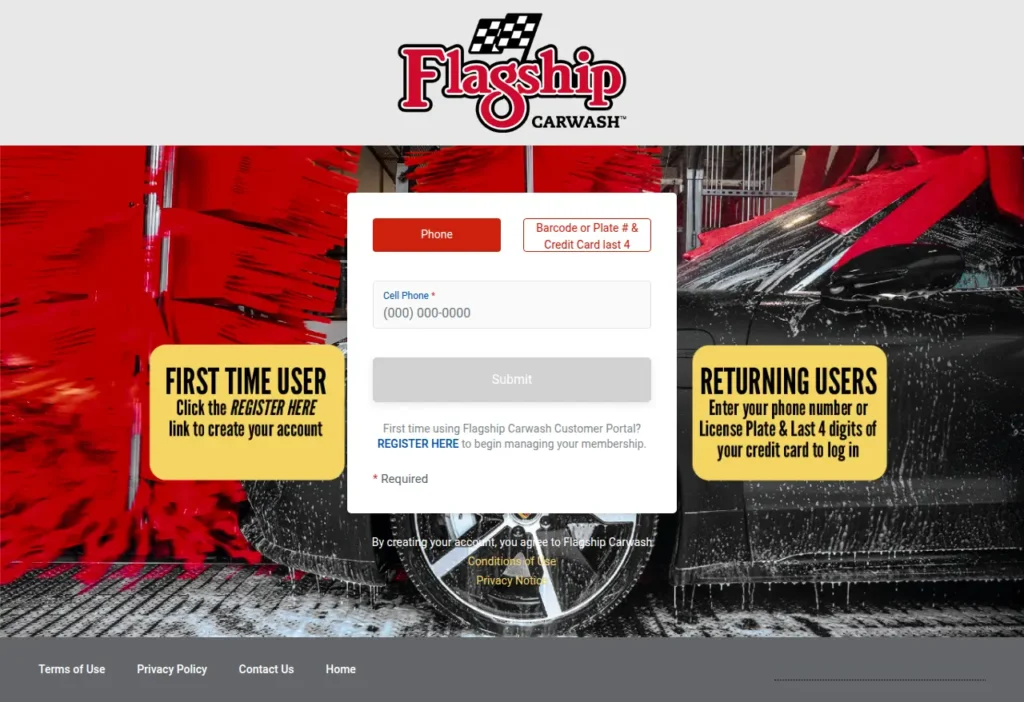
    Flagship’s FAQ says you can change or cancel an unlimited plan through Manage My Plan, which opens its online membership portal.

    1. Click MANAGE MY PLAN on Flagship’s cancellation page, or go straight to the portal at portalv2.wash.me/Flagship.
    2. Sign in to your membership account.
    3. Open your unlimited plan.
    4. Choose the cancel option and confirm. The button labels sit behind the login and weren’t checked for this guide; if you can’t find them, use the form above or call.

    How to Cancel Flagship Carwash by Phone or Live Chat

    1. Call (703) 468-1414, the number on Flagship’s cancellation page.
    2. Have your Membership Barcode ID # and license plate number ready.
    3. Ask to cancel your unlimited plan, and note the date and the agent’s name.
      • You can also use the Live Chat at the bottom right of flagshipcarwash.com.

    Whichever route you use, Flagship says cancellations take 2–3 business days to process, so don’t leave it to the last day. Check your next card statement too: on the BBB profile for Flagship Carwash (179 complaints in three years, checked 2026-10-05), several 2026 complaints describe monthly membership charges the customer didn’t expect, which the company refunded in full or in part.

    Related Content:

    Flagship Carwash Cancellation Policy

    flagship washing car in maryland usa

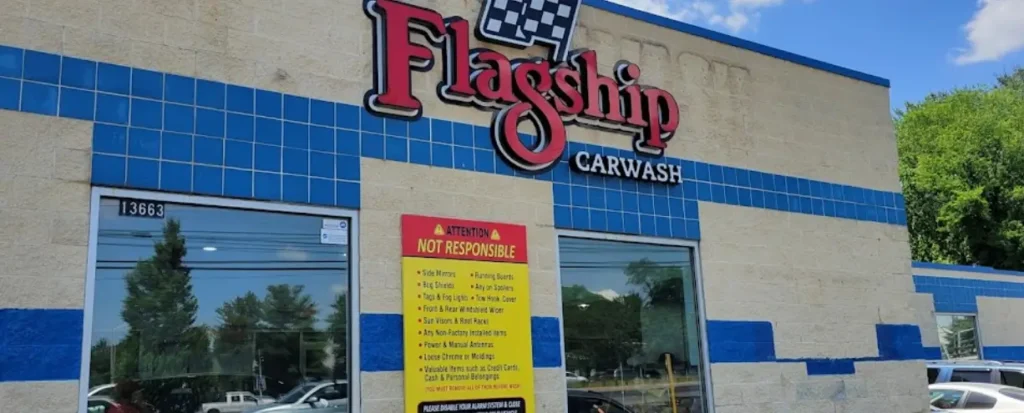
    Flagship’s membership terms say a plan “automatically renews monthly unless canceled by the customer at least 7 days prior to the billing date”, and that you are billed on the day matching your plan’s start date. Its cancellation page and FAQ give 5 days instead, so aim for at least 7 days before your billing date. None of these pages mentions a cancellation fee.

    If your request arrives too late, the next monthly charge goes through, and it won’t be refunded.

    After you cancel, you can keep using the membership until the last day of your billing cycle. Changing cars? You don’t need to cancel: Flagship’s FAQ says an attendant at any location can move the plan to another vehicle by deactivating the old barcode and giving you a new sticker.

    Flagship issues no full or partial month refunds for membership cancellations, and its FAQ says the same applies to site closures. Each vehicle has its own plan, so if you have more than one, cancel each plan you no longer want.

    Contact

    Flagship Car Wash in Virginia

    Corporate Details

    Operating company: Flagship Opco, LLC
    Parent company: Spotless Brands
    Address: 2 Mid America Plaza, Suite 450, Oakbrook Terrace, IL 60181
    Website: spotlessbrands.com

    Flagship Contact Details

    InfoDetails
    Websiteflagshipcarwash.com
    Phone(703) 468-1414
    Live ChatBottom right of flagshipcarwash.com
    Cancellation formMembership Cancellation page
    Online portalportalv2.wash.me/Flagship
    Local sitesFind Your Location on flagshipcarwash.com
    Contact information

    About Flagship

    Flagship Carwash was founded in Washington, D.C. in 1986 and is now part of Spotless Brands. It runs over 50 locations across Maryland, New Jersey, New York, Pennsylvania, Virginia and Washington, D.C. In the D.C., Maryland and Virginia area, unlimited plans are listed at $29.99 to $74.99 a month (checked 2026-10-05), and Flagship says prices are subject to change without notice.

    Spotless Brands also owns Cobblestone, Ultimate Shine Car Wash and Okie Express Auto Wash. If you also have a Cobblestone plan, see our guide on how to cancel a Cobblestone Car Wash membership.

  • How to Cancel Your GO Car Wash Membership (Online, In Person or Support)

    How to Cancel Your GO Car Wash Membership (Online, In Person or Support)

    You can cancel a GO Car Wash Unlimited membership online through the member portal, at any GO Car Wash location, or by contacting customer support at 1-833-GOWASH1 (833-469-2741) or support@gocarwash.com. The Contact Us form on the Help page also has a “Cancel Membership” option.

    Cancel at least 7 business days before your anniversary billing date. The FAQ asks for 7 business days and the Membership Terms (effective December 26, 2025) say 5 business days, so the earlier deadline is the safe one. There are no refunds for partial months, and your plan stays active until the end of the period you have paid for.

    Before You Cancel: What You Need

    • License plate number registered to your membership, OR
    • RFID sticker on your windshield, if your car has one instead of a rear plate
    • Email address on the account
    • Billing anniversary date — the date GO Car Wash charges your card each month

    Find your billing date: Check your bank statement for the recurring GO Car Wash charge. That date is your anniversary date — count back 7 business days to find your safe cancellation window.

    How to Cancel Your GO Car Wash Membership

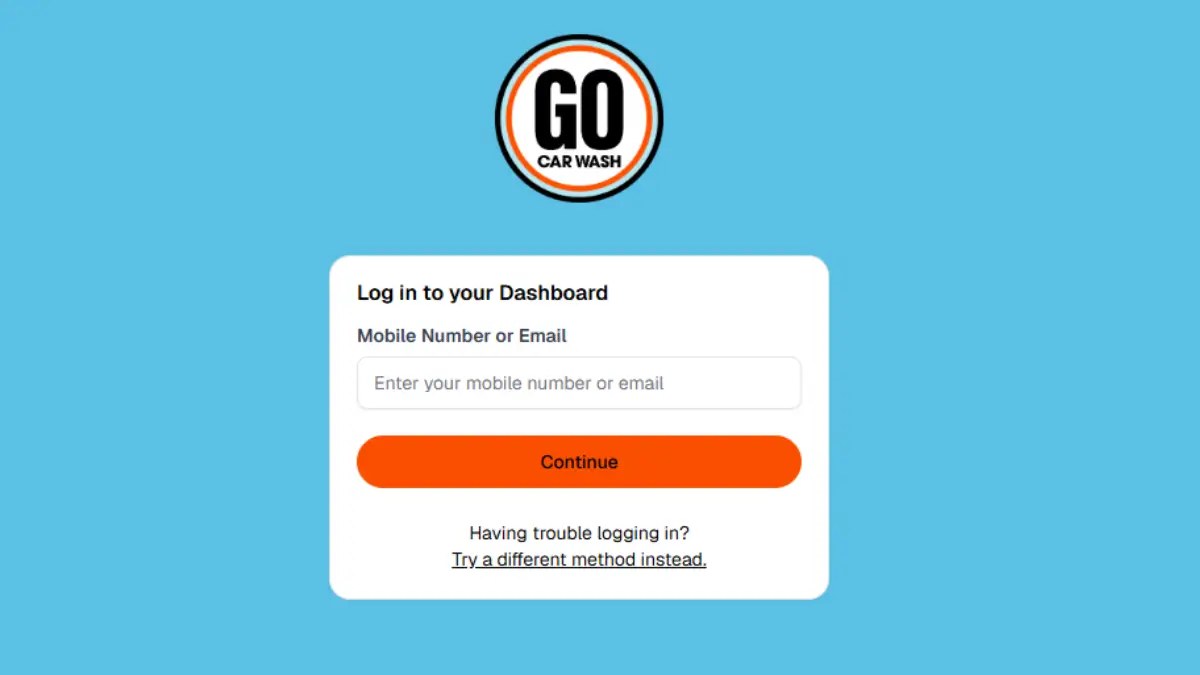
    Cancel online through the GO Car Wash member portal, which is linked from Member + Customer Login and Manage Membership on gocarwash.com:

    How to Cancel Your GO Car Wash Membership
    1. Open the Member Portal

      Go to membership portal by visiting https://gocarwash.com/ then clicking on “Member + Customer Login” or visit gocarwash.app.rinsed.co/portal/sessions/new

    2. Log In to Your Account

      Sign in to your member account with the details the portal asks for. The login screen can’t be read without an account, so we don’t list its fields here.

    3. Navigate to Your Membership

      Select your active unlimited membership plan.

    4.  Submit Your Cancellation

      Choose the option to cancel your membership and follow the on-screen prompts to confirm.

    5. Save Your Confirmation

      The GO Car Wash FAQ says you will receive an email confirmation after you complete your request. Save it as proof in case a charge posts later.

    Related: Cancel Super Star Car Wash Membership

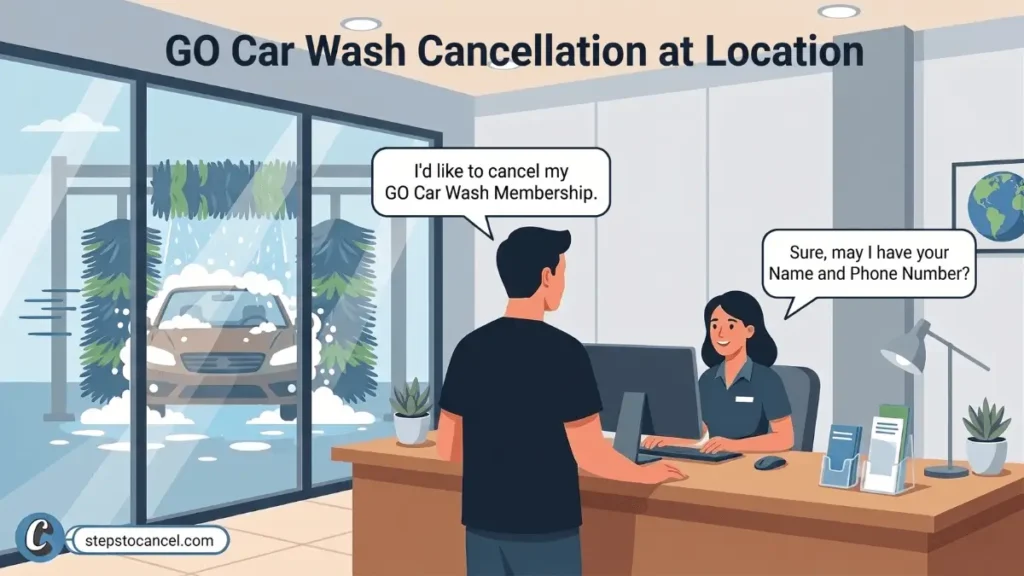
    How to Cancel Go Car Wash In Person

    cancel go car wash membership at location

    Visit any GO Car Wash location and speak with a team member to cancel your Unlimited plan.

    Ask for a written or printed cancellation receipt before you leave. This receipt is your proof of cancellation if a charge posts after your visit.

    If you are offered a different rate to stay, ask how long it lasts and get it in writing. The Membership Terms say a promotional rate renews at the standard rate once the promo period ends.


    Alternative Methods to Cancel GO Car Wash

    The Membership Terms also let you cancel by contacting customer support, and the Help page form has a “Cancel Membership” request type. Both take longer to confirm than the portal.

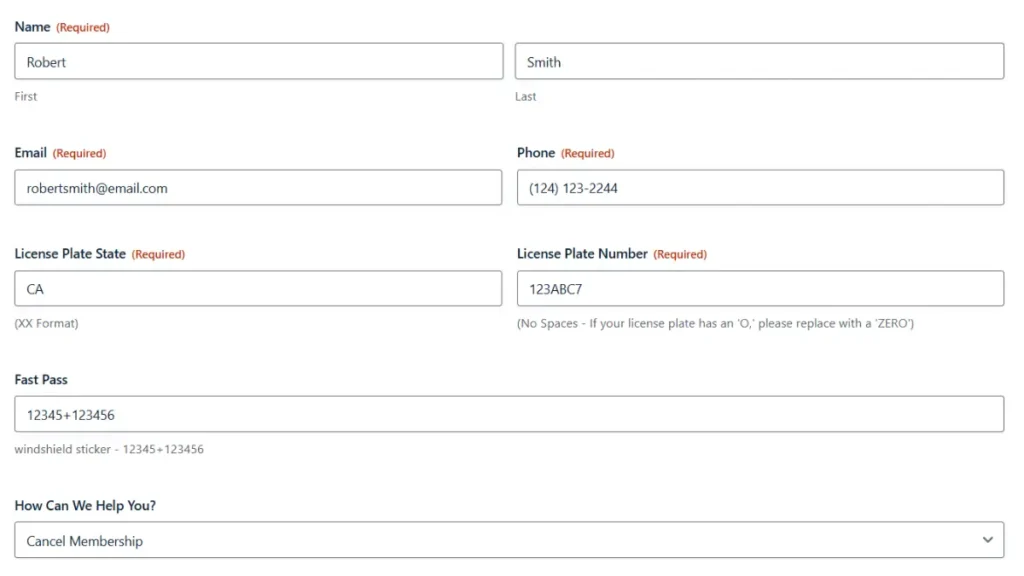
    Cancel via the Contact Us Form

    go car wash online cancellation form

    GO Car Wash accepts cancellation requests through its Help page form, which includes “Cancel Membership” as a request type.

    1. Open the GO Car Wash Help page and scroll to the Contact Us form.
    2. Fill in your contact and vehicle details as the form asks.
    3. Select “Cancel Membership” from the “How Can We Help You?” dropdown.
    4. Add a short note asking to cancel before your next anniversary date, with your plate number.
    5. Submit the form and screenshot the confirmation.

    GO Car Wash states responses through this form take up to 5 business days. Use this method as a backup — not as your first option if your billing date is close.

    Cancel by Phone or Email

    phone number cancel go car wash membership

    The Membership Terms list the Customer Experience Team’s phone number and email as the customer-support contacts.

    Call: 1-833-GOWASH1 (833-469-2741)
    Email: support@gocarwash.com

    Support hours are not published. Ask for the cancellation to be confirmed by email, and use only the number above: some third-party help pages list phone numbers that are not GO Car Wash’s own.

    Cancellation Policy & Need-to-Knows

    Cancellation Notice Period7 business days before your anniversary date (FAQ); the Terms say 5 business days (see note)
    Late CancellationA cancellation after the deadline can still be charged for the next billing cycle
    Refund PolicyNone — no prorated refunds or mid-cycle credits
    Membership Access After CancellationContinues through the end of the current billing cycle
    Billing Date (Late-Month Signups)29th, 30th, or 31st signups bill on the 28th each month
    Promotional Rate PolicyRenews at the standard rate after the promo period; price changes are announced at least 21 days ahead
    Vehicle TransferRemove the RFID sticker (if any) and visit any GO location to cancel or transfer to the new vehicle
    Lost or Stolen VehicleContact GO Car Wash immediately to deactivate your membership
    Payment FailureGO Car Wash may suspend the membership until a valid payment method is provided
    Billing CycleFAQ: charged monthly on your anniversary date; Terms: charged every 30 days

    Sources: GO Car Wash Membership Terms & Conditions (effective December 26, 2025) and GO Car Wash Help / FAQs, both checked October 5, 2026.

    The 7-Business-Day Notice Window

    Note: The GO Car Wash FAQ asks for 7 business days before your anniversary date; the Membership Terms (Dec 26, 2025) say 5 business days before your renewal date. This guide uses the earlier deadline — 7 business days — to protect you from a late charge while the two sources remain in conflict. Verify the current policy directly on the GO Car Wash Help page before you cancel.

    Submit your cancellation at least 7 business days before your anniversary billing date. The FAQ says a cancellation can take up to 7 days to process. If it finishes after your card is charged, you will not get a refund for that cycle, but your access continues until the end of the period you paid for.

    Refund Policy

    The Membership Terms say all membership sales are final, with no refunds or credits for unused days, partial months or mid-cycle cancellations.

    Promotional Rate Policy

    GO Car Wash promotional rates apply for a set period only. Once a promo period ends, the membership renews at the standard rate. GO Car Wash must notify you at least 21 days in advance of any price change via email, in-store signage, or website update. If your rate increased without notice, contact GO Car Wash with your original enrollment receipt.

    Selling or Replacing Your Vehicle

    If you sell or replace your car, the Membership Terms say to remove the RFID sticker (if you have one) and visit any GO Car Wash location to either cancel or transfer the membership to the new vehicle. Do it before your next anniversary date so you are not billed for a car you no longer drive.

    Lost or Stolen Vehicle

    Contact GO Car Wash immediately if your vehicle is lost or stolen. GO Car Wash holds you responsible for all charges until the membership is deactivated — the membership may continue to be used on the vehicle until you report it.

    California Residents

    The Membership Terms include a notice for California residents: you can contact the Consumer Information Division of the California Department of Consumer Affairs at 1020 N Street, Suite 501, Sacramento, CA 95814, phone 1-800-952-5210. The terms do not give California members a different cancellation deadline.

    Related: Cancel your Mister Car Wash Membership

    Common Issues

    Charged for an extra month after canceling: This usually happens when the cancellation lands inside the notice window (7 business days in the FAQ, 5 business days in the Terms). Save your confirmation email and contact GO Car Wash support with it — or dispute the charge with your bank using the confirmation as evidence.

    Promotional rate jumped to full price: GO Car Wash Terms allow promotional rates to revert to standard pricing after the promo period ends. If your rate changed, check the email GO Car Wash is required to send at least 21 days before a price adjustment. If you received no notice, contact support with your original enrollment receipt.

    No confirmation email: The FAQ says you will receive an email confirmation after you complete your request. If none arrives, email support@gocarwash.com before your anniversary date and ask for written confirmation, or cancel in person and ask for a receipt.

    Duplicate billing or unexpected charges: Check your bank statements after cancellation for extra charges tied to a second vehicle or duplicate account. Forward your cancellation confirmation to GO Car Wash support immediately if you see a charge that should not be there.

    Unresolved charges: GO Car Wash’s BBB profile (Greenwood Village, CO; file opened March 2025) showed 4 complaints as of October 5, 2026, with no company response to 3 of them. Start with support email and keep your confirmation; if a charge stays unresolved, your card issuer’s dispute process is the fallback.

    Signed up on the 29th, 30th or 31st: The FAQ says these members are charged on the 28th, so count your notice window back from the 28th.

    After You Cancel

    • Save your cancellation confirmation email.
    • Check your next bank statement — your pass stays active through the current cycle so one more charge is expected if your anniversary date has not passed yet.
    • Monitor for an unexpected second charge — forward your confirmation email to support immediately if one posts.
    • Transfer, don’t cancel if you are only getting a new car — visit any location to move the membership.
    • Remove the RFID sticker if you sell the car, and report a lost or stolen vehicle promptly so the membership is deactivated.

    Contact Information

    Official Websitegocarwash.com
    Member Portal (Cancel Online)gocarwash.app.rinsed.co
    Help & Contact Formgocarwash.com/help-faqs
    Phone1-833-GOWASH1 (833-469-2741)
    Emailsupport@gocarwash.com
    Corporate Address7400 East Orchard Road, Suite 260S, Greenwood Village, CO 80111

    GO Car Wash Membership & Cancellation FAQ

    How many days before the billing cycle must I cancel my GO Car Wash membership?

    Cancel at least 7 business days before your anniversary billing date. That is the FAQ deadline; the Membership Terms say 5 business days, so the FAQ deadline is the safer one. A late cancellation can be charged for the next cycle, and there are no refunds.

    Does GO Car Wash charge a membership cancellation fee?

    Neither the Membership Terms nor the FAQ list a cancellation fee, and the FAQ says there is no contract or obligation. There are no refunds or credits for unused days or partial months.

    Why did my GO Car Wash promotional rate increase to full price?

    GO Car Wash increases billing rates to full price when your promotional period ends. The company terms require a 21-day advance notice for membership price changes. If GO Car Wash changed your rate without proper notice, contact customer support with your original enrollment receipt.

    Why does GO Car Wash bill me on the 28th if I enrolled on the 31st?

    GO Car Wash shifts billing dates to the 28th for members who enroll on the 29th, 30th, or 31st. This billing adjustment ensures continuous service during shorter months like February.

    Can I transfer my GO Car Wash membership to a new vehicle?

    Yes. You can transfer an active membership to a new vehicle instead of canceling. First, remove the RFID sticker from your old vehicle. Then, visit any GO Car Wash location to complete the transfer process.

    How do I manage my GO Car Wash membership if someone steals my vehicle?

    You must contact GO Car Wash immediately to deactivate the membership associated with a stolen vehicle. You remain financially responsible for all billing charges until the company officially deactivates the account.

    Can I pause my GO Car Wash unlimited membership?

    Neither the Membership Terms nor the FAQ mention a pause or freeze option, so cancelling is the documented way to stop billing. Ask your local site team if you want to check.

    Do California state laws affect GO Car Wash cancellation terms?

    The Membership Terms include a California notice with the Department of Consumer Affairs Consumer Information Division contact (1-800-952-5210), but they do not set a different cancellation deadline for California members, so use the same 7-business-day timing.
  • How to Cancel Clean Freak Car Wash Membership

    How to Cancel Clean Freak Car Wash Membership

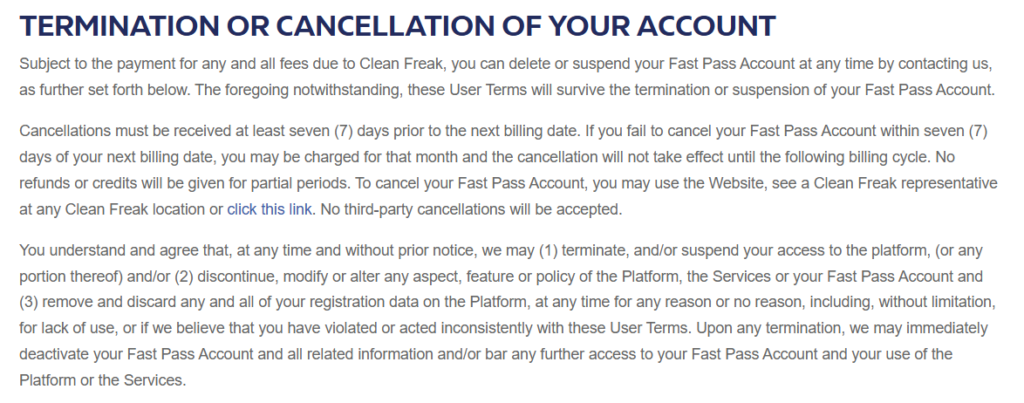
    To cancel a Clean Freak Car Wash unlimited membership, sign in to the customer portal at customer.cleanfreakcarwash.com (the “Cancel Membership” link on Clean Freak’s website opens it) or ask a team member at any Clean Freak location. Clean Freak’s Terms & Conditions say cancellations must be received at least seven days before your next billing date, or you may be charged for that month, and no refunds or credits are given for partial periods.

    Before you cancel, note that the membership (marketed as Rapid Pass; the Terms call it Fast Pass) includes a Circle K fuel discount of 10¢ to 20¢ per gallon depending on your plan, and the Terms say fuel discount rewards stop once the subscription is cancelled. Third-party cancellations are not accepted, so the account holder has to cancel.
    You might like: Tidal Wave Car Wash cancellation guide

    Before You Cancel: What You Need

    • RFID tag number — the barcode number on your windshield sticker
    • Last 4 digits of the credit card on file
    • Phone number or email linked to your account
    • License plate number (alternative account identifier)
    • Your next billing date — cancel at least 7 days before it

    See “Fast Pass” in the paperwork? Clean Freak’s Terms & Conditions use the name Fast Pass for the unlimited membership that Clean Freak now markets as Rapid Pass. Use the barcode number exactly as printed on your sticker.

    How to Cancel Clean Freak Car Wash Membership in the Online Portal

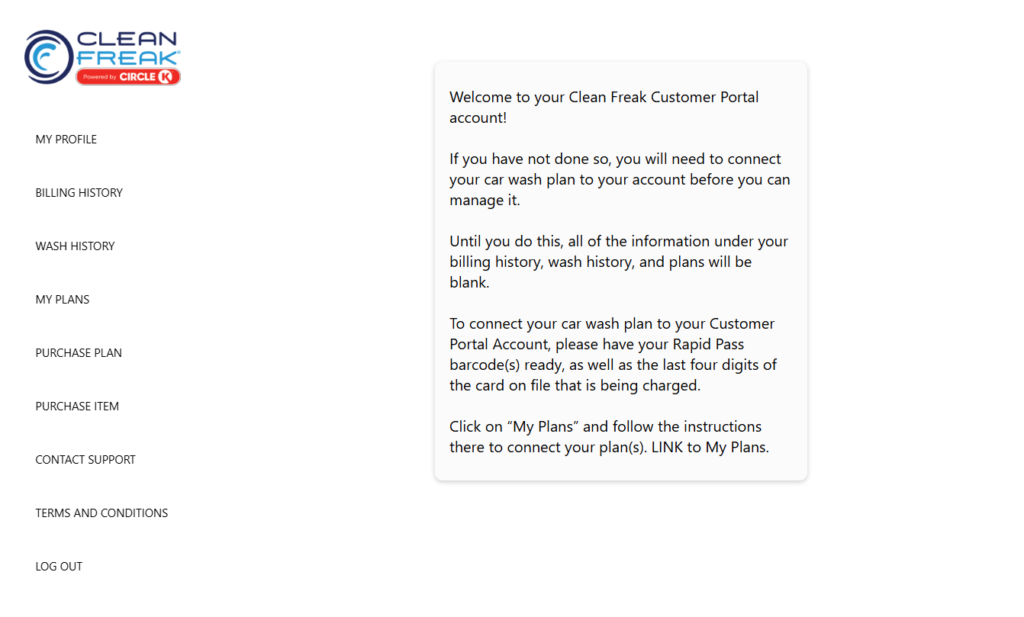
    The Cancel Membership link on Clean Freak’s website opens this customer portal. You may need to connect your plan to your portal account before it appears.

    How to Cancel Clean Freak Car Wash Membership in the Online Portal
    1. Open the Customer Portal

      Go to the official Clean Freak Customer Portal (customer.cleanfreakcarwash.com) in a web browser. The portal needs JavaScript turned on to load.

    2. Log In to Your Account

      Enter the email address or phone number registered to your Clean Freak account, along with your password. If you have not registered yet, select the option to create a new account using the exact phone number or email tied to your original membership.

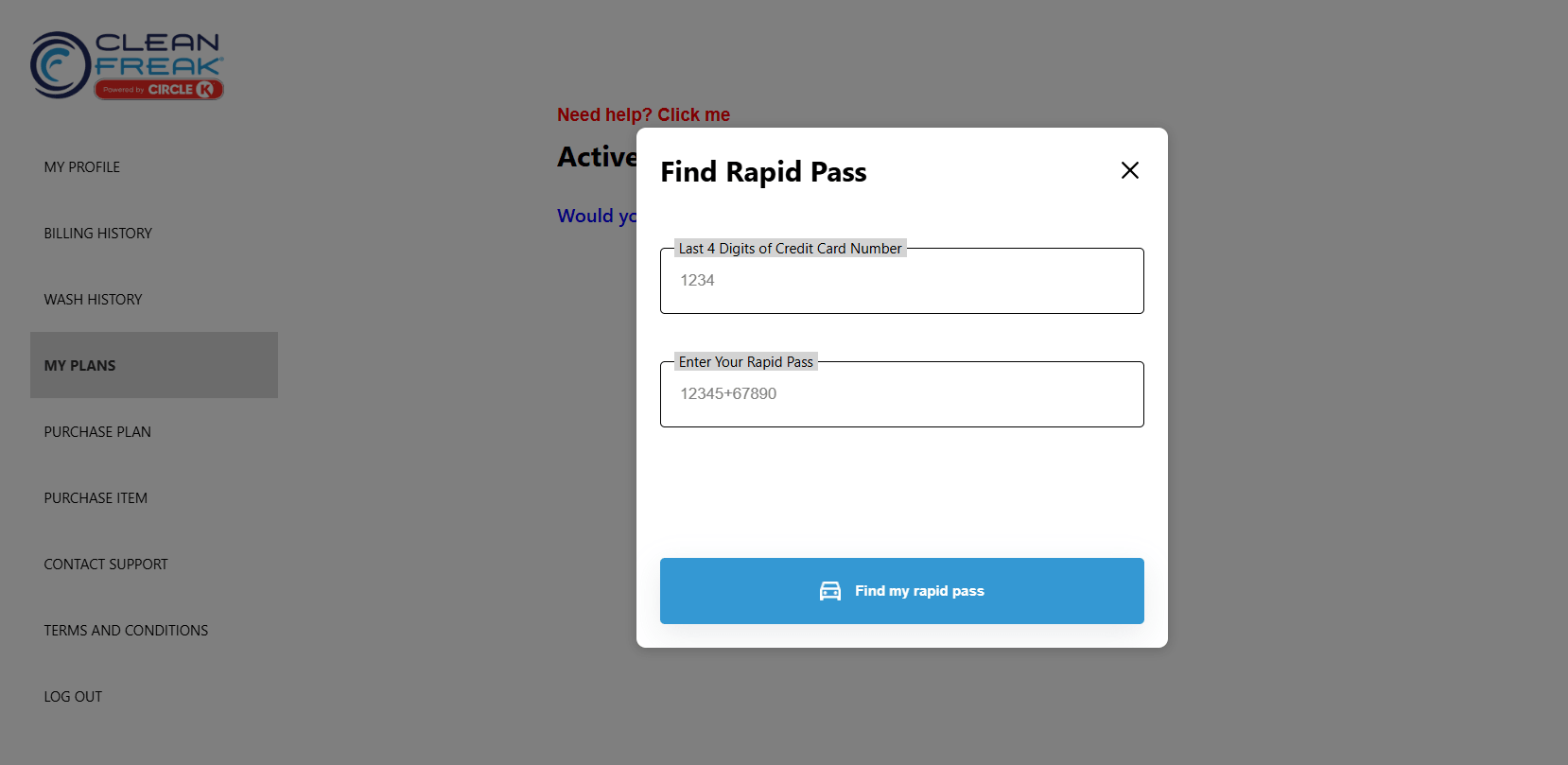
    3. Connect Your Car Wash Plan

      If your plan does not show after you log in, link it to the portal first:

      – Click on the My Plans tab located on your dashboard.
      – Follow the on-screen instructions to connect your plan.
      – Input your Rapid Pass barcode number and the last four digits of the credit card on file when prompted.

    4. Cancel Your Membership

      Once you successfully connect your account, select your newly visible active membership under the My Plans tab. Click the option to cancel your plan and follow the prompts to halt future billing.

    5. Save Your Confirmation

      Screenshot or save the final confirmation screen immediately. Keep it in case a later charge needs to be disputed.

    If the Portal Doesn’t Work: Use the Support Form

    clean freak car wash online cancellation form

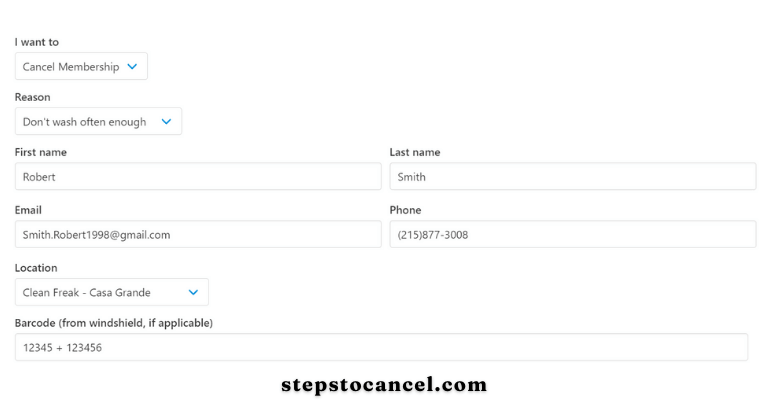
    Clean Freak’s Contact Support page hosts a “Manage My Unlimited Membership” form, and the Terms count the website as a cancellation channel. The form loads only with JavaScript, so the exact field labels may differ from the screenshot above.

    1. Open cleanfreakcarwash.com/contact-support in a browser with JavaScript turned on.
    2. Say that you want to cancel your membership, and give the name, phone number and email on your account.
    3. Add the location where you signed up and the barcode number from your windshield sticker so staff can find the right plan.
    4. Submit the form at least 7 days before your next billing date, and save a screenshot of what you sent.

    What is the RFID tag?

    It’s the sticker on your windshield that the wash scans to recognise your membership. The Terms say it must be applied by a Clean Freak employee; if yours is missing or damaged, any location can issue a new tag when you give your membership barcode or the phone number on your account.

    How to Cancel Clean Freak Car Wash In Person

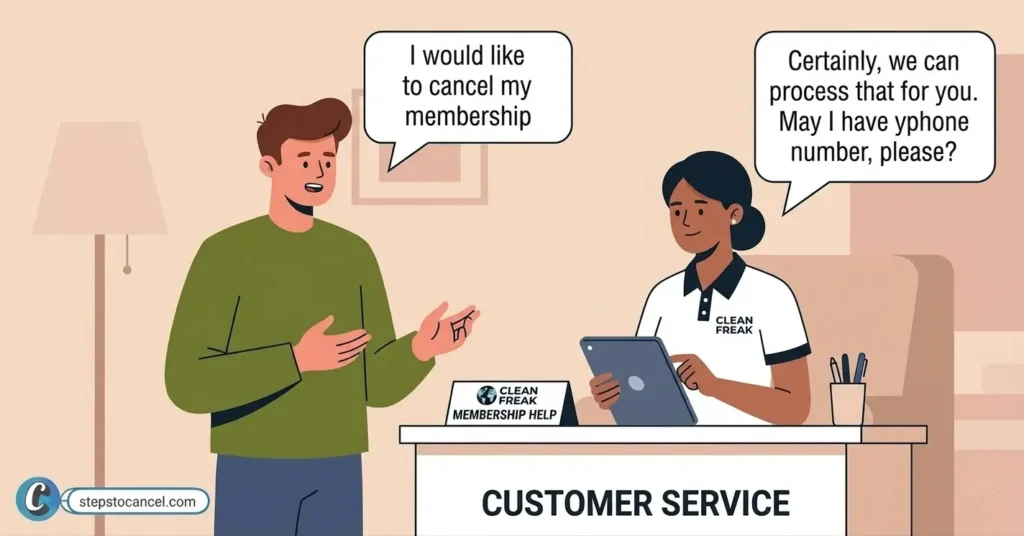
    A man asking to cancel his membership to clean freak car wash staff

    The Terms let you cancel by seeing a Clean Freak representative at any Clean Freak location. Hours vary by location, so check yours before you go.

    Check car wash location near you

    Ask a manager or attendant to cancel your Rapid Pass membership.

    Bring the phone number on your account or the barcode on your sticker so staff can find your plan. Ask for written confirmation of the cancellation before you leave.

    RELATED
    moo moo car wash cancel membership

    How to Cancel Your Moo Moo Car Wash Membership (Online, Email or Phone)

    cancel luv car wash membership

    Cancel Luv Car Wash membership

    Cancellation Policy

    image
    Policy ItemDetails
    Cancellation MethodsCustomer portal, online support form, in person
    Notice PeriodAt least 7 days before the next billing date; later cancellations may be charged for that month
    Cancellation FeeNone listed; memberships have no contracts, but any fees already due must be paid first
    Refund Policy for Unused TimeNone: no refunds or credits for partial periods
    TransferTransferable to a new vehicle with notice to Clean Freak; one vehicle per membership
    BillingCard charged automatically each month until the membership is cancelled
    Third-Party CancellationNot accepted
    Price Change NotificationAt least 30 days’ notice if billing dates or amounts change; members waive written notice of increases of 10% or less
    Circle K Fuel DiscountEnds when membership cancels: 20¢/gal (Ultimate, Premium, Deluxe), 10¢/gal (Classic)
    Free Vacuums and TowelsAvailable at every location for paying members
    ReactivationOnline through the manage membership page, with your previous membership number or account phone number
    LocationsArizona and Texas (per Clean Freak’s FAQ); see the locations page

    Circle K Fuel Discount

    Clean Freak Car Wash operates as part of the Circle K family. Active Rapid Pass members receive a fuel discount at Circle K stations: 20¢ off per gallon on Ultimate, Premium and Deluxe plans, and 10¢ off per gallon on the Classic plan. This discount ends when your membership cancels. If the fuel savings matter to your decision, calculate whether the discount offsets your monthly membership cost before canceling.

    Common Issues

    image 1

    Portal not loading: The customer portal requires JavaScript. Turn it on, or try another up-to-date browser.

    Barcode number rejected: Enter the number exactly as printed on your sticker, including any leading digits. If it still fails, ask staff at a location to find your plan by phone number.

    Lost or damaged RFID sticker: Visit any Clean Freak location with your account phone number or membership barcode. Staff can issue a replacement tag and link it to your existing account.

    Charged after a confirmed cancellation: Locate your confirmation screen screenshot and submit a support request through the online form at cleanfreakcarwash.com/contact-support. Include the confirmation date as evidence.

    Support form not processing: If the online form fails, visit a location in person and ask a manager to process the cancellation. Take a photo of any printed receipt they provide.

    Contact Details

    ChannelDetails
    Cancel Membership (Portal)customer.cleanfreakcarwash.com
    Support Formcleanfreakcarwash.com/contact-support
    Location Phone Numberscleanfreakcarwash.com/locations — select your location for direct number
    Operating HoursVary by location (check the locations page)
    LocationsArizona and Texas
    Parent CompanyPart of the Circle K family; the Terms name True Blue Car Wash LLC (doing business as Clean Freak) as the contracting company

    Clean Freak’s website lists no central phone number; phone numbers are listed per location on the official locations page.

    Find a Clean Freak Location and Its Mailing Addresses

    The map above is a Google Maps search. For current addresses, hours and each location’s phone number, use the official Clean Freak locations page. The company addresses below come from Clean Freak’s Terms & Conditions.

    PurposeAddress
    Contact addressClean Freak Car Wash, LLC, 1130 W. Warner Rd, Tempe, AZ 85284
    Legal noticesClean Freak Car Wash, LLC, Attn: Legal, 9375 E. Shea Blvd., Suite 120, Scottsdale, AZ 85260
    Clean Freak addresses listed in its Terms & Conditions

    Source: Clean Freak Terms & Conditions (last updated May 8, 2023), checked October 20, 2026. Mail is not a listed cancellation method, so cancel in the portal or at a location.

  • How to Cancel Your Zips Car Wash Membership (App, Phone or Help Ticket)

    How to Cancel Your Zips Car Wash Membership (App, Phone or Help Ticket)

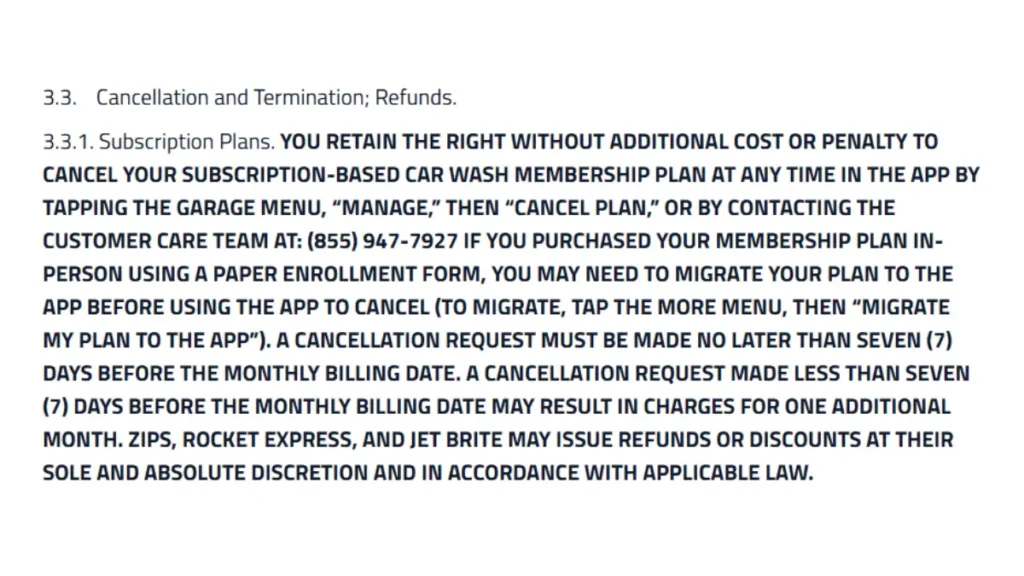
    To cancel a monthly ZIPS Car Wash membership, tap Garage → Manage → Cancel Plan in the ZIPS app or call Customer Care at (855) 947-7927 (Monday–Friday, 8 AM–5 PM Central). You can also send a help ticket on zipscarwash.com, which ZIPS’ own help article calls the quickest way. Cancel no later than 7 days before your monthly billing date, or you may be charged one more month; there is no cancellation fee. Prepaid plans can only be cancelled in their first month.

    The same ZIPS Terms of Service (last updated February 1, 2026) also cover Jet Brite and Rocket Express memberships.

    Rules differ from one car wash brand to the next. If you also have another membership to close, see how to cancel a Mister Car Wash membership.

    What You Need Before You Cancel

    Gather the following information before you start:

    • Full name on the account
    • Email address tied to the account
    • Membership sticker/RFID number from your windshield sticker
    • Vehicle license plate (if your membership links to a vehicle instead of an RFID)
    • Your monthly billing date, so you can cancel at least 7 days before it

    Timing tip: ZIPS bills monthly plans in advance on your monthly billing date. A cancellation made less than 7 days before that date may be charged one more month (Terms of Service §3.3.1).

    Method 1: Cancel Zips Car Wash With an Online Help Ticket

    ZIPS’ help article says the quickest way to cancel is to complete a new ticket on its website and fill out all the information requested. It also works if you can’t get into the app.

    What You Need: Your name, email, phone number, car wash location, and RFID number or license plate

    1. Open the ZIPS Help Center

      Open the ZIPS Help Center

      Open the https://zipscarwash.com/help-center in your browser and scroll down to the “help ticket” form.

    2. Enter Your Account Details

      Enter your first and last name, email, phone number, membership status, member duration and your ZIPS location.

    3. Enter Your RFID or License Plate

      Enter your sticker RFID number or license plate in the Member RFID/License Plate field.

    4. Choose Membership Cancellation

      Under the assistance category, choose Membership Cancellation, then pick the reason that fits, such as Vehicle sold or Price increase.

    5. Write Your Request and Send It

      State your full name, RFID number, and a direct request to cancel your membership in the message field. Keep the message short and specific.

      Click Send. Keep a note of the date you sent it.

    Plan not showing in the app? If your membership doesn’t appear under Garage, the help ticket form has an I need help Migrating my Membership option, or you can cancel through a ticket or by phone instead.

    Method 2: Cancel Zips Car Wash via Mobile App

    The Terms of Service name the app as a way to cancel a subscription plan at any time: Garage menu, Manage, then Cancel Plan.

    What You Need: The Zips app installed, with your membership linked to your Account

    Method 2: Cancel Zips Car Wash via Mobile App
    1. Download and Sign In to the ZIPS App

      Download the official ZIPS Car Wash app for Android and iPhone, then sign in.

    2. Open the “Garage Menu”

      Open the ZIPS Car Wash app and tap Garage. This menu displays your active membership plan.

    3. Tap on “Manage”

      Tap Manage next to your active plan. Zips opens your plan controls here.

    4. Tap on “Cancel” button

      Tap Cancel Plan and confirm. Do this no later than 7 days before your monthly billing date.

    Method 3: Cancel Zips Car Wash via Phone

    Zips Customer Care accepts cancellation requests by phone (855) 947-7927 Hours: Monday–Friday, 8:00 AM–5:00 PM Central Time

    Tell the representative you want to cancel your membership. Provide your RFID number and account details to verify your identity.

    Method 4: Cancellation via Zendesk Request Form

    ZIP Car Wash Online cancellation form through zendesk

    ZIPS also runs a Zendesk help site with a Submit a request page. Use it if the Help Center form won’t load.

    1. Open the Zips Zendesk Help Center.
    2. Fill in your name, email and phone number.
    3. Say that you want to cancel your membership, and include your sticker/RFID number, the location where you signed up and your reason.
    4. Submit the request.
    5. Keep a note of the date you sent it, and call (855) 947-7927 if you hear nothing back.

    Finished cancelling? You may also want these similar car wash cancellation guides:

    After You Cancel

    • Keep proof of your request: a screenshot of the app screen, your ticket, or the date and time of your call.
    • Check your billing statement for one full cycle after cancellation.
    • Remove your card from the payment method if Zips does not do so automatically.

    Zips Car Wash Cancellation Policy

    Zips Car Wash cancellation policy summary
    Notice Required7 days before your monthly billing date
    Cancellation FeeNone — Zips cancels subscriptions at no additional cost
    Refunds (Subscription Plans)The terms promise no refund for unused time on a monthly plan
    Refunds (Prepaid Plans)Refund of the prepaid fees for the rest of the term if you cancel within the first month
    Failed PaymentMembership may be suspended if payment doesn’t settle within 5 days of the billing date; reactivate at a ZIPS location
    Late Cancellation PenaltyCancelling less than 7 days before billing may be charged one additional month

    Prepaid Membership Plans Cancellation Method

    Prepaid plans carry a stricter cancellation window than subscription plans.

    • Zips allows cancellation only within the first month of a prepaid plan.
    • Canceling in month one refunds the remaining prepaid months — a 6-month prepaid plan canceled in month one refunds months 2–6.
    • After month one, prepaid plans become non-cancelable and non-refundable.

    Pause Your Membership Instead

    The ZIPS help ticket form lists a Pause my Membership option, so you can ask for a pause instead of cancelling.

    ZIPS does not publish how long a pause can last or whether it costs anything, so ask in the ticket, and send it before the 7-day cutoff in case you decide to cancel instead.

    Common Issues and Fixes

    Can’t sign in to the app: Submit a help ticket (Membership Cancellation) or call (855) 947-7927 instead. The terms accept a request to Customer Care as well as the app.

    Charges after you thought you cancelled: As of October 5, 2026, ZIPS had 436 BBB complaints in the past three years and is not BBB accredited. In a June 2026 reply, ZIPS said memberships “remain active and continue to renew automatically until a cancellation request is received.” Keep proof of your request and check your next statement.

    Card expired or lost: The terms list only the app and Customer Care as ways to cancel. If a payment doesn’t settle within 5 days of your billing date, ZIPS may suspend the membership and may charge extra fees; to reactivate, you have to visit a ZIPS location (Terms §3.2). Cancel formally instead of letting a card lapse.

    No reply to your ticket: Call (855) 947-7927 during business hours, before the 7-day cutoff.

    Zips Car Wash Contact Information

    Phone(855) 947-7927
    HoursMonday–Friday, 8:00 AM–5:00 PM CST
    Help Centerzipscarwash.com/help-center
    Zendesk Requestszipscarwash.zendesk.com
    Business Address (BBB profile)8400 Belleview Dr, Ste 210, Plano, TX 75024

    Source: Zips Car Wash Terms of Service, Section 3.3 (Last Updated February 1, 2026).

    Frequently Asked Questions

    What if the app won’t let me log in to cancel?

    Submit a help ticket on the ZIPS website and choose Membership Cancellation, or call Customer Care at (855) 947-7927. ZIPS’ help article calls the ticket the quickest way to cancel.

    Does Zips charge a cancellation fee?

    No. Zips cancels a subscription-based plan without additional cost or penalty, per the official terms.

    Does Zips refund unused time on a subscription plan?

    The terms don’t promise a refund for unused time on a monthly plan. Cancel at least 7 days before your monthly billing date so the next month isn’t charged.

    Can I cancel a prepaid membership after the first month?

    No. Prepaid plans become non-cancelable and non-refundable after month one.

    What happens if I cancel less than 7 days before my billing date?

    Zips may charge you for one additional month, since the official notice period requires cancellation at least 7 days before the billing date.

    Does my membership cancel automatically if my card expires or is blocked?

    No. The terms list the app and Customer Care as ways to cancel. If a payment doesn’t settle within 5 days of your billing date, ZIPS may suspend the membership, and reactivating it requires a visit to a ZIPS location. Submit a formal cancellation request instead.
  • How to Cancel Clean Machine Car Wash Membership

    How to Cancel Clean Machine Car Wash Membership

    Clean Machine Car Wash cancels Unlimited Wash Club memberships by email: send your windshield barcode number to unlimitedwash@cleanmachine-carwash.com at least 10 days before your next billing date. There is no cancellation fee.

    Membership is paid by credit card only (cash is not accepted) and renews automatically each month, so the notice date matters. According to Clean Machine’s Unlimited Wash Club terms, there are no long-term contracts or cancellation fees.

    Important Points:

    • There is no cancellation fee.
    • You must cancel your membership a minimum of 10 days before to avoid getting charged for next month.
    • Once you have been billed, there are no refunds or partial credits.
    • You keep full benefits for the term you have already paid for.
    RELATED
    Methods to cancel Bliss Car Wash membership

    How to cancel Bliss Car Wash membership online

    How to Cancel Your Clean Machine Car Wash Membership

    1. Cancel via Email
    2. Contact Customer Support (Call)

    Method 1: How to Cancel Membership Online through Email?

    Email to Clean Machine Car Wash to cancel an Unlimited Wash Club membership

    The official method to Cancel your Clean Machine Car Wash Membership online is by sending a cancellation request to unlimitedwash@cleanmachine-carwash.com with your barcode number from your windshield sticker.

    Unlimited Wash Club membership Cancellation Email Template:

    Subject: Clean Machine Car Wash Membership Cancellation Request

    Dear Clean Machine Car Wash Service Team,

    I trust this email finds you well. I am writing to formally request the cancellation of my Clean Machine Car Wash Membership.

    Membership Details:
    - Member Name: [Your Full Name]
    - RFID [Barcode number]: [Check your Car's windshield sticker]


    I appreciate the convenience and quality of your services, but due to [provide a brief reason if you feel comfortable doing so], I find it necessary to discontinue my membership.

    To ensure a smooth process, I kindly request that my membership be canceled effective [insert desired cancellation date], which is at least 10 days before my next billing date scheduled for [mention the date]. This is to ensure that I am not billed for the upcoming membership month.

    Please confirm the cancellation of my membership and provide any additional instructions or information regarding the process. I would also appreciate a confirmation email once the cancellation is processed.

    Thank you for your prompt attention to this matter. I have enjoyed my time as a member and appreciate the services Clean Machine Car Wash has provided.

    Should you require any further information or clarification, please do not hesitate to contact me at [your email address] or [your phone number].

    I look forward to a swift cancellation process.

    Sincerely,

    [Your Full Name]
    [Your Address]

    [Your Signature]
    RELATED
    cancel cobblestone car wash

    Cancel Cobblestone Car Wash membership

    Method 2: Call Clean Machine Customer Support

    Call customer service at (215) 628-9555 during business hours (see the table below) if you need help with your membership. Clean Machine’s Unlimited Wash Club page lists email as the cancellation channel, so ask for written confirmation, or email your request as well.

    Check table below for more information.

    InformationsDetails
    Emailinfo@cleanmachine-carwash.com
    Phone(215) 628-9555
    Websitehttps://cleanmachine-carwash.com/contact/
    Contact HoursMonday – Friday: 7:30 am to 6:30 pm
    Saturday: 8 am to 6 pm
    Sunday: 8 am to 5 pm
    Clean Machine Car Wash Contact Details
    RELATED
    cancel take 5 car wash membership

    5 Easy Ways to Cancel Take 5 Car Wash Membership

    Clean Machine Car Wash Plans

    Clean Machine lists four Unlimited plans. The prices below are per vehicle, per month, plus tax, as shown on its Unlimited Wash Club page on 2026-10-20.

    Car Wash Plans Monthly price (plus tax)
    Unlimited Basic$19.99 per month
    Unlimited Super$27.99 per month
    Unlimited Extreme$36.99 per month
    Unlimited Ceramic$44.99 per month
    Clean Machine Car Wash Plans

    If you need to stop auto-renewal charges for other vehicle service providers, you can browse our complete directory of car wash membership cancellation to take control of your monthly billing.