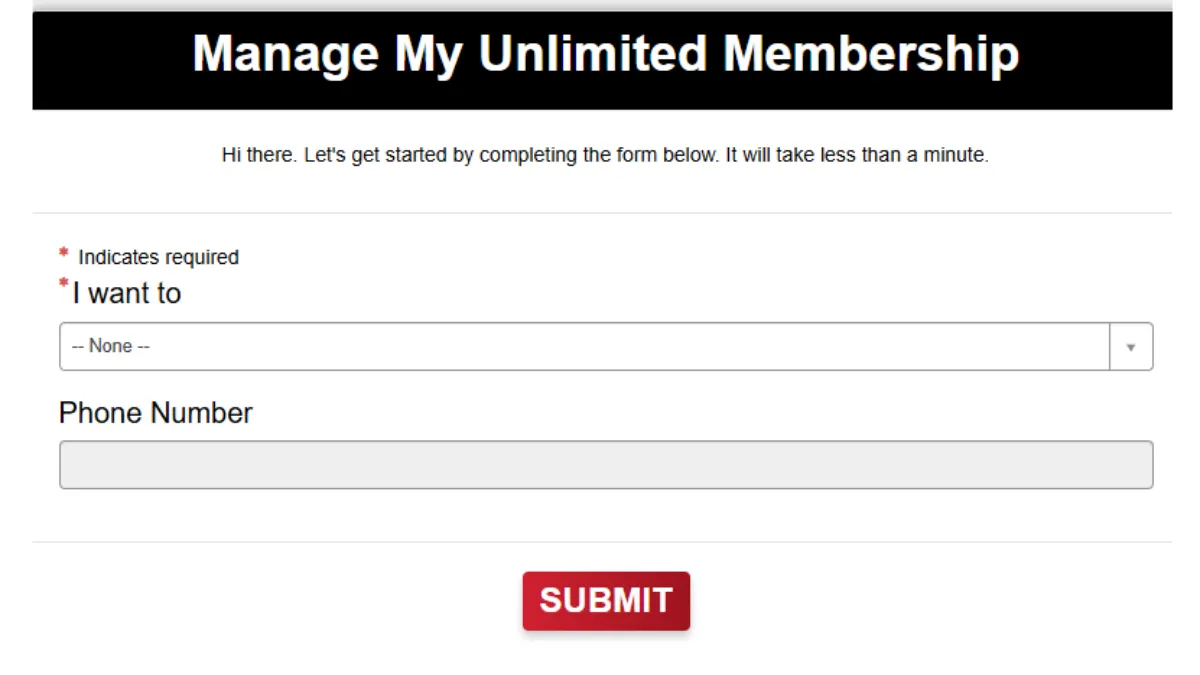
You can cancel a Mister Car Wash Unlimited Wash Club membership on the Mister Car Wash website, at any location, by email or by phone. Cancel at least 7 days before the plan renews to avoid the next charge; fees already paid are not refunded, and each vehicle has its own membership to cancel.
No Contracts: Month-to-month membership—cancel anytime, no long-term commitment.
Notice Period: You must cancel at least 7 days before your next billing to avoid another charge.
Cancellation Fees: There are no fees for canceling the subscription.
No Refund Policy: Mister Car Wash operates on a no-refund policy, meaning customers won’t receive a refund for any unused portion of their subscription after cancellation.
Verify Cancellation: Check for a confirmation email or pop-up after canceling. Also, monitor bank statements to ensure no further charges.
How to Cancel Mister Car Wash Membership
You can cancel your Mister Car Wash membership with any of the 4 methods below:
1. Cancel Mister Car Wash Membership Online
To cancel your Mister Car Wash Membership online, follow the below steps.
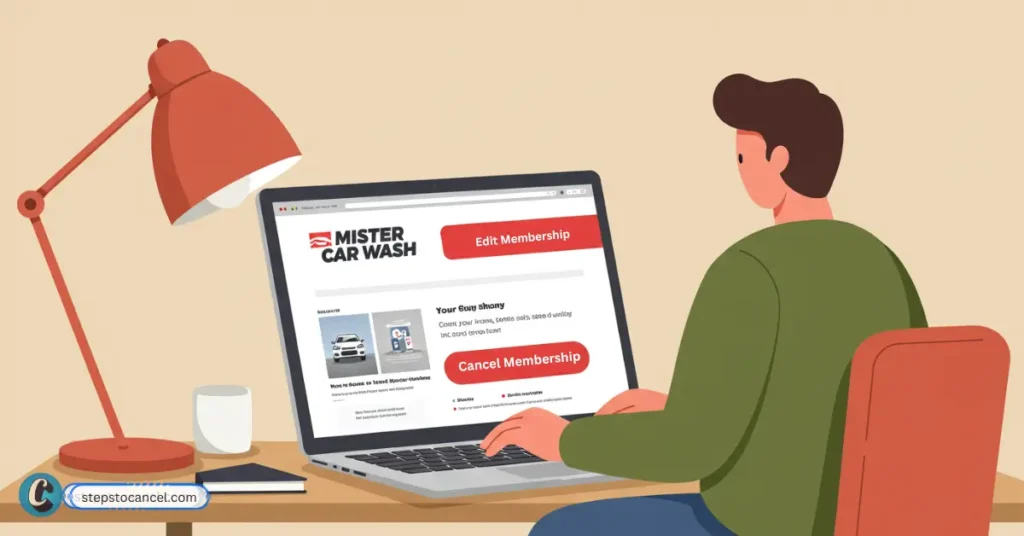
Log in to your Mister Car Wash account on the official website
Click the Profile Icon or go to the “Account” tab, then select “Manage Memberships.”
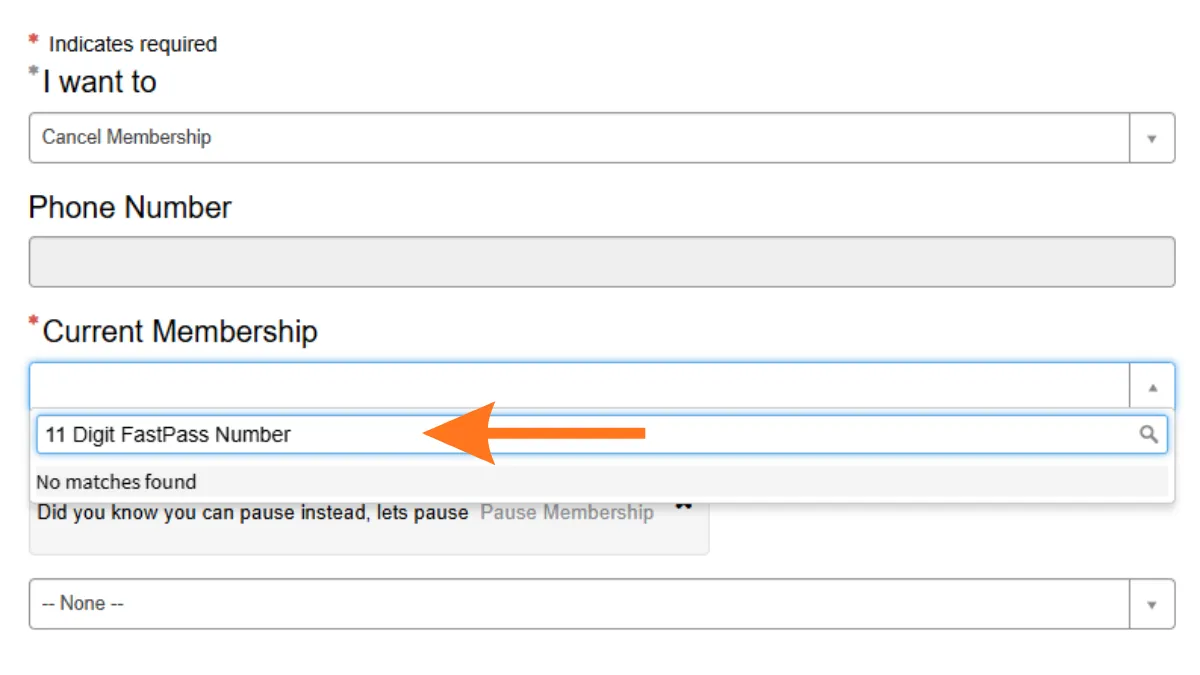
Select the membership you want to cancel (each vehicle has a separate membership).
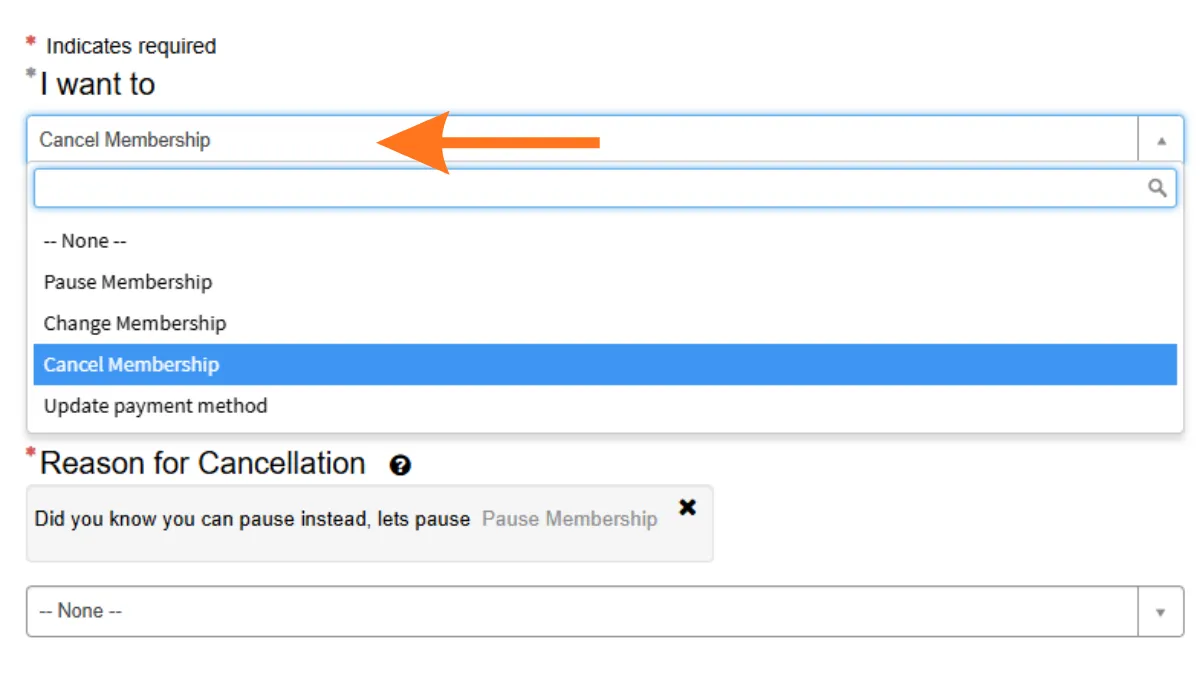
Click “Edit Membership” then Select “Cancel Membership.”
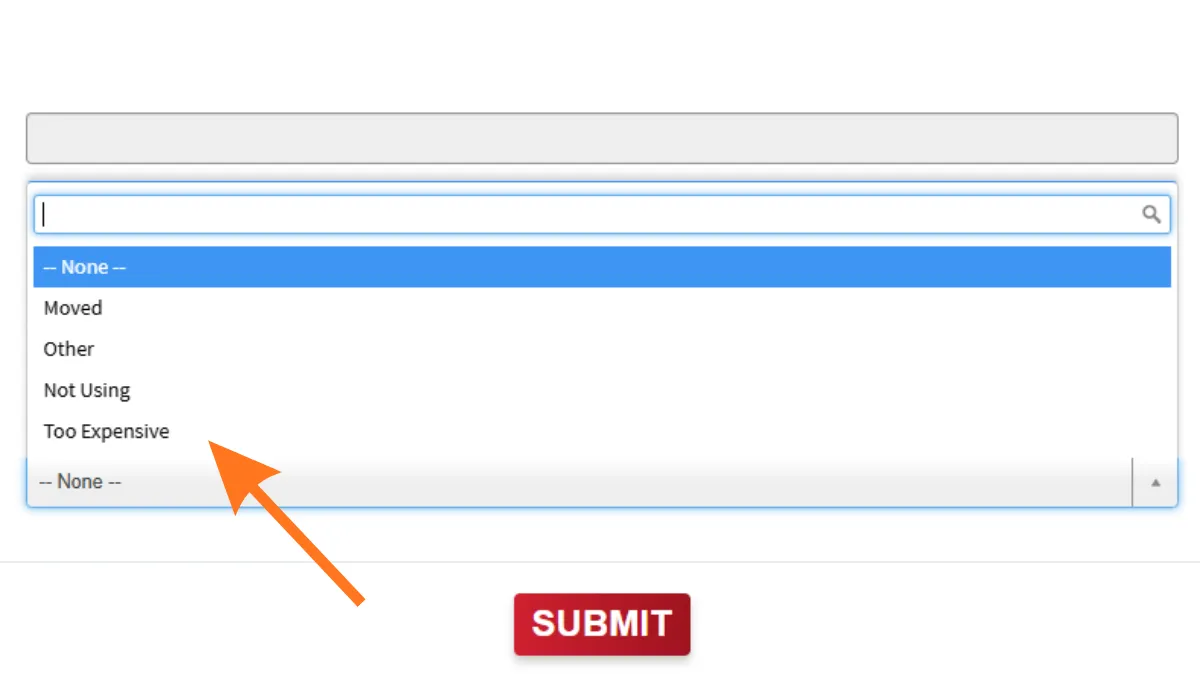
Choose a reason for cancellation from the provided options.
Scroll down and click “Cancel My Membership” button to complete process.
If the “Cancel Membership” option is greyed out, you may need to visit a location or contact customer service.
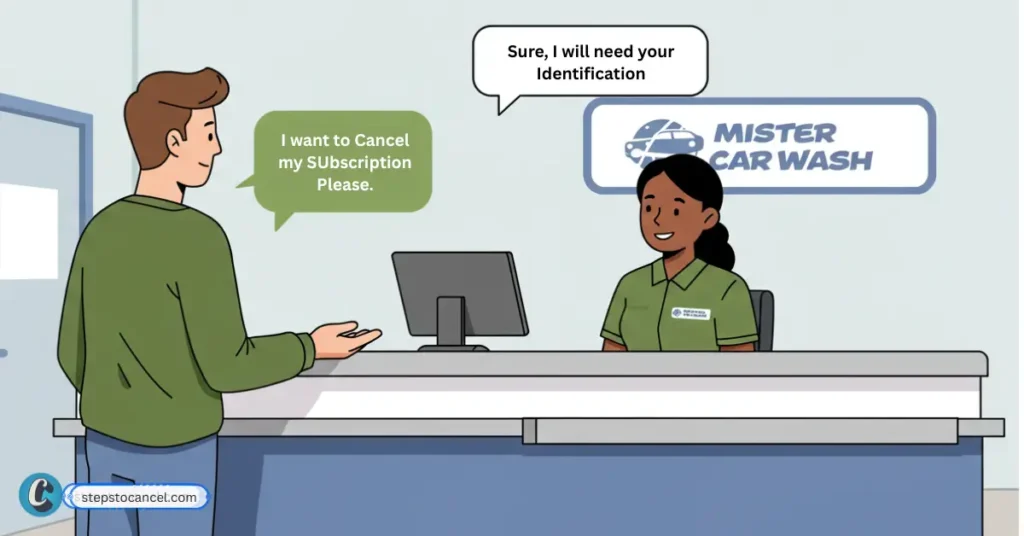
Canceling your Mister Car Wash Club Unlimited membership in person is typically straightforward and can be completed during a single visit. Here’s how to do it:
Visit a Mister Car Wash Location
Request Cancellation at the Front Desk
Provide Your Membership Details
Ask for Written Confirmation
Most in-person cancellations are handled by front desk staff or a membership specialist on the spot. Avoid visiting during peak hours, you might experience a short wait for staff attention.
3. Cancellation through Email
To cancel your Mister Car Wash membership through email send an email to help@mistercarwash.com. Use the subject line “Cancellation Request” and include your name, vehicle number, and last four digits of your Payment Method, or phone number.
Email cancellations can be slow or may get redirected to phone support. For the quickest cancellation, consider visiting a Mister Car Wash location or using the online portal if available.
4. Cancellation through Phone number
Cancellation of membership via phone call is simple and fast, as you directly talk to them and request that they process your request. Follow the steps listed below:
You can contact Mister Car Wash support through your local location or the corporate channels below:
Find your Mister Car Wash location phone number
Mister Car Wash has locations in many states, and local numbers change as sites open or close. Use the location finder on the official Mister Car Wash website to get the address and phone number of your home location.
List of Common Issues while Cancelling Mister Car Wash
Members report these issues most often (from reviews and complaint sites, 2025–2026):
Online cancel option missing or broken: “Cancel Membership” might encounter errors or an endless loading screen.
Long phone hold times: Waits of 30 to 60 minutes before reaching a live agent.
Continued billing after cancel request: Charges for one or more extra cycles.
Need for in-person visit at some locations: Require a trip to a physical site for signature confirmation.
Email/webform redirects back to phone: Members who email help@mistercarwash.com often get an automated reply instructing them to call, adding another step to the process.
Cancel on the Mister Car Wash website, at any location, by emailing help@mistercarwash.com, or by calling 866-254-3229, at least 7 days before your renewal date.
Is there a cancellation fee?
No. The membership terms let you cancel without any extra cost or penalty.
Will I get a refund after canceling?
No. Paid membership fees are nonrefundable, and there are no refunds or credits for partly used billing periods.
How much notice do I need to give before canceling?
You must provide 7 days notice to avoid being charged for the next billing cycle.
Can I pause my Mister car wash membership?
No, Mister car wash does not pause or freeze your membership; you must cancel it. You can reactivate it later if you need to.
Can I upgrade/downgrade my subscription plan?
Yes, you can upgrade or downgrade your subscription plan on the Mister Car Wash website, at any location, by email or by phone.
Can I transfer my membership to another vehicle or person?
If you replace your vehicle, a Mister Car Wash location can move the membership to the new car with a new RFID sticker. Transferring the membership or sticker to another person is not allowed under the membership terms.
What if I cancel my membership early?
If you cancel your membership early, you can still use their service free of charge until the end of the billing cycle.
To cancel a Moo Moo Express Car Wash membership, use the Express Wash Concepts customer portal, email info@expresswashconcepts.com, or call (855) 280-9274. Cancel at least one day before your monthly recharge date: a request made within 24 hours of that date takes effect after the next charge. Paid fees are not refunded, but your washes continue until the end of the paid month.
Moo Moo Express Car Wash is one of the car wash brands run by Express Wash Concepts LLC of Etna, Ohio, alongside Flying Ace Express, Clean Express, Green Clean Express and Bee Clean Express. The old moomoocarwash.com address now redirects to the Express Wash Concepts portal, and the Unlimited Wash Club (sold as Wash Smart Unlimited) is billed and cancelled through that company.
The membership is a monthly plan with no contract. It recharges on the date you enrolled (sign-ups on the 29th to 31st recharge on the 28th), and the terms note that the charge can occasionally process a day early or a day late, so leave yourself a margin.
Below are the three cancellation channels named in the Unlimited Wash Club Membership Terms (last updated June 16, 2026), followed by what happens after you cancel.
How to Cancel Your Moo Moo Membership Online
The customer portal is the self-serve option. The exact button names sit behind the login, so use these steps as a guide:
Sign in with the account you used when you joined.
Open the membership for the vehicle you want to stop and choose the cancel option.
Check the email address on file for the cancellation confirmation, which states the date your washes stay active until.
Timing: the terms ask for one day’s notice. If you cancel within 24 hours of your next recharge date, that charge still goes through and the membership ends after that final billing period.
Cancel Your Moo Moo Membership by Email
Email info@expresswashconcepts.com, the cancellation address listed in the Membership Terms. The older info@moomoocarwash.com address is not listed in the current terms.
Include details that help support find your account: your name, the email and phone number on the membership, your license plate, and the location where you signed up. Ask them to confirm the cancellation in writing.
Send it at least a day before your recharge date and keep the sent email. The terms say a confirmation goes to the email address on file; if none arrives, follow up by phone.
Cancel Your Moo Moo Membership by Phone
Call the Express Wash Concepts customer support line at (855) 280-9274, the number given for cancellations in the Membership Terms.
Have your name, license plate and the email on the account ready. In BBB complaints filed in September 2026, members reported long hold times on this line; if you cannot get through, use the portal or email so you have a written record.
After you cancel: washes continue until your next recharge date, paid fees are not refunded, and no credit is given for the unused part of the month. If Express Wash Concepts raises your rate, it emails advance notice, and you can cancel before the increase takes effect.
Can you get a refund on your moo moo car wash membership?
No. The Membership Terms say paid membership fees are non-refundable, with no refunds or credits for partly used months.
What is the cancellation policy of Moo Moo Car Wash?
Give one day of notice. A request made within 24 hours of your next recharge date takes effect after that charge, and you keep washing until the end of the final billing period.
Can I move my Moo Moo membership to a different car?
Only with notice to and permission from Express Wash Concepts. Each membership covers one vehicle, and a transfer means updating the RFID tag or license plate details on file.
Can I use the washing service after cancellation?
Yes, until the end of the current billing period. Service stops at your next recharge date.
Cancel in the BLISS app (Your Cars → your vehicle → Memberships → Cancel Membership) or in your online account, or email info@blisscarwash.com or call 800-697-7459.
Cancel at least 5 days before the automatic monthly renewal (the day of the month you signed up) to avoid the next charge.
There is no contract or cancellation fee. Paid fees are not refunded or prorated, and the car keeps washing until the end of the paid period.
BLISS Car Wash (BLISS Car Wash, LLC), which has locations in California and Nevada, lets you cancel an unlimited membership yourself in the BLISS app or your online account, or through Guest Services by email at info@blisscarwash.com or by phone at 800-697-7459 (Monday–Friday, 8:30 AM–5:30 PM PST). Its Terms and Conditions (last updated September 9, 2025) require cancellation at least 5 days before the automatic monthly renewal; the vehicle keeps access through the end of the current billing period, and paid fees are not refunded or prorated.
Each membership covers one vehicle, and each car is billed on the day of the month it was signed up, so a household with two cars has two renewal dates and two 5-day cutoffs. Cancel each vehicle’s membership separately.
These are the steps BLISS gives in its FAQ (updated July 29, 2026). Cancel each vehicle at least 5 days before its renewal date.
Step 1: Open the BLISS App and Sign In
Open the BLISS Car Wash app. If you don’t have it, download it from the App Store or Google Play.
Sign in to the BLISS account the membership is on.
Step 2: Go to the Your Cars Tab
Tap the Your Cars tab and select the vehicle whose membership you want to end.
Step 3: Tap Memberships
On the vehicle screen, tap Memberships. Upgrades and downgrades are managed in the app too, if you would rather switch to a cheaper plan.
Step 4: Select Cancel Membership
Select Cancel Membership. BLISS’s FAQ does not describe a confirmation screen or email, so take a screenshot of the membership status and check that no charge appears on the vehicle’s next renewal date.
Sign in with the details you used when you joined. BLISS says members can manage their account online, including cancellation.
We could not view the portal screens without an account, so the steps below are general. If you can’t sign in, use the app or email Guest Services instead.
Step 3: Open the Vehicle’s Membership
Find the vehicle whose membership you want to end and open its membership details.
Step 4: Choose to Cancel
Select the cancel option for that membership and follow any prompts.
Step 5: Keep a Record
Take a screenshot of the cancelled status and check your statement after the vehicle’s next renewal date.
Email: Send your request to info@blisscarwash.com, the address BLISS’s terms list for cancellation. Include your name, license plate, phone number and the last 4 digits of your payment card. Guest Services says it replies within 1–2 business days.
Phone: Call Guest Services at 800-697-7459, Monday–Friday, 8:30 AM–5:30 PM PST, with the same details ready.
Timing: Because replies can take a business day or two, email well before the 5-day cutoff and keep the sent message as your record. BLISS’s terms do not list a location visit as a way to cancel.
BLISS Car Wash Cancellation Policy
These rules come from BLISS’s Terms and Conditions (last updated September 9, 2025) and its FAQ (updated July 29, 2026), both checked on October 5, 2026.
Notice: cancel at least 5 days before the automatic monthly renewal to avoid the next month’s charge. The renewal date is the day of the month the vehicle was signed up.
After you cancel: the vehicle keeps access to washes through the end of its current billing period.
Refunds and fees: paid membership fees are not refunded or prorated for partial use or unused periods. BLISS says there are no contracts or cancellation fees.
Hold instead of cancel: you can put the membership on hold for up to 90 days, once per year, by emailing guestservices@blisscarwash.com. You are not charged during the hold, and BLISS confirms within 2–3 business days.
Failed payments: BLISS may suspend access until a valid payment method is charged, and a membership suspended for more than 15 days is subject to termination.
Price changes: a fee increase or material plan change takes effect 30 days after BLISS posts it on its website.
New car: to move the membership, visit any BLISS location with the new car or email the new plate number to guestservices@blisscarwash.com; the terms also allow a transfer by calling Guest Services.
BLISS Car Wash Cancellation FAQs
How do I cancel my Bliss Car Wash membership?
In the BLISS app, go to Your Cars, select your vehicle, tap Memberships and select Cancel Membership. You can also cancel in your online account, by email to info@blisscarwash.com or by phone at 800-697-7459 (Monday to Friday, 8:30 AM to 5:30 PM PST), at least 5 days before your renewal date.
Will I get a refund after canceling my Bliss Car Wash membership?
No. The BLISS terms say paid membership fees are not refunded or prorated for partial use or unused periods. Your car keeps access until the end of the current billing period.
Can I freeze my Bliss Car Wash membership temporarily?
Can I reactivate my canceled Bliss Car Wash membership?
Yes. In the BLISS app, go to Your Cars, select the vehicle, tap Membership and select Resume Membership. You need a saved payment method on your account first.
Does canceling delete my Bliss Car Wash account?
Cancelling ends the vehicle membership. The BLISS FAQ lets you resume a previous membership later from the Your Cars tab in the app, so you do not need a new account to come back.
Can I still use Bliss after canceling?
Yes. The BLISS terms say the vehicle keeps access to car wash services through the end of its current billing period.
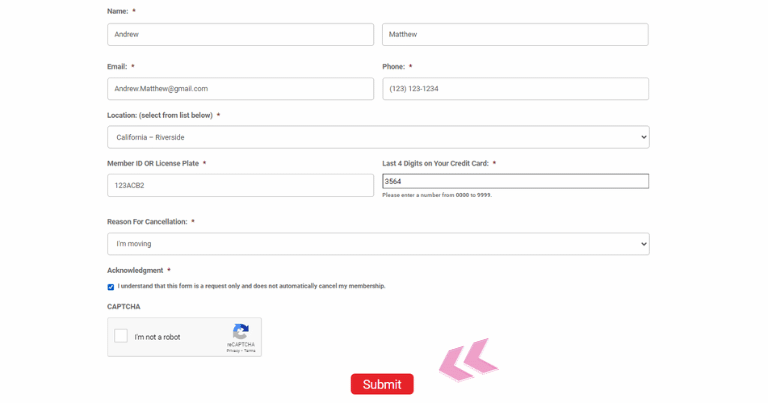
To cancel a Rocket Carwash unlimited membership, call the Support Center at 1-833-712-1747 (Monday–Friday, 9 AM–5:30 PM CST, closed holidays) or cancel in person at any Rocket Carwash location, at least 7 days before your billing date. The online form on Rocket’s cancellation page only sends a request: the page says submitting it “does NOT confirm a cancellation” and that you must speak with a representative.
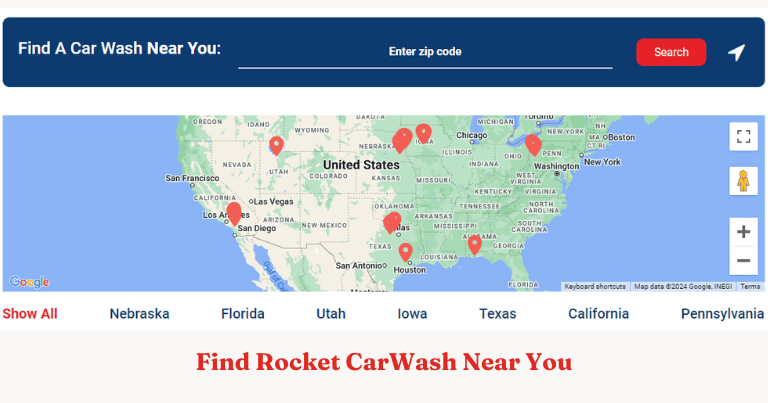
Rocket Carwash lists 23 locations in seven states (California, Florida, Iowa, Nebraska, Pennsylvania, Texas and Utah), and one membership is valid at all of them, so the same cancellation rules apply wherever you signed up (Rocket Carwash locations and Unlimited Membership pages, checked October 5, 2026).
Key Points
Advance notice: Rocket’s cancellation page says you must cancel at least 7 days before your billing date “in order to avoid being charged for another month.”
A representative must process it: Rocket’s Contact Us page says you must speak with a representative “in case additional information is needed to complete the request.” The online form alone does not cancel the plan.
Proof of cancellation: In a July 2026 reply on its BBB profile, Rocket Carwash said that when a membership is cancelled in its system, “a cancellation confirmation receipt is automatically printed and provided to the customer.” Keep it.
Refunds: Rocket’s own pages don’t publish a refund policy. In BBB replies from April to July 2026 the company refunded some disputed charges case by case.
No contract: Rocket’s Membership Management page says every monthly pass has “no contract and no commitments.”
There is no self-serve online cancellation. In a January 2026 BBB reply the company said it “does not sell or activate recurring membership subscriptions solely through an online automated system” and pointed members to cancellation in person or over the phone. The sections below cover the online request form, the phone line and a location visit.
Start a Rocket Carwash Cancellation Request Online
The form on Rocket’s cancellation page sends your details to the Support Center. It does not cancel the membership by itself, so finish with a call or a location visit.
Enter your details: fill in the contact and membership fields the form asks for. Labels can change, so have your license plate and the card you pay with to hand.
Submit the request: send the form at least 7 days before your billing date.
Speak with a representative: the cancellation is processed only after you speak with the Support Center at 1-833-712-1747. Calling yourself during support hours is the surest way to finish it.
Call the Support Center at 1-833-712-1747, the number on Rocket’s cancellation page, Monday to Friday from 9 AM to 5:30 PM CST (closed holidays). Rocket’s Contact Us and Membership Management pages list a second Support Center number, (402) 543-0504, with the same hours. Ask the representative to confirm the cancellation and note the date and their name. In an April 2026 BBB complaint a member was charged $52.74 after a phone cancellation attempt; the company refunded the charge.
Cancel in Person at a Rocket Carwash Location
You can also cancel at any Rocket Carwash location during business hours, as Rocket’s cancellation page lists. The company’s BBB replies say cancellations are completed “through a live representative or at a location.”
When the cancellation goes through, the location should print a cancellation confirmation receipt (company BBB reply, July 2026). If you don’t get one, ask the staff to check your account before you leave.
Whichever route you use, finish at least 7 days before your billing date. A cancellation made later can still leave you with one more monthly charge.
How to Update Your Payment Method Instead
Rocket’s Membership Management page offers three ways to change the card on file: the online update form, the Support Center at (402) 543-0504, or any Rocket Carwash location. As with cancelling, make the change at least seven days before your billing date to avoid being charged for another month.
Enter your contact details: name, email and phone number.
Finish the support request: continue to the linked support form and send the update request, or call the Support Center if you’re unsure it went through.
Membership rules worth knowing
It renews until you cancel: the signup authorization describes a recurring monthly plan that “remains active until cancelled” (company BBB reply, May 2026).
Activation happens in person or by phone: online buyers take their email confirmation (with barcode) and a credit card to a location to activate the membership (Unlimited Membership page).
Plan changes go through support: the Membership Management page offers upgrades or a different package through the Support Center or a location.
Rocket Carwash Contact Details
The Support Center is open Monday to Friday, 9:00 AM to 5:30 PM CST, and closed on weekends and holidays.
Rocket Carwash’s BBB profile lists its address as 7878 Main St Ste 2, La Vista, NE 68128. Similar names belong to separate businesses, such as Rocket Wash in Wisconsin (rocketwashwi.com) and Rocket Carwash Express (rocketcarwashexpress.com). Check that your receipt or bank statement says Rocket Carwash before you call.
You can cancel a Club Car Wash membership at any time with one day’s notice: sign in to the member portal at clubcarwash.com/login, use the Club Car Wash app, email contact@clubcarwash.com, or call (833) 416-9975. Fees are non-refundable, and your washes continue until your next Recharge Date (the monthly anniversary of your sign-up).
This guide covers the four cancellation routes listed in Club Car Wash’s Terms of Use (revised May 8, 2026), the billing-date rules that decide whether you’re charged again, and what to do if a cancellation doesn’t go through.
What You Need Before You Cancel
Have one of these ready so Club Car Wash can find your account:
Phone number linked to your membership
FastPass sticker number — the barcode printed on your windshield sticker
Tip: Note your FastPass sticker number and the phone number on your membership before you start, and cancel at least one day before your Recharge Date.
None — Club Car Wash does not refund partial months or unused time
Access After Cancellation
Continues through the end of the current billing cycle
Pause Membership
Not described in the Terms of Use; ask support
Cancellation Fee
None listed in the Terms of Use
Auto-Renewal
Renews monthly on your Recharge Date (the monthly anniversary of sign-up; sign-ups on the 29th–31st are charged on the 28th)
Paid membership fees are non-refundable, with no credits for partly used periods. Cancel at least one day before your Recharge Date so the next monthly charge doesn’t go through.
The Terms of Use list the Club Car Wash app as an official cancellation route. The app store listings show the developer as Club Car Wash Operating, LLC.
Step 1: Download and Log In
Download the official app for your device using these direct links:
Sign in, then follow the steps below. The screens shown come from our earlier walkthrough and may look different after later app updates.
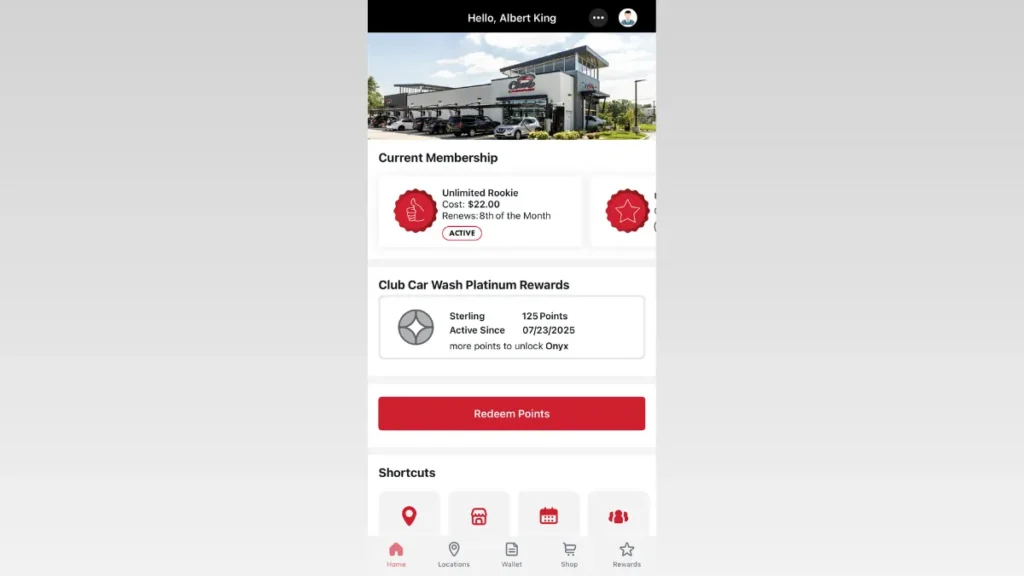
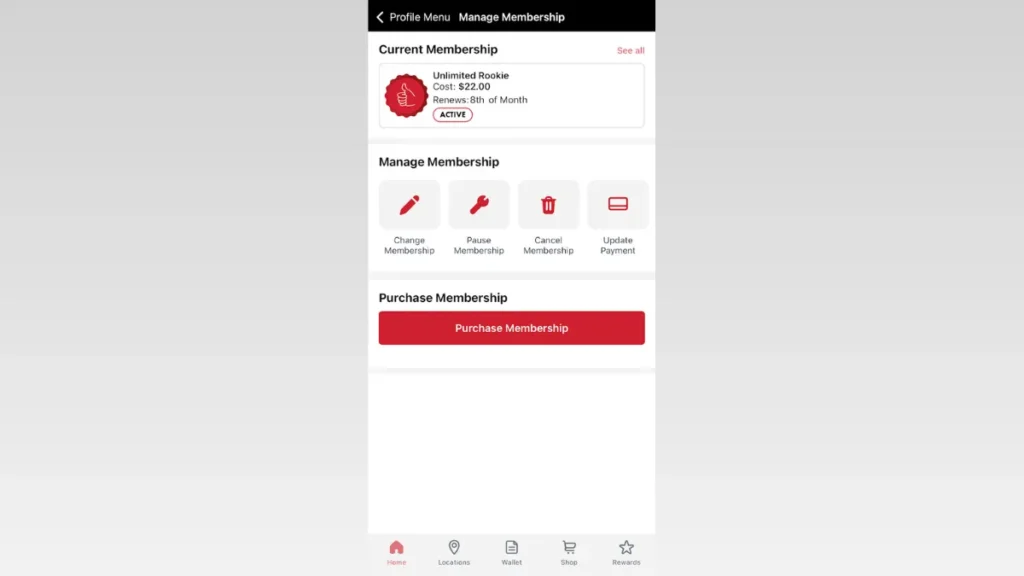
Step 2: Open the Profile Menu
From the app’s home screen, tap the three-dot button in the top-right corner of the header.
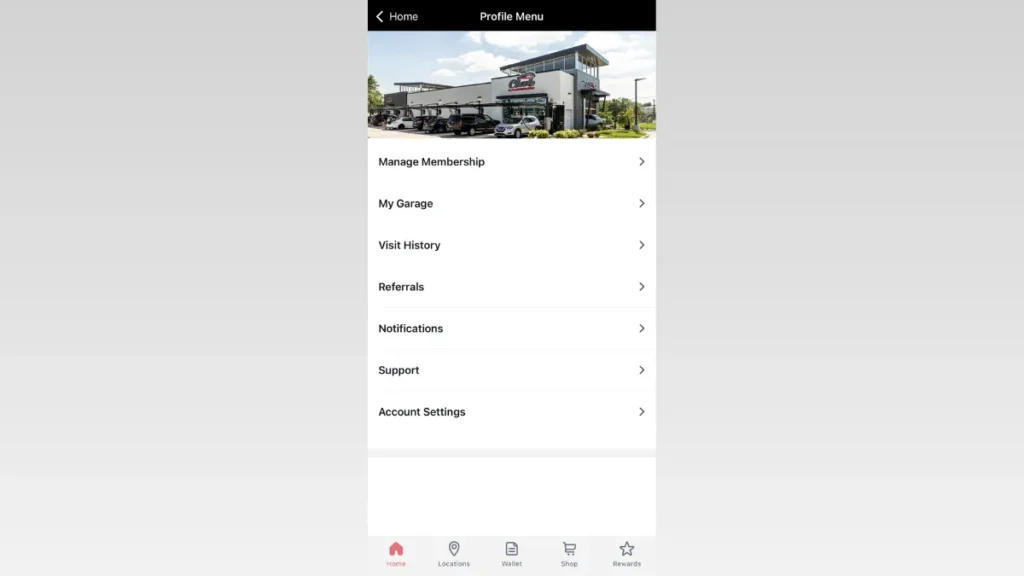
Step 3: Select “Manage Membership”
Once inside the Profile Menu, tap the “Manage Membership” option at the top of the list.
Step 4: Select the “Cancel Membership” Button
The account control panel contains an explicit button to request subscription termination.
Under the active subscription card, look for the row of utility icons and tap the Cancel Membership option (identified by the red trash can icon).
Step 5: Confirm the Cancellation
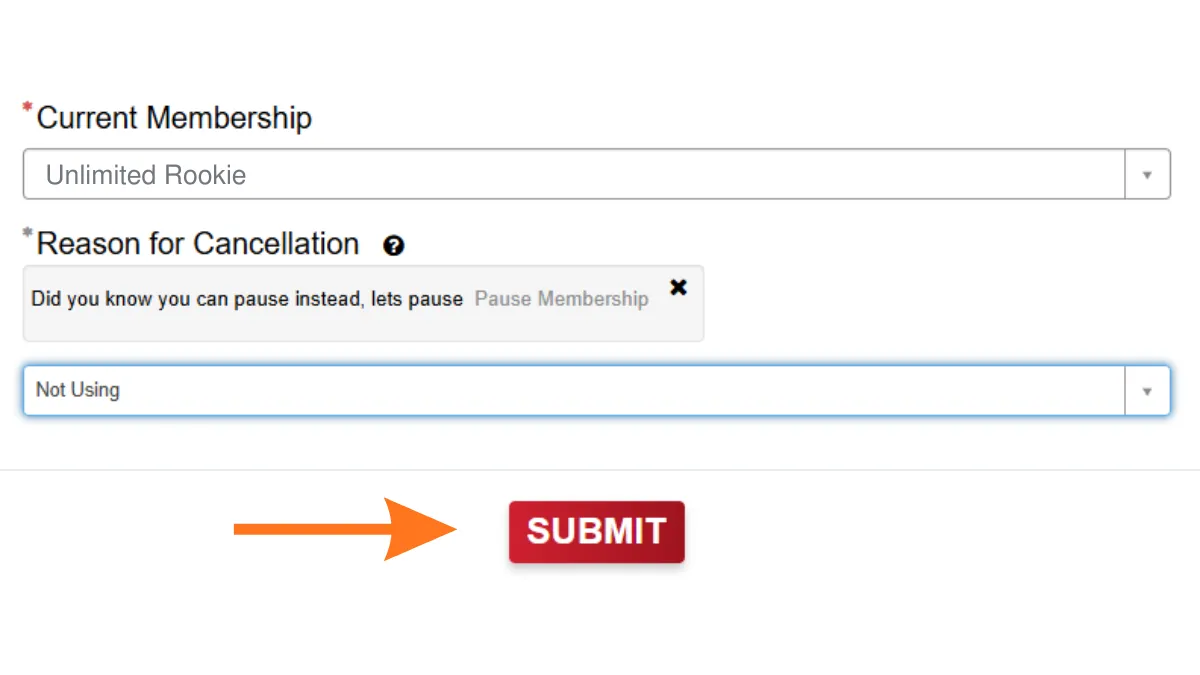
Select your reason for leaving and follow the remaining confirmation prompts to finalize the cancellation.
If the app won’t cancel: some Google Play and App Store reviewers in 2026 said they couldn’t find a working cancel option in the app. If that happens, email contact@clubcarwash.com or call (833) 416-9975 instead, and keep the reply as proof.
Method 3: Cancel by Phone
Call Club Car Wash support at (833) 416-9975. The Terms of Use list this support line as an official way to cancel.
Tell the representative you want to cancel your membership. Have your FastPass number and account details ready before you call.
Ask the agent to confirm the cancellation by email so you have a record.
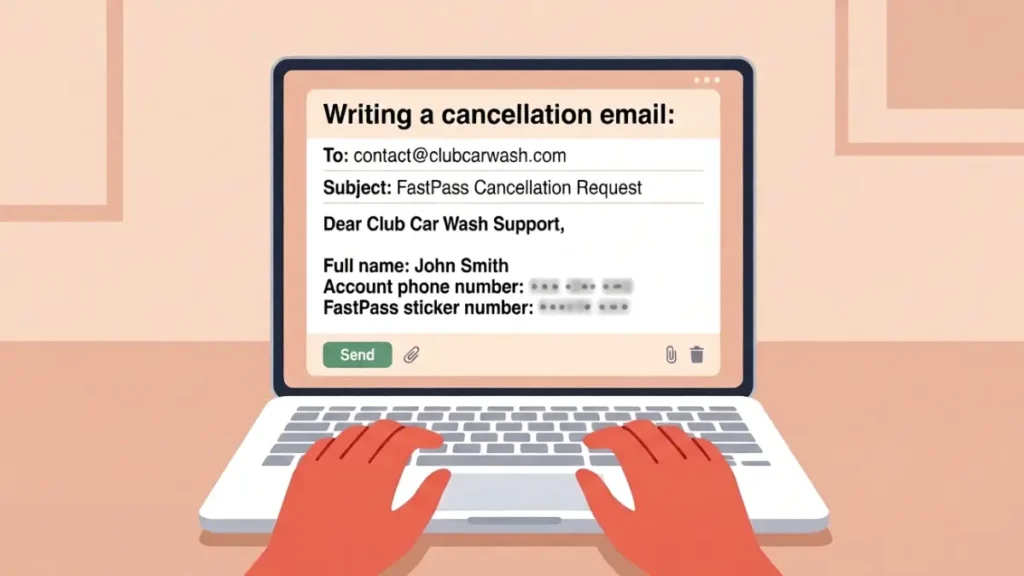
Include these details so support can find your account:
Full name
Account phone number
FastPass sticker number
If you don’t get a confirmation reply before your Recharge Date, call (833) 416-9975.
Send your email at least one day before your Recharge Date (the terms require one day notice), and keep the sent message as proof.
After You Cancel
Keep your confirmation email or a screenshot of the portal or app screen. In August 2025 the BBB reported a pattern of complaints that included memberships not being cancelled and refunds not provided; the company said it was creating a new app so members can manage their own plans.
Check your statement after your next Recharge Date to make sure no new monthly charge went through.
Set a calendar reminder a few days before future renewal dates if you ever re-subscribe.
Can You Pause Instead of Cancelling?
Club Car Wash’s Terms of Use (revised May 8, 2026) don’t describe a pause or freeze. If you only want a break, ask support at (833) 416-9975 or contact@clubcarwash.com whether your plan can be paused; otherwise, cancelling at least one day before your Recharge Date is the documented way to stop charges.
Related Cancellation Guide: Learn about the required notice periods and exact methods to successfully cancel a Super Star Car Wash plan
Club Car Wash Contact Information
Official contact details from the Terms of Use, with the corporate address from Club Car Wash’s BBB profile:
You can cancel your club car wash membership through online portal, the official app, a phone call or email, with one day’s notice before your Recharge Date.
Does Club Car Wash issue refunds after cancellation?
No. Club Car Wash does not refund partial months or unused time. Your access continues through the end of the current billing cycle.
What happens to my membership after I cancel?
Your membership stays active through the end of the current billing period, up to your next Recharge Date, and you are not charged again.
Does Club Car Wash charge a cancellation fee?
No fee is listed. The Terms of Use (revised 5/8/2026) let you cancel at any time with one day notice and do not mention a cancellation or early termination fee.
Can I cancel if I lost my FastPass sticker?
Yes. The Terms of Use don’t require the sticker for cancelling: email contact@clubcarwash.com or call (833) 416-9975 with your full name and the phone number on your membership.
How much notice does Club Car Wash need?
One day. The Terms of Use (revised 5/8/2026) say you may cancel at any time by giving one day notice, so cancel before your Recharge Date to stop the next monthly charge.
Can I use Club Car Wash after cancellation?
Yes. Services under a cancelled membership continue through the end of the current billing period, up to your next Recharge Date.
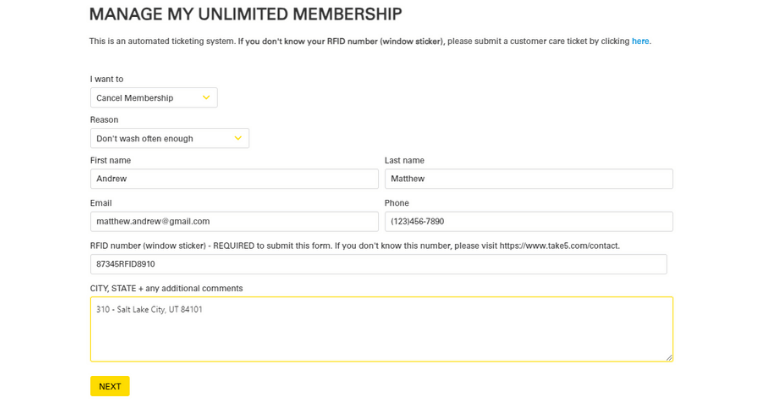
To cancel a Take 5 Car Wash Unlimited membership, use the Manage Membership page on take5carwashes.com or ask staff at your Take 5 Car Wash location. Take 5 must receive your request at least seven days before your next billing date; if it arrives later, you are charged for one more month and the cancellation takes effect on the following billing date. Take 5 gives no refunds or credits for partial months.
Whistle Express bought Take 5 Car Wash in April 2025 and is converting Take 5 locations to the Whistle Express brand in phases (Colorado’s 20 sites switched in January 2026). The steps below are for washes that still operate as Take 5.
Important: To avoid another unwanted charge, make sure to cancel at least 7 days before your next billing cycle.
Converted location? If your wash now carries Whistle Express signage and your membership has moved to Whistle Express, follow our Whistle Express cancellation guide instead.
How to Cancel Take 5 Car Wash Membership Online
Open Manage Membership: Go to Take 5’s official Manage Membership page.
Choose to cancel: Pick the option to cancel your Unlimited membership.
Identify your account: Enter the email address and phone number on your Take 5 membership.
Have your tag ready: Keep the number from the RFID tag on your windshield at hand in case the form asks for it.
Check the timing: Submit at least 7 days before your next billing date, or the next month is still charged.
Keep proof: Submit the request and save the confirmation screen or email with the date.
Note: The Manage Membership form loads inside the page, so its labels may differ slightly from the steps above. If it doesn’t work for you, cancel in person or call 1 (855) 928-5585, the number listed in Take 5’s car wash membership terms.
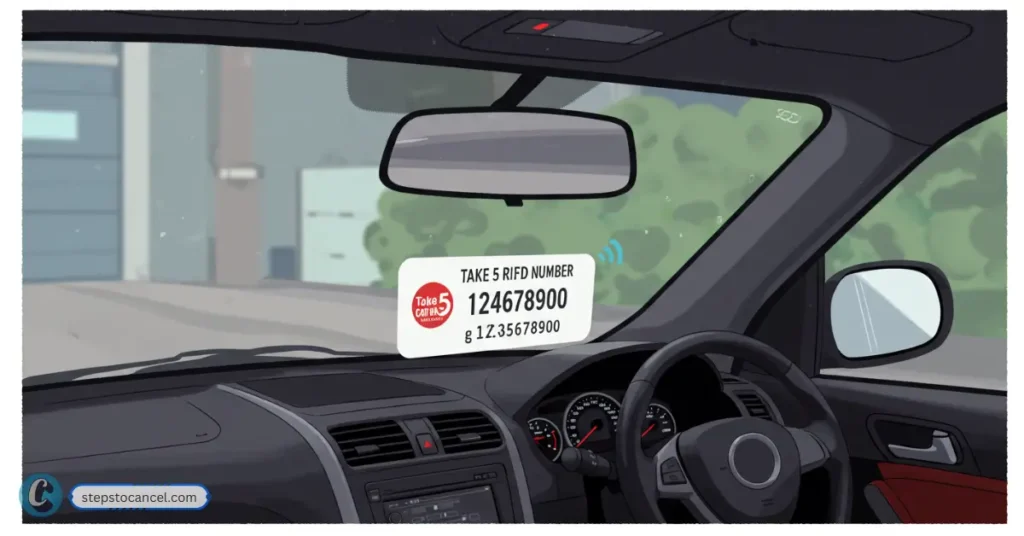
The Take 5 RFID tag is the sticker that identifies your Unlimited membership at the wash. Take 5’s membership terms say a Take 5 employee applies it to the front windshield of the registered vehicle, that it must stay there for the whole membership, and that tampering with it can result in cancellation.
Have the tag details at hand when you cancel; they help staff find the right account.
Where to Find Your Take 5 RFID Number
On Your Windshield: The RFID tag is physically placed on the inside of your car’s front windshield by a Take 5 employee during your initial enrollment. The tag must remain affixed at all times for your membership to work.
Location: On the front windshield of the vehicle registered to the membership.
Only one vehicle: Each account covers one vehicle, per Take 5’s membership terms.
Membership Materials: If you received any paperwork or a welcome email at sign-up, your RFID number may also be listed there.
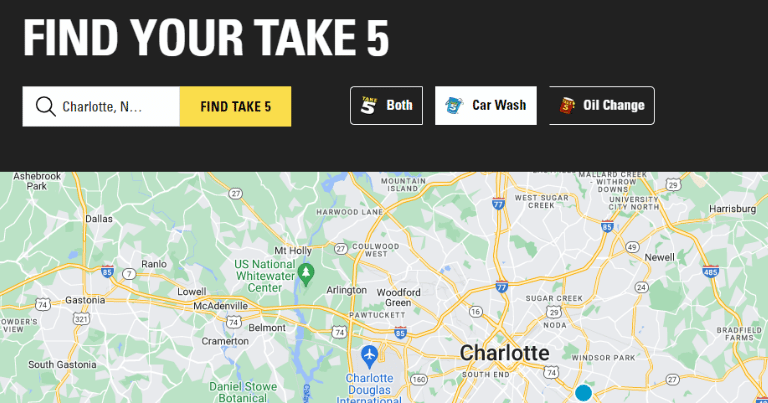
If You Can’t Find the Number: If your RFID tag is missing, damaged, or you never received one, contact your local Take 5 Car Wash location or customer service. In some cases, they can look up your membership using your payment details or other identifying information.
Tip: Don’t remove or move the RFID tag yourself. Take 5’s terms say tampering with a tag can result in cancellation.
The Take 5 Car Wash Cancellation Policy
These rules come from Take 5’s membership page and car wash membership terms (checked October 4, 2026).
The 7-Day Notice Requirement
Take 5 requires 7 days’ notice before your next billing date. Monthly plans renew automatically on your sign-up anniversary date. If your request arrives fewer than 7 days before that date, you are charged for that month and the cancellation takes effect on the following billing date.
Does Take 5 Car Wash offer refunds for partial months?
No. Take 5’s terms say no refunds or credits are given for partial periods, so cancelling mid-month does not return any part of that month’s charge.
Cancellation Fees and Pausing
Take 5’s membership page and terms list no cancellation fee and no pause or freeze option. If you only need a break, cancelling and joining again later is the documented route. Take 5 also sells 6- and 12-month prepaid plans that don’t renew automatically.
No. Take 5’s terms allow one vehicle per account and say memberships are non-transferable. The RFID tag must be applied by a Take 5 employee, and tampering with a tag can result in cancellation.
Why is my credit card still being charged after I canceled?
The most common reason is timing: if Take 5 received your request fewer than 7 days before your billing date, that month is still charged and the cancellation takes effect on the following billing date. If you canceled well in advance and still see charges, submit your confirmation details to customercare@take5carwash.com or file a billing dispute with your bank.
What happens if my payment card declines?
Take 5’s terms say it may cancel your membership with immediate effect if a monthly charge is declined. Don’t rely on a declined card to cancel; submit a cancellation so there is a record.
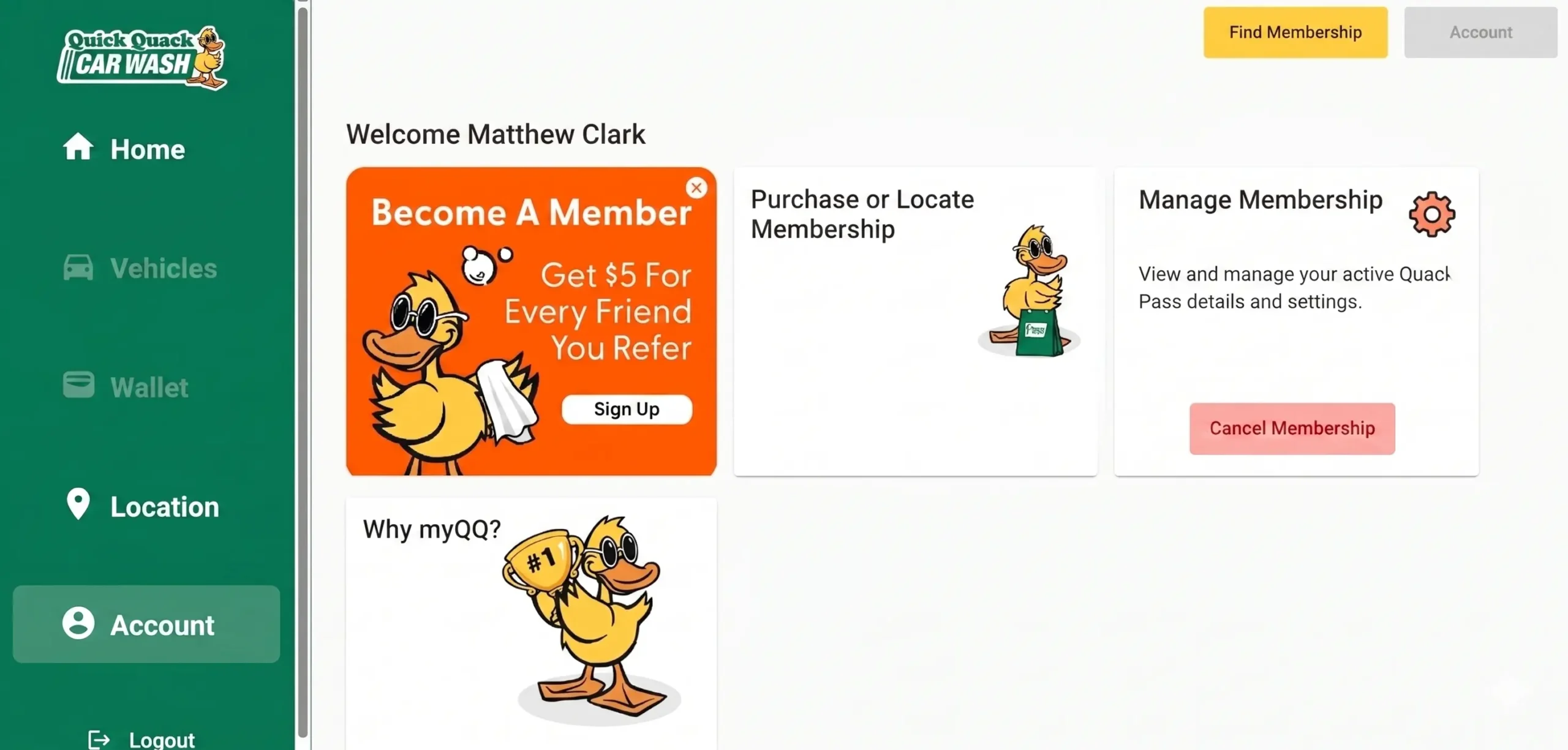
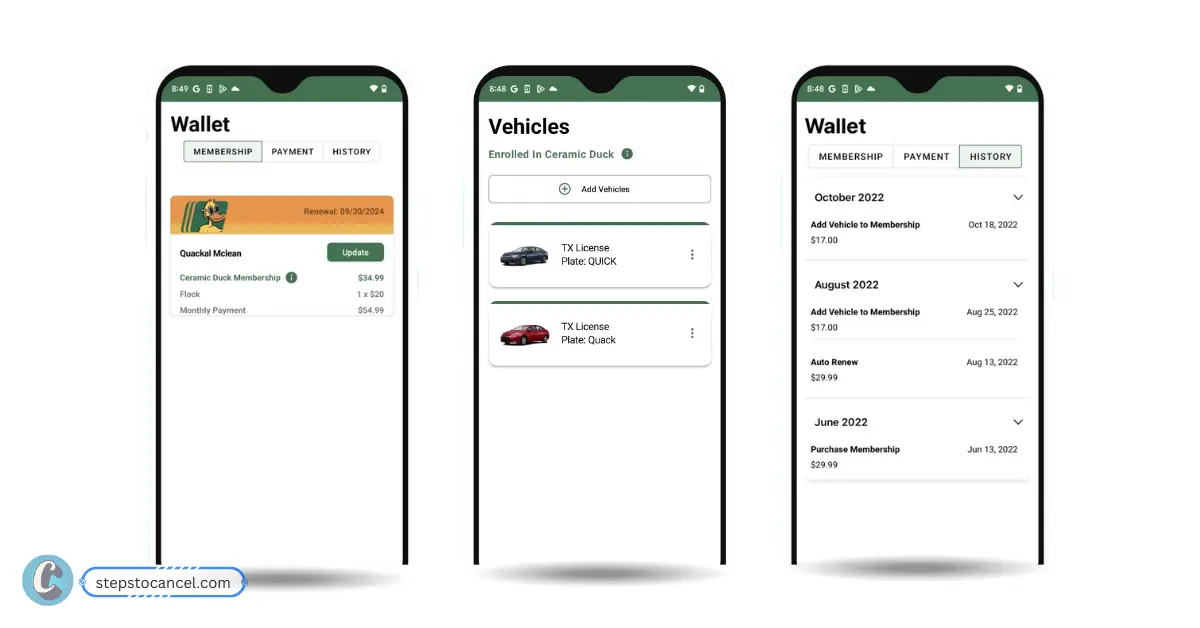
To cancel your Quick Quack Car Wash membership, use the myQQ web portal or app, email info@dontdrivedirty.com, or call Customer Care at 888-772-2792.
Submit your cancellation request at least 10 days before your next renewal date to avoid another charge, and keep your confirmation email or support reply as proof.
This guide walks you through each cancellation option, what details to have ready, and what to do if your membership renews or you are charged after trying to cancel.
Quick Answer
Best place to cancel: myQQ website/portal or myQQ app
Where to find it: Account > Settings > Cancel Your Membership
When it ends: Your membership stays active through the current paid period
Proof to keep: Confirmation email, screenshot, support reply, or call notes
Important: A declined card is not a confirmed cancellation; cancel directly and keep proof
Before You Cancel
Before sending your cancellation request, check your renewal date and gather the account details Quick Quack Car Wash may use to verify your membership. This helps avoid delays, especially if your next billing date is close.
Check Your Renewal Date
Quick Quack memberships renew automatically, so timing matters. Try to cancel at least 10 days before your next billing date to reduce the chance of another monthly charge.
Gather Your Account Details
Have these details ready before you contact Quick Quack:
Full name on the membership
Email address and phone number on the account
License plate number or VIN (Vehicle Identification Number)
Last 4 digits of the payment card
Renewal date or most recent charge date
Choose the Best Cancellation Method
Cancellation Method
Best For
How to Use
Time / Speed
Official website [myQQ]
Most members who want to cancel online
Sign in to myQQ, then go to Account > Settings > Cancel Your Membership
Usually fastest self-service option
myQQ mobile app
Members who manage their account from a phone
Download myQQ app, sign in, then Cancel Your Membership
Usually fast if the app works correctly
Email
Members who want written proof
Email cancellation request at info@dontdrivedirty.com with your account details
Slower than myQQ or phone; send at least 10 days before renewal
Phone
Members who cannot access myQQ or have urgent billing issues
Call Customer Care at 888-772-2792 and ask for cancellation help
Best for urgent help during support hours
In person
Members already visiting a Quick Quack location
Ask a team member if they can help with your membership or direct you to Customer Care
Varies; may not resolve billing issues directly
After canceling, your membership should stay active through the end of the current paid period, and no further payments should be drawn.
How to Cancel Quick Quack Car Wash Membership
Quick Quack memberships can be canceled in myQQ through the app or website. If you cannot access myQQ, call Customer Care at 888-772-2792 for cancellation help.
Method 1: Cancel Quick Quack Car Wash Through the myQQ Website
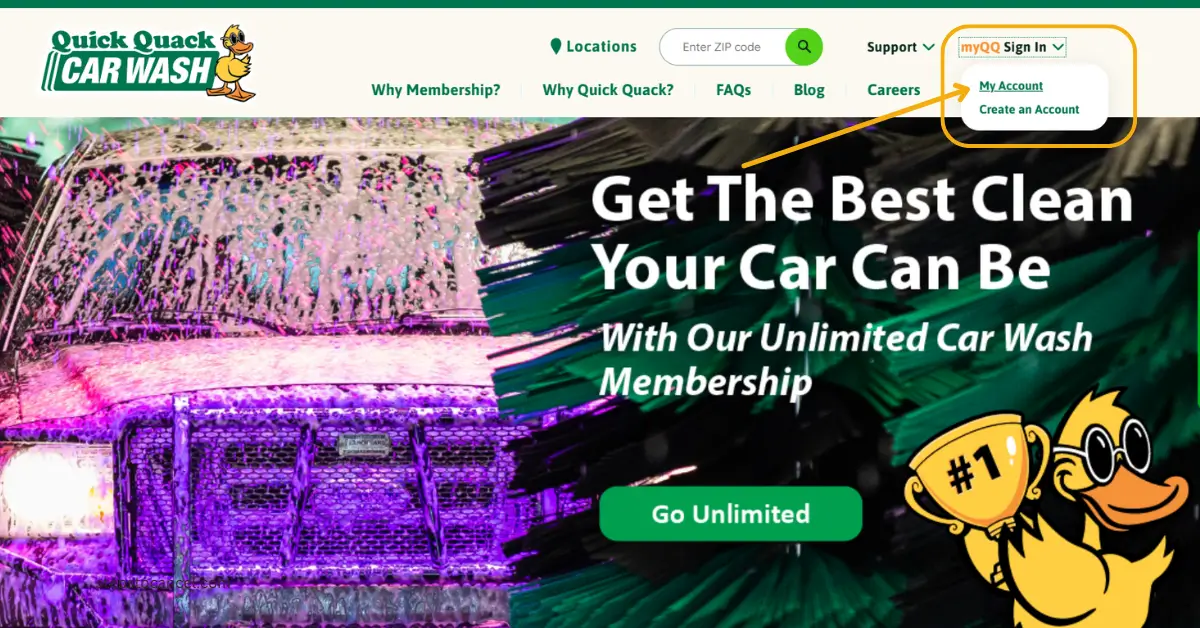
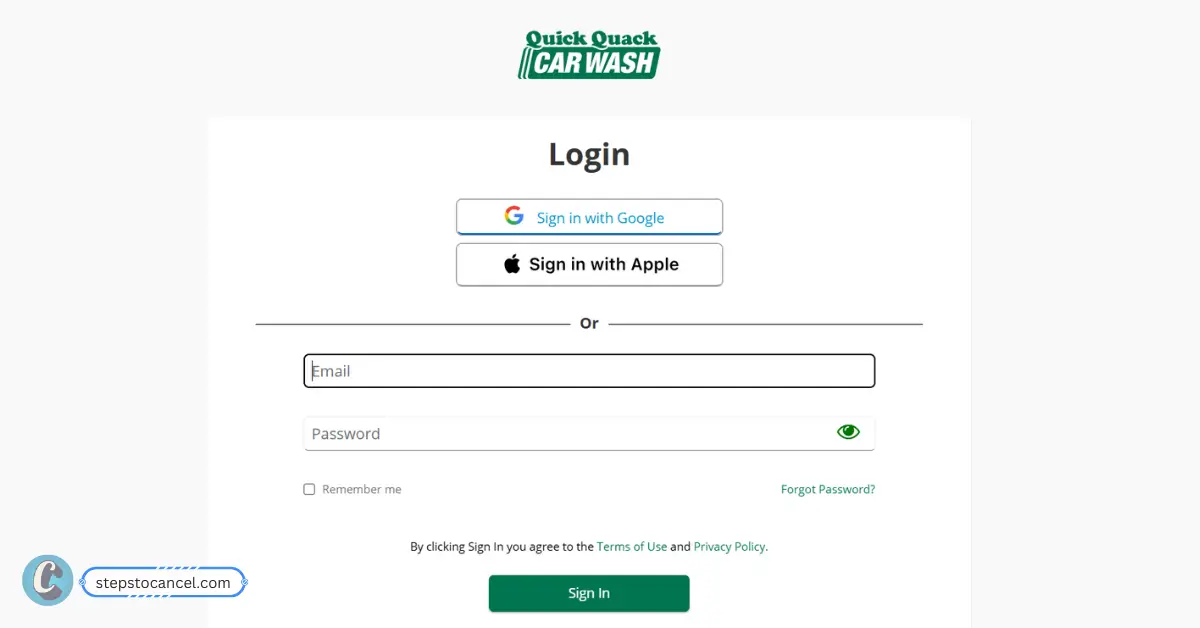
You can cancel your Quick Quack membership online by signing in to myQQ and opening your account settings.
Log in with your registered email and password. You may also be able to sign in with Google or Apple. If you have not used myQQ before, select Create Account and follow the sign-up steps.
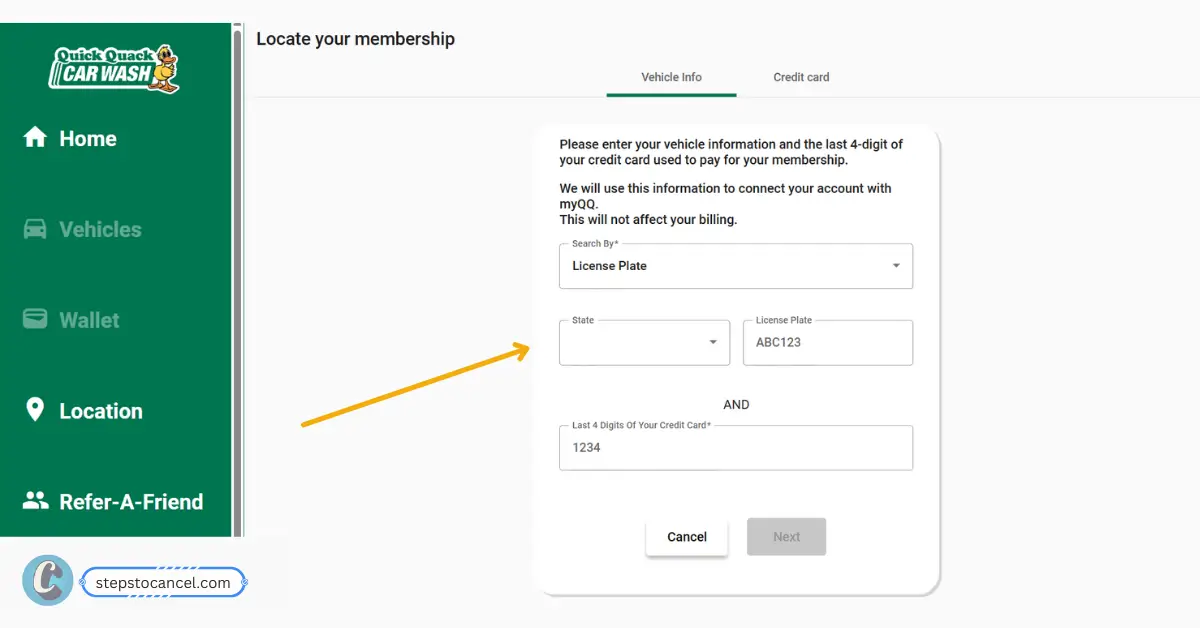
Locate Your Membership
If your membership is not showing in myQQ, select Locate Your Membership. You can search for it using your vehicle details:
License plate number and state, or VIN + Last 4 digits of the credit card used for the membership Once myQQ finds your membership, link it to your account.
Cancel Your Membership
Click on Account on sidebar, then go to Settings and select Cancel to end Your Membership.
Follow the prompts to confirm the cancellation. Save the confirmation email or take a screenshot as proof.
Method 2: Cancel Through the myQQ Mobile App
To cancel your Quick Quack membership from your phone, first download the official myQQ – Quick Quack app from the Apple App Store or Google Play Store, then sign in with the email or login method connected to your membership.
Open the app and sign in with the email or login method connected to your membership.
Find Your Membership
Go to your account or membership area and select the active Quick Quack membership you want to cancel.
Open Cancellation Settings
Go to Account > Settings > Cancel Your Membership.
Confirm Cancellation
Follow the prompts to confirm your cancellation. Then check your email for confirmation and save it.
Method 3: Cancel Quick Quack Membership by Phone
If you can’t cancel in myQQ, call Quick Quack Customer Care at 888-772-2792. The contact page lists hours of 6:00 AM – 7:00 PM Pacific. Phone is one of the two cancellation channels named in Quick Quack’s Terms of Service (section 5.2), so call at least 10 days before your renewal date.
Before calling, keep your account details ready for verification.
Ask the representative to cancel your membership and confirm that no future payments will be drawn. Before ending the call, request a confirmation email or write down the date, time, and name of the representative you spoke with.
Method 4: Cancel Quick Quack Membership by Email
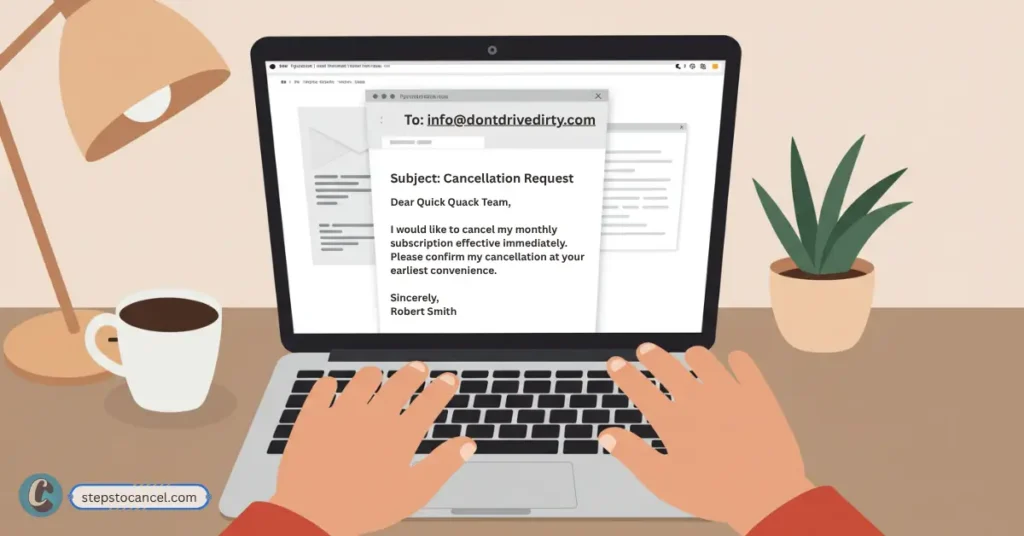
Quick Quack’s Terms of Service say you can cancel by giving notice at least 10 days before your renewal date by email at info@dontdrivedirty.com.
In your email, include your full name, phone number, email address, license plate or VIN, and the last 4 digits of the payment card on the membership. Ask Quick Quack to confirm the cancellation date and whether your membership will stay active through the end of the current paid period.
Quick Quack Cancellation Email Templates
Use these templates if you want written proof, need to follow up after calling, or were charged after submitting a cancellation request.
Quick Quack Cancellation Email Template
Subject: Request to Cancel Quick Quack Membership
Hello Quick Quack Customer Care,
I would like to cancel my Quick Quack Car Wash membership and stop any future payments.
My account details are:
Full name:
Email address:
Phone number:
License plate or VIN:
Last 4 digits of payment card:
Please confirm by email once the membership has been canceled and let me know the final active date for my current paid period.
Thank you.
Method 5: Can You Cancel Through a Quick Quack Car Wash Location?
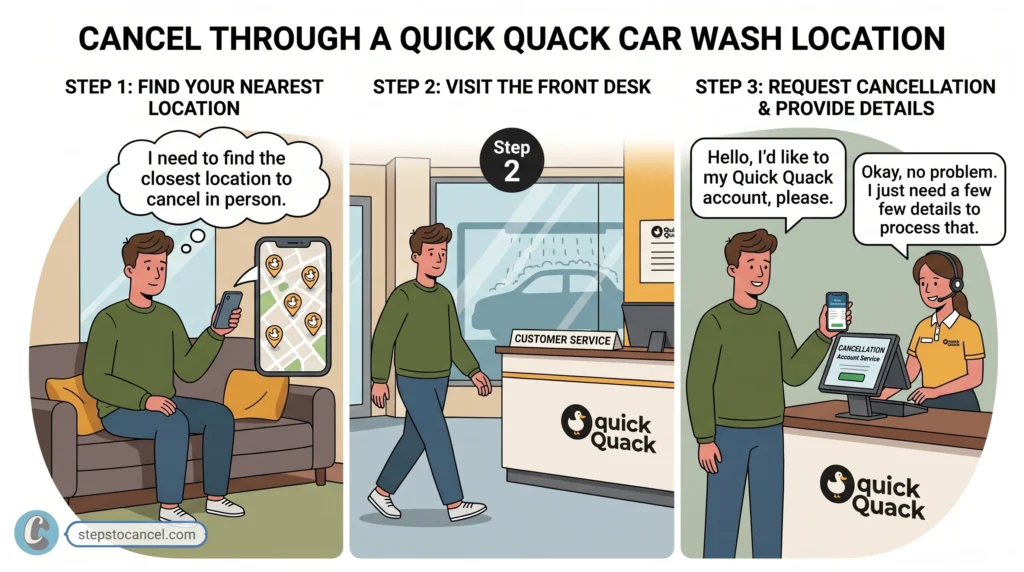
You can ask for help at a Quick Quack location, but in-person cancellation is not the best option if you need billing proof. Store team members may be able to guide you, but account changes and membership cancellation are safer through myQQ, email, or Customer Care.
If you visit a location, ask whether they can help submit the cancellation request and still follow up through myQQ or email. Keep written confirmation so you have proof that the membership was canceled.
After You Submit the Cancellation Request
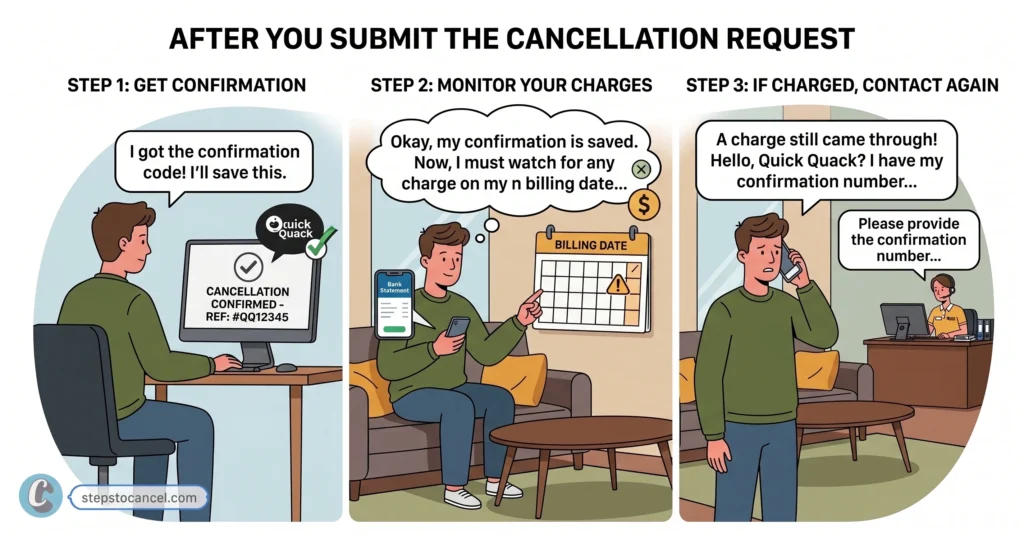
Once you cancel, your membership should remain active until the end of the current paid period. No further payments should be drawn after cancellation, but it is still smart to keep proof and check your next billing date.
Save Your Confirmation: After canceling through myQQ or Customer Care, save any confirmation email, support reply, screenshot, or cancellation number you receive. This proof can help if your account is charged again or if the cancellation does not appear in your membership settings.
Check Your Next Billing Date: Compare your cancellation date with your next renewal date. If your next billing date is close, contact Customer Care to confirm that the cancellation was processed before another payment is taken.
Watch for Another Charge: Check your bank or card statement after the next renewal date. If you are charged after canceling, contact Quick Quack Customer Care with your confirmation proof and ask them to review the account. In a BBB complaint from August 2026 about a charge after a phone cancellation, Quick Quack replied that it had cancelled the account and refunded the $24.99 charge.
Quick Quack Car Wash’s Cancellation Rules
Quick Quack’s Terms of Service explain how Autopay memberships renew, how cancellation works, and when refunds or fees may apply.
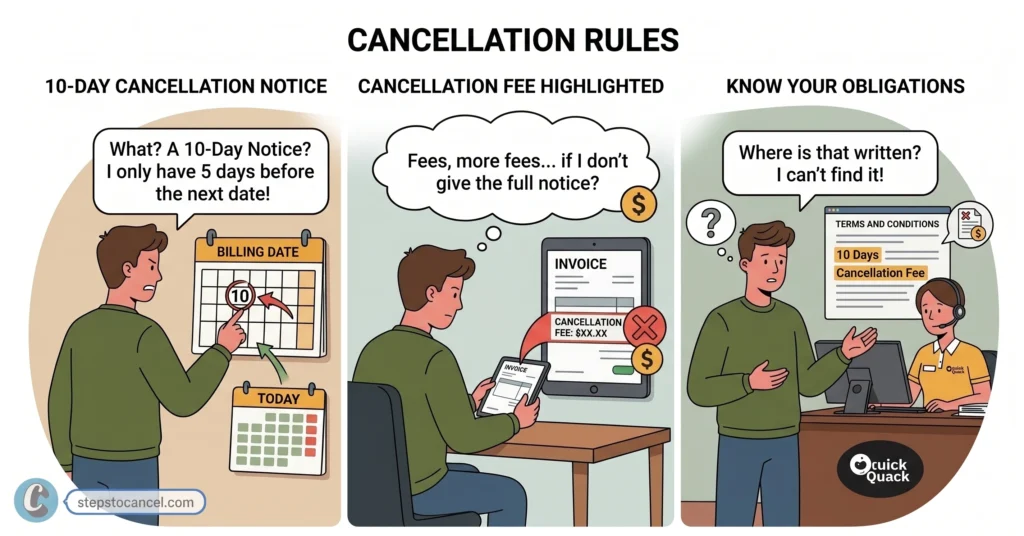
1. 10-Day Cancellation Notice
Quick Quack requires you to cancel at least 10 days before your automatic renewal date (the day you get charged every month). If your next billing date is less than 10 days away, you may be charged once more. Under the terms (section 3.2), monthly fees are billed on, or within one business day of, the calendar day you started the membership, so your join date tells you when to cancel by.
2. No Refund Policy
Quick Quack does not give money back. If you cancel mid-month, your wash pass stays active until the end of your current billing cycle, but you won’t get a partial refund for unused days. The terms (sections 3.2(c) and 5.2) also allow an immediate cancellation, which ends access right away, again with no refund except at Quick Quack’s discretion.
3. Don’t Rely on a Failed Payment to Cancel
The terms say that if your payment card expires or a payment is rejected, Quick Quack “may immediately suspend or cancel your membership.” That is at Quick Quack’s option, so a declined card is not a confirmed cancellation. Cancel through myQQ, email or phone and keep the confirmation.
4. $5.00 Early Cancellation Fee
If you cancel your membership within 45 days of signing up, Quick Quack may charge you a $5.00 early termination fee. This means the fee may not apply to every account, but it can apply if you cancel soon after signing up.
5. No Pause or Freeze Option Is Listed
Neither Quick Quack’s FAQ nor its Terms of Service mentions a pause or freeze option (checked October 2026). If you want a break, the documented options are changing your plan in myQQ or cancelling and rejoining later; Customer Care can confirm whether anything else is available.
Cancel your Quick Quack membership through myQQ. Sign in to the myQQ app or website, then go to Account > Settings > Cancel Your Membership. You can also call Customer Care at 888-772-2792 for help.
Can I cancel Quick Quack through the myQQ app?
Yes. Quick Quack’s FAQ says you can cancel your membership in myQQ by going to Account > Settings > Cancel Your Membership.
What is the Quick Quack cancellation phone number?
The Quick Quack cancellation phone number is 888-772-2792. Customer Care can assist if you cannot cancel through myQQ or need help with your account.
Can I cancel Quick Quack by email?
Yes. Quick Quack’s Terms of Service say you can cancel by email at info@dontdrivedirty.com if you give notice at least 10 days before your renewal date. Include your name, phone number, email, license plate or VIN, and last 4 digits of the payment card.
Can I cancel Quick Quack in person?
You can ask for help at a Quick Quack location, but in-person cancellation may not be the safest option for billing proof. Use myQQ or Customer Care and keep written confirmation.
How many days before billing should I cancel?
Cancel at least 10 days before your next billing date to reduce the chance of another payment being drawn.
Will I get a refund after canceling?
No. The terms say all payments are non-refundable. Your membership stays active through the end of the period you already paid for.
Does a failed payment cancel my membership?
Not reliably. The terms say Quick Quack may suspend or cancel a membership when a payment is rejected, but that is at its option. Cancel through myQQ, email or Customer Care and keep the confirmation.
What information do I need to cancel?
You may need your full name, email, phone number, license plate or VIN, last 4 digits of your payment card, and renewal date.
Why was I charged after canceling?
You may have canceled too close to your renewal date, the request may not have processed, or the account may not have been correctly linked. Contact Customer Care with your confirmation proof.
Can I remove one vehicle from my Quick Quack account?
Yes. The terms treat removing a vehicle from a Flock Pricing plan as a cancellation, so the same rules apply: give at least 10 days’ notice before renewal through myQQ, email or Customer Care. Each membership is tied to one vehicle and is not transferable between vehicles.
Can I downgrade instead of canceling?
Yes. Quick Quack’s FAQ says you can change your membership plan in myQQ or ask a car wash team member to submit the request for you.
Cancel your Super Star Car Wash membership online in the member portal (you need your Fast Pass ID or license plate plus the last four digits of your card) or by mailing a written request to 960 W Behrend Drive, Suite 1, Phoenix, AZ 85027. Those are the two methods in the official membership terms, and Super Star emails a confirmation after you submit your request.
Your billing date is the day of the month you bought the membership. Cancel at least 7 days before it: under the terms, cancelling less than 7 days before the next billing date means you may be charged for the following month, and paid fees are not refunded.
Gather the following before you start. Super Star Car Wash requires this information to locate and verify your account, regardless of which method you use.
Fast Pass ID — found on your windshield sticker, OR
License plate number — the one registered to your account
Last 4 digits of the credit card billed for the membership
Phone Number — the one registered to your account
Full name on the account (required for mail or Contact Us requests)
How To Cancel Super Star Car Wash Membership Online (Fastest & Most Reliable)
To cancel your Super Star Car Wash membership online, you need the last four digits of your card, plus either your Fast Pass ID or your license plate number. Then follow the steps listed below.
Visit the Official Cancellation Portal
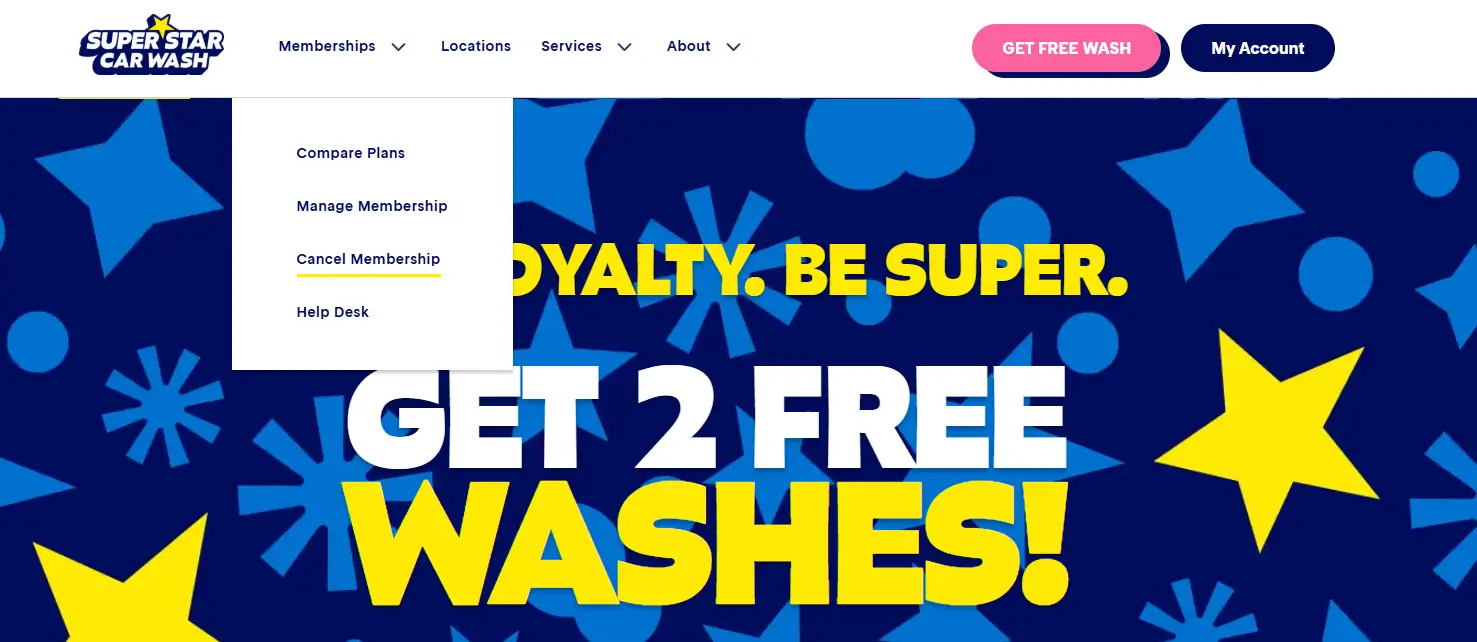
Go to superstarcarwashaz.com, click Memberships in the top menu, and select Cancel Membership.
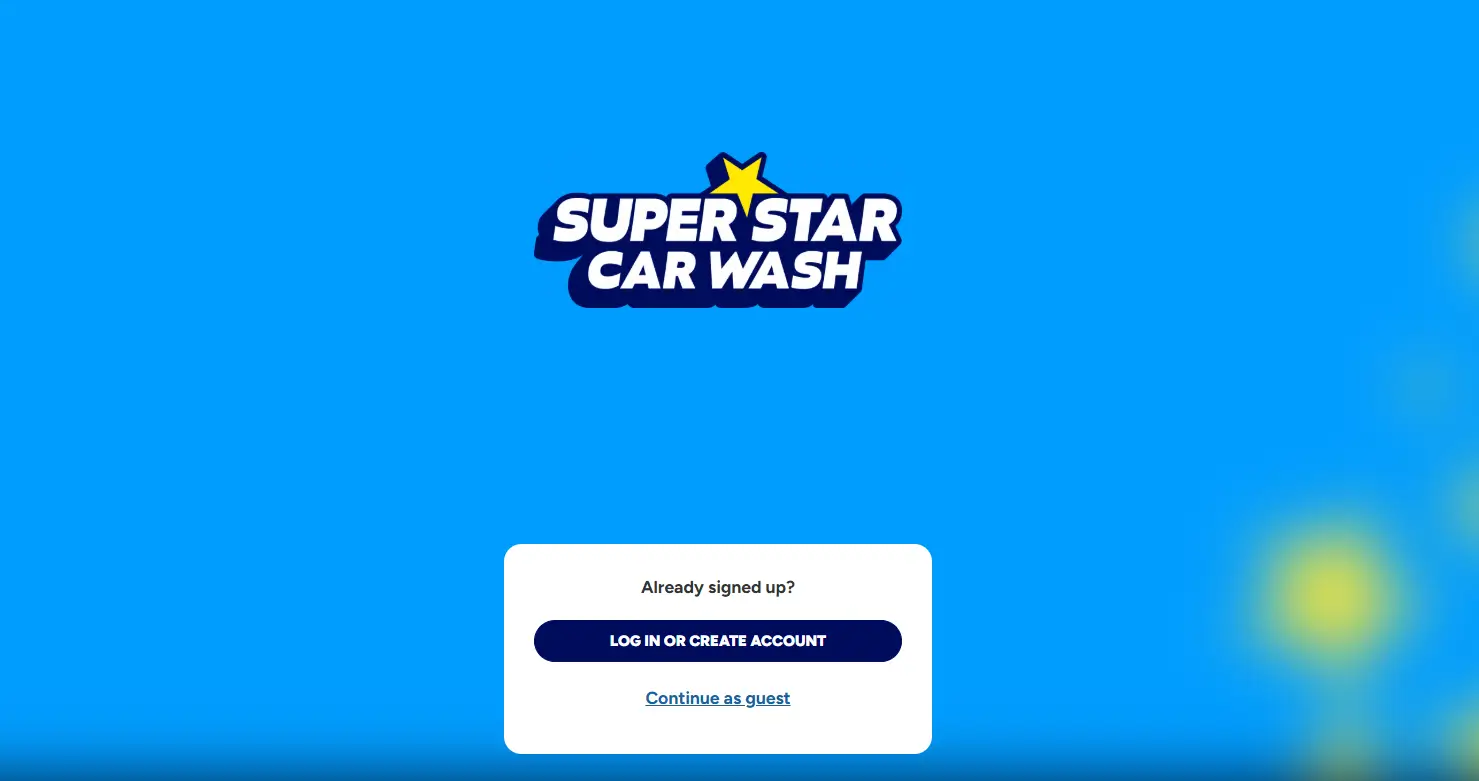
Sign In to Your Account
Sign in, or choose Create Account if you have not set one up yet. Please note: Only active members can register, and in-person signups take 24–48 hours to sync.
Verify Your Membership
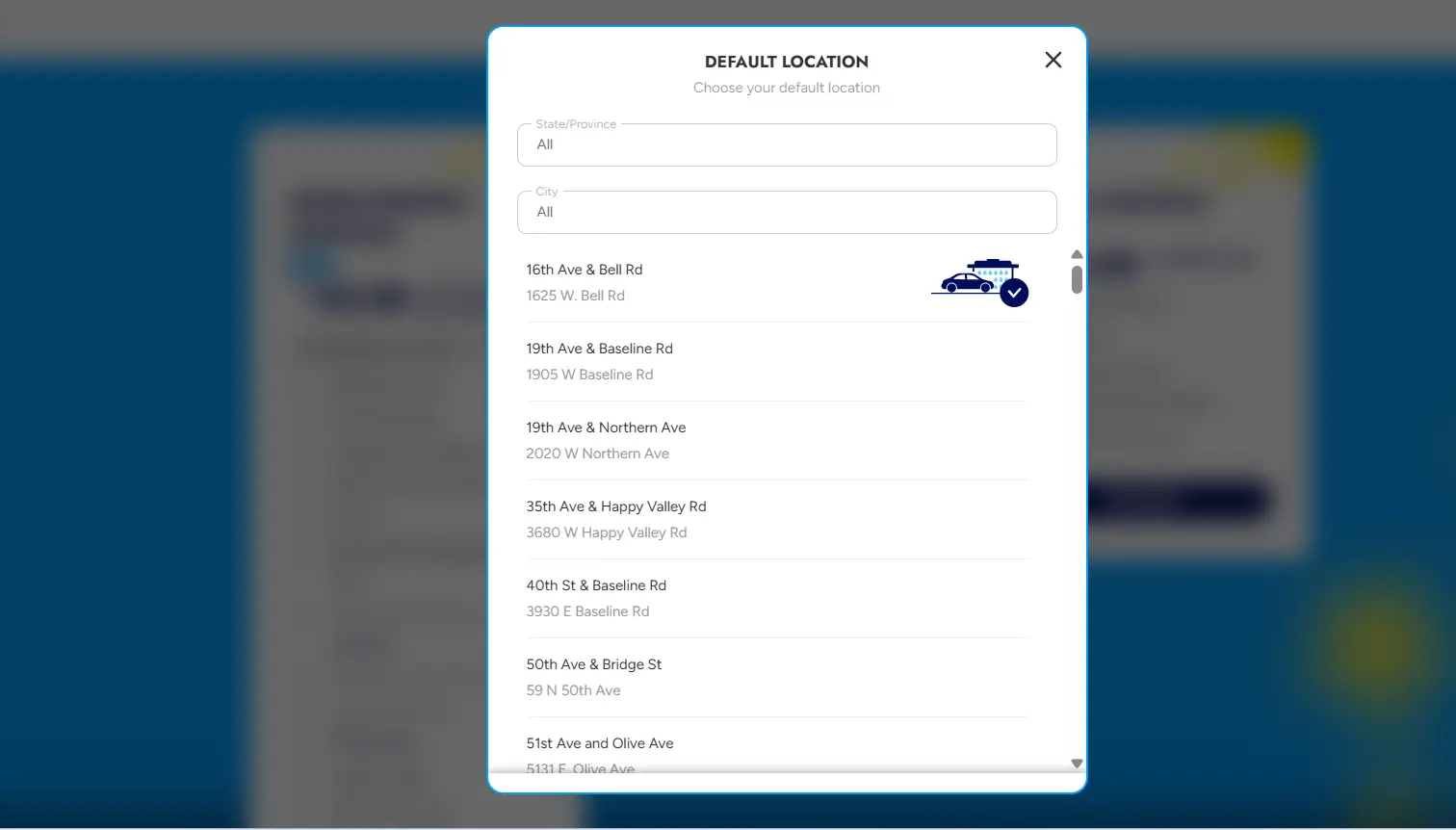
Confirm your identity using the last 4 digits of your card on file, plus either your Fast Pass ID or your license plate number and state.
Cancel Your Plan
Go to Manage > Active Plans and click Cancel Membership. Select a reason if prompted, then click Confirm.
Submit and Confirm
Submit the form and screenshot your confirmation. Super Star Car Wash also emails a confirmation.
Method 2: How to Cancel Super Star car wash by Mail
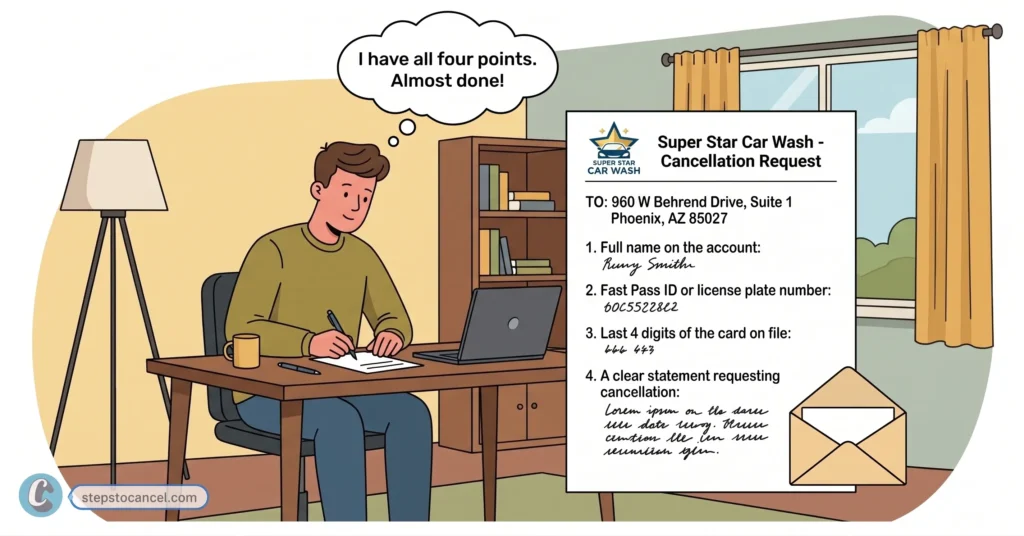
To cancel send a written cancellation request to: 960 W Behrend Drive, Suite 1 Phoenix, AZ 85027
Include in your letter:
Full name on the account
Fast Pass ID or license plate number
Last 4 digits of the card on file
A clear statement requesting cancellation
Mail processing takes longer than canceling online. If your billing date is close, send your request early to allow for transit time.
Alternative Methods to Contact Super Star Car Wash for Cancellation
Super Star does not list phone or email as a cancellation method. If the portal cannot find your account, contact customer support through the website.
Phone: No Published Cancellation Line
Super Star Car Wash’s website, FAQ and membership terms do not publish a customer service phone number, and phone is not a cancellation method in the terms (checked 2026-10-04). Support is reached online:
Enter your name, email, phone number, region and car wash location, license plate and state, and the last four digits of your card, then write in the comments that you want to cancel.
Submit the form and keep a copy of what you sent.
Super Star Car Wash states agents respond within 3 business days.
Cancellation Policy & Need-to-Knows
Notice Required
At least 7 days before your billing date
Late Cancellation
Cancelling less than 7 days before the billing date means you may be charged for the next month
Refunds
None — Super Star Car Wash does not prorate mid-month cancellations
Access After Cancellation
Continues through the end of the current billing cycle
Wash Limit (Active Plans)
Up to 2 washes per day, per plan
Account Freeze/Pause
Not described in the membership terms or FAQ
Reactivation
Visit a physical Super Star Car Wash location
The 7-Day Cancellation Rule
You are billed monthly on your original signup date. To avoid being charged for the next month, submit your cancellation request at least 7 days before your billing date. If you cancel less than 7 days before the billing date, the terms say you may be charged for the next month.
Refunds & Partial Cycles
All fees are non-refundable, and there are no prorated credits for partial months. If you cancel mid-cycle, your membership remains active and usable until the end of that current billing period.
Pausing Your Membership
Super Star’s membership terms and FAQ do not describe a freeze or pause option (checked 2026-10-04). If you only need a break, ask support through the Contact Us form well before your billing date; otherwise cancel at least 7 days ahead. If your car was sold, donated or is inoperable and you get a replacement, the terms let you move the plan to the new vehicle instead of cancelling.
Prepaid Memberships
Prepaid plans run for 6 or 12 months and expire automatically at the end of the term, so there is nothing to cancel. Prepaid fees are not refundable.
Common Issues & Fixes
“No membership found” error: If you joined at a location in the last 24–48 hours, your plan may not be in the system yet. Otherwise check that you entered the plate state you signed up with, or use the Contact Us form.
Continued billing after cancellation: Screenshot your confirmation immediately and check your next statement closely.
Plate changed: If a temporary tag was replaced by a permanent plate, or you changed vehicles, ask support to update the plate on file. BBB complaints from June–July 2026 describe duplicate charges after plate changes; in its replies the company refunded the charges and cancelled the memberships.
Contact form delays: The online “Contact Us” form takes up to 3 business days to process. If your billing date is less than a week away, use the instant portal method instead.
Fast Pass ID not found: Try verifying with your license plate number and state instead. Make sure you’re entering the exact state where you originally signed up — this is a common mistake.
After You Cancel
Save your confirmation email and screenshot.
Monitor your card statement for one additional charge, since your access continues through the current billing cycle.
Reactivate by visiting a physical Super Star Car Wash location if you change your mind later.
What’s the fastest way to cancel my Super Star Car Wash membership?
Canceling online is the fastest option. Go to the online portal, provide the last 4 digits of your card, and enter either your Fast Pass ID or your license plate number to cancel your plan.
Does Super Star Car Wash charge a cancellation fee?
Super Star’s membership terms do not list a cancellation fee. However, you must submit your request at least 7 days before your next billing date to avoid being charged for the upcoming month.
Will I get a refund for the unused part of my billing cycle?
No, refunds are not prorated. Once a charge processes, your membership remains fully active and usable until the end of that current billing cycle.
Can I cancel over the phone?
Phone is not a cancellation method in Super Star’s membership terms, and the official website does not publish a phone number. Cancel in the online portal or by mail.
Can I pause my membership instead of canceling?
Super Star’s terms and FAQ do not describe a pause option. You can ask support through the Contact Us form, but cancel at least 7 days before your billing date if you do not get a confirmed answer.
How do I reactivate a canceled membership?
Visit any physical location to have an attendant reactivate your account in person.
Misfits Market has two things you may want to cancel: the weekly Grocery Subscription and the paid Misfits+ membership ($69 a year after a 30-day free trial). To stop the Grocery Subscription, switch to the Flex Plan on the My Plan page (Need a break? → Pause or Cancel Subscription), or send a request through the contact form at least 48 hours before your next order’s billing date. Misfits+ is cancelled separately in the Misfits+ section of your account before 9:00 p.m. Eastern Time on the day your billing cycle ends.
Cancelling one does not cancel the other: Misfits Market’s Terms of Service (effective October 14, 2025) say that ending Misfits+ does not cancel an active Grocery Subscription. An order that has already been billed cannot be changed or cancelled and will still ship, so make changes before your shopping window closes (11:45 p.m. ET on its last day).
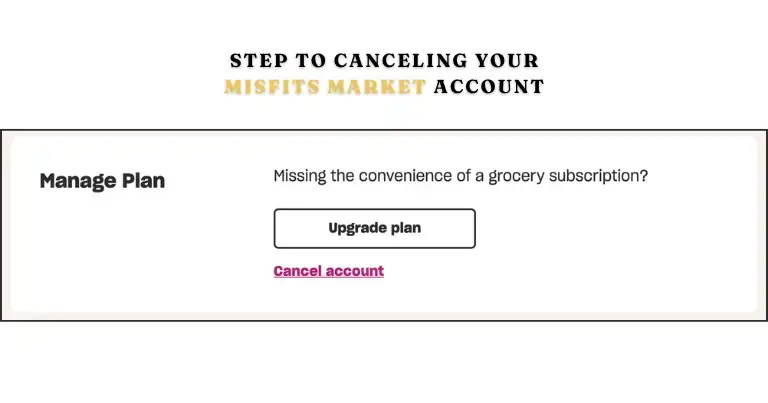
On the Flex Plan your cart is not pre-filled, and you only receive (and pay for) orders you build yourself. Switching to Flex therefore stops automatic orders without closing your account. If you also want the account closed, there is a final cancel step on the same page, shown below.
Cancellation Policy
Misfits Market offers two official ways to cancel: online in your account (the My Plan page for groceries, the Misfits+ section for the membership) or through its contact form.
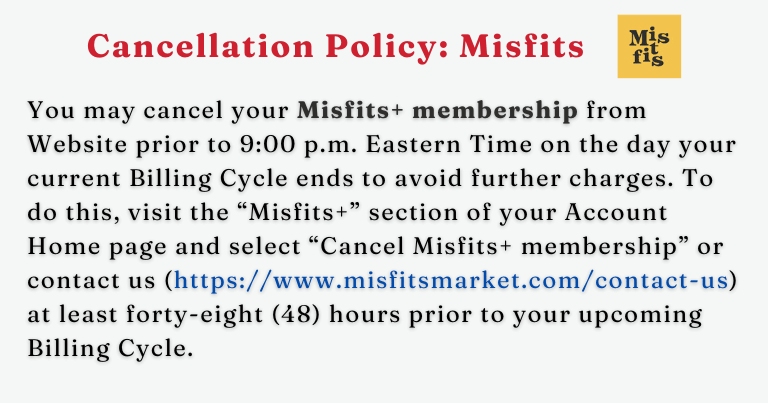
The Terms of Service do not mention a cancellation fee. The deadlines differ by product. A Grocery Subscription cancellation sent through the contact form must arrive at least 48 hours before the billing date of your upcoming order. Misfits+ must be cancelled before 9:00 p.m. Eastern Time on the day your current billing cycle ends, or through the contact form at least 48 hours before the next billing cycle. To cancel Misfits+ online, open the Misfits+ section of your Account Home page and select Cancel Misfits+ membership.
How to Cancel Misfits Market Subscription Online?
You cancel the Misfits Market Subscription online by first downgrading your account to a Flex plan and then requesting account cancellation.
Screenshot of the Misfits Market cancellation page
Follow the 5 easy steps below to cancel your subscription online from the official website:
Go to the My Plan page. If you are still on the Grocery Subscription, switch to the Flex Plan first (steps below).
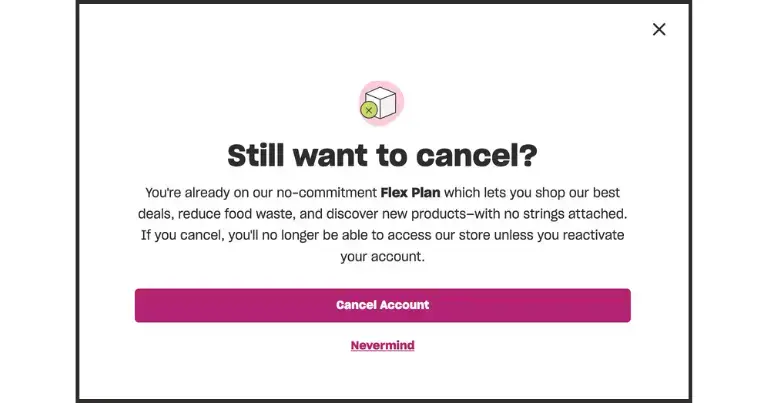
Scroll to the bottom and click the purple cancel plan link under the Upgrade Plan button.
Click Cancel Account in the “Still want to cancel” pop-up.
The help center says you should get one confirmation email when you are moved to the Flex Plan and another when the account cancellation is complete.
An order that has already been billed will still ship. Switching to Flex or closing the account does not cancel it, and cancelling Misfits+ does not cancel your Grocery Subscription.
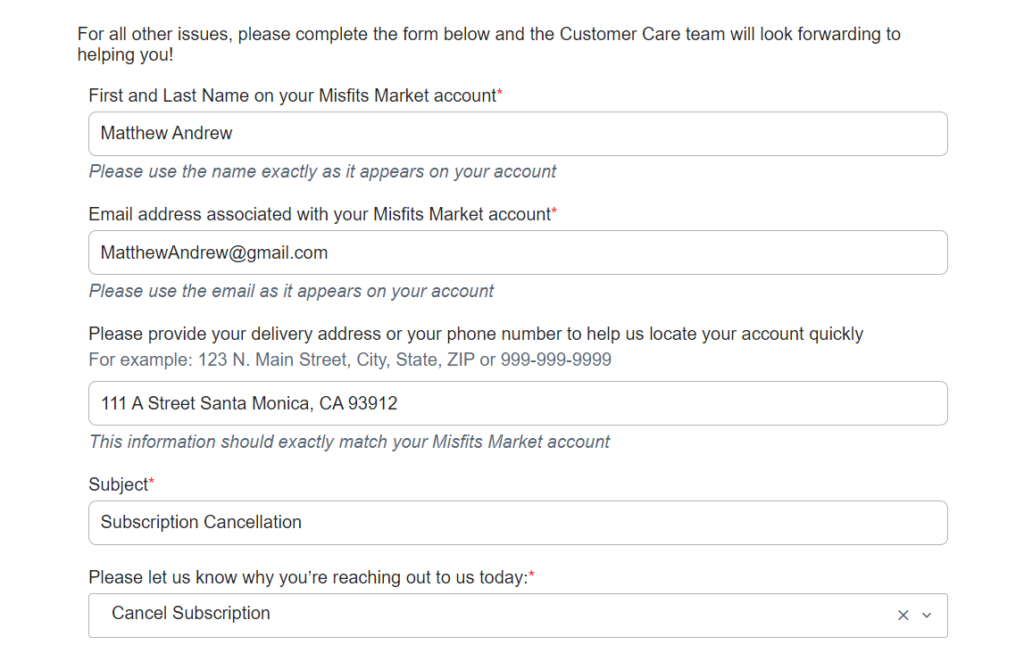
Cancel Misfits Market via the Contact Form
The form is useful if you cannot reach the cancel buttons or want Misfits+ cancelled by support:
Enter the name and email address on your Misfits Market account.
Pick the topic closest to cancelling your subscription or membership.
Say exactly what to cancel: the Grocery Subscription, Misfits+, or the whole account.
Send it at least 48 hours before your next order’s billing date (or before the next Misfits+ billing cycle).
Keep the reply, then check that your account shows the Flex Plan or a cancelled membership.
If you encounter any problem while canceling, then you can message their assistance team using a contact form with error details.
How to Switch to the Flex Plan (Stop Automatic Orders)
The Flex Plan is order-as-you-go: your cart is not pre-filled, and you are only charged for orders you build that meet the order minimum during your shopping window.
To move your Grocery Subscription to the Flex Plan:
Log in to your account.
Go to the My Plan page.
Scroll down to the Need a break? section.
Click Pause or Cancel Subscription and follow the prompts to switch to the Flex Plan (a pause is offered in the same place).
Refund Policy
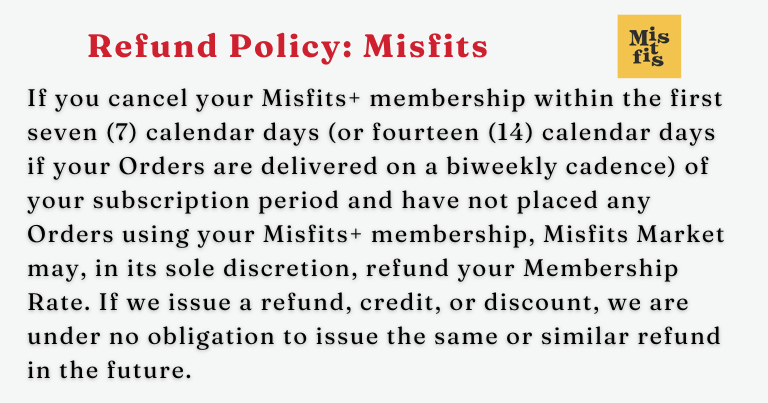
Misfits+ only: if you cancel within the first 7 calendar days of the membership (14 days if your orders are delivered every other week) and have not placed any orders using Misfits+, Misfits Market may refund the membership fee at its discretion. After that there is no refund, but you keep Misfits+ benefits until the end of the term. If you cancel during a free trial, access ends when you cancel.
For a problem with a delivered order, report it within 7 days of delivery. For orders from the last 14 days you can choose a refund to your original payment method or store credit; older orders get store credit only. Credits stay available only while you keep a valid account, so use any credit before you close yours.
How to get a refund from Misfits Market?
Log in, open Orders from the account menu and click Report Issue under the order number. Choose what went wrong, fill in the short form, then pick a refund or store credit and click Confirm Refund Selection.
How to contact Misfits Market customer support
Misfits Market does not publish a support phone number or email address in its Terms of Service or FAQ; help requests go through the contact form.
Misfits Market, Inc., c/o Imperfect Foods, Inc., 7481 Coca Cola Drive, Hanover, MD 21076 (per the Terms of Service)
Official contact routes (checked October 20, 2026)
Social Media Accounts
Information
Details
Facebook
https://www.facebook.com/misfitsmarket/
Instagram
https://www.instagram.com/misfitsmarket/
X
https://twitter.com/misfitsmarket
Pinterest
https://www.pinterest.com/misfitsmarket/
TikTok
https://www.tiktok.com/@misfitsmarket
YouTube
https://www.youtube.com/@MisfitsMarket
Social Media accounts of Misfits Market
FAQs
Can I pause my Misfits Market subscription?
Yes, you can pause. Login to your account, Go to your “My Plan page” then click on “Pause” under “Need a break?”.
Does Misfits Market charge a membership fee?
Only for the optional Misfits+ membership, which costs $69 a year after a 30-day free trial and renews automatically each year unless you cancel it. Grocery orders are charged per order.
Can I Cancel My Order?
Sometimes, for a short time. Eligible customers may see a cancel order button on the Orders page shortly after an order is confirmed. Once your shopping window has closed, an order cannot be cancelled, paused, skipped or changed, and a billed order will still ship.