You can cancel a Club Car Wash membership at any time with one day’s notice: sign in to the member portal at clubcarwash.com/login, use the Club Car Wash app, email contact@clubcarwash.com, or call (833) 416-9975. Fees are non-refundable, and your washes continue until your next Recharge Date (the monthly anniversary of your sign-up).
This guide covers the four cancellation routes listed in Club Car Wash’s Terms of Use (revised May 8, 2026), the billing-date rules that decide whether you’re charged again, and what to do if a cancellation doesn’t go through.
What You Need Before You Cancel
Have one of these ready so Club Car Wash can find your account:
- Phone number linked to your membership
- FastPass sticker number — the barcode printed on your windshield sticker
Tip: Note your FastPass sticker number and the phone number on your membership before you start, and cancel at least one day before your Recharge Date.
Related Cancellation Guide: Read our complete step-by-step guide to cancel your Quick Quack Car Wash membership before your next billing cycle hits.
Club Car Wash Cancellation Policy
| Policy Item | Details |
|---|---|
| Notice Required | 1 day (per official terms) |
| Refunds | None — Club Car Wash does not refund partial months or unused time |
| Access After Cancellation | Continues through the end of the current billing cycle |
| Pause Membership | Not described in the Terms of Use; ask support |
| Cancellation Fee | None listed in the Terms of Use |
| Auto-Renewal | Renews monthly on your Recharge Date (the monthly anniversary of sign-up; sign-ups on the 29th–31st are charged on the 28th) |
Paid membership fees are non-refundable, with no credits for partly used periods. Cancel at least one day before your Recharge Date so the next monthly charge doesn’t go through.
Source: Club Car Wash Terms of Use (revised 5/8/2026), checked October 5, 2026
How to Cancel Club Car Wash Membership Online (Web Portal)
To cancel your club car wash membership online all you need is your account phone number or FastPass sticker number. Follow the steps listed below.
Open the Manage Membership Page
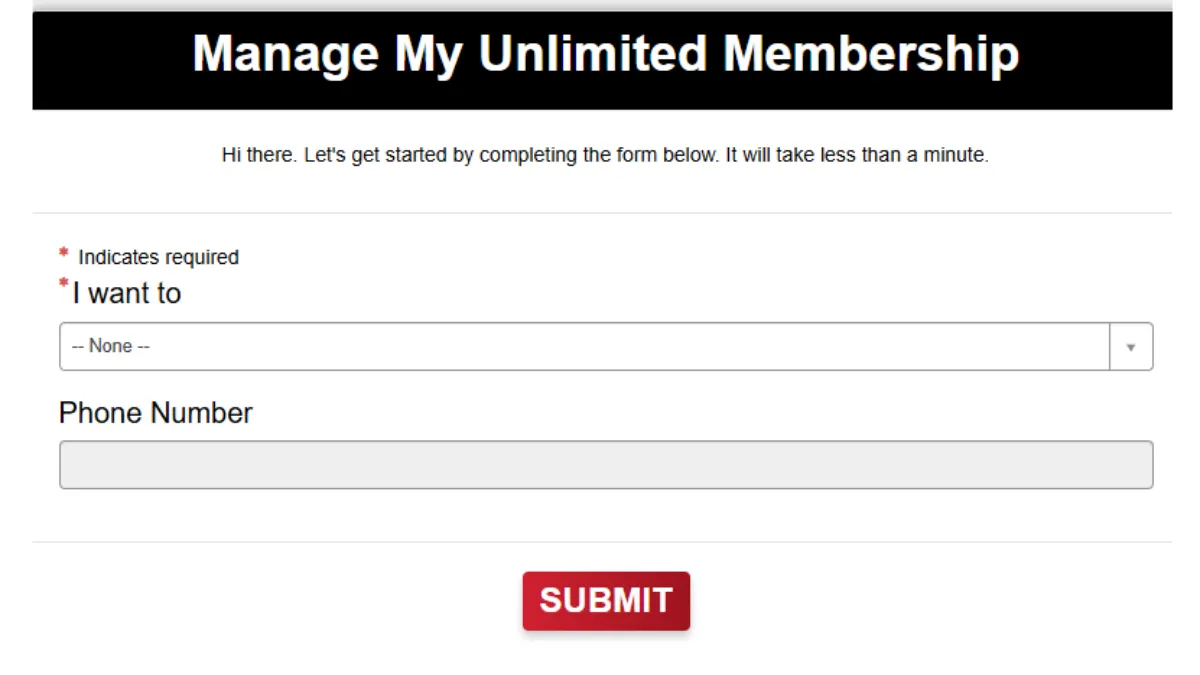
Go to clubcarwash.com/manage-membership in your browser. You can also sign in at clubcarwash.com/login, the online portal named in the Terms of Use.
Select the Cancellation Action
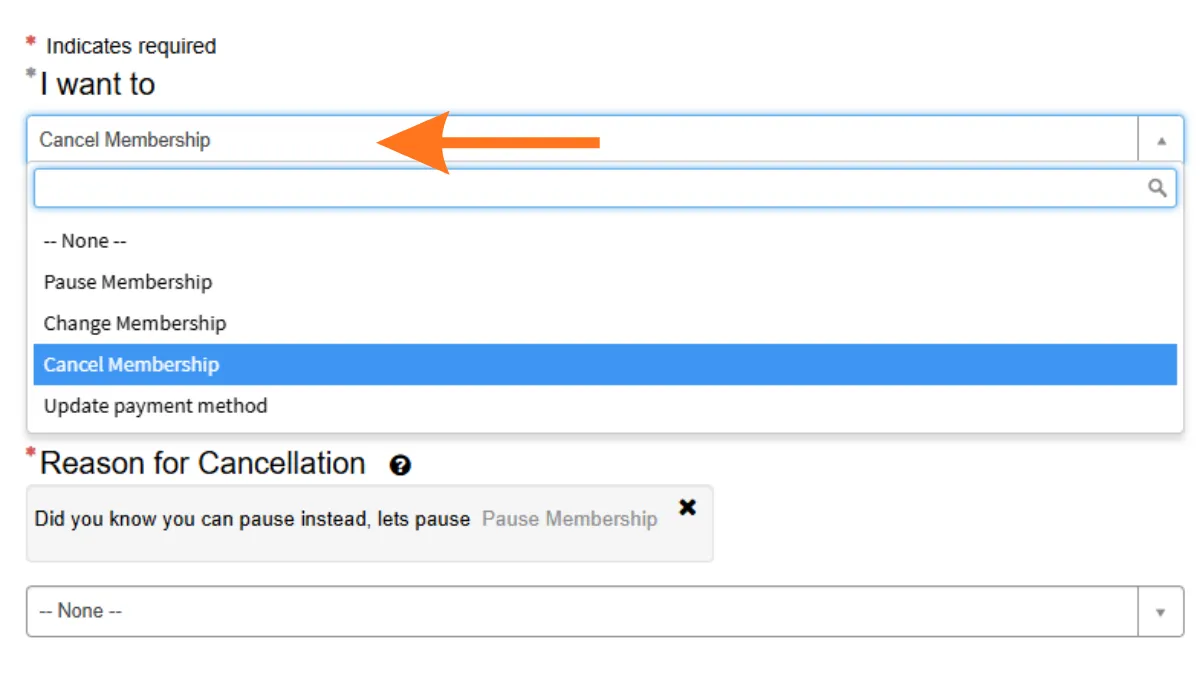
Click on the “I want to” dropdown menu and select “Cancel Membership” from the list of options.
Locate Your Account
Enter your account phone number or FastPass sticker number in the search field. Club Car Wash uses either detail to pull up your membership record.
Select Your Active Membership
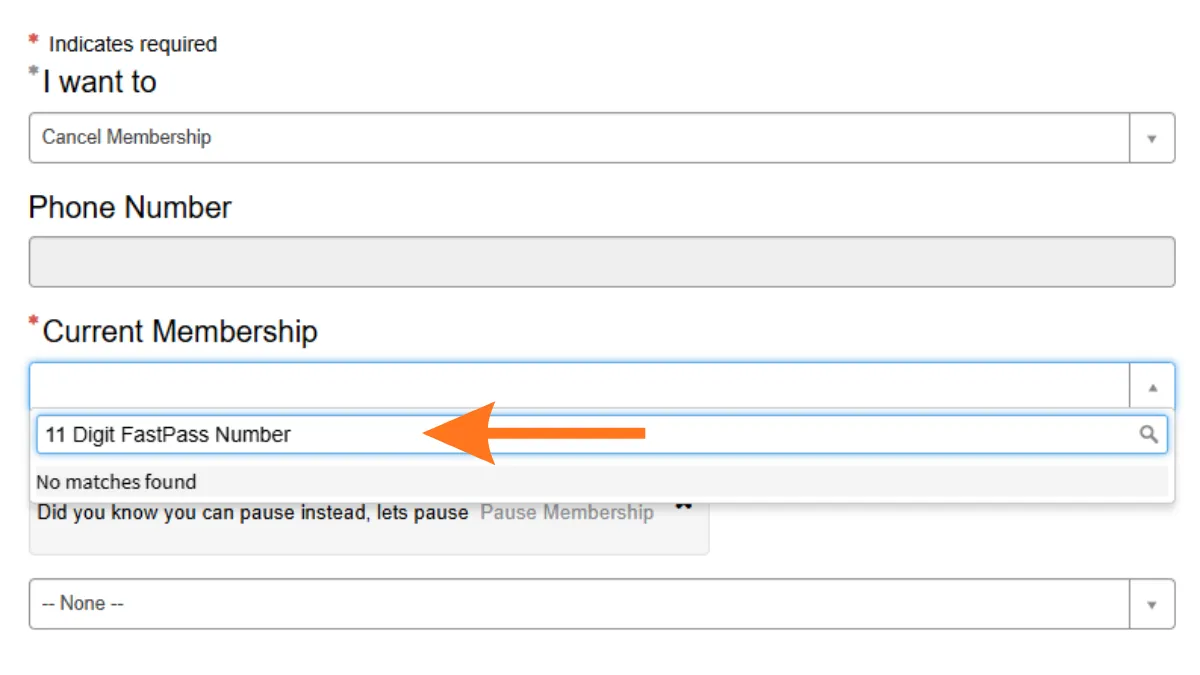
Click the “Current Membership” dropdown menu and choose the specific active plan you wish to cancel.
Provide a Reason for Canceling
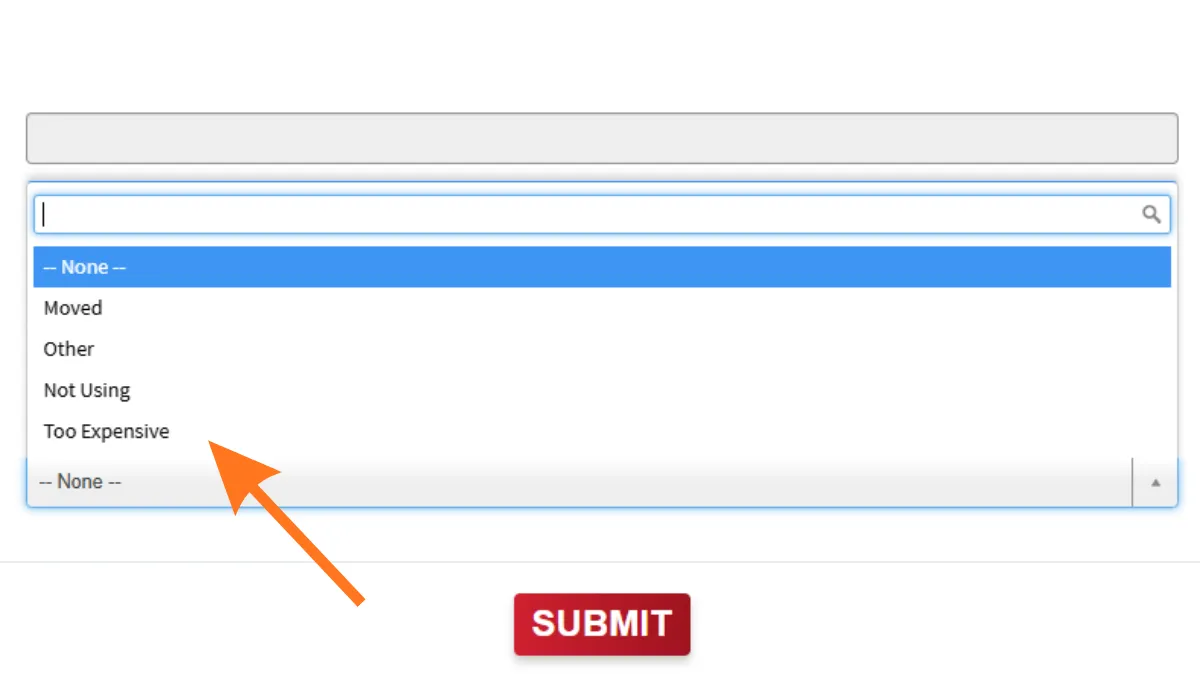
Choose your “Reason for Cancellation” from dropdown menu, such as “Not Using”. or “Too Expensive”.
Submit Your Request
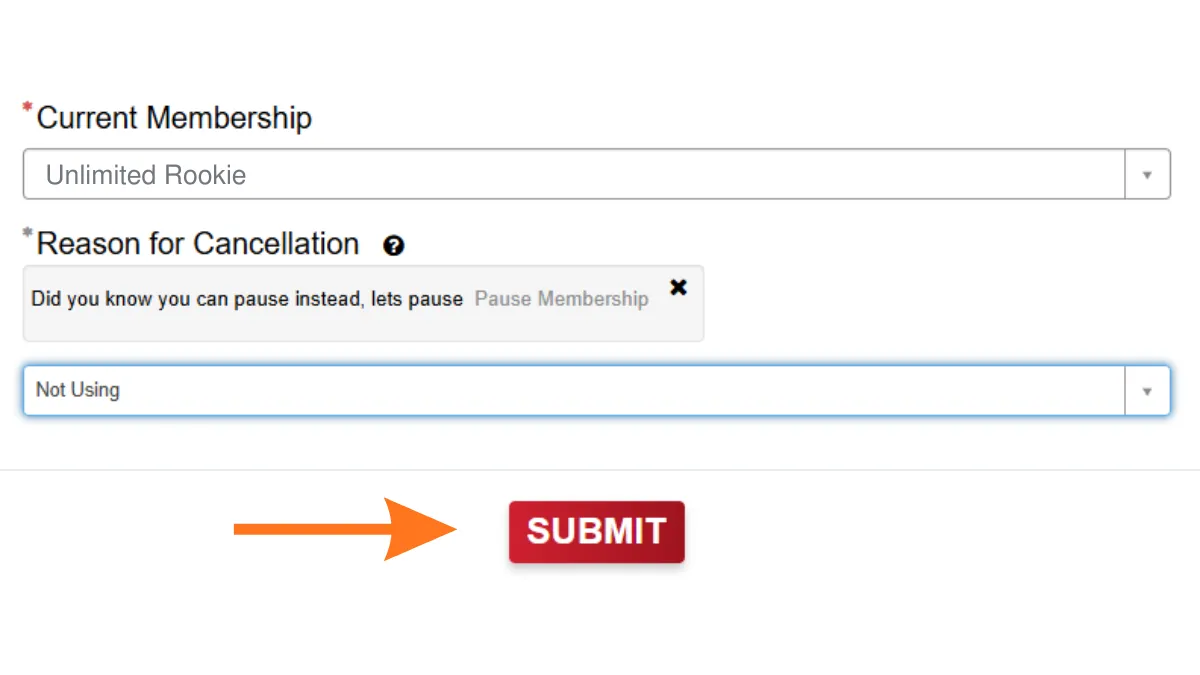
Click the red “SUBMIT” button at the bottom of the form to finalize and send your cancellation request.
Related guide: How to cancel a GO Car Wash membership
Method 2: Cancellation via Mobile App
The Terms of Use list the Club Car Wash app as an official cancellation route. The app store listings show the developer as Club Car Wash Operating, LLC.
Step 1: Download and Log In
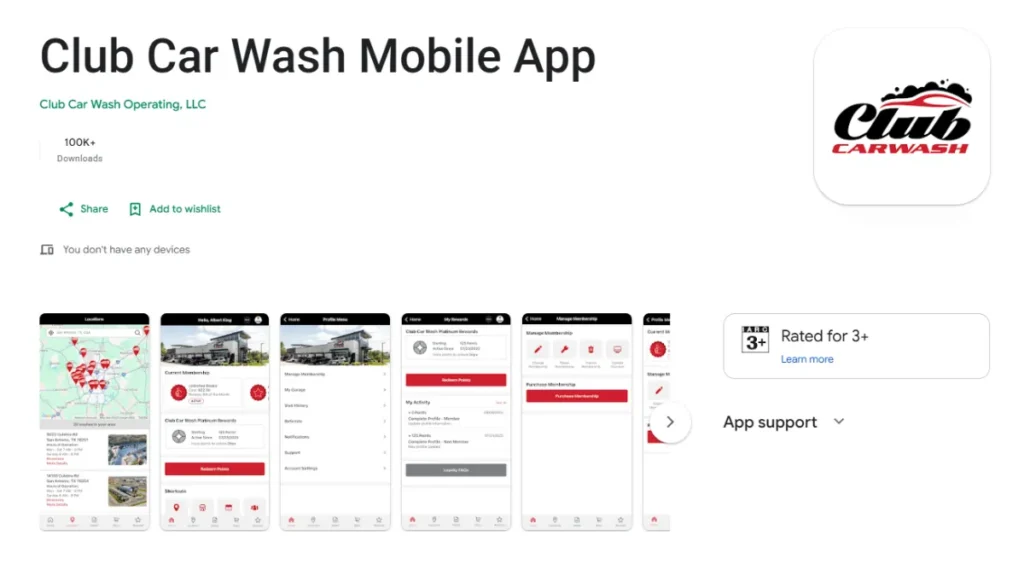
Download the official app for your device using these direct links:
Sign in, then follow the steps below. The screens shown come from our earlier walkthrough and may look different after later app updates.
Step 2: Open the Profile Menu
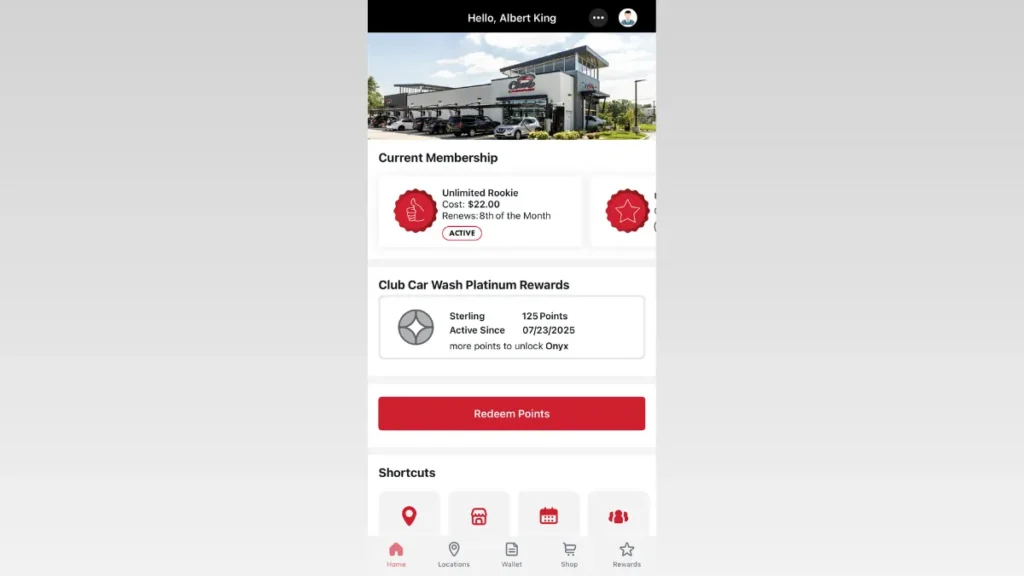
From the app’s home screen, tap the three-dot button in the top-right corner of the header.
Step 3: Select “Manage Membership”
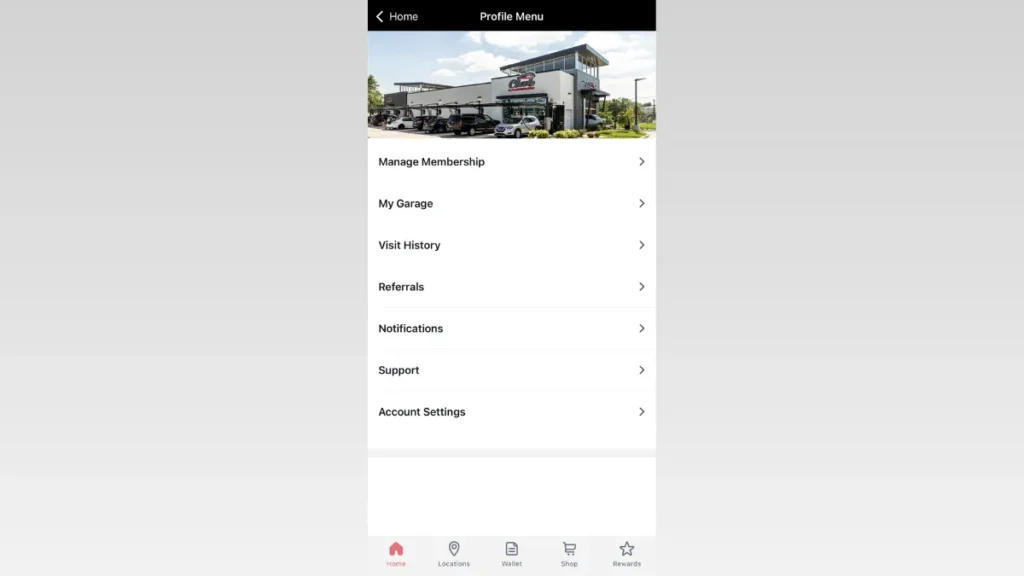
Once inside the Profile Menu, tap the “Manage Membership” option at the top of the list.
Step 4: Select the “Cancel Membership” Button
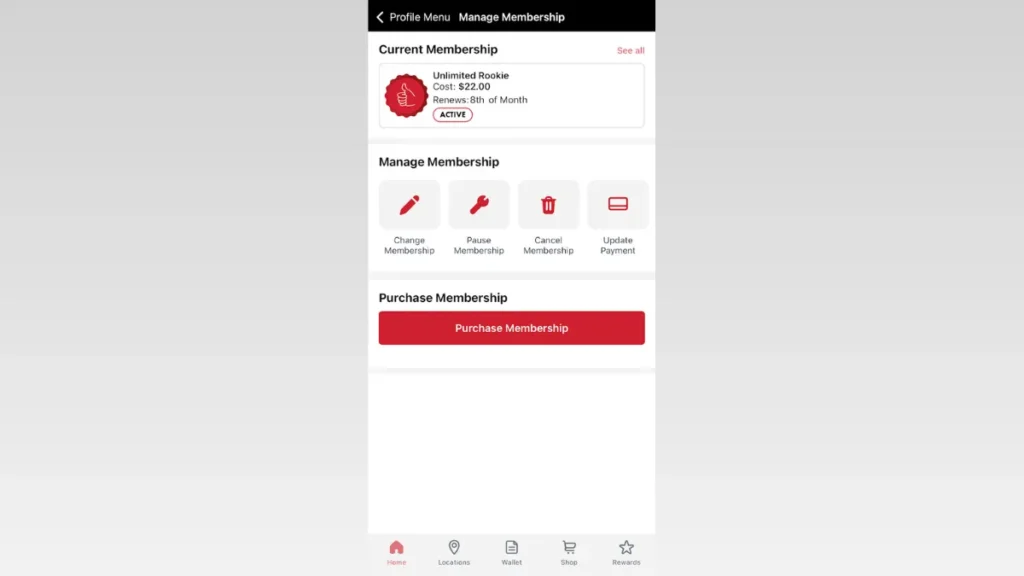
Under the active subscription card, look for the row of utility icons and tap the Cancel Membership option (identified by the red trash can icon).
Step 5: Confirm the Cancellation
Select your reason for leaving and follow the remaining confirmation prompts to finalize the cancellation.
If the app won’t cancel: some Google Play and App Store reviewers in 2026 said they couldn’t find a working cancel option in the app. If that happens, email contact@clubcarwash.com or call (833) 416-9975 instead, and keep the reply as proof.
Method 3: Cancel by Phone
Call Club Car Wash support at (833) 416-9975. The Terms of Use list this support line as an official way to cancel.
Tell the representative you want to cancel your membership. Have your FastPass number and account details ready before you call.
Ask the agent to confirm the cancellation by email so you have a record.
Method 4: Cancel by Email
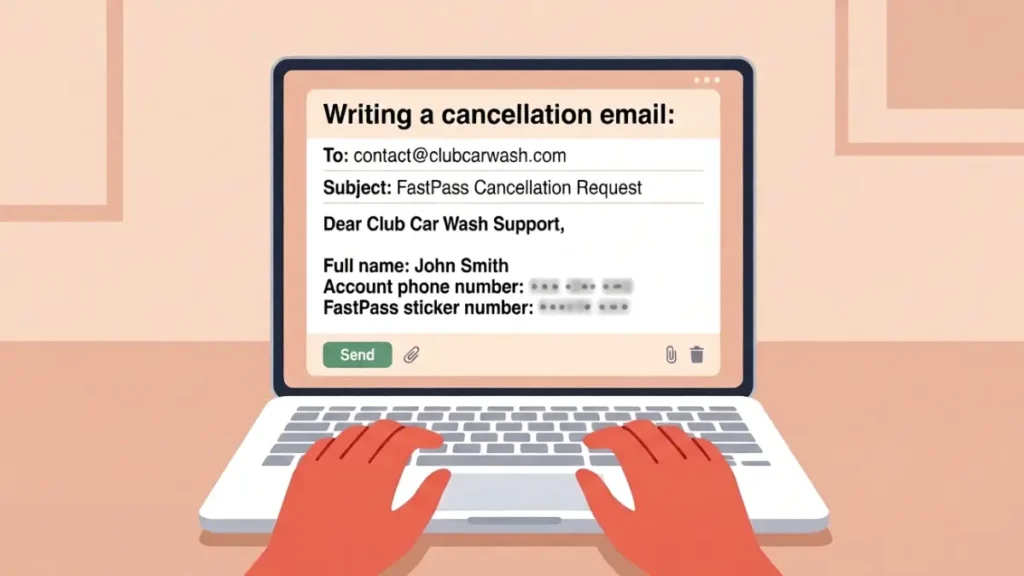
The Terms of Use list email as an official cancellation route: contact@clubcarwash.com
Include these details so support can find your account:
- Full name
- Account phone number
- FastPass sticker number
If you don’t get a confirmation reply before your Recharge Date, call (833) 416-9975.
Send your email at least one day before your Recharge Date (the terms require one day notice), and keep the sent message as proof.
After You Cancel
- Keep your confirmation email or a screenshot of the portal or app screen. In August 2025 the BBB reported a pattern of complaints that included memberships not being cancelled and refunds not provided; the company said it was creating a new app so members can manage their own plans.
- Check your statement after your next Recharge Date to make sure no new monthly charge went through.
- Set a calendar reminder a few days before future renewal dates if you ever re-subscribe.
Can You Pause Instead of Cancelling?
Club Car Wash’s Terms of Use (revised May 8, 2026) don’t describe a pause or freeze. If you only want a break, ask support at (833) 416-9975 or contact@clubcarwash.com whether your plan can be paused; otherwise, cancelling at least one day before your Recharge Date is the documented way to stop charges.
Related Cancellation Guide: Learn about the required notice periods and exact methods to successfully cancel a Super Star Car Wash plan
Club Car Wash Contact Information
Official contact details from the Terms of Use, with the corporate address from Club Car Wash’s BBB profile:
| Phone | (833) 416-9975 |
| Email (General) | contact@clubcarwash.com |
| Member portal | clubcarwash.com/login |
| Corporate Address | 1591 E Prathersville Rd, Columbia, MO 65202 |
Leave a Reply