Category: Cancel Car Wash Memberships

Find verified step-by-step cancellation guides for major car wash memberships. Compare cancellation methods, notice periods, refund policies, and jump to detailed instructions.

  • How to Cancel Crew Carwash Unlimited Club Membership

    How to Cancel Crew Carwash Unlimited Club Membership

    To cancel a Crew Carwash Unlimited Club membership, submit the request online in the Customer Portal at crewcarwash.com/manage at least 24 hours before your monthly billing date. Crew says the charge can process a day earlier than that date, so cancel at least two days ahead to be safe.[1] Your plan keeps working until the billing date, and the rest of the month isn’t refunded.[2]

    Crew cancellation rules at a glance
    Charge dateUsually your enrollment date, but it can run a day early, so allow 2 days[1]
    What you needUnlimited Club tag number (license plate at the Champaign, IL location)[2]
    Pause optionNot in Crew’s published terms or FAQs[1][2][3]
    Phone help866-632-5627, Mon–Fri 8–5, Sat 8–4 Eastern[4]
    New car?Transfer the membership at any Crew location instead of canceling[2]
    Checked against Crew’s published terms and FAQs on Sept. 26, 2026.

    How to cancel Crew Carwash online (Customer Portal)

    Crew’s terms name one place to cancel: the Customer Portal, which is open 24/7.[1]

    What you need first

    Your Unlimited Club tag number. It’s printed under the barcode on the pass on your windshield, and it’s also shown in the portal after you log in. Accounts opened at the Champaign, Illinois location use the license plate number instead.[2]

    Steps

    1. Go to crewcarwash.com/manage and select Log Into Your Account.[4]
    2. On the Log in to your Dashboard screen, enter your Mobile Number or Email and select Continue.
    3. Open your Unlimited plan and choose the cancel option. We couldn’t see the screens after login, so the wording may differ.
    4. Screenshot the confirmation screen with the date visible.

    Signed up in the last two days? Crew asks new customers to allow 24–48 hours for their account to sync before logging in.[4] If the portal doesn’t recognize you, try again later; your first monthly charge is still weeks away.

    Crew Carwash cancellation notice: 24 hours (cancel 2 days early)

    Crew bills monthly, usually on the date you enrolled, and your cancellation request must be in at least 24 hours before that date. The same terms say the charge can process a day earlier or later.[1]

    Example: If your billing date is the 15th, a request on the 14th cuts it close to the 24-hour rule, and a charge that runs a day early could post before it. Canceling by the 13th covers both.

    After you cancel, you can keep washing until the billing date.[2] Crew doesn’t refund partial months or months with no washes.[1] Deadlines vary a lot between chains, so if you pay for more than one plan, check each one in our car wash membership cancellation guides.

    Can you cancel Crew Carwash by phone?

    Crew’s terms send cancellations to the online portal.[1] If you can’t log in, first try Having trouble logging in? Try a different method instead. on the login screen. If that fails, call Crew’s Customer Service Team at 866-632-5627:[4]

    • Monday to Friday, 8 AM to 5 PM Eastern
    • Saturday, 8 AM to 4 PM Eastern

    No Sunday hours are listed, so a problem with a Sunday deadline can only be fixed online or on Monday. Have your tag number (or plate, for Champaign) ready, ask the agent to confirm the cancellation is on your account, and note the date, time and agent’s name.

    Sold, traded in or totaled your car? Transfer or cancel

    A Crew pass covers one vehicle and has to stay on that car’s windshield.[1]

    Your situationWhat to do
    You have a new carDon’t cancel. Take your pass number to any Crew location to move the membership to the new vehicle. The number is in the portal if the old car is gone.[2]
    No replacement carCancel in the portal. You don’t need the old windshield, because your tag number is in your account.[2]

    This is easy to miss. One member asked for help after about two months of charges for a car that had been totaled.[6]
    RELATED
    Mister Car Wash Cancel Membership

    How to Cancel Mister Car Wash Membership

    Why your Crew Carwash price went up

    If your monthly charge jumped, it’s usually one of these, according to Crew’s terms:[1]

    • An introductory or promotional price ended. After your last payment at the intro rate, the fee moves to Crew’s standard advertised price for your plan.
    • You re-enrolled on a promotion. Promotions are once per account, and a re-enrollment at the promo rate may switch to the standard price at the next recharge.
    • A price increase. Promotional and introductory rates can rise without notice to individual members. Increases to regular advertised prices are posted at every location at least 30 days ahead.

    If price is your only reason for leaving, you can change plans in the same portal.[3]
    RELATED
    Cancel Quick Quack car wash membership Online

    How to Cancel Your Quick Quack Car Wash Membership

    After you cancel

    • Changed your mind? You can reactivate in the portal or at any Crew location.[2]
    • Don’t cancel by letting your card decline. If a recurring charge is declined, Crew can retry it daily for up to 14 days.[1] Canceling in the portal is the clean way out.

    Crew Carwash cancellation FAQs

    Can I pause my Crew Carwash membership?

    Crew’s published terms and FAQs don’t include a pause option (as of Sept. 26, 2026), so ask Customer Service before you count on one. What Crew does offer is switching to a different plan in the portal,[3] or canceling now and reactivating later at any location or online.[2] If you rejoin, a promotional price may not apply again.[1]

    Is there a Crew Carwash cancellation fee?

    Crew’s terms don’t list one, and its Unlimited Club page says “No contracts.”[5]

    Does Crew Carwash give refunds?

    No. Crew doesn’t refund mid-month cancellations or billing cycles with no washes, and the plan stays active until the next billing date.[1][2]

    References

    1. Crew Carwash, Unlimited Club Terms and Conditions, checked Sept. 26, 2026.
    2. Crew Carwash, Unlimited Club FAQs, checked Sept. 26, 2026.
    3. Crew Carwash, General FAQs, checked Sept. 26, 2026.
    4. Crew Carwash, Manage Your Unlimited Club Membership, checked Sept. 26, 2026.
    5. Crew Carwash, Unlimited Club, checked Sept. 26, 2026.
    6. JustAnswer, member question about a totaled car (community report, about 2025), checked Sept. 26, 2026.
  • How to Cancel Raceway Car Wash Membership

    How to Cancel Raceway Car Wash Membership

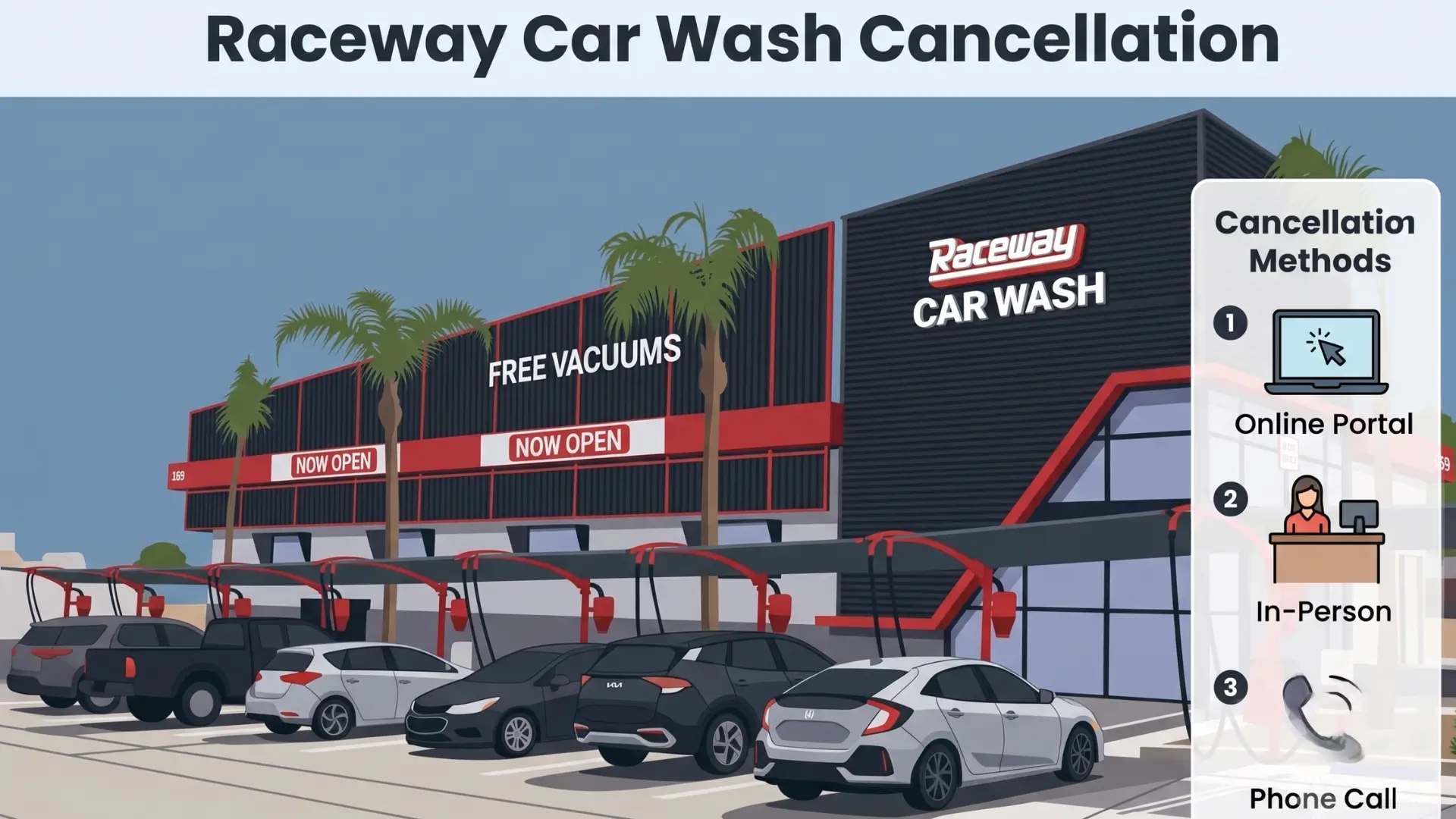
    Raceway Car Wash cancels memberships online through the Rinsed member portal, in person at any of its 47 locations, or by phone through Guest Services.

    Submit your request at least 7 days before your billing date — Raceway charges the next full month if you miss this window with no refund issued.

    Before You Cancel: What You Need

    Gather these details before you start. Raceway requires an exact match on your account information to locate and cancel your membership.

    • Phone number or email used when you signed up
    • Billing date — check your bank statement for the recurring Raceway charge
    • FASTPass number — printed on your windshield sticker, OR
    • License plate number — the one registered to your account

    Signed up on the 29th, 30th, or 31st? Raceway moves your billing date permanently to the 28th. Count back 7 days from the 28th — not your original signup date — to find your cancellation deadline.

    How to Cancel Your Raceway Car Wash Membership

    Method 1: Cancel Raceway Car Wash by Online Member Portal (Recommended)

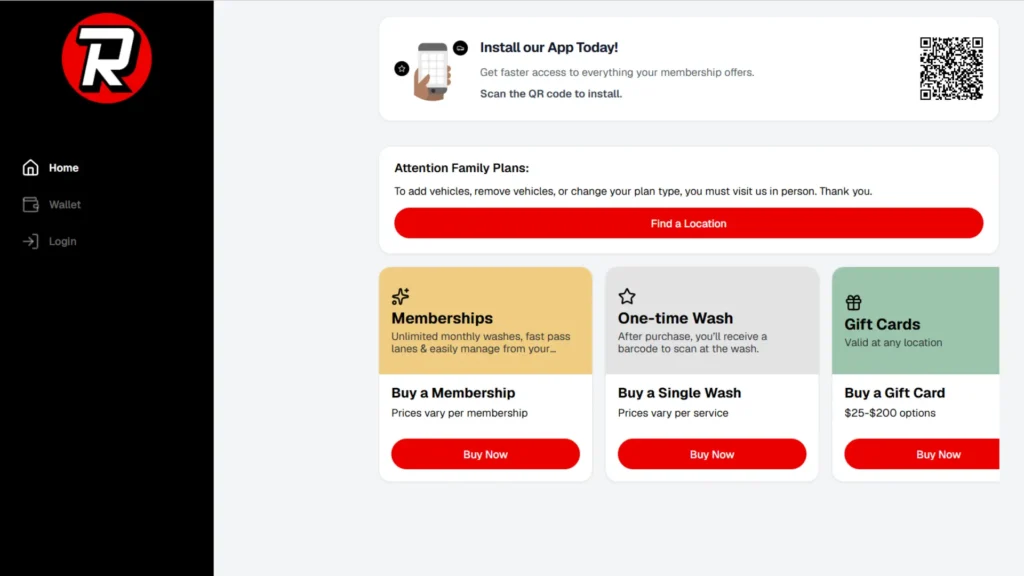
    cancel racewaycarwash online portal
    • Time Required: Under 5 minutes
    • What You Need: Phone number or email used at sign-up, FASTPass number or license plate

    Step 1: Open the Rinsed Member Portal

    Go to azraceway.app.rinsed.co/portal/sessions/new.

    Use the Rinsed portal — not the old “Update Account Information” link. The old link on the website updates your card details only. It does not process cancellations.

    Step 2: Log In to Your Account

    Enter the phone number or email address you used when you signed up.

    Step 3: Select Your Active Plan

    Find your active membership plan on the dashboard.

    Step 4: Cancel the Plan

    Select the cancellation option and follow the prompts to confirm.

    Step 5: Screenshot Your Confirmation

    Screenshot the confirmation screen immediately. Raceway Car Wash requires this as evidence if a billing dispute arises later.

    RELATED
    cancel take 5 car wash membership

    2 Simple Ways to Cancel your Take 5 Car Wash Membership


    Method 2: Cancel Raceway Car Wash In Person

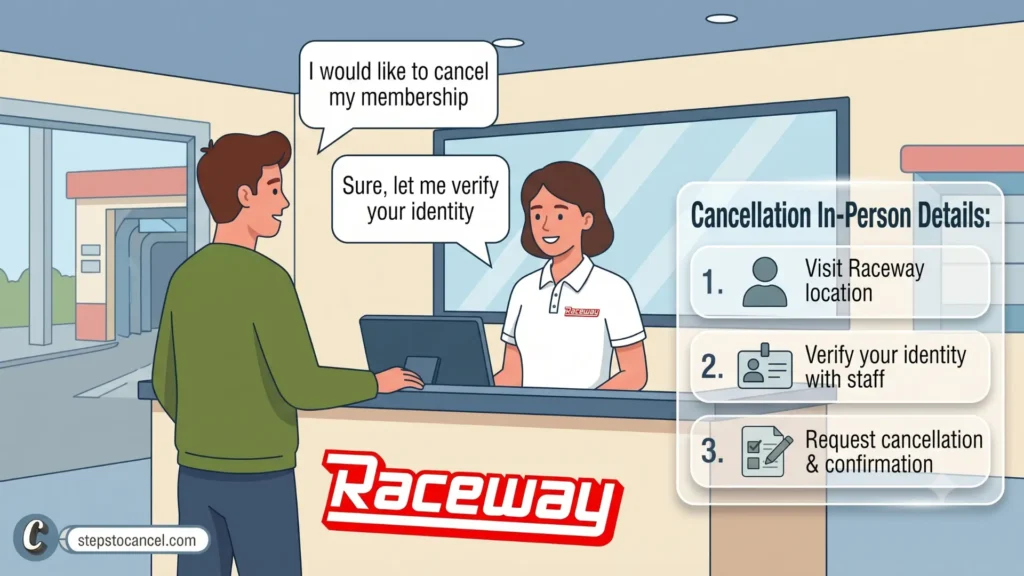
    cancel racewaycarwash in person visit

    Visit any Raceway Car Wash location across Arizona, California, Nevada, or Texas and ask a team member or manager to cancel your membership.

    Ask for a printed cancellation receipt before you leave. This receipt is your proof of cancellation if the system continues billing after your visit.

    If staff say they cannot process the cancellation: Ask them to contact the Guest Services team directly on your behalf and give you a reference number for the interaction. Follow up immediately using the online portal or phone while you are still at the location.


    Method 3: Raceway Car Wash by Phone Call

    cancel racewaycarwash by phonecall

    (602) 900-1731

    Call Raceway Car Wash Guest Services and tell the agent you want to cancel your unlimited membership.

    Provide your FASTPass number or license plate number. Ask the agent to send a written confirmation email before you end the call.

    Raceway Car Wash Membership Plans

    PlanMonthly RateSingle Wash Price
    Pit Stop$24/mo$15
    Full Throttle$32/mo$22
    Grand Champion$44/mo$30

    Membership works at all Raceway locations and across the Raceway Family of Brands: Sierra, Shine, and Clean Getaway.

    Cancellation Policy

    Notice period. Raceway Car Wash requires 7 days notice before your billing date. Cancel on day 6 before billing and the next month’s charge posts automatically. Your membership stays active through the end of the cycle you already paid for.

    The end-of-month billing rule. If you signed up on the 29th, 30th, or 31st of any month, Raceway permanently sets your billing date to the 28th for all future cycles. Check your bank statement to confirm your exact billing date before counting back 7 days.

    No refunds. Raceway issues no prorated refunds or credits for unused time. Fees charged are final.

    Three-month internal correction limit. If Raceway makes a billing error, internal policy limits any correction to the most recent three months of charges — even if the error ran longer. Escalate billing errors as soon as you notice them.

    Account freeze. Raceway allows you to freeze your membership temporarily through the member portal instead of canceling. A freeze pauses billing while keeping your account active for when you return.

    RELATED
    Mister Car Wash Cancel Membership

    How to Cancel Mister Car Wash Membership

    Alternatives to Canceling

    Before canceling, consider these options available through the Rinsed member portal:

    Freeze your account. Pause billing temporarily without losing your membership history. Use this if you are traveling, your car is in for repairs, or you simply need a break.

    Downgrade your plan. Switch to a lower-priced tier at any Raceway kiosk. If you downgrade and notice two separate charges the following month, contact Guest Services immediately — members report that the system occasionally keeps both plans active after a tier change. Check your statement closely the month after any plan change.

    Use your membership at partner locations. Your plan works at Sierra, Shine, and Clean Getaway locations — if the nearest Raceway is inconvenient, a partner location may serve you better before you decide to cancel.

    Common Issues

    Charged after canceling through the portal: Locate your confirmation screenshot with the date and time. Submit a dispute through the Raceway Contact Us form and attach the screenshot. If Guest Services does not resolve it within a reasonable window, contact your bank and provide the confirmation as evidence for a billing dispute.

    One-time wash charged as a recurring membership: A $22 Full Throttle single wash and the Full Throttle membership use the same pricing entry point at the kiosk. Check your bank statement 30 days after any Raceway single-wash purchase. If a recurring charge appears that you did not intend, contact Guest Services at (602) 900-1731 immediately and reference the original single-wash receipt.

    Downgrade triggered double billing: If you switch to a lower plan at a kiosk and the next statement shows two charges, the system may have kept both plans active. Contact Guest Services with both charge amounts and dates. If Raceway does not resolve it, dispute both charges with your bank — the three-month internal correction limit means you should act as soon as the double charge appears.

    Continued billing after confirmed in-person cancellation: The in-person system and the billing system do not always sync immediately. If a charge posts after a visit where you received a cancellation receipt, present that receipt to Guest Services or use it as evidence in a bank dispute.

    RELATED
    cancel cobblestone car wash

    3 Official Ways to Cancel Cobblestone Car Wash Membership

    After You Cancel

    • Save your confirmation screenshot or printed receipt.
    • Check your statement the month following cancellation — your access continues through the current cycle, so one more charge may appear if your billing date is still ahead.
    • Act within three months on any billing error — Raceway’s internal correction policy limits fixes to the most recent three months.
    • Contact your bank as a last resort if Raceway does not resolve a confirmed post-cancellation charge.

    Contact Information

    ChannelDetails
    Cancel Online (Rinsed Portal)azraceway.app.rinsed.co/portal/sessions/new
    Guest Services Phone(602) 900-1731
    BUSINESS HOURS:Monday – Sunday: 8:00 AM – 4:00 PM PST
    Contact Us Formracewaycarwash.com/contact-us
    Locations47 locations across AZ, CA, NV, and TX
    Partner BrandsSierra, Shine, Clean Getaway

    Frequently Asked Questions

    How do I cancel my Raceway Car Wash membership?

    Log in at azraceway.app.rinsed.co/portal/sessions/new with your phone number or email, select your active plan, and cancel. Submit at least 7 days before your billing date to avoid a charge for the next month.

    Does Raceway Car Wash charge a cancellation fee?

    No. Raceway cancels memberships at no additional cost.

    Will I get a refund after canceling?

    No. Raceway issues no prorated refunds for unused time. Your membership stays active through the end of the billing cycle you already paid for.

    Can I freeze my Raceway membership instead of canceling?

    Yes. Use the Rinsed member portal to freeze your account and pause billing temporarily without closing the account.

    What is the billing date for members who signed up on the 30th or 31st?

    Raceway permanently moves the billing date to the 28th for members who signed up on the 29th, 30th, or 31st of any month.

  • How to Cancel Your ModWash Membership (Email or Phone)

    How to Cancel Your ModWash Membership (Email or Phone)

    To cancel a ModWash membership, email the Guest Care team or call (423) 485-0005 at least 5 business days before your next billing date. ModWash bills each month on the anniversary of your sign-up date, and its terms say all sales are final, so a request that comes in later than that is usually charged for one more month.

    Email and phone are the two channels named in ModWash’s Terms of Service (last updated September 29, 2026). The Manage My Account page also links to an online customer portal, covered below as a third option.

    Trying to cancel a different car wash membership instead? You may also find our guide on how to cancel Whistle Express Car Wash membership helpful.

    Before You Cancel

    Information to Prepare Before Contacting ModWash

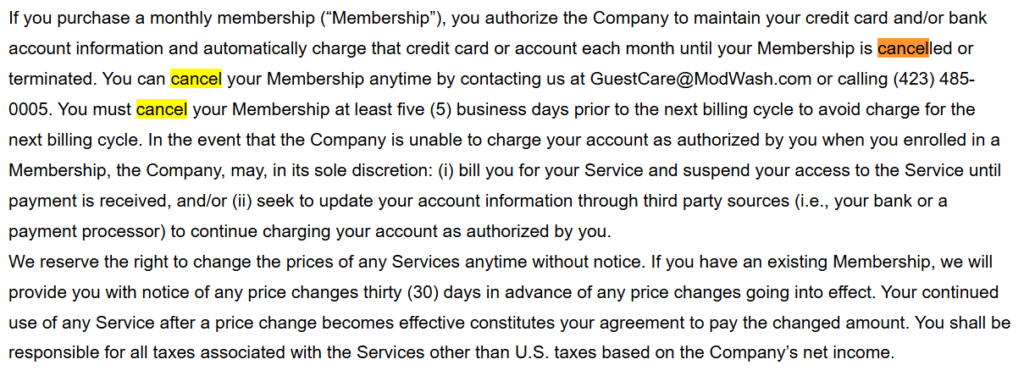
    ModWash membership cancellation policy excerpt
    Modwash’s Cancellation Policy

    Before starting your cancellation request, gather the account details below. Having the correct information ready may help the support team locate your membership faster and reduce delays.

    • License plate number — exactly as registered on the account
    • Phone number — the number used at sign-up
    • Email address — the address on the account
    • Billing date — ModWash bills monthly on the anniversary of your sign-up date; the recurring charge on your bank statement shows the day
    • 5 business days before billing — count back five business days (weekdays) from your billing date; that is your last day to cancel

    Method 1: Cancel ModWash Membership by Email

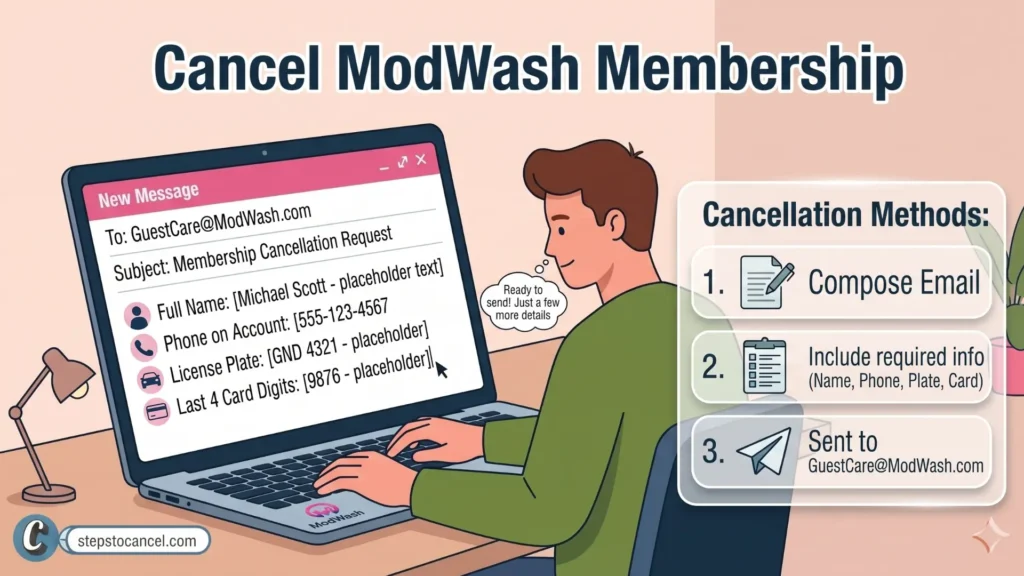
    Man writing a Cancel Modwash request by Email

    ModWash’s terms and FAQ list email as a cancellation channel. Send your request to the Guest Care team at GuestCare@ModWash.com.

    Include the following information in your email:

    • Vehicle license plate number
    • Full name
    • Phone number linked to your membership
    • Last 4 digits of your payment card

    Follow these steps:

    1. Open your email app
      Create a new email and send it to GuestCare@ModWash.com.
    2. Add your account details
      Include the information listed above so the support team can locate your membership.
    3. Request cancellation clearly
      State that you want to cancel your ModWash membership and ask for written confirmation.
    4. Keep the confirmation email
      Save the reply email for your records and future reference.

    Tip: Email provides a written record of your cancellation request and confirmation, which may be useful if you need to check account activity later.

    Method 2: Cancel ModWash Membership by Phone

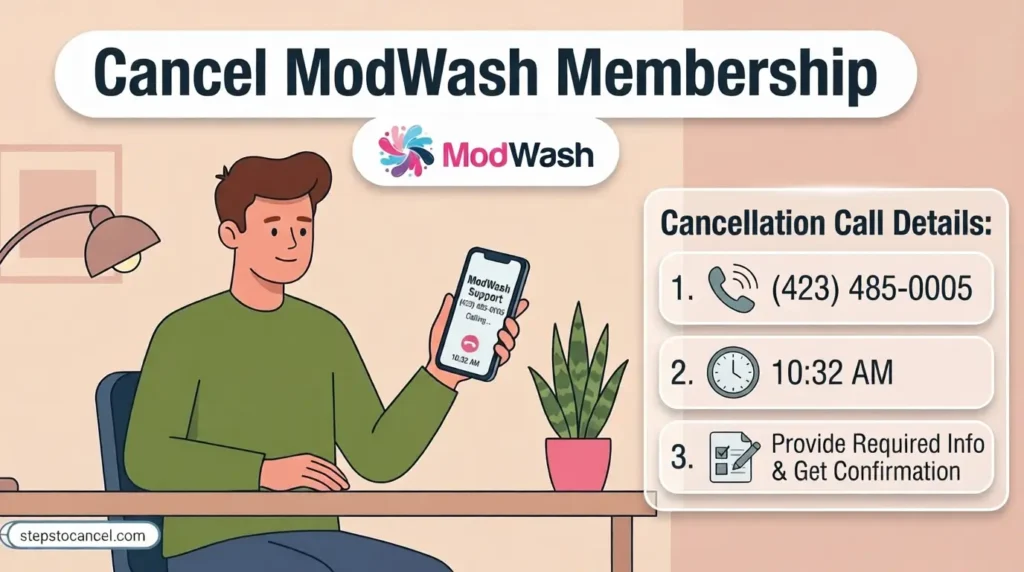
    Man calling ModWash Guest Care to cancel a membership

    ModWash’s terms and FAQ list the Guest Care phone line as a cancellation channel. Spanish-language support has its own number.

    Phone Numbers

    Hours: ModWash does not list Guest Care hours on its Terms, FAQ or Manage My Account pages, so call on a weekday and send an email if you can’t get through.

    Follow these steps to cancel by phone:

    1. Call ModWash Guest Care
      Contact the support team using the number above.
    2. Verify your account details
      To locate and verify your membership, the representative may ask for information such as:
      • Full name
      • Phone number linked to the account
      • Vehicle license plate number
      • Last 4 digits of your payment card
      • Other account verification details if needed
    3. Request cancellation confirmation
      Ask the representative to confirm that your membership cancellation request has been submitted.

    Ask for proof: Before you hang up, ask for the cancellation to be confirmed by email, and note the date, time and the agent’s name.

    If the call goes to voicemail, email Guest Care the same day so you have a dated written request before the 5-business-day deadline.

    Method 3: Try the ModWash Online Customer Portal

    ModWash member portal login page
    1. Open Manage My Account
      Go to modwash.com/manage-my-account and follow the link to the ModWash customer portal.
    2. Sign in to your account
      Use the contact details you gave when you signed up for the membership.
    3. Open your membership
      Check whether a cancel option is offered. Screen labels can change, and ModWash’s terms name only email and phone for cancellation.
    4. Save proof
      If you cancel in the portal, take a screenshot of the confirmation screen and keep any confirmation email.
    5. No cancel option? Use email or phone
      Email Guest Care or call (423) 485-0005, still at least 5 business days before billing.

    Tip: The 5-business-day deadline is the same whichever channel you use. A portal cancellation you can’t prove is hard to dispute later, so keep the screenshot.

    Because the terms name email and phone as the cancellation channels, an email to Guest Care is the safest written record if you are close to the deadline.

    RELATED
    cancel cobblestone car wash

    3 Official Ways to Cancel Cobblestone Car Wash Membership

    Alternatives to Cancelling Your ModWash Membership

    • Moving: ModWash’s FAQ says memberships can be used at any ModWash, so check for a location near your new home before you cancel.
    • New car: The FAQ says you can call or visit your local ModWash, or call Guest Care at (423) 485-0005, to move the membership to a different vehicle.
    • Second car: A membership covers one vehicle. The FAQ says a Family Plan adds more vehicles and saves $5/month on each additional one.

    Cancellation Policy

    Policy ItemRule
    Cancellation MethodsEmail or phone (named in the terms); the online portal may also offer a cancel option
    Notice PeriodAt least 5 business days before the next billing cycle (billing = monthly anniversary of sign-up)
    Cancellation FeeNone listed in the terms
    RefundsNone — “All sales are final. No refunds or returns will be accepted.”
    PauseNot mentioned in the terms or FAQ
    WeatherNo refunds when a location or service is unavailable because of weather
    Price Changes30 days’ notice before any price change

    The Notice Rule

    The terms say you “must cancel your Membership at least five (5) business days prior to the next billing cycle to avoid charge for the next billing cycle.” Business days skip weekends, so a request made on a Friday for a Wednesday billing date is too late.

    The Refund Rule

    The terms state that all sales are final and no refunds are accepted, and the FAQ adds that ModWash “cannot issue refunds for past cycles.” In a June 8, 2026 reply on its BBB profile, ModWash said its Guest Care department does not handle refunds and passes refund requests to its management team for review.

    Price and Weather Rules

    ModWash must give 30 days’ notice before changing the membership price, which leaves time to cancel before a higher charge. Its terms also say it will not refund washes missed because a location or service was unavailable due to weather.

    Common Issues

    • Give the details used at sign-up: Include the plate, phone number and email you gave when you joined. If any of them changed since, list both the old and new details so the account can be found.
    • Late requests are still charged: In a May 2026 BBB complaint, a member who cancelled shortly before a renewal was charged and told the request had to be made 5 business days before the billing cycle. Count the deadline in business days.
    • Check after a kiosk purchase: Several BBB complaints from May–June 2026 say the customer did not realize a purchase at the wash set up a monthly membership. Check your receipt and bank statement for a recurring ModWash charge, and contact Guest Care right away if you didn’t mean to join.
    RELATED
    Mister Car Wash Cancel Membership

    How to Cancel Mister Car Wash Membership

    ModWash Contact Information

    MethodDetail
    Phone(423) 485-0005
    EmailGuestCare@ModWash.com
    Terms PageModWash Terms
    Spanish Support(423) 219-5268
    Manage My AccountCustomer portal link

  • 3 Ways to Cancel Your Tommy’s Express TommyClub Membership

    3 Ways to Cancel Your Tommy’s Express TommyClub Membership

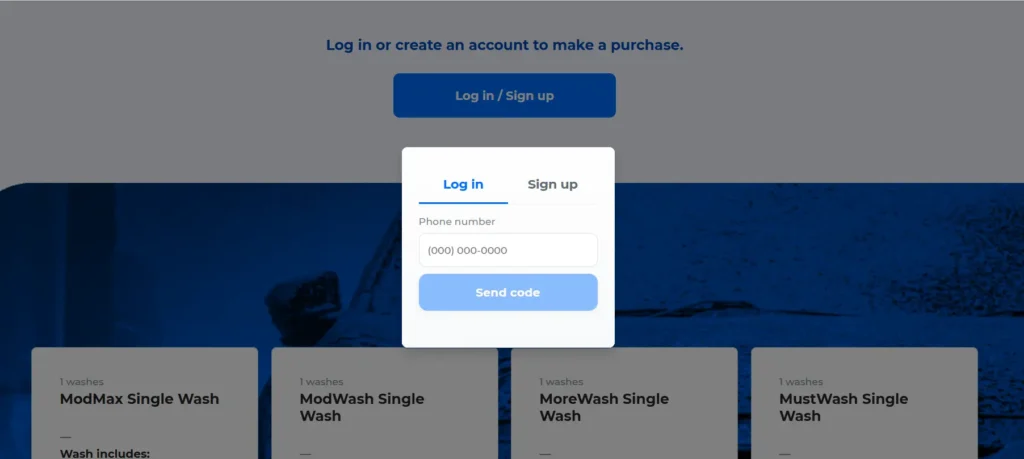
    If you have been searching for a way to stop your Tommy’s Express billing and can’t find a cancel button, there is a catch: they actually call it “Deactivate.”

    Because Tommy’s manages everything through their exclusive TommyClub LPR (License Plate Recognition) app, getting out of your contract requires a completely different strategy than the traditional RFID-sticker methods outlined in our other car wash cancellation guides.

    To help you navigate this unique setup, this guide walks through every method, the per-vehicle rule that catches multi-car households off guard, and what to do if the app locks you out entirely.

    Before You Cancel: What You Need

    • Tommy’s Express app installed, or access to app.tommys-express.com in a browser
    • Account login credentials (email and password)
    • Billing date — the renewal date for each vehicle’s plan
    • One cancellation per vehicle — each enrolled car requires its own deactivation

    Signed up at the physical window? If you purchased a pass in person and skipped the app setup, your account may not be fully linked to a digital profile. Open the Tommy’s Express app, create an account with the same phone number and email used at signup, and upload your receipt to link the membership before attempting to deactivate.

    How to Cancel Tommy’s Express Car Wash Membership

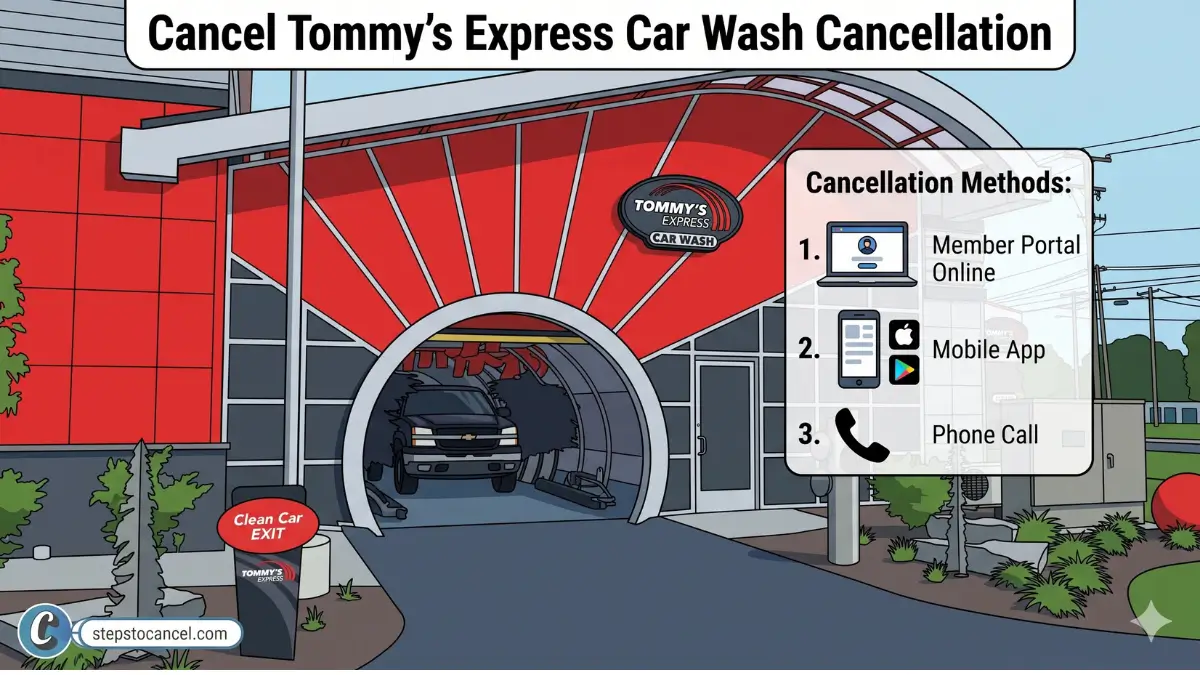
    You can cancel tommy’ express carwash membership through their app availabe in both IOS and Androidn, Webiste Online Portal or Phone Call.

    Official Cancellation Video from Tommy’s Express

    OfficialYoutube Video by Tommy’s Express Car Wash

    Method 1: Tommy’s Express App (Recommended)

    The app provides the only fully self-service cancellation path. Deactivation takes effect immediately — no waiting period required when canceling through the app.
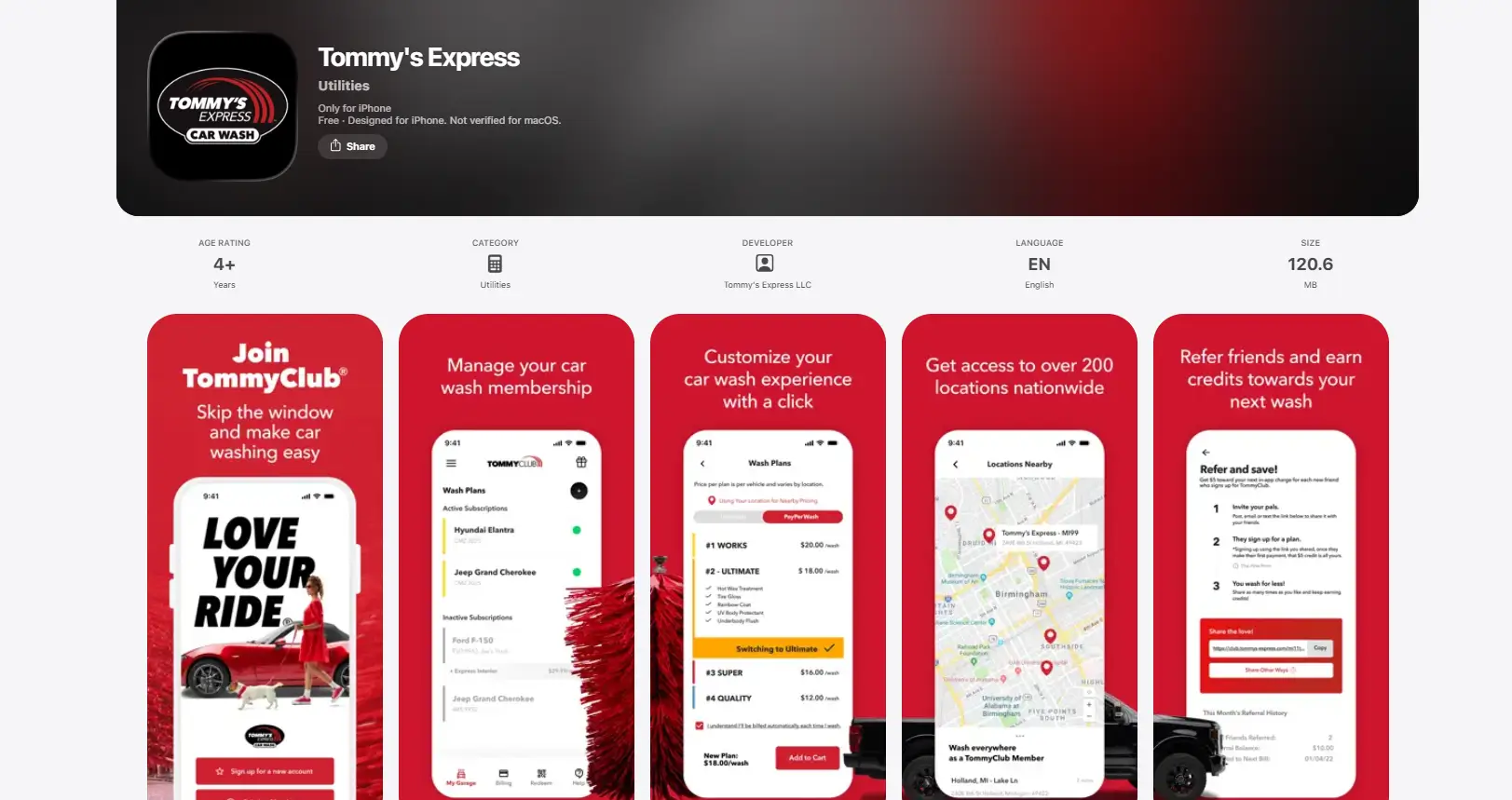
    Download the official app for Android or IOS, then follow the steps listed below.

    1. Open Tommy’s Express official Mobile App

      Open Tommy's Express official Mobile App

      Open the Tommy’s Express app sign in or create new account if you havent registered yet.

    2. Select Your Vehicle

      Select Your Vehicle

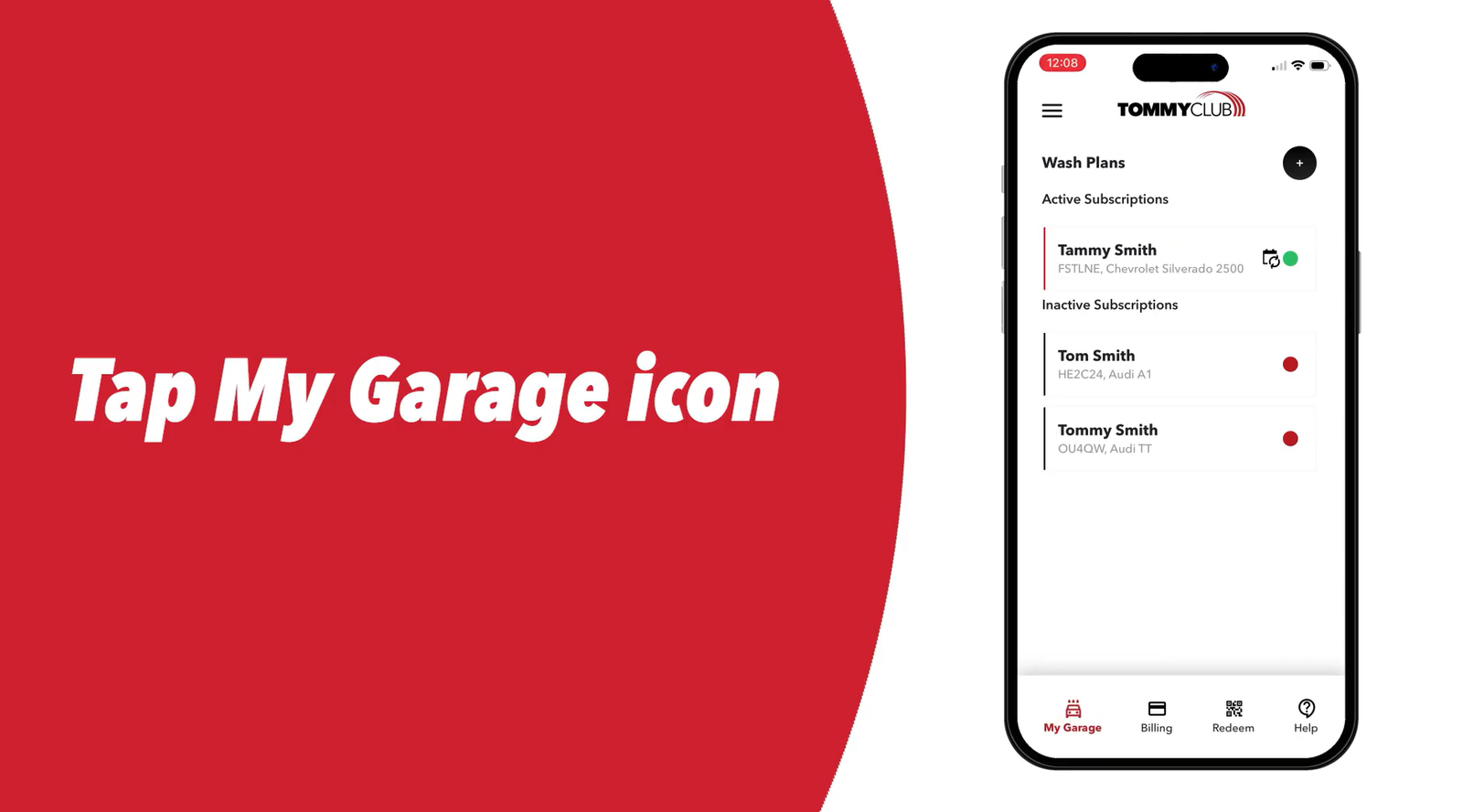
      Tap on “My Garage” menu then choose the vehicle whose plan you want to deactivate from your garage.

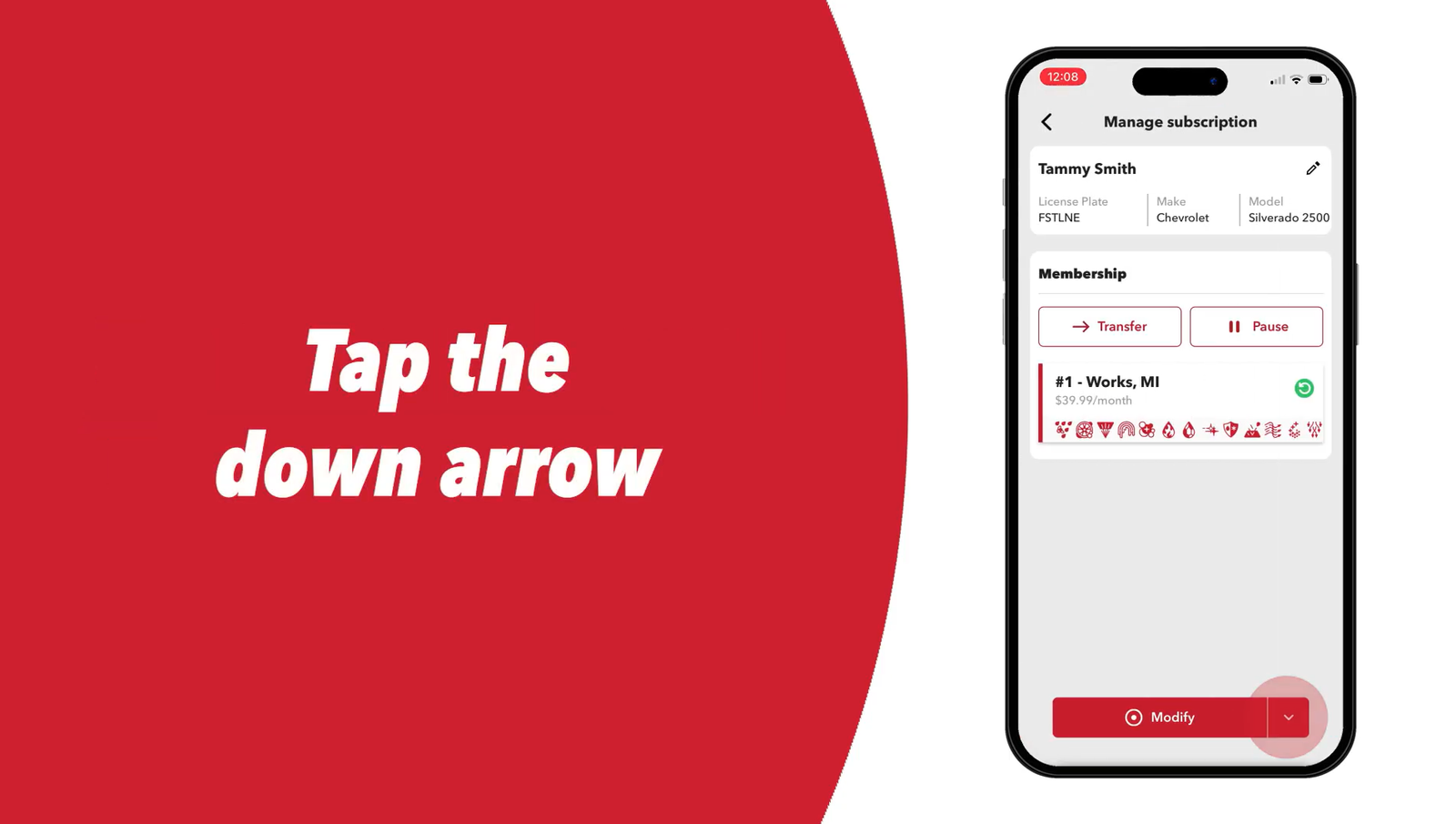
    3. Tap the Modify Drop-Down

      Tap the Modify Drop-Down

      Tap the drop-down arrow next to Modify.

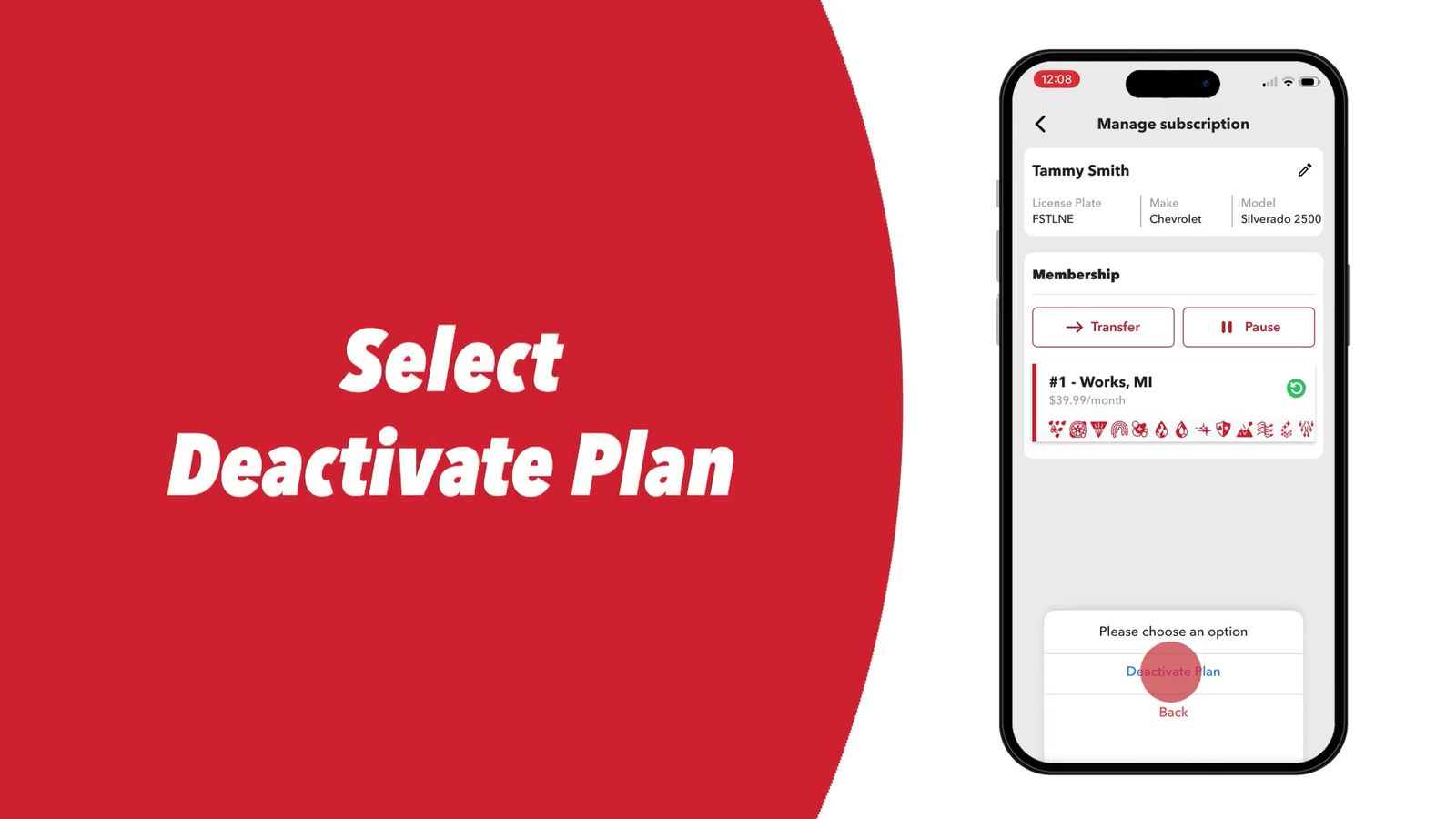
    4. Select Deactivate Plan

      Select Deactivate Plan

      Select Deactivate Plan from the menu. (This is the cancellation option — Tommy’s Express does not use the word “Cancel” in the UI.)

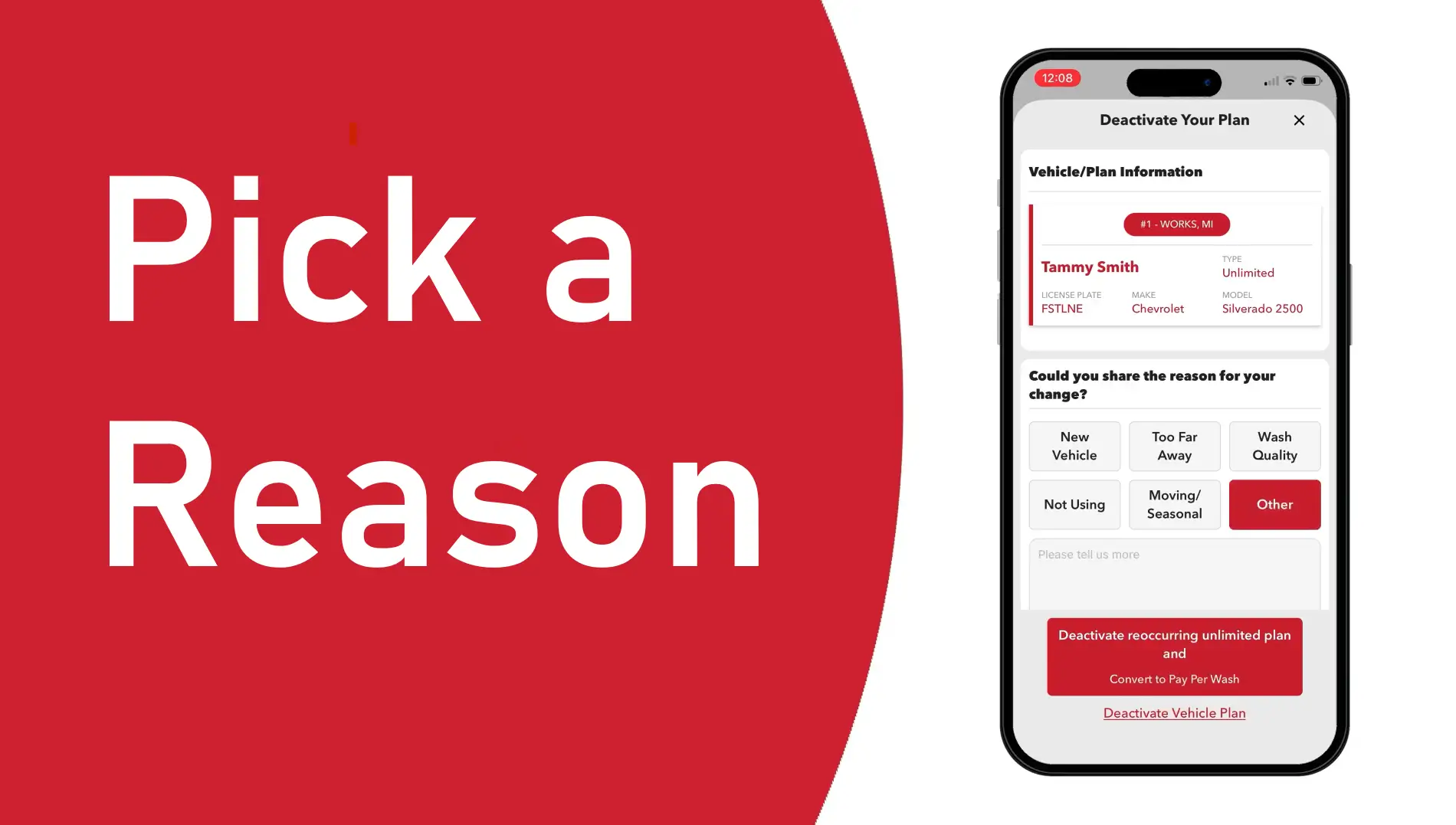
    5. Pick a Reason

      Pick a Reason

      Select a reason for deactivation from the list provided.

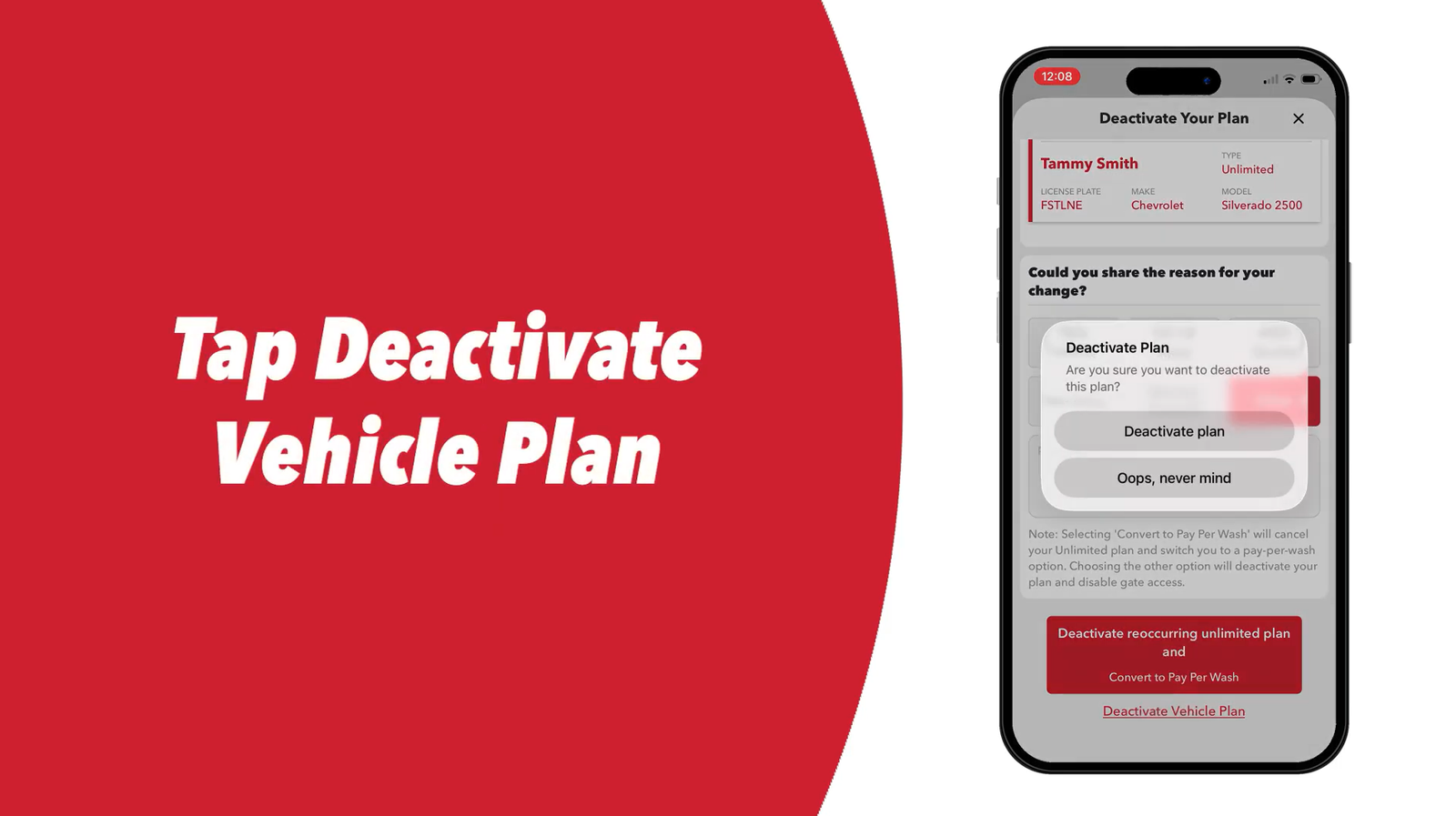
    6. Tap Deactivate Vehicle Plan

      Tap Deactivate Vehicle Plan

      Tap Deactivate Vehicle Plan to proceed.

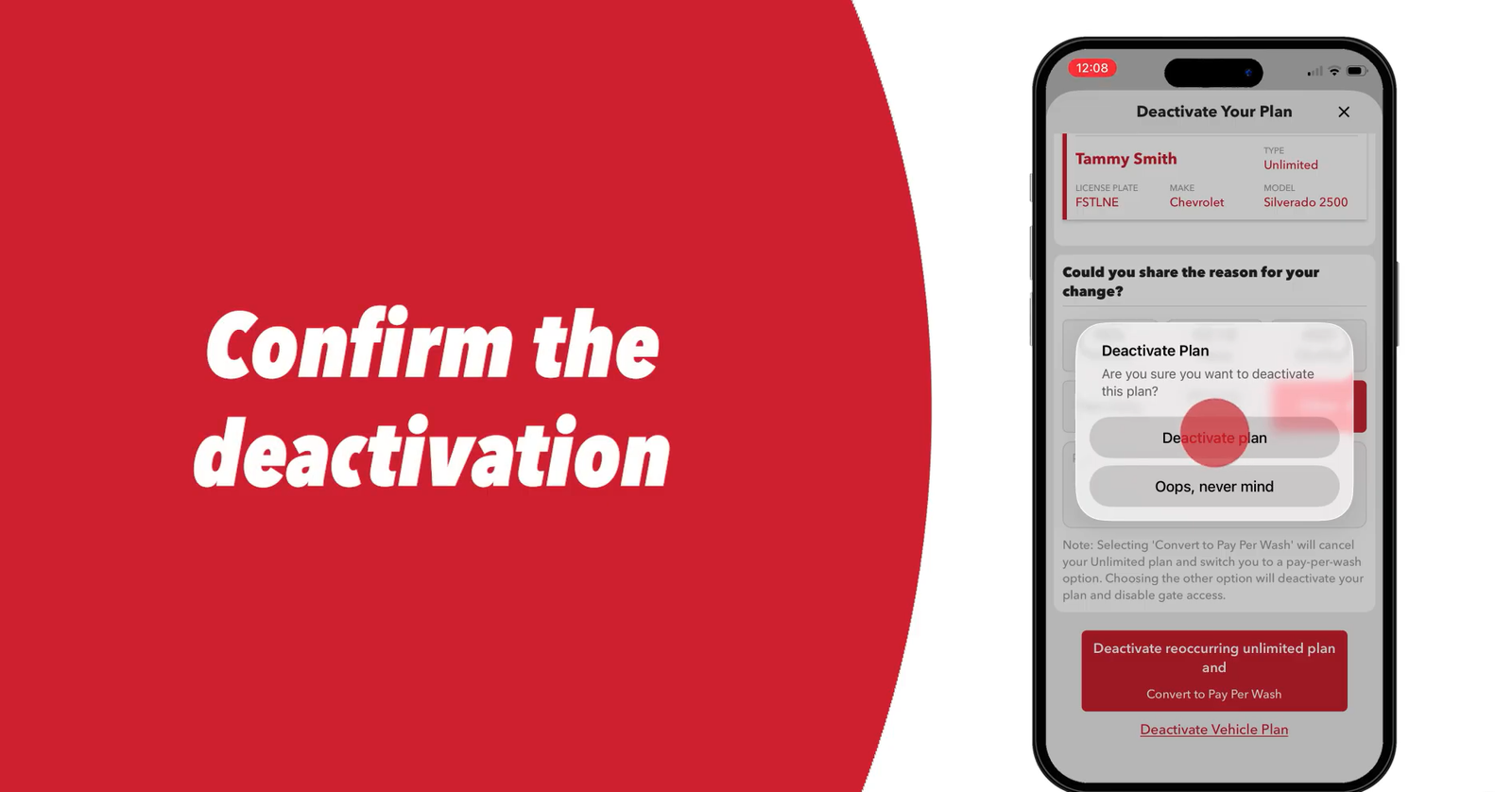
    7. Confirm a Second Time

      Confirm a Second Time

      Tap Deactivate Plan again to confirm. Tommy’s Express requires two confirmations to process the deactivation.

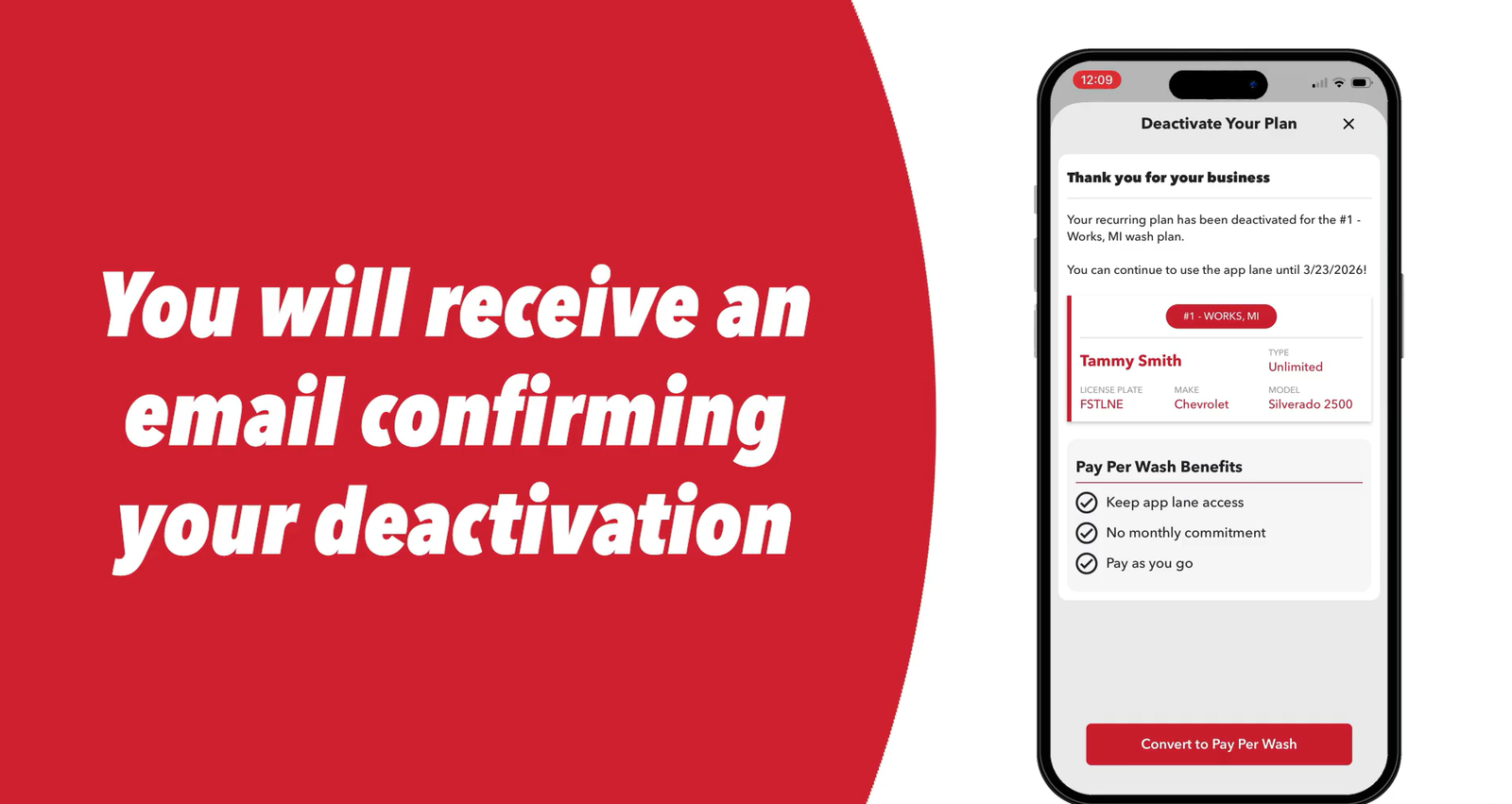
    8. Tap the X to Close

      Tap the X to Close

      Tap the X in the top right corner to close the screen. Do not skip this step — closing the screen completes the deactivation process. Tommy’s Express sends a confirmation email once the deactivation registers.

    Multiple vehicles? Repeat Steps 1–8 for each car enrolled in TommyClub. Deactivating one vehicle does not cancel others on the same account.

    Method 2: Member Portal (Web Browser)

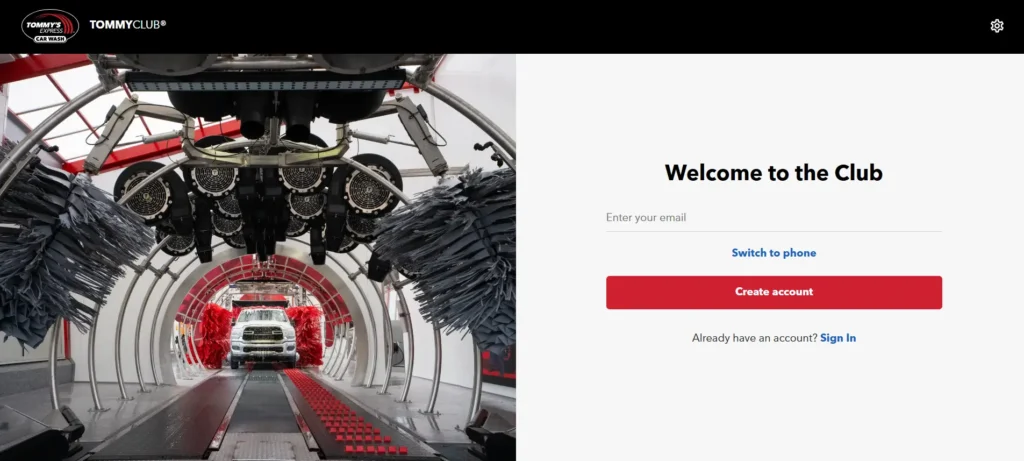
    tommys express carwash member portal

    Use the Tommy’s Express online portal to cancel your membership if you cannot access the mobile app.

    1. Access the Member Portal: Type app.tommys-express.com into your desktop or mobile web browser.

    2. Sign In to Your Account: Enter your registered email address or Phone Number to to log in.

    3.Select Your Vehicle: Click Garage from the navigation menu, then click the specific vehicle you want to remove.

    4.Open the Modify Menu: Click the drop-down arrow next to the Modify button.

    5.Choose the Deactivate Option: Click Deactivate Plan from the drop-down menu.

    6.Provide a Reason: Select your cancellation reason from the provided list.

    7.Confirm the Cancellation: Click Deactivate Vehicle Plan. Finally, click Deactivate Plan a second time to submit and finish the process.

    The Member Portal mirrors the app’s deactivation flow. Use it as a direct substitute when the mobile app is inaccessible.

    Method 3: Cancellation by Phone

    You can cancel your membership directly through the Tommy’s Express Guest Services line.

    1. Call Customer Support: Dial (616) 369-8917.
    2. Check the Hours: Call Monday through Friday (8:00 AM to 8:00 PM ET) or on weekends (8:00 AM to 5:00 PM ET).
    3. Provide Your Details: Give the agent your registered phone number, full name, and vehicle license plate.
    4. Request Confirmation: Ask the agent to cancel your account and send a confirmation email before you hang up.

    You must call at least 5 business days before your next billing date. If you call too close to your renewal, the company will charge you for an extra month.

    Note: Members report that the phone line frequently goes unanswered. If you cannot reach an agent, use the app or Member Portal rather than waiting — especially if your billing date is approaching.

    Now that you have deactivated your TommyClub account, if you are transitioning to a traditional wash network, we highly recommend reviewing how to cancel a Mister Car Wash membership so you understand how standard in-person termination policies work before signing a new contract.

    Free Month Card Warning

    Tommy’s Express locations sometimes hand out “free month” promotional cards at the kiosk. Using one of these cards restarts a recurring TommyClub subscription automatically — including billing after the free month ends.

    Before you use a free month card, check the fine print for auto-renewal language. If you use the card and do not want a recurring subscription, deactivate your plan in the app on the same day you activate the card. Your free month remains active; the auto-renewal stops.

    Cancellation Policy & Need-to-Knows

    Policy ItemDetails
    Cancellation MethodApp or Member Portal (self-service, immediate); phone (5 business days notice)
    Cancellation FeeNone — TommyClub is month-to-month with no penalties
    Refund Policy None — no pro-rated refunds or credits for partial billing periods
    Membership Access After CancellationContinues through end of current billing cycle
    Per-Vehicle CancellationEach vehicle requires a separate deactivation
    Failed PaymentWash access halts immediately — restore by updating payment in the app
    ConfirmationEmail sent automatically after successful app or portal deactivation

    Pause Option (30, 60, or 90 Days)

    Tommy’s Express offers a pause feature directly in the app if you need a temporary break rather than a full cancellation.

    1. Open the app and select your vehicle.
    2. Tap Pause Subscription.
    3. Choose a pause duration: 30, 60, or 90 days.

    The pause applies to future billing only — it does not freeze your current cycle. Tommy’s Express automatically restarts billing and charges your card when the selected pause period expires. Set a calendar reminder before the pause ends if you want to cancel instead of reactivating.

    Solutions to Common Issues

    App locked out — can’t log in to cancel: Open app.tommys-express.com in a browser. The Member Portal provides the same deactivation flow as the mobile app and does not require the mobile version to work. If both fail, call (616) 369-8917 with at least 5 business days to spare before your billing date.

    Charged after deactivating: Locate your confirmation email and the date it was sent. If the charge processed after that date, contact Guest Services at (616) 369-8917 or email support@tommys-express.com with the confirmation as evidence. If Tommy’s Express does not resolve it, contact your card issuer to dispute the charge — provide the confirmation email as documentation.

    Pause expired and got charged: Tommy’s Express auto-restarts billing when a pause period ends. If you wanted to cancel rather than pause, deactivate in the app immediately and contact support if a charge already posted.

    Physical window signup not linked to app: If you signed up in person and your membership is not appearing in the app, create an account using the same email and phone number from your original signup and upload your receipt to link the plan. Without this, you cannot self-serve cancel through the app.

    After You Cancel

    • Save your confirmation email immediately after deactivation.
    • Check each vehicle in your garage separately — one confirmation email means one vehicle was deactivated.
    • Watch your statement for one final charge if your billing date has not passed yet.
    • Avoid using any free month promotional cards after cancellation unless you are ready to restart a recurring subscription.
    • Reactivate through the app or Member Portal when ready.

    Contact Information

    ChannelDetails
    Member Portalapp.tommys-express.com
    Phone(616) 369-8917
    Business HoursMon–Fri 8AM–8PM ET, Sat–Sun 8AM–5PM ET
    Email (Support Only)support@tommys-express.com
    Official Deactivation GuideTommy’s Express Help Center
    Terms & Conditionstommys-express.com/agreement
    RELATED
    Cancel whistle express car wash membership

    How to Cancel Whistle Express Car Wash Membership

    Frequently Asked Questions

    Does Tommy’s Express charge a cancellation fee?

    No. TommyClub is month-to-month with no cancellation fees or early termination penalties.

    Will I get a refund after deactivating?

    No. Tommy’s Express issues no pro-rated refunds for unused time. Your membership stays active through the end of the billing cycle you already paid for.

    I have three cars enrolled — do I cancel them all at once?

    No. Deactivate each vehicle separately in the app or Member Portal. One deactivation does not affect other vehicles on the same account.

    The app won’t let me log in. How do I cancel

    Open app.tommys-express.com in a browser — the Member Portal provides the same deactivation flow. If the portal also fails, call (616) 369-8917 with at least 5 business days before your billing date.

    Can I pause my TommyClub membership instead of canceling?

    Yes. Open the app, select your vehicle, and tap Pause Subscription. Choose 30, 60, or 90 days. Billing resumes automatically when the pause period ends.

    I used a free month card and got charged the following month — is that correct?

    Yes, if the card’s terms included auto-renewal language. Using a promotional free month card restarts a recurring subscription. Deactivate your plan in the app on the same day you activate a free month card to prevent the next billing cycle from posting.

    How do I know my cancellation went through?

    Tommy’s Express sends a confirmation email after a successful app or portal deactivation. If no email arrives within a few hours, the deactivation may not have completed — re-open the app and check whether the vehicle still shows an active plan.

  • How to Cancel Your Splash Car Wash Membership (Max Pass) Online

    How to Cancel Your Splash Car Wash Membership (Max Pass) Online

    To cancel a Splash Car Wash membership (Max Pass, formerly Splash Unlimited), log in to the Manage My Membership portal with the phone number on your account, choose Cancel Membership, then Cancel My Membership. Splash says its plans are month-to-month, renew automatically on your billing date and can be cancelled anytime with no penalties, so cancel before your next billing date.

    This guide covers the Northeast Splash Car Wash chain (splashcarwashes.com, headquartered in Milford, CT), which lists 80 locations in New York, Connecticut, New Jersey, Massachusetts, Vermont, Delaware and Pennsylvania as of October 2026.
    Cancelling the right “Splash Car Wash”?

    Check which Splash you joined. “Splash Car Wash” is a shared name. This guide is for the Northeast chain at splashcarwashes.com (NY, CT, NJ, MA, VT, DE and PA). Splash Car Wash in Arkansas is a separate, family-owned company with 27 Arkansas locations at cleancarfast.com, and its memberships are handled there.

    Before You Cancel — What You Need

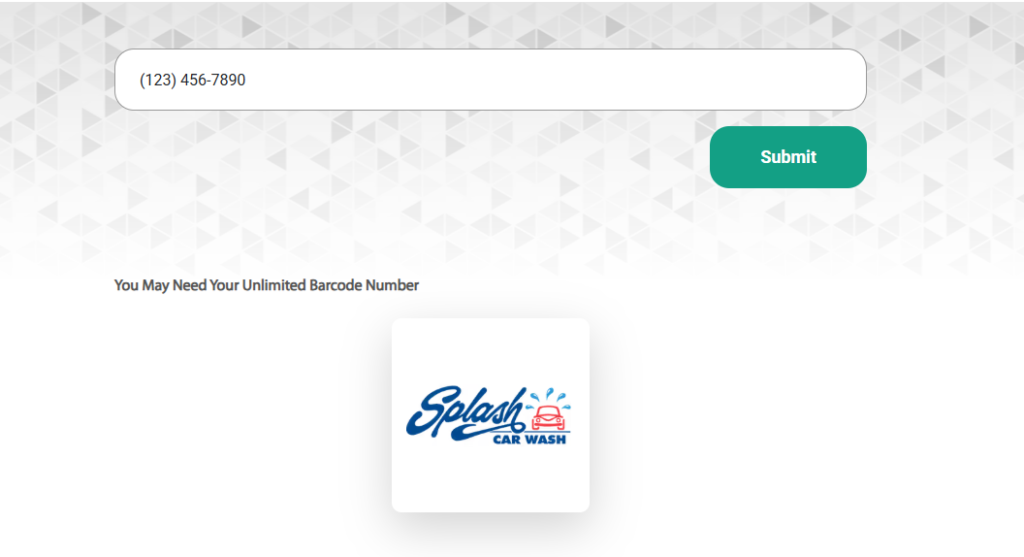
    • The phone number on your Splash account — the portal texts a 6-digit login code to it
    • Your 12-digit windshield barcode number — the portal uses this number, found beneath the barcode on your windshield sticker, to identify your account
    • Your billing date — your plan renews automatically each month on this date; find it on your card or bank statement and cancel before it

    How to Cancel Your Splash Car Wash Unlimited Membership

    Method 1 — Online Through the Member Portal

    image 5

    The portal is the route Splash links as “Manage My Membership” on every page of its site, and it is the only cancellation method Splash points members to.

    Step 1 — Go to the portal

    Visit splashcarwashes.com and click Manage My Membership in the top navigation.

    Step 2 — Log in to your account

    Enter the phone number on your membership, then type the 6-digit code Splash texts you. The portal may also ask for the 12-digit number printed under your windshield barcode.

    Step 3 — Select Cancel Membership

    Choose Cancel Membership. When asked “Are you sure you want to cancel your plan?”, select Cancel My Membership, not Keep My Membership.

    Step 4 — Save proof and check other vehicles

    Screenshot the final screen and note the date and time. If you have more than one vehicle, open Manage Additional Memberships and cancel each one you no longer want.

    Not ready to cancel? The portal also shows Pause Membership and Resume Membership options. Splash does not publish how long a pause can last or how billing works while paused, so read the details on screen before you choose it.

    Method 2 — Phone or Email (for Help)

    Splash’s contact page lists (203) 324-5400 and crd@splashcarwashes.com. Splash does not say on its site that memberships can be cancelled by phone or email, so use these for problems the portal can’t solve, such as a failed login or a charge after cancelling.

    Have your account phone number and the 12-digit barcode number from your windshield sticker ready.

    Ask for written confirmation by email, and note the date, time and name of the person you spoke to.

    Members report: in an April 2026 complaint on Splash Management Group’s BBB profile, a member said the phone system told them “no account changes can be made by phone.” Treat the portal as the main route and keep your screenshot.

    Cancellation Policy

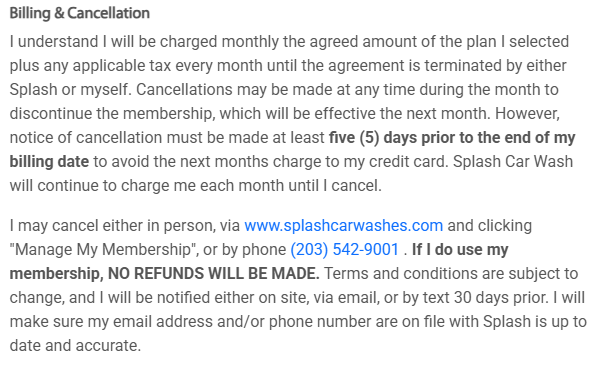
    image 4
    When to cancelBefore your next billing date (plans renew monthly on that date); no fixed notice period is published
    Cancellation feeNone (“Cancel anytime — no penalties”)
    RefundsNot published; membership terms are the ones shown at purchase
    ContractMonth-to-month; no annual contract
    Extra vehiclesAdded at a discount; listed under Manage Additional Memberships in the portal

    When to Cancel

    Splash’s Max Pass page says your plan “renews automatically each month on your billing date” and that you can “cancel anytime — no penalties.” It does not publish a set number of days’ notice, and Splash’s Terms (last updated July 2026) say Max Pass memberships are “subject to the specific terms presented at the time of purchase.” Check your signup receipt or email for any cutoff, and cancel a few days before your billing date so the change goes through in time.

    Refund Policy

    Splash’s public pages do not state a refund rule for memberships, and its Terms say plans and pricing “may vary by location and are subject to change.” If you are charged after cancelling, contact Splash with your cancellation screenshot. In a January 2026 BBB complaint about a membership billed to two cards, the member reported receiving the refund after following up.

    Cancellation Fee

    None. Splash’s Max Pass page says you can cancel anytime with no penalties and no annual contracts.

    After You Cancel

    1. Save your confirmation — the screenshot of your cancellation screen is your proof if a question arises later
    2. Log back in and open View Club Membership History to check that the membership shows as cancelled
    3. Check your card on the next billing date to confirm no charge appears
    4. If an unexpected charge posts, contact Splash at (203) 324-5400 or crd@splashcarwashes.com with your cancellation date and screenshot
    5. Keep the windshield barcode sticker until you are sure no further charge posts, since its 12-digit number identifies your account

    Splash Car Wash Contact Information

    Official Websitehttps://splashcarwashes.com/
    Membership portal (cancel online)Manage My Membership
    Phone(203) 324-5400
    Emailcrd@splashcarwashes.com
    Corporate address472 Wheelers Farms Rd, Suite 201, Milford, CT 06461
    Location findersplashcarwashes.com/locations

    Similar Cancellation Guides

    FAQs

    Can I pause my Splash Car Wash membership instead of cancelling?

    Yes. The Splash portal offers a pause option alongside the cancel option. Splash does not publish how long a pause lasts or how billing works while paused, so read the on-screen details before you confirm.

    Is Splash Car Wash in Connecticut the same company as Splash Car Wash in Arkansas?

    No. These are two entirely separate businesses. Splash Management Group, LLC (Milford, CT) runs the Northeast locations in NY, CT, NJ, MA, VT, DE and PA at splashcarwashes.com. The Arkansas Splash Car Wash is a separate family-owned company at cleancarfast.com. Their memberships, portals, phone numbers, and cancellation rules share nothing in common.
  • How to Cancel Whistle Express Car Wash Membership

    How to Cancel Whistle Express Car Wash Membership

    Some Whistle Express members cancel, receive a confirmation email, and still get charged the following month.

    If that happened to you — or you want to make sure it doesn’t — this guide covers every cancellation method, the 7-day billing rule, and the same-day workaround that members use to prevent the system from charging them again.

    RELATED
    cancel take 5 car wash membership

    Cancel Take 5 Car Wash membership

    Before You Cancel: What You Need

    • Account phone number or email — used to locate your membership
    • Billing date — the day of the month you signed up
    • One membership per vehicle — if you have multiple cars enrolled, cancel each vehicle’s plan separately

    Verify your account details now. Members who were signed up in person at a kiosk sometimes find their phone number or name was entered incorrectly during enrollment. If the app or system cannot locate your account later, this is usually why. Confirm your account details in the app before your billing date approaches.

    Whistle Express accepts cancellation through the website portal, the Whistle App, or in person at any location.

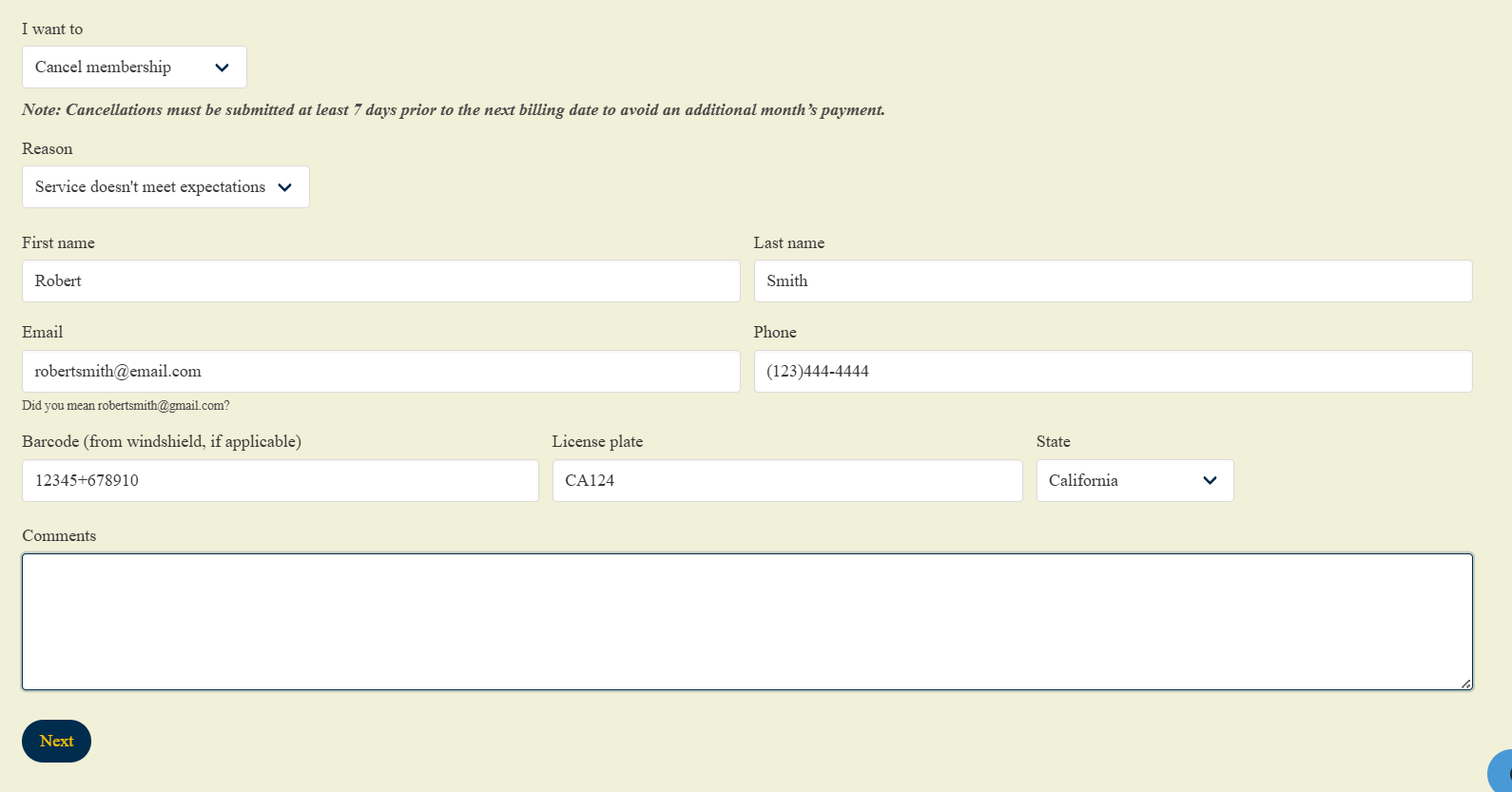
    Method 1: How to Cancel Whistle Express Online form

    Whistle Express processes online membership cancellations through a dedicated Manage Membership web portal.

    This web method requires specific account and vehicle identifiers to verify your identity and terminate automated billing.

    Method 1: How to Cancel Whistle Express Online form
    1. Open the Whistel Express Manage Membership Portal

      Navigate directly to the official Whistle Express Manage Membership page whistleexpresscarwash.com/manage-membership

    2. Select the Cancellation Action:

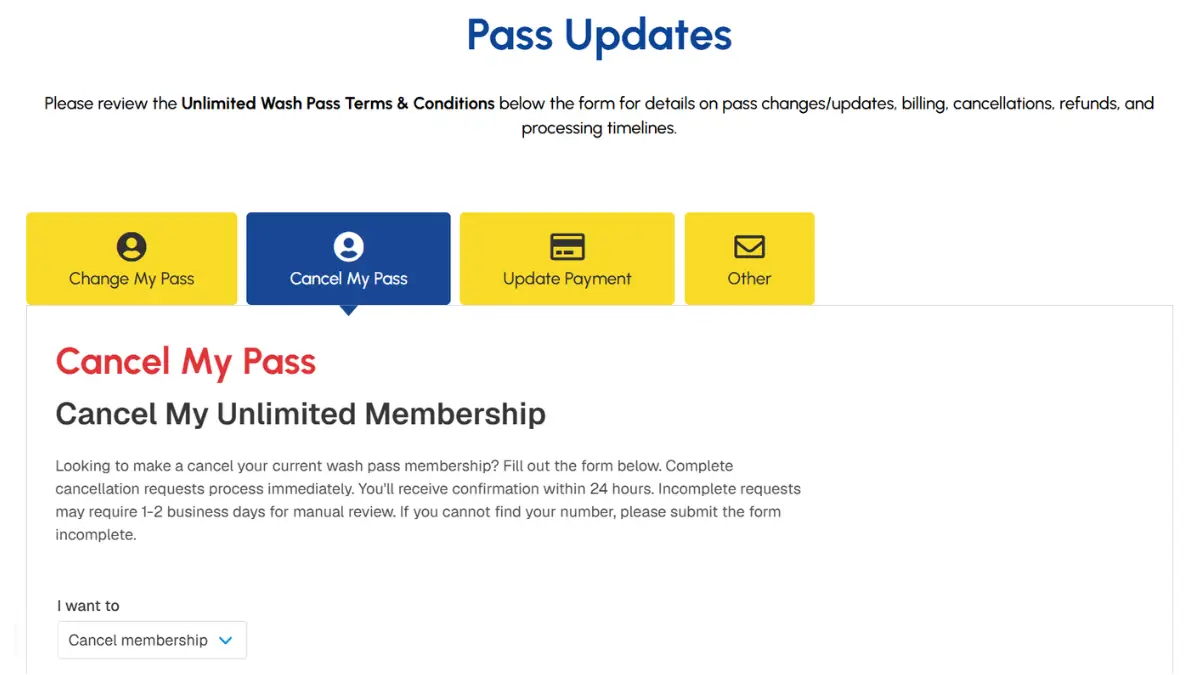
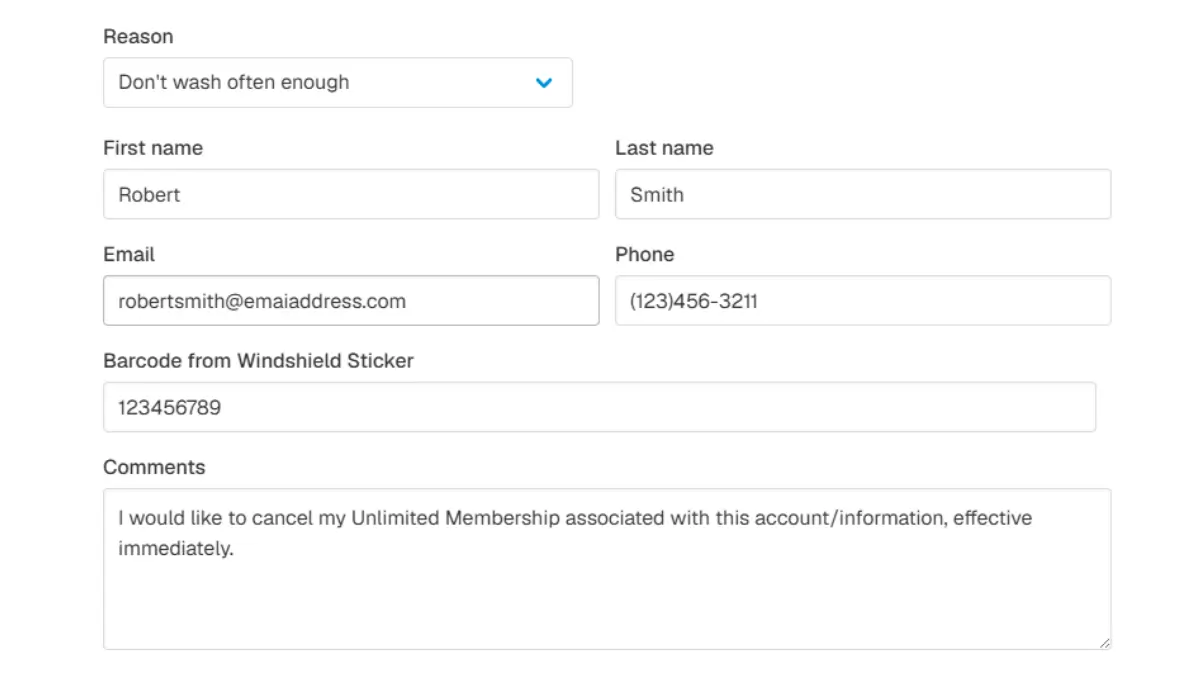
      Locate the I want to drop-down menu and select Cancel membership. Next, select your specific cancellation motive from the Reason drop-down menu.

    3. Enter Account Billing Details:

      Input your First Name, Last Name, Email Address, and Phone Number. These personal data fields must match your Whistle Express billing statement exactly.

    4. Provide Vehicle Identifiers:

      Input your vehicle attributes to link the cancellation request to the correct active subscription.

      Enter the numeric barcode sequence from your windshield RFID sticker, type your vehicle license plate number, and select the registration state.

    5. Submit the Cancellation Request

      Add optional feedback in the Comments field if desired, then click the Next button to process your Whistle Express cancellation submission.

    Method 2: Cancel Whistle Express through App (Fastest)

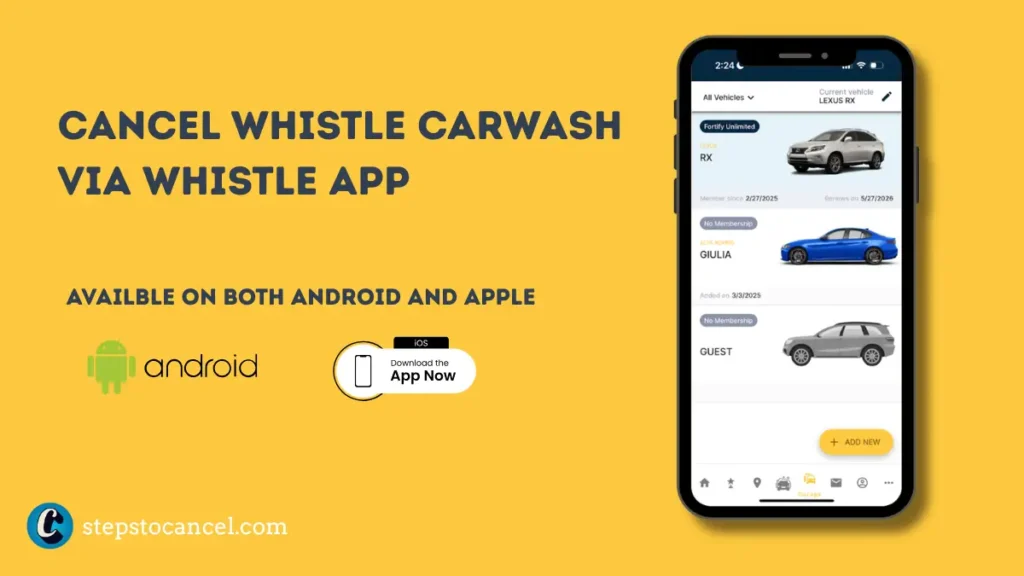
    Cancel Whistle Carwash Whistle App

    What You Need: The Whistle Express app installed on your mobile device, and your account logged in.

    Step 1: Open the App and Tap Garage

    Open the Whistle Express app on your device. Tap the Garage button located along the bottom menu of the home screen.

    Step 2: Select Your Vehicle

    The app lists all vehicles linked to your profile. Select the specific vehicle associated with the active membership plan you want to cancel.

    Step 3: Tap the Pencil Icon

    Tap the pencil icon located in the upper right corner of the screen to open your detailed plan management settings.

    Step 4: Cancel Your Membership

    Locate your plan details. Select Cancel next to your active membership profile and follow the on-screen prompts to confirm your choice.

    Step 5: Save Your Confirmation

    Screenshot your confirmation screen immediately. If the Whistle Express billing system charges your credit card after a confirmed cancellation, this digital screenshot provides your essential evidence for a bank dispute.

    Critical Timing Rule: You must submit your cancellation request at least 7 days before your billing date. The official Whistle Express Terms enforce a strict 7-day notice period. If you cancel any later, the system automatically posts the next month’s charge to your card and strictly denies all refunds.

    Method 3: Whistle Express Cancel Membership In Person

    image 3

    Visit any Whistle Express Car Wash location and ask a site attendant or manager to cancel your recurring membership plan.

    Ask for a printed or written cancellation receipt before you leave.

    Local kiosk staff sometimes cannot fully stop billing from their end — if they tell you this, ask them to escalate to corporate on your behalf and get the case number in writing.

    Similar Blog Post: cancel Breeze Thru Car Wash

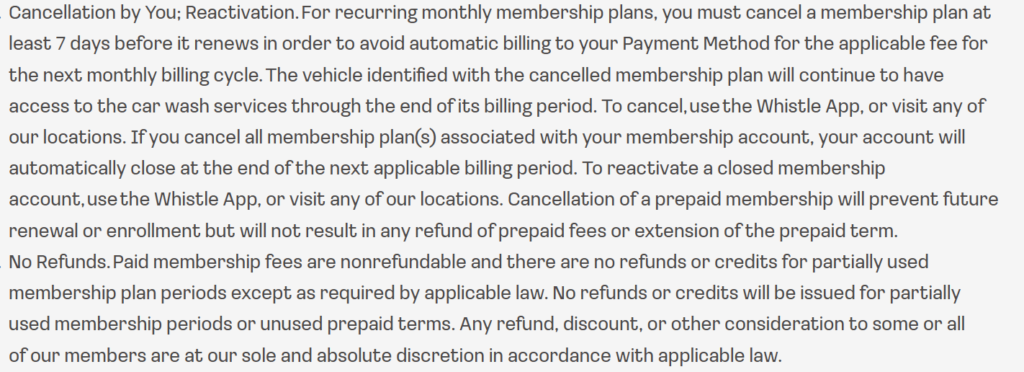
    Cancellation Policy & Need-to-Knows

    whistle express car wash cancellation policy
    Official Cancellation MethodsWhistle App, website portal (manage-membership page), in-person at any location
    Cancellation Notice Period7 days before your billing date
    Cancellation FeeNone — Whistle Express cancels memberships without additional cost
    Refund Policy for Unused TimeNone — paid membership fees are non-refundable
    Membership Access After CancellationContinues through the end of the current billing cycle
    Account ClosureWhistle Express closes your account automatically at the end of the billing period after all plans cancel
    ReactivationVia the Whistle App or at any location
    Vehicle TransferExpressly prohibited — membership plans cannot be transferred to another vehicle or person
    Prepaid Plan CancellationStops future renewal but issues no refund for unused prepaid time
    Fee Change NoticeWhistle Express posts fee changes at impacted locations and on the location website 30 days before they take effect

    Source: Whistle Express Terms and Conditions, updated April 2026.
    The 7-Day Notice Rule

    Whistle Express bills your card on the same date each month you signed up. Submit your cancellation at least 7 days before that date. Cancel within 6 days of your billing date and Whistle Express charges you for the next month — your access simply continues through that cycle, but no refund is issued.

    Refund Policy

    Whistle Express issues no refunds or credits for partial months. Once your billing date passes, that month is non-refundable. If Whistle Express charges you after a confirmed cancellation, contact customercare@whistleexpress.com with your confirmation as evidence. If the issue is not resolved, contact your bank — but act within your bank’s dispute window, as most issuers reverse only the last 2–3 months of charges.

    Vehicle Transfer Is Prohibited

    Unlike most car wash memberships, Whistle Express Terms explicitly prohibit transferring your plan to a different vehicle or another person. If you get a new car, you must cancel the old membership and sign up a new one for the new vehicle — you cannot reassign the existing plan.

    Prepaid Memberships

    Whistle Express prepaid plans expire automatically at the end of the prepaid term — no cancellation request is needed. However, if you enrolled in a recurring monthly plan separately, that plan continues billing on its own schedule and requires a separate cancellation.

    30-Day Arbitration Opt-Out

    The Whistle Express Terms include a binding arbitration clause that waives your right to a jury trial or class action. You have 30 days from your membership purchase to opt out. Send written notice to:

    Whistle Express Wash Operations LLC 5821 Fairview Drive Charlotte, NC 28209

    After 30 days, any dispute must go through individual binding arbitration under AAA Commercial Rules.

    Common Issues

    Charged after a confirmed cancellation: Whistle Express members report receiving cancellation confirmation emails and still being charged the following month. When this happens, Whistle Express attributes the charge to a “system update” that missed the cancellation request. Screenshot your confirmation immediately after canceling — this is the document you need to dispute the charge with customercare@whistleexpress.com or your bank.

    “Account not found” when trying to cancel: This happens when account details were entered incorrectly during in-person signup. Provide your full name, phone number, email, and billing card details together — multiple matching details help support locate the account when a single field fails.

    Duplicate or phantom account charges: Some members discover a second account was created under their name without their request, resulting in double billing. If you see unexpected charges after canceling, contact customercare@whistleexpress.com and ask support to search for all accounts associated with your phone number and email address.

    Multi-vehicle households: Whistle Express bills each vehicle’s plan separately. Cancel each vehicle independently — canceling one plan does not cancel others on the same account.

    Local staff cannot stop billing: Some kiosk workers report they cannot fully process cancellations from their terminal and direct members to contact corporate. If this happens, ask the staff member to note the interaction and provide you with any reference number. Then follow up via the app or email immediately.

    No phone support: Whistle Express does not publish a customer service phone number. All support routes through the app, in-person visits, or email.

    After You Cancel

    • Save your app confirmation screenshot and any email confirmation.
    • Do not transfer your membership — Whistle Express Terms prohibit it. Cancel the old plan and enroll the new vehicle separately.
    • Check your next statement — your access continues through the current billing cycle, so one charge after cancellation is expected if your billing date has not passed yet.
    • Watch for a second charge — if a post-cancellation charge appears, email customercare@whistleexpress.com with your confirmation screenshot immediately.
    • Reactivate via the app or at any Whistle Express location if you want to re-enroll later.

    Contact Information

    Cancel via AppWhistle App → Garage → Vehicle → Pencil icon → Cancel
    Manage Membership (Website)whistleexpresscarwash.com/manage-membership
    Customer Care Emailcustomercare@whistleexpress.com
    Phone SupportNot available — no public phone number listed
    Corporate / Arbitration Opt-Out5821 Fairview Drive, Charlotte, NC 28209

    Whistle Express Cancellation FAQs

    How do I cancel my Whistle Express Car Wash membership?

    Open the Whistle Express app, tap Garage, select your vehicle, tap the pencil icon, and select Cancel. Submit at least 7 days before your billing date to avoid a charge for the next month.

    Does Whistle Express charge a cancellation fee?

    No. Whistle Express cancels memberships without additional cost or penalty, provided you cancel at least 7 days before your renewal date.

    I canceled but was still charged — what do I do?

    Email customercare@whistleexpress.com with your cancellation confirmation screenshot. Whistle Express attributes some post-cancellation charges to system processing issues. If support does not resolve it, file a billing dispute with your card issuer using the confirmation as evidence.

    Can I transfer my Whistle Express membership to a new car?

    No. Whistle Express Terms explicitly prohibit transferring a membership plan to another vehicle or person. Cancel the existing plan and sign up the new vehicle separately.

    Does Whistle Express offer a pause or freeze option?

    No. The Terms do not include a pause or freeze feature. Cancel your membership and re-enroll when you are ready.

    What happens if I cancel all my vehicle plans?

    Whistle Express automatically closes your account at the end of the billing period after all plans are canceled. Reactivate later via the app or at any location.

    Does my prepaid Whistle Express plan require cancellation?

    No. Prepaid plans expire automatically at the end of the prepaid term without recurring charges — unless you separately enrolled in a monthly plan, which requires its own cancellation.
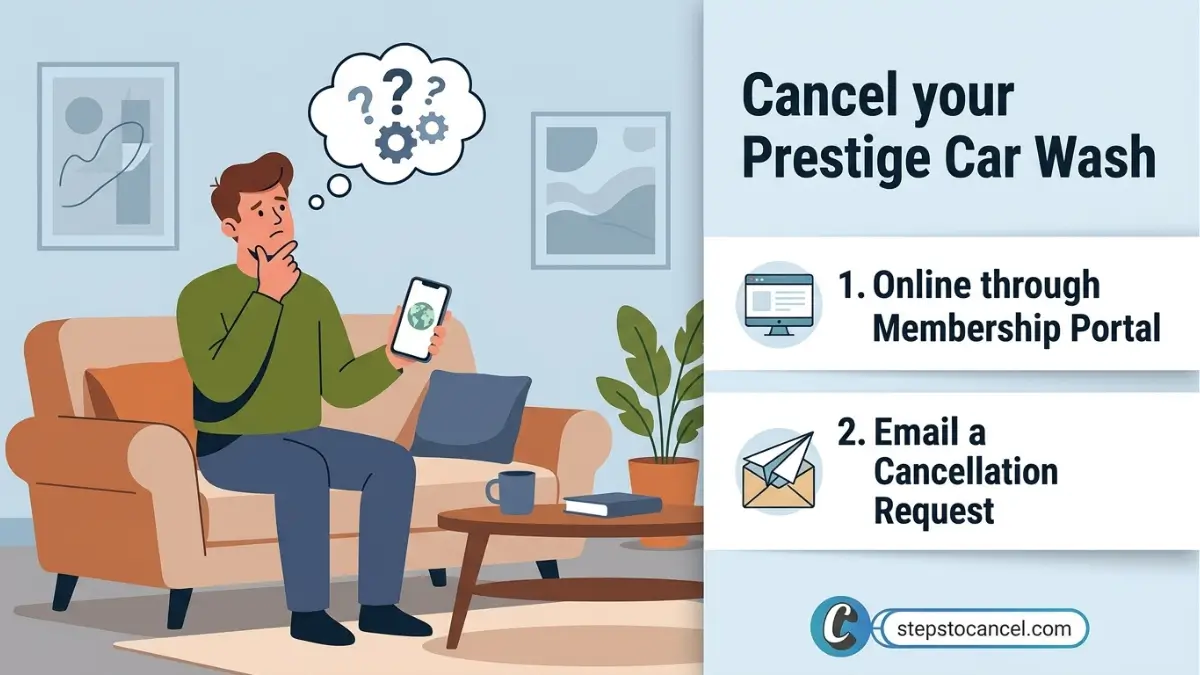
  • How to Cancel Prestige Car Wash Membership

    How to Cancel Prestige Car Wash Membership

    Most members remember to cancel while reviewing their bank statement at home — not while sitting in their car where the barcode sticker is visible.

    If that sounds familiar, you are in the right place. This guide gives you the barcode workaround upfront and walks you through every cancellation method for Prestige Car Wash locations in Massachusetts.

    Quick Answer: Cancel your Prestige Car Wash VIP membership at prestigewash.app.rinsed.co under Manage Plan → Cancel My Plan, or email info@prestigewash.com, or email info@prestigewash.com..

    Which Prestige Car Wash Do You Use?

    Several unrelated car wash chains operate under the Prestige Car Wash name in the US. This guide covers Prestige Car Wash & Gas (Massachusetts) only — the chain with 30+ locations across MA including Canton, Brockton, and Malden.

    Massachusetts (30+ locations)Prestige Car Wash & Gasprestigewash.com — this guide
    New YorkPrestige Car Wash & DetailingDifferent company — different rules

    If you are in New York, this guide does not apply to your membership.

    RELATED
    Cancel Quick Quack car wash membership Online

    Cancel your Quick Quack Car Wash Membership

    Before You Cancel: What You Need

    • VIP barcode number — printed on the RFID smart tag on your windshield (read the tip below before you start)
    • License plate number registered to your account
    • Email address on the account
    • Billing date — the day of the month you signed up

    Most important tip in this guide: The barcode is on your windshield sticker. Most members remember to cancel while reviewing bank statements at home — not while sitting in their car. Photograph your windshield sticker right now and save it to your phone. This one step removes the single biggest barrier to canceling online.

    Joined before May 13, 2025? Prestige Car Wash bills these accounts on the 1st of every month, not your signup date. Check your statement to confirm which billing date applies to your account.

    Method 1: How to Cancel Prestige Car Wash Membership Online

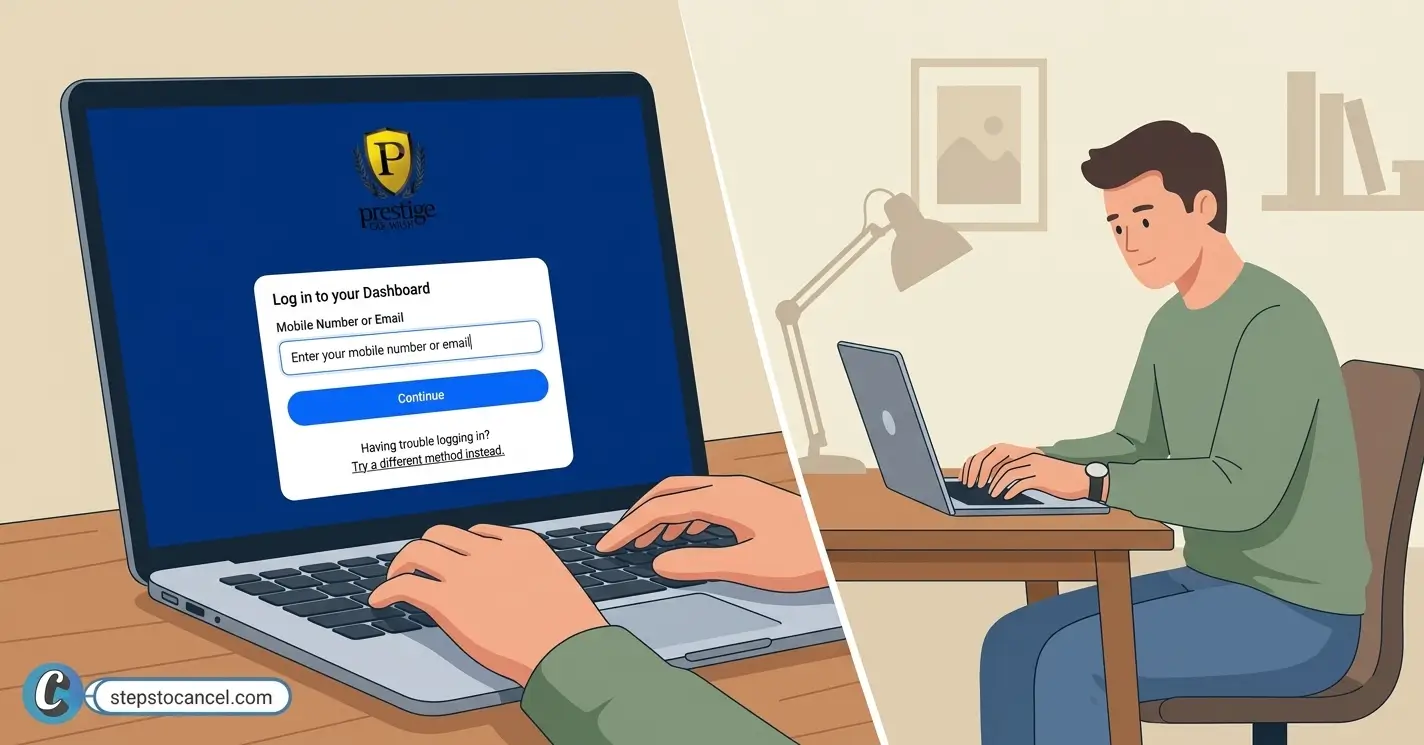
    To cancel your prestige car wash memebrship you must have your phone or email assigned during signing up to login on online portal.

    1. Open the Member Portal

      Open the Member Portal

      Go to prestigewash.app.rinsed.co/portal on a desktop or tablet browser.

    2. Log In to Your Account

      Enter the email address or phone number tied to your Prestige Car Wash account. If you don’t have access to your account, use the “Try a different method” link on the login page — you can access portal via your barcode or licence plate number..

    3. Locate Your Active Membership

      Once logged in, your active VIP membership plan displays on the dashboard. Confirm the vehicle and license plate listed match your account before proceeding.

    4. Open Manage Plan from the navigation menu

      Click Manage Plan next to your active membership. This opens your plan controls — billing date, plan type, and cancellation options.

    5. Click Cancel My Plan

      Click Cancel My Plan. The portal may ask you to confirm the cancellation or select a reason — complete all prompts before closing the page.

    6. Screenshot Your Confirmation
      When the confirmation screen loads, screenshot it immediately with the date and time visible. Prestige Car Wash support requires this screenshot as cancellation proof if a charge appears after your submission.
    Keep your open until the cancellation confirmation screen appears — if the page stalls or returns an error, treat the cancellation as unconfirmed, then refresh to retry or switch to Method 2 (email).

    While Prestige allows you to end your contract using the steps above, you will encounter entirely different billing rules if you ever need to cancel Mister Car Wash membership instead.

    Method 2: Cancel by Email

    send cancellation email prestige car wash

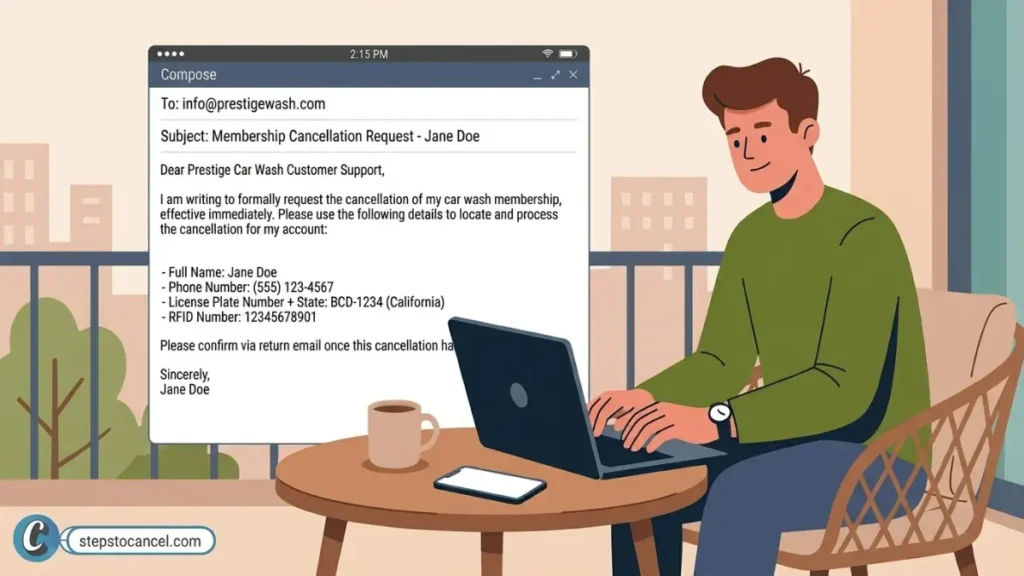
    Prestige Car Wash accepts cancellation requests at:

    info@prestigewash.com Office Hours: Monday–Friday, 9:00 AM–4:00 PM

    Your email must include:

    • Full name on the account
    • Phone number
    • License plate number + state
    • VIP barcode number (if available)

    No reply within 2 business days? Send a follow-up with the same details. Members report email support is slow. If two follow-ups receive no response, visit a location in person or proceed to your bank for a billing dispute — do not wait through multiple billing cycles.

    Method 3: Cancel by Visiting a Location (Member-Reported Backup)

    While not officially listed online, you can cancel your membership by speaking directly with a manager at any physical location to request a cancellation form.

    If you cancel in person: Ask for a printed receipt or written confirmation before you leave. Do not leave without proof of your cancellation.

    If you hold active subscriptions with other regional providers, browse our complete directory of car wash cancellation guides to ensure you stop all unwanted recurring charges.

    Cancellation Policy

    Cancellation MethodsOnline portal, email — in-person not officially listed
    Notice PeriodNone — cancel anytime before your next billing date
    Cancellation FeeNone
    Refund Policy for Unused TimeNone — no refunds or credits for partial months
    Membership Access After CancellationContinues through the end of the current billing cycle
    Billing DateSame day you signed up each month
    Pre-May 13, 2025 MembersBilled on the 1st of each month regardless of signup date
    Wash LimitOne wash per day per membership
    RFID Tag FeeOne-time $2.88 charge — replacement also $2.88 at any location
    Vehicle TransferEmail support to initiate — process differs based on license plate
    Chargeback Penalty$25 fee if you initiate a bank dispute
    Card Decline PenaltyAccount suspension — $25 reactivation fee applies

    Source: Prestige Car Wash VIP Wash Club page, updated March 2026..

    Refund Policy

    Prestige Car Wash issues no refunds or credits for partial months. Once your billing date passes, that month is non-refundable — your membership stays active through the end of the cycle you already paid for.

    Why Was I Charged After I Canceled?

    image 1

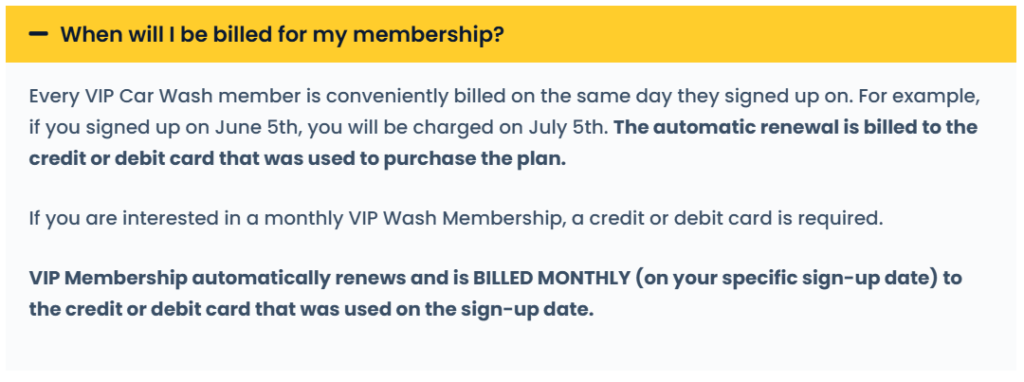
    The most common reason is that your billing date arrived before your cancellation fully processed. The system automatically charges your card on your billing date.

    To avoid a charge, you must cancel at least 24 hours before your billing date. If you canceled on or after that date—even by a few hours—the payment has already posted. Your cancellation will still take effect for the following month, but the current charge is non-refundable.

    If you are certain you canceled before your deadline, take these steps to get your money back:

    1. Email Support: Send an email to info@prestigewash.com and attach your confirmation screenshot as proof. Support may offer a complimentary wash voucher or refund to resolve the issue.
    2. Dispute the Charge: If support refuses to resolve the issue, contact your bank or credit card issuer immediately to open a formal billing dispute.

    Vehicle Transfer

    image

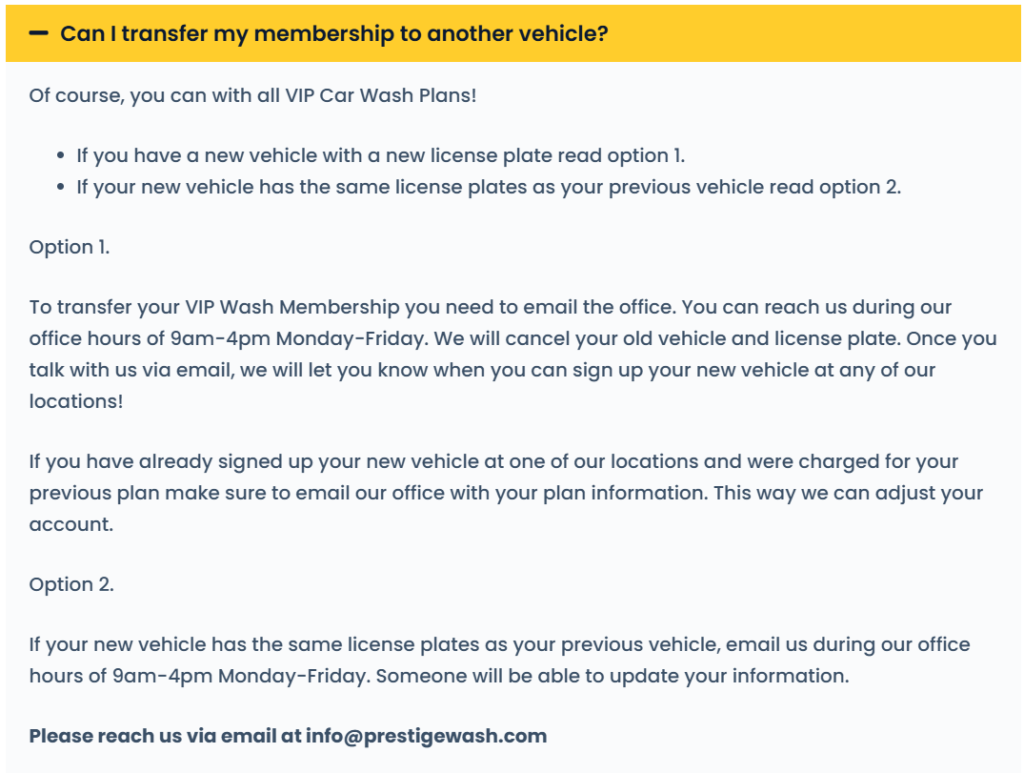
    Transfer your VIP membership to a new vehicle by emailing info@prestigewash.com during office hours.

    • New license plate: Email support to cancel the old vehicle. Then sign up the new vehicle at any location.
    • Same license plate: Email support to update the vehicle information on file.

    Do not sign up a new vehicle before canceling the old one without contacting support — you may be billed for both.

    Common Issues

    Barcode not available when you sit down to cancel: The barcode lives on the inside of your windshield. If you are not in your car, you cannot see it. Photograph it now and keep it in your phone — this eliminates the most common barrier to online cancellation.

    Charged after a confirmed cancellation: Screenshot the cancellation confirmation immediately. Email info@prestigewash.com with that screenshot. If no resolution follows, contact your card issuer — but note that Prestige Car Wash charges a $25 fee if you initiate a chargeback. Try to resolve it with support first.

    Email support not responding: Send a follow-up after 2 business days. If two follow-ups go unanswered, visit a location in person or contact your card issuer. Do not wait through another billing cycle.

    Prestige offers a wash voucher instead of a refund: Members report that when they email support about post-cancellation charges, Prestige may offer a complimentary tunnel wash voucher rather than a cash refund. If a cash refund is important to you, state this explicitly in your email and escalate to your bank if needed.

    Bank chargeback time limits: If you discover a recurring charge after several months, most card issuers will only reverse the last 2–3 months of charges regardless of how long the billing continued. Act on unrecognized charges immediately — do not wait.

    Card decline reactivation fee: If your card on file declines, Prestige Car Wash suspends your account and charges a $25 reactivation fee to restore access. Update your card details before your billing date if your card has changed.

    Frequently Asked Questions

    How do I cancel my Prestige Car Wash membership online?

    Go to prestigewash.app.rinsed.co/portal. Log in using your phone number or email address, navigate to Manage Plan, and select Cancel My Plan.

    Can I cancel over the phone?

    No. There is no published customer service phone number. You must cancel through the online portal or by emailing your request to info@prestigewash.com.

    ow do I remove the RFID sticker from my windshield without damaging my car?

    Warm the sticker with a hairdryer to loosen the adhesive, lift a corner with a plastic card, and peel it away slowly at a low angle. Clean any remaining residue using a soft cloth dampened with rubbing alcohol or Goo Gone.
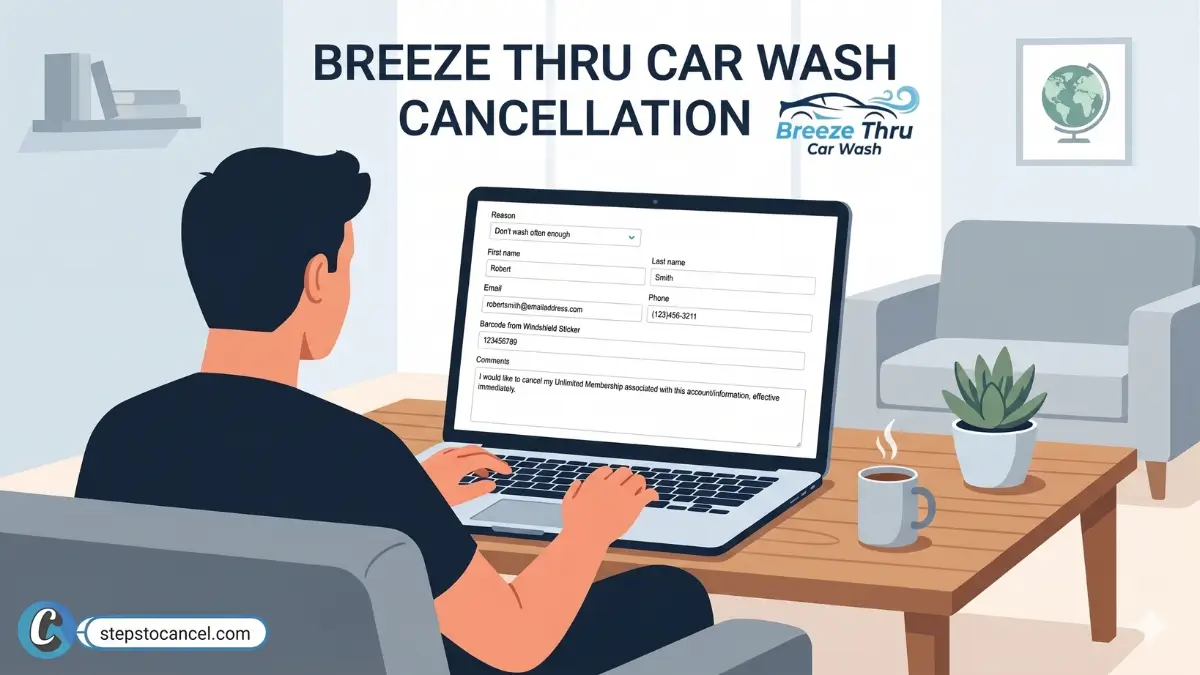
  • Cancel Your Breeze Thru Car Wash Membership Online

    Cancel Your Breeze Thru Car Wash Membership Online

    Breeze Thru Car Wash accepts cancellation only through its online form — phone and in-person requests are not processed. Find your windshield barcode number before you start, or your request will take 1–2 extra business days to process manually.

    TL;DR

    To cancel your Breeze Thru Wash Pass, visit breezethrucarwash.com/cancel-my-wash-pass, fill in the form with your name, email, phone number, and windshield barcode number. It completes submissions immediately and sends a cancellation confirmation email within 24 hours.

    Before You Cancel: What You Need

    Gather these details first. Missing information delays your request by 1–2 business days.

    breezethrucarwash barcode windshield sticker
    • Windshield barcode number — on the RFID sticker inside your windshield (most important — see note below if yours is missing)
    • Name, email, and phone number on the account
    • Last 4 digits of your billing card
    • Billing date — Breeze Thru charges your card on the same date each month you signed up

    Barcode missing? windshield replaced or a car gets sold. Submit the form anyway and include your license plate number, last 4 digits of your card, and last billing date. Breeze Thru reviews these manually within 1–2 business days — but submit 3–5 days before your billing date to avoid being charged while the review is still processing.

    How to Cancel Your Breeze Thru Car Wash Membership Online

    Breeze Thru Car Wash accepts one cancellation method: the online form. Phone calls and in-person visits do not process cancellations.

    What You Need: Name, email, phone number, windshield barcode number

    1. Open the Cancel My Pass Page

      Open the Cancel My Pass Page

      Go to breezethrucarwash.com/cancel-my-wash-pass.

    2. Fill In Your Account Details

      Fill In Your Account Details

      Enter your name, email address, phone number, and windshield sticker barcode number.

    3. Submit the Form

      Submit the form. Breeze Thru processes complete requests immediately.

    4. Check for Your Confirmation Email

      Check your inbox — and your spam folder — within 24 hours. Save this email and screenshot the confirmation screen. If a charge posts after cancellation, this confirmation is the proof Breeze Thru requires to reverse it.

    Multiple vehicles? Submit a separate form for each vehicle. One membership per vehicle means one cancellation per vehicle — a single form does not cover your full account if more than one car is enrolled.

    Form still failing? Try the backend membership portal directly at breezethrucarwash.app.rinsed.co. Some members reach their account here when the main cancel page fails to load.

    What You Need to Know Before You Cancel

    Cancellation MethodOnline form only — phone and in-person not accepted
    Notice Recommended3–5 days before your billing date
    Complete RequestsProcess immediately
    Incomplete RequestsTake 1–2 business days for manual review
    Refund Policy for Unused TimeNone — no proration for partial billing periods
    Annual Pass Refund PolicyNone — non-refundable due to discounted pricing
    Membership Access After CancellationContinues through the end of the current billing cycle
    Membership Pause or FreezeNot available — cancel and reactivate when ready
    ReactivationPull up to any kiosk and swipe your card on file
    Multiple VehiclesSubmit one cancellation form per vehicle

    Refund Policy for Unused Time

    Breeze Thru Car Wash refunds nothing for partial billing periods — monthly or annual. Once your card is charged, your pass stays active through the end of that cycle regardless of when you stop using it.

    No Pause or Freeze Option

    Breeze Thru Car Wash does not offer a membership pause. Cancel when you need a break. To reactivate, pull up to any Breeze Thru kiosk and swipe the card on file — your sticker reactivates instantly, no sign-up or phone call needed.

    Annual Wash Pass Cancellation

    Annual Wash Passes carry no refund option due to their discounted pricing. Breeze Thru does not prorate or credit annual pass cancellations under any circumstance.

    Related: How to Cance Mister Car Wash Membership

    Didn’t Realize You Were Enrolled?

    Some members discover a Breeze Thru charge on their statement without remembering signing up. If this applies to you:

    1. Check your card statement for the charge amount and date — you will need this to verify your account with support.
    2. Use the cancel form at breezethrucarwash.com/cancel-my-wash-pass to stop future billing immediately.
    3. Contact Breeze Thru at breezethru@breezethrucarwash.com with your license plate number, last 4 digits of your card, and the exact amount and date of charges.

    Common Issues

    “No membership found” or form not loading: Try a desktop browser instead of mobile. Some users report the form fails to load or locate accounts on mobile.

    Barcode number missing: Look on the inside of your windshield for the RFID sticker. Submit without it if needed — Breeze Thru processes it manually within 1–2 business days.

    Confirmation email not arriving: Check your spam folder. Screenshot the confirmation screen immediately after submitting as a backup.

    Charged after cancellation: Forward your confirmation email to breezethru@breezethrucarwash.com. This email is your proof of request and the fastest way to dispute a post-cancellation charge.

    After You Cancel

    • Save your confirmation email and submission screenshot.
    • Check your next billing statement — your access continues through the current cycle.
    • Reactivate at any Breeze Thru kiosk by swiping your card on file.
    • Contact support at breezethru@breezethrucarwash.com or (970) 484-8893 if charges continue after a confirmed cancellation.

    Contact Information

    Cancel My Passbreezethrucarwash.com/cancel-my-wash-pass
    Support Emailbreezethru@breezethrucarwash.com
    Phone(970) 484-8893
    Corporate Address1171 E. Mulberry Street, Fort Collins, Colorado 80524, USA

    Frequently Asked Questions

    Can I cancel Breeze Thru Car Wash by phone or in person?

    No. Breeze Thru only processes membership cancellation requests through its online form. Phone calls and in-person visits do not cancel your unlimited wash pass.

    Does Breeze Thru refund unused time after cancellation?

    No. Breeze Thru refunds nothing for partial months or unused time on annual passes. Your membership access continues through the end of the current billing cycle.

    Can I pause my Breeze Thru membership?

    No. Breeze Thru does not offer a pause or freeze option. Cancel when you need a break and reactivate at any kiosk by swiping your card on file — reactivation is instant.

    I have two cars enrolled. Do I submit one form to cancel both?

    No. Breeze Thru requires one cancellation form per vehicle. Submit a separate form for each enrolled car.

    How do I reactivate my Breeze Thru membership after canceling?

    Pull up to any Breeze Thru kiosk and swipe the credit card on file. Your RFID windshield sticker reactivates instantly — no sign-up or phone call required.
  • How to Cancel Caliber Car Wash Limitless Membership

    How to Cancel Caliber Car Wash Limitless Membership

    You can cancel your Caliber Car Wash Limitless membership online from your home location page, by email, or by contacting your local location. The Terms describe a recurring monthly membership with no fixed term and list no cancellation fee.

    All three methods are confirmed in Caliber’s Terms of Service, and online cancellation works 24/7 without speaking to anyone.

    The one rule that applies to all three: submit your request at least 7 days before your next month’s billing date or the next charge will still process.

    Before You Cancel — What You Need

    • Mobile number or email address used at sign-up
    • The Caliber location where you originally enrolled
    • License plate number and state (accepted as a login method)
    • Last name and barcode number (accepted as a login method)
    • Your monthly recharge date (check your original sign-up confirmation email)

    Method 1: How to Cancel Caliber Car Wash Online

    image 3

    Online cancellation is available 24/7 and does not require speaking with a representative.

    Step 1 — Open your enrolled location’s page

    Go to calibercarwash.com and open the page for your home location, the one where you enrolled.

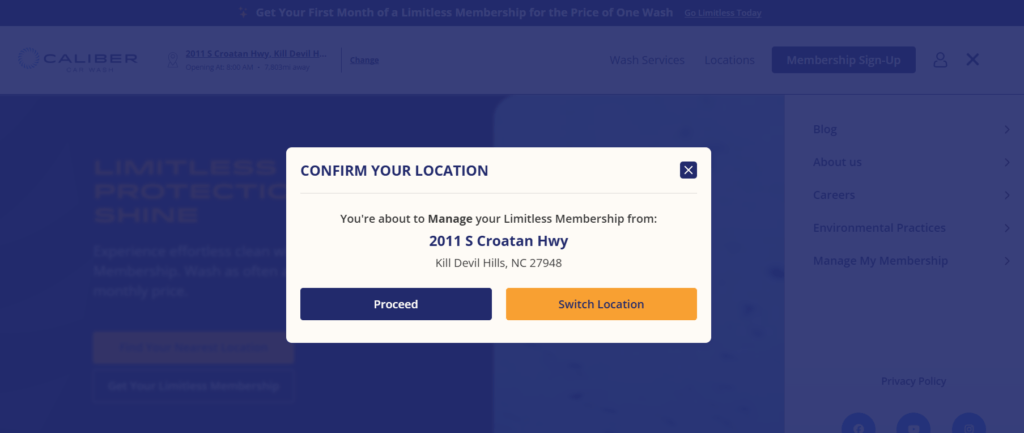
    Step 2 — Click “Manage Your Limitless Account”

    On your home location page, select Manage Your Limitless Account.

    Step 3 —Log in to your account

    Enter your mobile number or email and click Continue. If that fails, click “Try a different method” and use one of the alternatives:

    • License Plate Number + State
    • Last Name + Barcode

    Step 4 — Cancel inside the dashboard

    Navigate to your membership settings and select the cancellation option. Follow the prompts to confirm.

    Step 5 — Save your confirmation

    Screenshot the final confirmation screen and save any confirmation email or text you receive. You will need it as proof if a charge appears after your cancellation date.

    Comparing car wash plans? See how Mister Car Wash handles cancellation. Also have a Zips plan? Its steps are in our Zips Car Wash cancellation guide. For other chains, browse our car wash membership cancellation guides.

    Method 2: How to Cancel Caliber Car Wash by Email

    Email cancellation is an official method confirmed in Caliber’s Terms of Service. It works well if you prefer a written record or the online portal gives you trouble.

    Step 1 — Compose your cancellation email
    Address it to info@calibercarwash.com.

    Step 2 — Include your account details
    In the body, include your full name, the mobile number on your account, your license plate number and state, and a clear statement that you want to cancel your caliber carwash membership.

    Step 3 — Send it at least 7 days before your recharge date
    The 7-day notice window applies to email cancellations. Send early.

    Step 4 — Save the reply as confirmation
    Keep the reply from Caliber as your cancellation record. If you receive no reply, follow up or switch to the online method.

    Method 3: How to Cancel Membership in Person

    The Terms let you cancel by contacting your local location, so bring your account details with you.

    image

    Step 1 — Find a nearby location
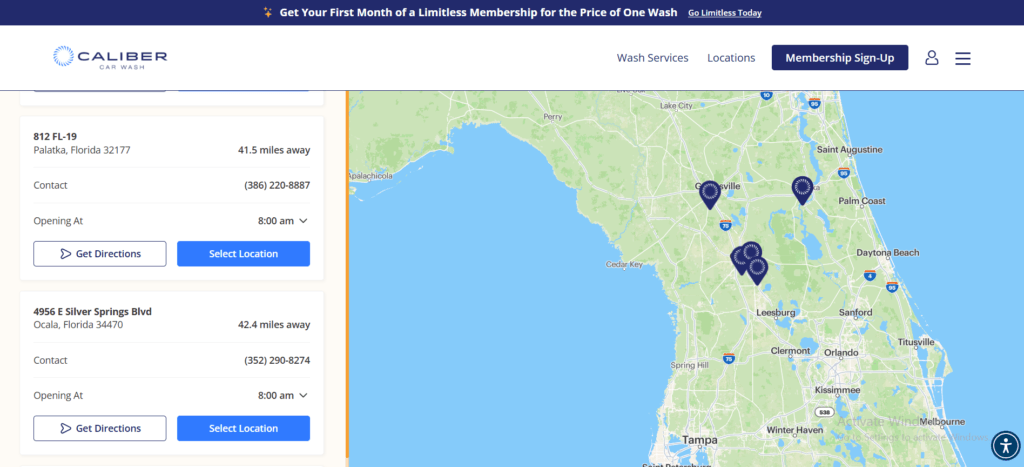
    Go to Caliber’s locations page and find the nearest Caliber Car Wash.

    Step 2 — Tell a team member you want to cancel
    Walk up to the counter and say you want to cancel your Limitless membership.

    Step 3 — Provide your account details
    Give the team member your license plate number and the phone number on your account. Staff use these to pull up your membership.

    Step 4 — Request written confirmation before you leave
    Ask the team member to send a confirmation — email or text — before you walk out. Do not leave without it.

    Note: If your location can’t process the cancellation, email info@calibercarwash.com on the spot, which is also an official method in the Terms.

    After You Cancel

    Save your confirmation immediately. It’s your best proof the cancellation went through, so screenshot it and file it somewhere accessible.

    Check your bank statement after your next recharge date passes. One member’s BBB complaint (February 2026) says billing continued in January and February after both memberships were canceled in December 2025, and the complaint was still unanswered when we checked on October 20, 2026 (BBB complaints). If a charge appears after a confirmed cancellation:

    1. Locate your confirmation and note the submission date.
    2. If you are charged after cancelling submit a request at calibercarwashhelp.zendesk.com or info@calibercarwash.com attach the confirmation as proof.
    3. If the charge isn’t corrected, ask your bank or card issuer how to dispute it, and give them the confirmation as documentation.

    Cancellation Policy

    Cancellation feeNone listed in the Terms
    Contract requiredNo fixed term
    Notice Period7 days before your monthly recharge date
    Recharge dateYour sign-up date
    Refund policyNo refunds or credits for partial months, except as required by law
    Membership scopeOne vehicle only; the Terms describe no transfer process
    Plan pauseAvailable online; the Terms give no pause length or fee
    Plan change limitOne membership level change per 90 days
    Online supportcalibercarwashhelp.zendesk.com
    Emailinfo@calibercarwash.com
    Phone supportContact your Specific Location

    No fixed term, no listed fee.

    The Terms describe a recurring monthly membership with no fixed term and list no cancellation fee. Online cancellation is available 24/7 without speaking to anyone.

    The 7-day notice window.

    Caliber’s Terms of Service require your cancellation request to arrive at least 7 days before your next billing date. Your billing date is the anniversary of the exact day you enrolled — not the first of the month. If you signed up on the 14th, Caliber charges you on the 14th of every month. Miss the 7-day window and the next payment processes.

    Refunds.

    Caliber’s Terms of Service state that no refunds or credits apply to partial billing periods, except as required by applicable law. Cancellation stops future charges. It does not reverse a payment that has already posted.

    Price changes.

    Caliber will email you at least 30 days before any rate increase. Check your inbox if you receive a price-change notice — you have time to cancel before the new rate takes effect.

    One vehicle per membership.

    Each Limitless membership is valid for one vehicle only, and the Terms describe no transfer process if you sell or trade in that car. The charges continue until you cancel.

    Caliber’s right to cancel your membership.

    Caliber’s Terms of Service say Caliber may modify, suspend or cancel any membership at any time, with or without notice. Sharing one membership across multiple vehicles is one reason the Terms give for suspending or canceling a membership.

    Pause option.

    The Terms say you can pause your membership online instead of canceling, through your home location page, by contacting your local location, or by emailing info@calibercarwash.com. They give no pause length or fee, so ask before you pause.

    Common Issues

    The car is gone but the charges continue.

    If you sold or totaled your vehicle, the membership does not stop on its own. Cancel using any of the three methods. The standard no-refund policy applies.

    You received a price-change email.

    Caliber’s Terms of Service require at least 30 days’ notice before a rate increase. If you do not want to pay the new rate, cancel before the new rate’s effective date.

    SMS and Account Notifications

    If you receive Caliber text messages and want to stop them, reply STOP to the message. The following applies by message type:

    Marketing texts: arrive from shortcode 225423. Caliber sends up to 10 messages per month. Reply STOP to opt out. Consent to receive these messages is not required to use the membership.

    Account notifications: (receipts, billing alerts, password resets, plan changes) arrive from a 10-digit number. If you reply STOP to opt out of account notifications, Caliber will send these to your email address instead. You will not lose access to receipts or billing alerts — they move to email.

    Customer care texts: are sent only in response to a message you initiate. Reply STOP to end the conversation.