
Key TakeAway
- Cancel in the BLISS app (Your Cars → your vehicle → Memberships → Cancel Membership) or in your online account, or email info@blisscarwash.com or call 800-697-7459.
- Cancel at least 5 days before the automatic monthly renewal (the day of the month you signed up) to avoid the next charge.
- There is no contract or cancellation fee. Paid fees are not refunded or prorated, and the car keeps washing until the end of the paid period.
BLISS Car Wash (BLISS Car Wash, LLC), which has locations in California and Nevada, lets you cancel an unlimited membership yourself in the BLISS app or your online account, or through Guest Services by email at info@blisscarwash.com or by phone at 800-697-7459 (Monday–Friday, 8:30 AM–5:30 PM PST). Its Terms and Conditions (last updated September 9, 2025) require cancellation at least 5 days before the automatic monthly renewal; the vehicle keeps access through the end of the current billing period, and paid fees are not refunded or prorated.
Each membership covers one vehicle, and each car is billed on the day of the month it was signed up, so a household with two cars has two renewal dates and two 5-day cutoffs. Cancel each vehicle’s membership separately.
Related Article: How to Cancel Super Star Car Wash Membership
How to Cancel Your BLISS Membership in the App
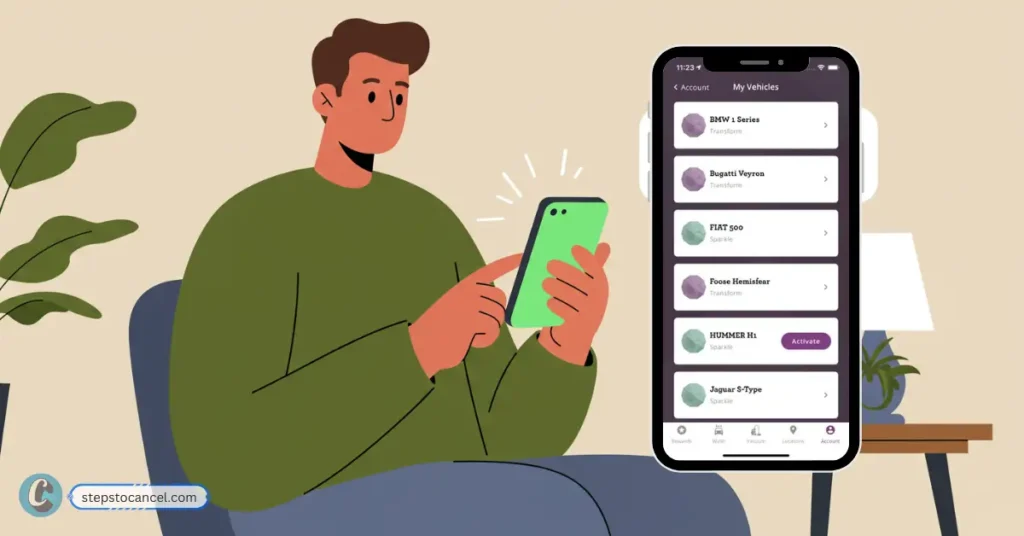
These are the steps BLISS gives in its FAQ (updated July 29, 2026). Cancel each vehicle at least 5 days before its renewal date.
Step 1: Open the BLISS App and Sign In
Open the BLISS Car Wash app. If you don’t have it, download it from the App Store or Google Play.
Sign in to the BLISS account the membership is on.
Step 2: Go to the Your Cars Tab
Tap the Your Cars tab and select the vehicle whose membership you want to end.
Step 3: Tap Memberships
On the vehicle screen, tap Memberships. Upgrades and downgrades are managed in the app too, if you would rather switch to a cheaper plan.
Step 4: Select Cancel Membership
Select Cancel Membership. BLISS’s FAQ does not describe a confirmation screen or email, so take a screenshot of the membership status and check that no charge appears on the vehicle’s next renewal date.
How to Cancel Your BLISS Membership Online
Step 1: Open the Membership Portal
On blisscarwash.com, the manage-membership link opens the BLISS customer portal at customerportal.nxtwash.com/blisscarwash.
Step 2: Sign In to Your Account
Sign in with the details you used when you joined. BLISS says members can manage their account online, including cancellation.
We could not view the portal screens without an account, so the steps below are general. If you can’t sign in, use the app or email Guest Services instead.
Step 3: Open the Vehicle’s Membership
Find the vehicle whose membership you want to end and open its membership details.
Step 4: Choose to Cancel
Select the cancel option for that membership and follow any prompts.
Step 5: Keep a Record
Take a screenshot of the cancelled status and check your statement after the vehicle’s next renewal date.
More Car Wash Cancellation Guides:
Cancel BLISS Car Wash by Email or Phone
- Email: Send your request to info@blisscarwash.com, the address BLISS’s terms list for cancellation. Include your name, license plate, phone number and the last 4 digits of your payment card. Guest Services says it replies within 1–2 business days.
- Phone: Call Guest Services at 800-697-7459, Monday–Friday, 8:30 AM–5:30 PM PST, with the same details ready.
- Timing: Because replies can take a business day or two, email well before the 5-day cutoff and keep the sent message as your record. BLISS’s terms do not list a location visit as a way to cancel.
BLISS Car Wash Cancellation Policy
These rules come from BLISS’s Terms and Conditions (last updated September 9, 2025) and its FAQ (updated July 29, 2026), both checked on October 5, 2026.
- Notice: cancel at least 5 days before the automatic monthly renewal to avoid the next month’s charge. The renewal date is the day of the month the vehicle was signed up.
- After you cancel: the vehicle keeps access to washes through the end of its current billing period.
- Refunds and fees: paid membership fees are not refunded or prorated for partial use or unused periods. BLISS says there are no contracts or cancellation fees.
- Hold instead of cancel: you can put the membership on hold for up to 90 days, once per year, by emailing guestservices@blisscarwash.com. You are not charged during the hold, and BLISS confirms within 2–3 business days.
- Failed payments: BLISS may suspend access until a valid payment method is charged, and a membership suspended for more than 15 days is subject to termination.
- Price changes: a fee increase or material plan change takes effect 30 days after BLISS posts it on its website.
- New car: to move the membership, visit any BLISS location with the new car or email the new plate number to guestservices@blisscarwash.com; the terms also allow a transfer by calling Guest Services.
Leave a Reply