Blog

  • How to Cancel Your Kohl’s Capital One Credit Card: Step-by-Step Guide

    How to Cancel Your Kohl’s Capital One Credit Card: Step-by-Step Guide

    Canceling your Kohl’s credit card at any time is free and relatively straightforward, but recent changes have left many cardholders confused. Because Kohl’s recently transitioned their credit card portfolio to Capital One, the process, customer service portals, and security requirements have changed.

    Whether you are frustrated by poor customer service, trying to consolidate your finances, or simply not shopping at Kohl’s as much, this guide will show you exactly how to close your Kohl’s store card or co-branded Kohl’s Visa card without the headache.

    Here is exactly how to cancel your Kohl’s credit card online, over the phone, and what you need to know about your credit score and Kohl’s Cash before you do it.

    Quick Summary (TL;DR)

    • Phone Cancellation: Call Kohl’s Capital One Customer Support at 844-463-7013.
    • Online Cancellation: Log in to kohls.capitalone.com and navigate to the “Close Account” settings.
    • Balance Requirement: You must have a $0.00 balance to fully close the account.
    • In-Store: You cannot cancel your credit card at a physical Kohl’s store. Cashiers do not have access to Capital One’s credit systems.

    How To Cancel Kohl’s Credit Card Online?

    If you want to avoid waiting on hold, the easiest way to close your account is through the Capital One online portal.

    Method 1

    1. Visit the Kohl’s Card Website

      Go to kohls.capitalone.com on your computer or mobile browser. (Note: You cannot cancel directly through the retail Kohl’s shopping app).
    2. Log Into Your Account

      Enter your Capital One username and password.
    3. Go to Account Services

      On your main dashboard, look for the “I Want To” menu or click on “Control Your Card.”
    4. Select “Close Account

      Click on the “Close Account” option and follow the on-screen prompts to finalize the cancellation.

    Note: If your account has been flagged for a security review or has a pending balance, the “Close Account” button may be hidden. If you do not see it, you are required to call customer service.

    How to Cancel Your Kohl’s Credit Card by Phone

    If you prefer to speak to a representative or the online option is not working, a quick phone call will get the job done. Support is available 24/7.

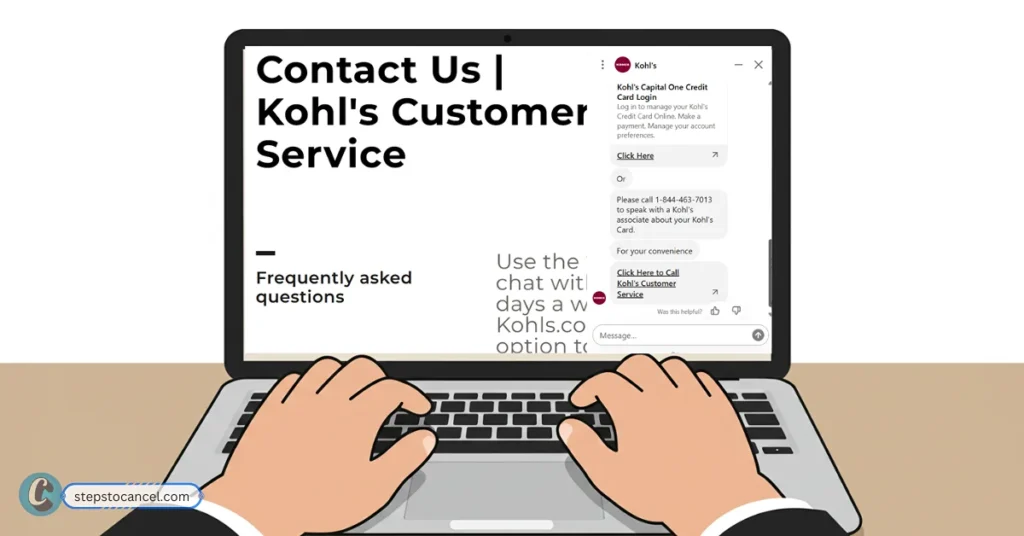
    Kohl's customer service page with an active chat window for cancellation support.
    Get quick cancallation assistance with Kohl’s online chat and customer service options shown on a laptop screen.
    1. Call Customer Service: Dial 844-463-7013.
    2. Navigate the Automated Menu: Enter your card number or Social Security Number when prompted by the automated system.
    3. Request Cancellation: Tell the representative you want to permanently close your account.
    4. Verify Your Identity: Be prepared to provide your full name, date of birth, billing address, and potentially complete a mobile ID verification check.
    5. Request Confirmation: Ask the representative to email or mail you a written confirmation that the account has been closed with a $0 balance.
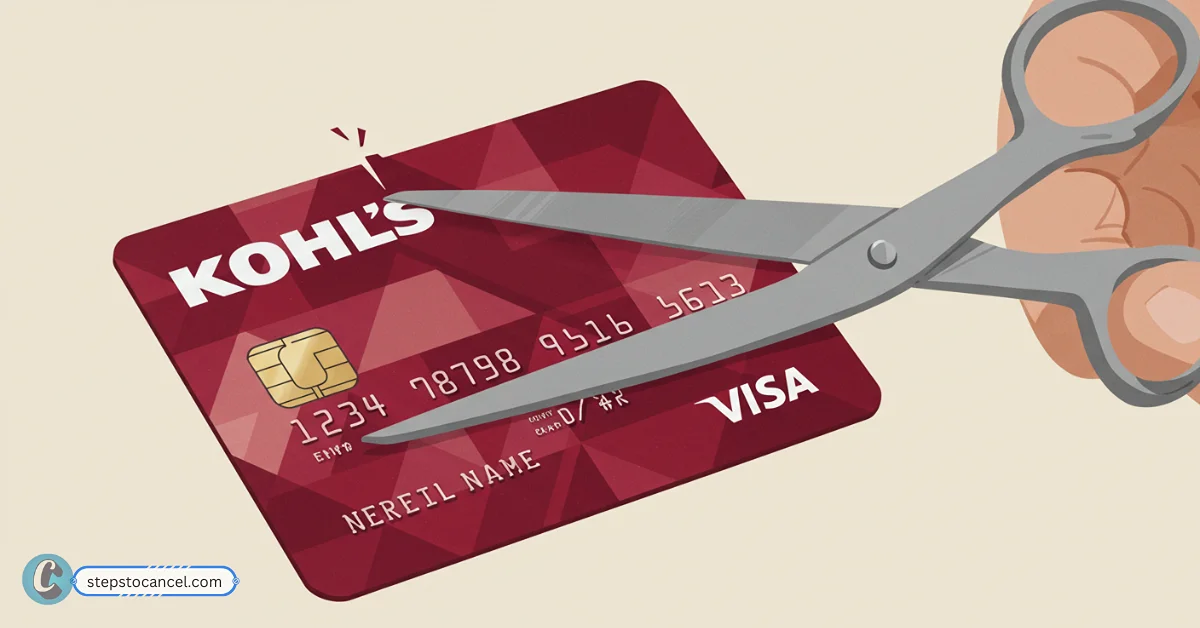
    6. Destroy the Card: Once confirmed, cut up your physical store card or Kohl’s Visa to prevent fraud.

    The “Passive Cancellation” Alternative (Inactivity)

    If you don’t want to deal with customer service, there is a third option: letting the card close itself.

    If you pay your balance down to $0.00, cut up the card, and simply stop using it, Capital One will eventually flag the account as inactive. Kohl’s credit cards are typically automatically closed due to inactivity after 12 to 24 months of no purchases. This achieves the exact same result without requiring a phone call.

    4 Things to Do Before You Cancel

    Before you click “close” or pick up the phone, make sure you have checked these four boxes to protect your finances and rewards.

    1. Pay Off Your Remaining Balance

    You cannot close a Kohl’s credit card if it has an outstanding balance. If you try, the account will just be suspended from new purchases, but interest will continue to accrue. Ensure your balance is exactly $0.00. Don’t forget to cancel any scheduled automatic payments from your bank account to avoid overpaying.

    2. Understand the Credit Score Impact

    Closing any credit card will temporarily impact your credit score. When you cancel your Kohl’s card, you reduce your total available credit, which can spike your Credit Utilization Ratio.

    Additionally, closing an old account can eventually lower your Average Age of Accounts (AAoA). If you are applying for a mortgage or auto loan soon, you may want to wait to cancel. (To keep an eye on these changes, many users rely on credit monitoring apps.

    If you are cleaning up your finances and want to drop paid monitoring tiers, check out our guides on how to [cancel your Experian membership] or [close your Credit Karma account]).

    3. Secure Your Kohl’s Cash & Rewards

    Many shoppers panic that canceling their credit card means losing their Kohl’s Cash. You will not lose your standard Kohl’s Cash. Your Kohl’s Rewards account is tied to your phone number and email, not your credit line. However, you will drop from the 7.5% cardholder rewards rate down to the standard 5% rewards rate.

    4. Prepare for Identity Verification

    Because Capital One now manages the Kohl’s card, security is much tighter. If you call to cancel, the representative may send a secure link to your smartphone requiring you to upload a photo of your Driver’s License or Passport to verify your identity before they close the account.

    Frequently Asked Questions (FAQs)

    Can I cancel my Kohl’s credit card in-store?

    No. Kohl’s store associates and cashiers do not have access to Capital One’s secure financial systems. You must cancel online or over the phone.

    Will I lose my Kohl’s Cash if I close my credit card?

    No, your Kohl’s Rewards account is completely separate from your credit card. You will keep your existing Kohl’s Cash and continue to earn points at the standard 5% rate by using your phone number at checkout.

    Is there a cancellation fee for closing a Kohl’s card?

    No, there are zero cancellation fees to close your account. However, your balance must be paid in full before the account can be officially closed.

    How long does it take for the closed account to show on my credit report?

    Once you close your Kohl’s credit card, it typically takes 30 to 60 days (or one to two billing cycles) for the “Closed by Consumer” status to reflect on your Experian, Equifax, and TransUnion credit reports.

    Can I freeze or pause my Kohl’s card instead of canceling?

    Yes. If you are trying to prevent new charges but don’t want to hurt your credit score by closing the account, you can use the Capital One portal to temporarily “Lock” your card.

    If this helped you, feel free to share it with someone who might be struggling with the same thing. Have tips or stories to add? We’d love to hear them.

  • 3 Simple ways to Cancel your Equifax Membership

    3 Simple ways to Cancel your Equifax Membership

    Equifax provides credit reports and related services from its Atlanta headquarters. Founded in 1899, it employs over 14,000 people across 24 countries.

    Yet, many users find the Equifax cancellation process frustrating and confusing. Customers often report feeling stuck, saying things like:

    “Their system just won’t let me cancel.”

    If you’re facing the same issue, don’t worry. This guide explains how to cancel your Equifax membership—step-by-step—and avoid hidden charges.

    Cancel Equifax Membership Online

    Man on laptop cancelling Equifax membership, with 'Cancel Membership' button visible on screen.
    Easily manage your subscriptions and memberships online, like cancelling an Equifax account.

    Online cancellation is the easiest method—but many users complain it’s glitchy or ineffective.

    Follow these steps:

    1. Visit the official website: www.equifax.com
    2. Log in to your myEquifax account.
    3. Click your profile name in the top right.
    4. Select “My Account”.
    5. Click “Cancel Subscription” and follow the prompts.
    6. Confirm via email. If you don’t get a cancellation confirmation, contact customer support.

    If the system fails, try again—or use the phone method below.

    Cancel Equifax Membership by Phone

    Equifax customer service phone number 1-888-378-4329 and call center hours: Mon-Fri 9 AM-9 PM ET, Sat-Sun 9 AM-6 PM ET.
    Reach Equifax customer support by phone during their extended weekday and weekend hours.

    Calling Equifax directly is the most reliable method to ensure cancellation.

    Steps:

    • Call 1-888-378-4329 or 1-866-243-8181
    • Business hours: 8:00 a.m. – 3:00 a.m. ET, 7 days a week
    • When connected:
      • Clearly request cancellation
      • Provide your full name, address, email, and membership ID (if known)
      • Ask for a confirmation number

    Check your statements after cancellation. If you’re still being charged, contact Equifax or escalate to your bank.

    How to Avoid Common Cancellation Issues

    Many users report issues even after canceling. Here’s how to protect yourself:

    • Monitor your statements: Check monthly for unexpected charges.
    • Escalate if needed: Contact your bank for a chargeback if cancellation fails.
    • Document everything: Save confirmation emails and numbers in case Equifax disputes your cancellation.

    Why Do People Cancel Equifax?

    According to user forums and surveys, most cancellations happen due to:

    • 🔒 Privacy concerns – 60% cite data issues
    • 💰 High cost or financial constraints
    • 🔁 Switching to other services like TransUnion or Experian
    • 😤 Poor customer experience during cancellation

    One user wrote: “The cancellation process is a nightmare designed to trap you.”

    Equifax Cancellation Policy

    You can cancel your membership at any time. However, your access continues until the end of your billing cycle or cancellation effective date, based on plan type.

    1. Monthly Plan
      • You get access until the end of the billing cycle.
      • No partial refunds are provided.
    2. Annual Plan
      • Cancellation takes effect at the next purchase anniversary (e.g., cancel on March 10 → ends after March 10 next year).
      • Pro-rated refunds are available for unused months.
    3. Trial Plans
      • Cancel before the trial ends to avoid automatic billing.
    4. One-Time Reports
      • Valid for 30 days.
      • No cancellation needed.
      • No refunds unless there’s a verified error.

    If you discover an error in your one-time report, you may be eligible for a free corrected report after investigation.

    Also Read: Cancel IdentityIQ Subscription

    Frequently Asked Questions

    How can I cancel Equifax membership?

    You cancel by logging into your myEquifax account or by calling support at 1-888-378-4329.

    Why Is Equifax’s Cancellation Process So Difficult?

    Users report a confusing process, with 70% citing long wait times or system errors, per online forums. Equifax’s design frustrates customers, often requiring multiple attempts.

    What if Equifax keeps charging me?

    If charges continue, call 1-888-378-4329 (U.S.) or 1-866-820-8911 (Canada) with your confirmation number. Escalate to your bank if unresolved.

    Can I get a refund?

    Only annual memberships are eligible for pro-rated refunds.

    How to Contact Equifax Customer Support?

    Equifax’s support can feel unresponsive, but here are verified details:

    InformationDetail
    Official Websitewww.equifax.com
    Cancellation Pagewww.equifax.com/personal/cancel
    Support Pagewww.equifax.com/support
    Phone NumbersU.S.: 1-888-378-4329 or 1-866-243-8181 (8:00 a.m.–3:00 a.m. ET, 7 days)
    Canada: 1-866-820-8911 (8:00 a.m.–midnight ET, 7 days)
    Lock & Alert: 1-888-548-7878 (8:00 a.m.–midnight ET, 7 days)
    Business Hours9:00 a.m.–9:00 p.m. ET (Mon–Fri)
    9:00 a.m.–6:00 p.m. ET (Sat–Sun)
    Emailcustomer.care@equifax.com

    Looking to cancel a different credit bureau? Here’s our step-by-step guide to cancel Experian membership—with online, phone, and refund instructions.

    Canceling your Equifax membership doesn’t have to be a headache. You have three clear options (online or phone). Stay alert, document everything, and act before your billing cycle renews.

  • LifeLock Cancellation Made Simple: Avoid Renewal Fees

    LifeLock Cancellation Made Simple: Avoid Renewal Fees

    Frustrated with trying to cancel LifeLock? You’re not alone. Many users report hours wasted on hold, surprise charges, and confusing steps that feel like a trap.

    The good news? You can cancel your LifeLock subscription anytime—but timing matters if you want to avoid renewal fees or qualify for a refund. This guide walks you through a simple, step-by-step process to cancel your Norton LifeLock membership and avoid unwanted charges, fast.

    Important: If you joined Norton LifeLock on its website, cancel through your account or the mobile app. If you subscribed via Apple-, Google-, carrier-, or store billing, cancel with that provider instead. Your protection stays active until the end of the term you already paid for, and you can request a refund under LifeLock’s standard policy.

    How To Norton Cancel LifeLock Subscription?

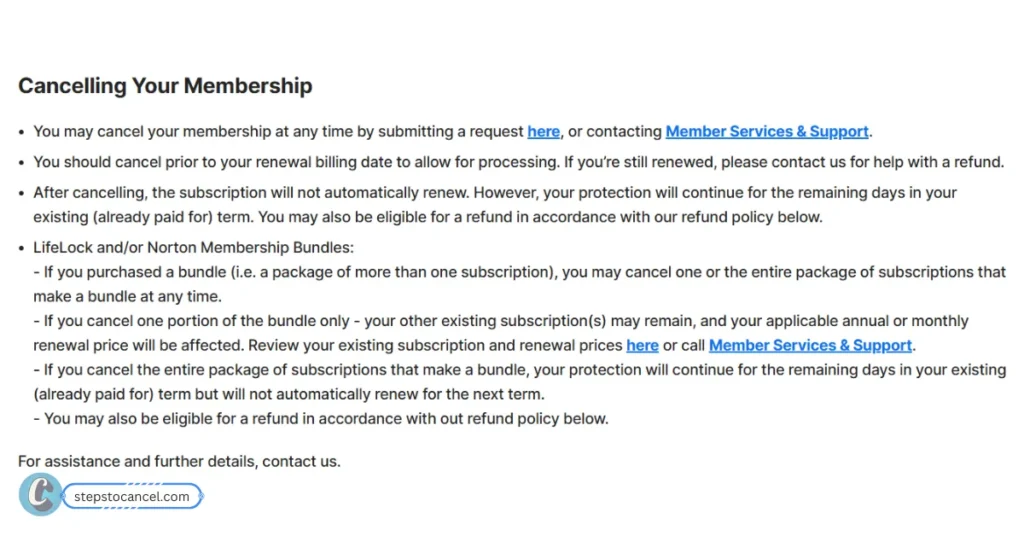
    Text titled 'Cancelling Your Membership' explaining the process, timing, refunds, and rules for bundles like LifeLock and Norton.
    Learn how to cancel your membership with important details on processing times, refunds, and how it affects bundles like LifeLock and Norton. The text provides key information on submitting requests and contacting support.

    If you signed up through LifeLock’s website, there are 3 easy way to cancel via the online member portal, LifeLock app, or support page.

    How To Cancel LifeLock Subscription Online?

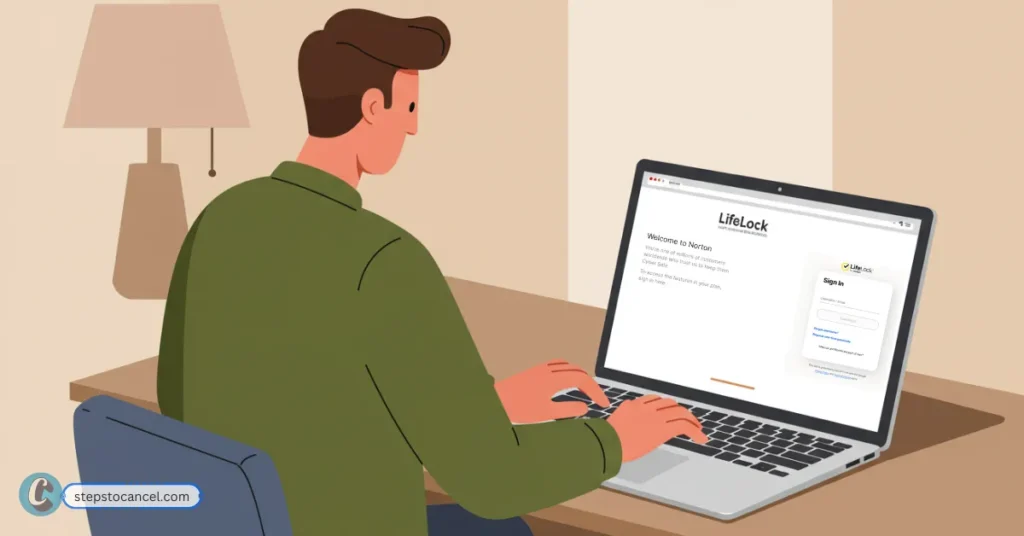
    Illustration of a man sitting at a desk using a laptop to sign in to the LifeLock website.
    This illustration shows a man sitting at a desk, focused on his laptop screen. The screen displays the LifeLock website login page, suggesting he is accessing his online security or identity protection account.

    To cancel your LifeLock subscription online, follow the steps listed below.

    1. Sign In to Your Norton Account: Go to Official Membership Portal and log in.
    2. Go to My Subscriptions: On the My Account page, open the My Subscriptions tab.
    3. Click Cancel or Manage Renewal: Find your LifeLock plan, then click Cancel Subscription Renewal or Manage Renewal.
    4. Click Unsubscribe: Next to Plan Renewal, select Unsubscribe.
    5. Choose a Reason: Pick a cancellation reason that matches your situation and click Next.
    6. Decline Offers & Confirm: Norton may show offers to stay. To continue canceling, click No thanks, cancel my subscription, then Next.
    7. Wait for Confirmation: A confirmation message will appear. The change may take up to 24 hours to reflect in your account.

    How to Cancel LifeLock by Phone Call

    Illustration of a hand holding a phone showing a customer service number while a man on a balcony talks on his phone.
    An illustration shows one person holding a smartphone displaying a customer service number (1-800 543-3562) while another person sits on a balcony, drinking coffee and talking on their phone. The scene depicts someone likely resolving an issue or seeking assistance.

    Calling Member Services is often the fastest and most effective way to cancel your LifeLock subscription. Here’s how:

    1. Call LifeLock Cancellation Number
      • U.S. Phone Number: (1-800-543-3562)
      • International: 1-480-457-4500
    2. Prepare Your Account Info
      Have your LifeLock account details ready—such as your email, phone number, and billing info—for verification.
    3. Request to Cancel
      Clearly state that you want to cancel your subscription. Ask for a confirmation email or reference number after the cancellation is processed.

    How to Cancel LifeLock Subscription through live chat?

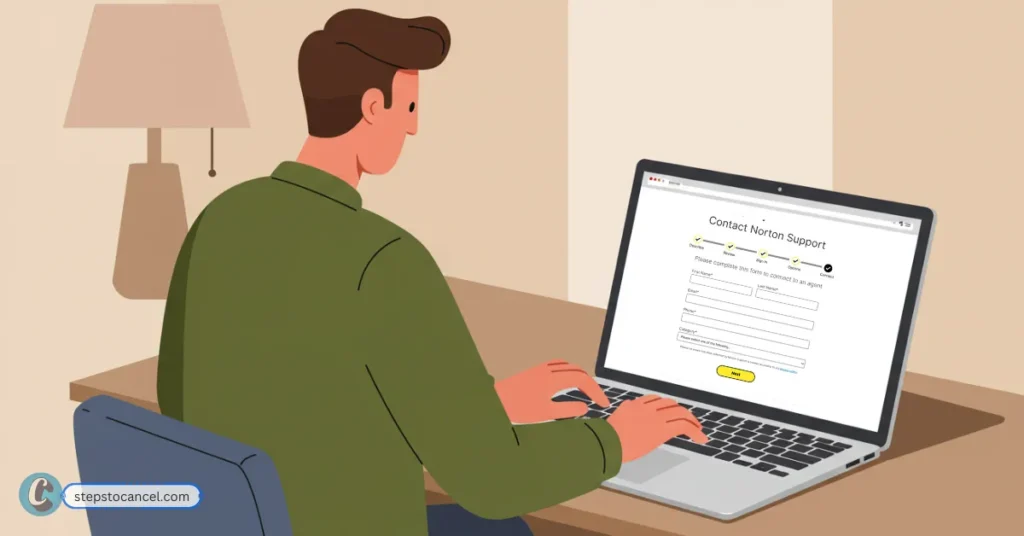
    An illustration of a person filling out a 'Contact Norton Support' form on a laptop
    An illustration depicts a person sitting at a desk, diligently typing on a laptop. The screen clearly shows a “Contact Norton Support” form, prompting the user to complete details like name, email, and category to connect with an agent.
    1. Visit the Norton Support Page
      Go to Contact Norton Support
    2. Select a Support Topic
      Click on “Purchase and Billing”
      Then choose “Manage My Renewal”
    3. Click “Need More Help?”
      A button labeled “Need more help?” will appear — click it.
    4. Choose Chat Option
      Sign in to your Norton account or continue as a guest.
      Then select “Chat Now” (available 24/7, 7 days a week).
    5. Fill Out the Form
      Complete a short form to describe your issue.
      You’ll be connected to a live agent to assist with your cancellation.

    If you’re streamlining your credit monitoring services, you might also want to cancel your Experian membership to avoid overlapping coverage and unnecessary fees

    How To Cancel LifeLock Subscription signed up via Apps?

    To cancel Lifelock subscription purchased through app, you must follow different appropach.

    1. Cancel through Apple App Store

    1. Open Settings ▸ [Your Name] ▸ Subscriptions.
    2. Locate LifeLock in the list and tap it.
    3. Tap Cancel Subscription (or Cancel Free Trial).
    4. Confirm when prompted; the line under the plan will change to Expires on … when successful.

    Apple handles all refunds for store-billed purchases—submit a request at reportaproblem.apple.com within 60 days (annual) of the charge and choose “Request Refund.”

    2. Cancel through Google Play Store

    1. Open Google Play Store ▸ Menu ☰ (or your profile picture) ▸ Payments & subscriptions ▸ Subscriptions.
    2. Tap LifeLock.
    3. Choose Cancel subscription ▸ Follow the prompts ▸ Confirm.
    4. You will see Expires on … instead of Renews on … when finished.

    Refund requests: Open play.google.com/store/account → Order history → find the LifeLock charge → Request a refund.

    How to cancel LifeLock purchased from Amazon?

    Canceling a LifeLock Subscription Purchased Through a Third-Party Retailer like Amazon,follow the steps below.

    1. Sign in to your Amazon account (web browser).
    2. Hover over Account & Lists and choose Memberships & Subscriptions.
    3. Locate the LifeLock entry and click Manage Subscription.
    4. In the subscription details page, open Advanced Controls.
    5. Select Cancel Subscription (sometimes labeled End Subscription) and confirm

    Common LifeLock Cancellation Issues

    Canceling LifeLock isn’t always straightforward. Based on user reports from the past year, these are the most frequently cited frustrations:

    1. Communication Barriers: Live chat is AI-powered—not human—and difficult issues often require phone support. Many users find it hard to communicate clearly or get personalized help.
    2. Endless Hold Times: Getting through to a real person can take hours, often requiring multiple phone calls and chats.
    3. Unhelpful or Rude Support: Even after reaching someone, users often report dismissive or untrained customer service that doesn’t resolve their issue.
    4. Scam & Phishing Fears: Scam emails posing as LifeLock or Norton raise alarm, especially when large fake charges are mentioned.
    5. No Simple Online Cancellation: Canellation process can be confusing.

    Be aware of predatory credit monitoring services that might target you with “free” trials after canceling LifeLock, cancel ClickFreeScore membership immediately

    FAQs on LifeLock subscription Cancellation

    Can I cancel my LifeLock subscription at any time?

    Yes, you can cancel your LifeLock subscription anytime. However, to avoid being charged for the next billing cycle, you must cancel before your renewal date.

    Can I cancel norton lifelock subscription online?

    Yes, if you signed up directly through LifeLock/Norton’s website. Log in to your Norton account, go to My Subscriptions, and follow the steps to Unsubscribe under Manage Renewal.

    What if I signed up through a third party or app store?

    You’ll need to cancel through the original platform (e.g., Apple App Store, Google Play, or Amazon) where you subscribed. LifeLock cannot cancel those accounts directly.

    Is there a cancellation fee?

    No, LifeLock does not charge a cancellation fee.

    How can I receive refund?

    Refunds depend on your billing plan:
    Annual Plans: Full refund if canceled within 60 days.
    Monthly Plans: If requested within 14-days from purchase.
  • How to Cancel Experian Membership? [Online and Phone]

    How to Cancel Experian Membership? [Online and Phone]

    You can cancel your Experian membership at any time by logging into Membership Portal online or by calling customer support. There is no required notice period, but it is best to cancel before your next billing date to avoid being charged for another month.

    If you are canceling by phone, have the following information ready:

    • Full name
    • Address
    • Email linked to your Experian account
    • Social Security Number (optional, may be requested for verification)

    How to Cancel Experian Membership Online

    man cancelling Experian membership online

    To cancel your Experian membership online, you must first downgrade your paid plan to a free plan. Follow these steps:

    1. Visit the Experian Help Page
      Go to the official support page: experian.com/help.
      This page does not include a direct login link, but it leads to the correct membership update section.
    2. Click “Sign in to update now”
      On the page, you will see a button labeled Sign in to update now.
      Click it to open the login page.
    3. Sign in to Your Account
      Enter your username and password.
      After logging in, you will be automatically redirected to your membership settings.
    4. Open Your Membership Settings
      Once redirected, you should see your membership details, including any available downgrade options.
    5. Select a Free Plan
      Choose the no-cost or free membership option.
      (Experian may show multiple plans—select the one with no monthly fee.)
    6. Confirm the Change
      Save or confirm the downgrade.
      Your paid subscription will end, and your account will switch to the free plan.

    Note: Experian does not offer a direct “cancel” button. The only online method is to switch your paid plan to a free plan. However, some memberships (such as CreditWorks or ProtectMyID) may not show a free downgrade option. If you do not see it, you will need to cancel by phone.

    Steps to Cancel Experian Membership by Phone Call

    man calling Experian support to discuss his membership cancellation

    To cancel your Experian subscription by phone, call (866) 617-1894 during business hours: Monday–Friday, 6 AM–8 PM PT, or Saturday–Sunday, 8 AM–5 PM PT.

    When canceling by phone, you will first hear an automated menu: press “1” for membership services and then “1” for billing. A representative will ask for your Member ID, name, and email, and will then confirm your cancellation.

    If the main line is unavailable, you can also call 1 (479) 343-6239 for support with Experian CreditWorksSM, Experian Credit TrackerSM, or Triple Advantage®.

    If you’re using other credit monitoring services, you may also find our guides on canceling IdentityIQ and ClickFreeScore helpful.

    How to I Contact Experian Support?

    Common Issues During Cancellation

    Many users report facing problems when trying to cancel their Experian membership. Here are the most common ones based on user feedback from forums, reviews, and support communities:

    1. Online Cancellation Issues: The option to downgrade or cancel online may not show up for some membership types.
    2. Long Phone Wait Times: Calling customer service can mean waiting on hold for a long time, especially during busy hours.
    3. Unclear Cancellation Status: Account dashboards may show active subscriptions even after cancellation.
    4. Email Redirects: Email cancellation requests are often redirected to phone support, adding extra steps.
    5. Sales Offers During Cancellation: Representatives may try to keep you as a member by offering discounts or upgrades, which can slow down the process.
  • How do I Cancel Credit Karma Account in 2025

    How do I Cancel Credit Karma Account in 2025

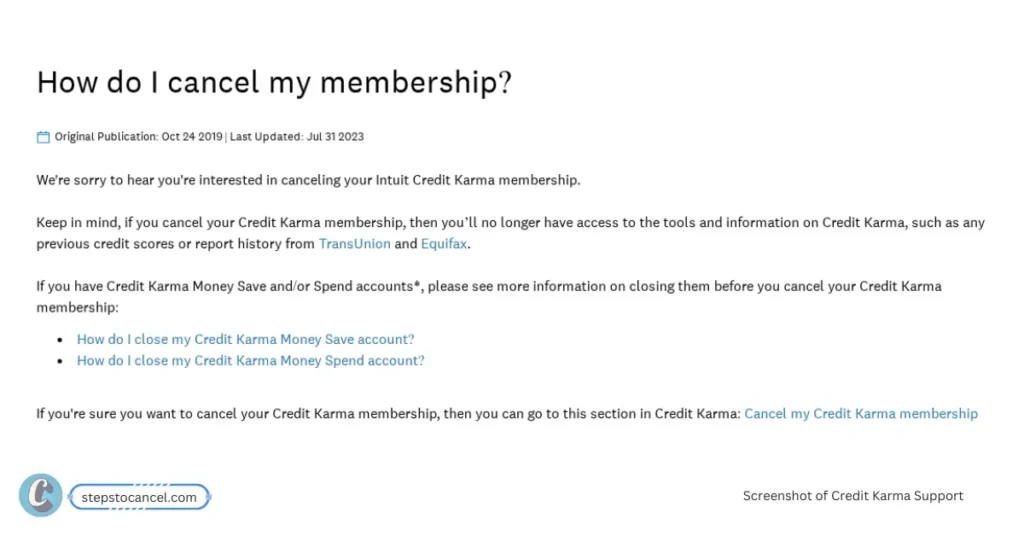
    Hey! Ready to close your Credit Karma account? Since their main services like credit monitoring are free, “canceling your membership” means deactivating your account.

    You have the option to close your account through website or mobile app (US and CA only), and I’ll guide you through these methods step by step using the official instructions.

    Key Takeaway

    • Data Retention: Your data may be kept for up to 2 years (anonymized after), per Credit Karma’s policy.
    • Credit Score: Closing your account won’t hurt your credit score.
    • Download your Data: Save your reports/scores before deleting — you’ll lose access.
    • Linked Accounts: Close Credit Karma Money (Spend or Save) or Intuit products separately.
    • Support Tips: Use support.creditkarma.com or email support@creditkarma.com — responses may be slow, so follow up.

    How to Cancel Credit Karma Membership Online?

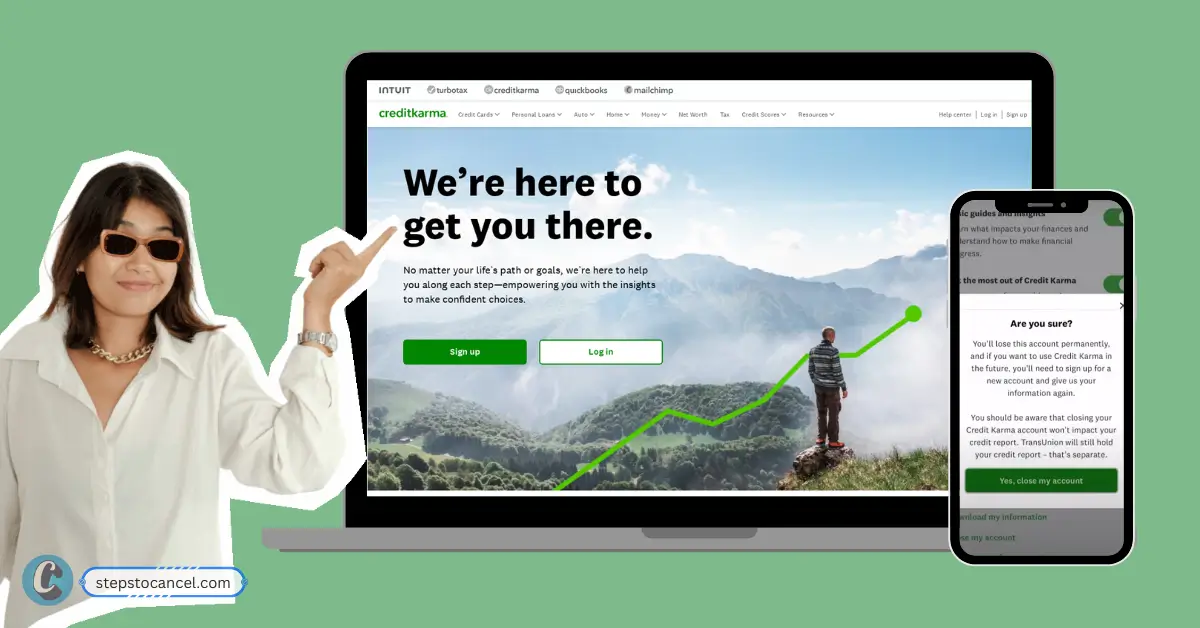
    offical website's screenshot of how to cancel Credit Karma online
    Screenshot of official cancellation guide for Credit Karma

    If you have a Credit Karma Money account or linked services like TurboTax, you’ll need close those account first. Then follow the steps listed below to cancel your Credit Karma membership.

    Step 1: Log In to your Credit Karma account

    Visit Credit Karma’s Official Webiste then sign in your account using your Username and Password.

    Step 2: Go to Profile’s Settings

    Click on the “Profile Icon” on the top-right corner then select on “Profile & Settings”.

    Step 3: Click on “Close my Account” button

    Scroll untill you see “Close my Account” button at the bottom of the page. Click on it, confirm closing your account by clicking on “Yes, close my account”.

    Note: You might need to confirm your identity, which may include answering security questions.

    Step 4: Confirm account closure

    Finally, complete the process by receiving an email confirming your account is deactivated.

    Alternative Method

    If you do not find the “Close my Account” option then, visit “how do I cancel my membership?” support guide and click “Cancel my Credit Karma membership” link.

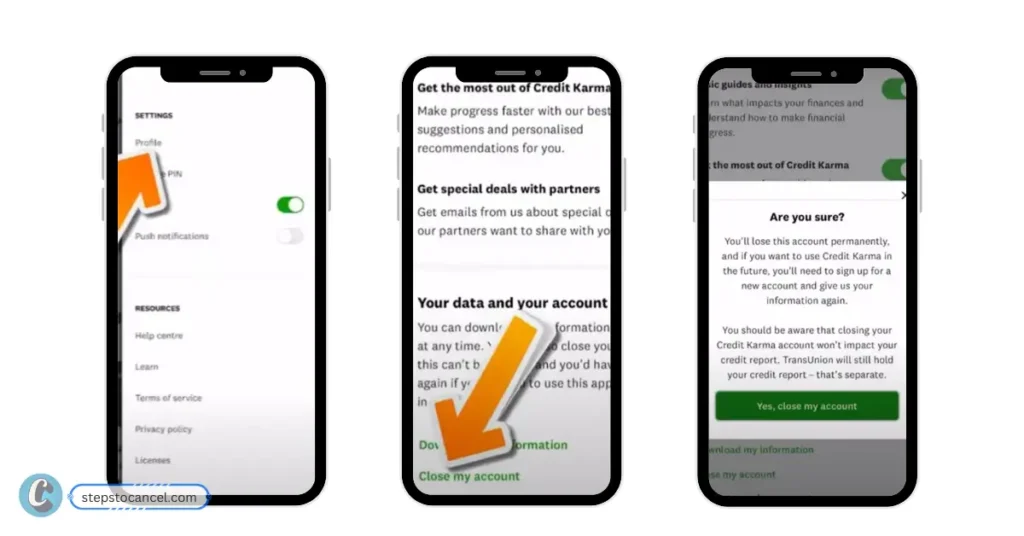
    How to Delete Credit Karma Account from Mobile App?

    If you are using the service from mobile app and in U.S., Canada, then follow the steps listed below.

    cancelling Credit Karma on mobile app
    Image Credit: trybeem
    1. Open the App: Launch the Credit Karma app on your iOS or Android device and log in.
    2. Go to Settings: Tap “Profile” or “Settings” (label may vary by device or app version).
    3. Find Deactivate Account: Look for “Security” or “Deactivate Account.” If it’s not visible, use the app’s Help Center (search icon) and type “deactivate account.”
    4. Verify Identity: Complete the identity verification prompts, which may include security questions.
    5. Confirm Deactivation: Follow on-screen instructions to finalize. You’ll get a confirmation email.

    Tip: Some users report app glitches hiding the “Deactivate Account” option. Update the app or clear your device’s cache to resolve this.

    FAQs on Credit Karma Cancellation

    Can I reactivate my Credit Karma account after closing it?

    No, deactivation is permanent. You’ll need to create a new account if you want to return, but Credit Karma Money accounts cannot be reopened.

    What if I have a TurboTax or Intuit account linked to Credit Karma?

    Manage these separately at accounts-help.intuit.com. Log in, go to “Products and Billing,” and cancel any subscriptions.

    How do I ensure my data is removed?

    Credit Karma retains data for up to two years for legal reasons. For extra security, freeze your credit reports with Experian, Equifax, and TransUnion after closing.

    What if I can’t log in to cancel?

    Contact support at support@creditkarma.com or call (888) 236-5798. Request a virtual chat with a real person, not a bot, to close your account.

    Will canceling affect my credit score?

    No, closing your account won’t impact your credit score, as Credit Karma only monitors it.
  • How to Cancel IdentityIQ: Step-by-Step Guide

    How to Cancel IdentityIQ: Step-by-Step Guide

    Struggling to cancel your IdentityIQ subscription? Don’t worry—we’ve got you covered with clear steps to stop your membership and protect your peace of mind.

    IdentityIQ is an identity protection and credit monitoring service. You can cancel online in some states (CA, CO, DE, NY, IL) or by phone. Refunds are not offered, so cancel before your next billing cycle to avoid unwanted charges.

    How to Cancel IdentityIQ Online through Website?

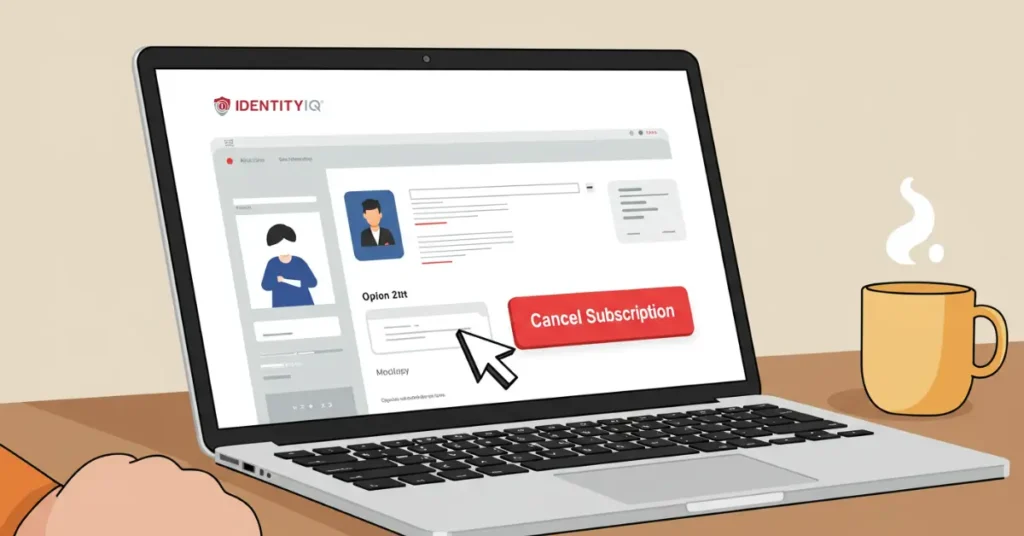
    Flat-style comic illustration of a laptop screen with a cursor hovering over a bright red “Cancel Subscription” for IdentityIQ

    If you’re in California (CA), Colorado (CO), Delaware (DE), New York (NY), or Illinois (IL), you can cancel your IdentityIQ membership online quickly. Follow these steps to take control and stop your subscription:

    1. Log in to your IdentityIQ account.
      Go to the IdentityIQ website and sign in using your username and password.
    2. Open the menu.
      Look for the menu icon in the top-left corner of the screen and tap or click on it.
    3. Select ‘Manage my Account’.
      Choose “Manage my Account” from the menu options.
    4. Find and click “Cancel Membership.”
      Scroll through your account settings until you see the option to cancel your membership. Click or tap on it.
    5. Follow the cancellation prompts.
      The website will guide you through a few steps to confirm your cancellation. Make sure you read any messages carefully.
    6. Check for a confirmation email or take a screenshot.
      After you complete the process, check your email for a confirmation. If you don’t get one, take a screenshot of your cancellation confirmation page as proof.

    Note: If you don’t see a “Cancel Membership” option, it’s likely because online cancellation isn’t available in your state. Don’t stress—use the phone cancellation method below to get it done

    IdentityIQ Subscription Cancellation Phone Number

    Close-up flat-style illustration of a smartphone screen showing the number 877-875-4347 being dialed, held by a light tan hand with bold outlines

    Phone cancellation is available for all users and may involve identity verification.

    1. Call IdentityIQ at 1-877-875-4347 during business hours
      • Monday–Friday: 7 AM–8 PM CST
      • Saturday: 8:30 AM–5 PM CST
    2. Tell the representative you want to cancel your membership.
    3. Provide your account details for verification.
      • Might ask for billing address or the last four digits of your Social Security Number
    4. Ask for a confirmation email to confirm cancellation.
    5. Check your email and save the confirmation.

    Tip: Cancellation calls may take 10–15 minutes. Stay firm to avoid upselling attempts, which can feel like a trap. If you’re worried about pushback, prepare to say, “I just want to cancel, please process it now.”

    Request Data Deletion

    Protecting your personal data after cancellation is crucial to avoid the fear of it being exposed. Request that IdentityIQ delete your information to safeguard your privacy:

    1. Email IdentityIQ customer service at privacy@idiq.com.
      Use this specific email for data deletion requests to ensure your information is securely removed.
    2. Include your full name, account email, and a request to delete your data.
      For example: “Please delete all personal data associated with my account, including my name and email.”
    3. Keep a record of your request and their response.
      IdentityIQ should confirm within 45 days. If you don’t hear back, follow up via email or call 1-877-875-4347 to ensure your data is safe.

    FAQs on Cancel IdentityIQ

    Do I need to provide Notice Period?

    No, IdentityIQ memberships are billed monthly with no long-term contract. Cancel before your next billing date to avoid charges for the following month.

    What happends afrer trial period?

    After a 7-day trial period ends (often $1) you will be automatically enrolled in a paid plan.

    Can I Freeze my membership instead?

    No, IdentityIQ doesn’t offer a freeze or pause option. You must fully cancel to stop charges, but you can contact them to reactivate if you change your mind before the billing cycle ends.

    Why can’t I find the cancel button on the IdentityIQ website?

    If the “Cancel Membership” option is missing, you’re likely in a state where online cancellation isn’t available (only CA, CO, DE, NY, and IL allow it).

    What if I don’t receive a confirmation email after canceling?

    Contact customer service at customerservice@identityiq.com or call 1-877-875-4347 to verify cancellation.

    What happens to my credit monitoring reports after cancellation?

    After cancellation, you will lose access to credit monitoring reports and other services. Download any reports before canceling, as IdentityIQ does not retain access for canceled accounts.

    What if I was enrolled without my consent?

    If you were signed up without permission, act urgently. Contact IdentityIQ at 1-877-875-4347 or customerservice@identityiq.com to dispute the enrollment. Provide evidence (e.g., bank statements). If unresolved, dispute charges with your bank and consider filing a complaint with the Consumer Financial Protection Bureau to protect yourself.

    Alternatives to IdentityIQ

    If you’re canceling due to cost or features, consider these alternatives:

    • ClickFreeScore: Affordable credit monitoring to keep your finances secure.
    • Aura: Identity protection with competitive pricing.
    • Experian IdentityWorks: Budget-friendly credit monitoring to stay on top of your reports.
  • 2 Simple Ways to Cancel MyFreeScoreNow

    2 Simple Ways to Cancel MyFreeScoreNow

    MyFreeScoreNow has mixed reviews, with some users satisfied and others frustrated by cancellation difficulties and unexpected charges.

    The credit score company charges a $1 non-refundable activation fee when sign up, giving users a 7-day free trial. But it automatically enrolls users into a paid membership at $29.95 per month unless you cancel.

    Key Takeaways

    1. Official cancellation must be done by phone or mail.
    2. Cancel before the 7-day trial ends to avoid automatic charges.
    3. Annual subscribers may be eligible for a prorated refund if canceled within 180 days.
    4. Many users complaints about cancellation difficulties and unexpected charges.

    How to Cancel MyFreeScoreNow?

    Due to their privacy policy, cancellation is only accepted via phone or letter—online cancellation is not available.

    Cancellation MethodOfficial?Notes
    PhoneYesFastest official method
    LetterYesSlow, less reliable
    Email/OnlineNoUsers often redirected to phone/mail

    How to Cancel MyFreeScoreNow via Phone call?

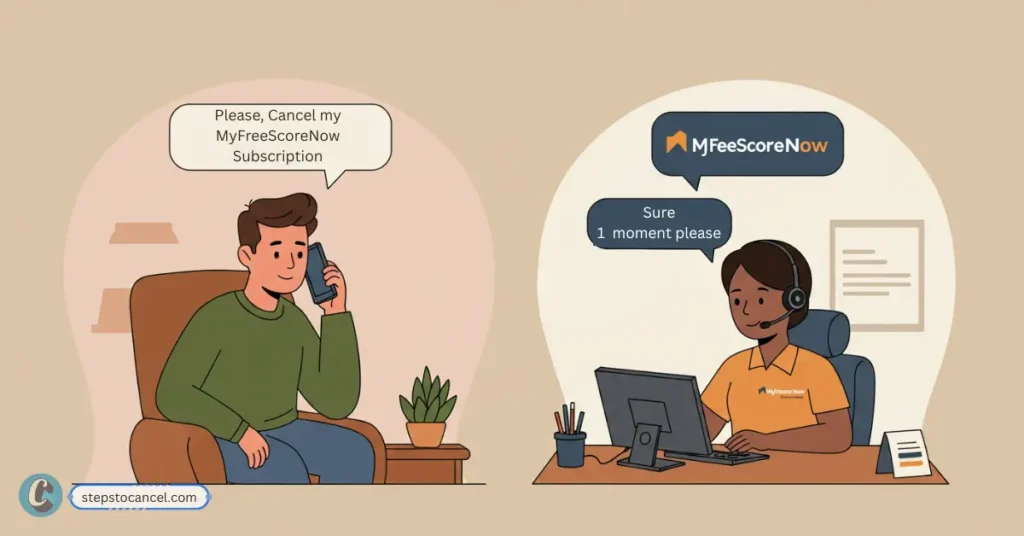
    Man calls customer service to cancel MyFreeScoreNow subscription, representative confirms.
    Learn how to easily cancel your MyFreeScoreNow subscription by making a simple phone call to customer service.

    To cancel your MyFreeScoreNow membership by phone, call their customer service at 1-888-548-2008 during business hours. Once connected, request to cancel your membership. It’s recommended to ask for a confirmation email as proof.

    Their support team is available:

    • Monday to Friday: 8:00 a.m. – 9:00 p.m. ET
    • Saturday & Sunday: 9:00 a.m. – 6:00 p.m. ET

    Calling is the quickest and most reliable way to cancel your MyFreeScoreNow account.

    Similar Article: Cancel your ViewFreeScore Subscription

    How to Cancel MyFreeScoreNow Subscription by Mail?

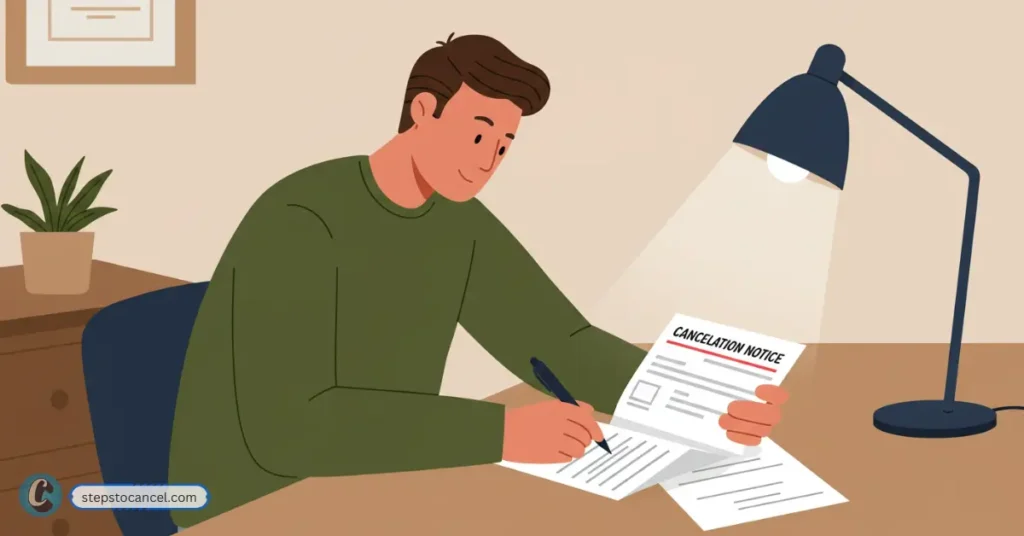
    Man sitting at a desk, writing on a document labeled 'CANCELLATION NOTICE' for MyFreeScoreNow
    Ensure your cancellation is official by sending a clear, written notice.

    To Cancel your MyFreeScoreNow write a cancellation notice letter and mail it to:

    MyFreeScoreNow Inc.
    PO Box 3453
    Thousand Oaks, CA 91359.

    Follow the below template

    [Your Full Name]
    [Your Address]
    [City, State, ZIP Code]
    [Email Address associated with your MFSN account]
    [Today’s Date]

    MyFreeScoreNow
    PO Box 3453
    Thousand Oaks, CA 91359

    Subject: Request to Cancel MyFreeScoreNow Subscription

    Dear MyFreeScoreNow Support Team,

    I am writing to formally request the cancellation of my MyFreeScoreNow membership. Please consider this letter as my official cancellation notice. I kindly ask you to stop any future billing associated with my account.

    If any additional steps are needed from my side, please notify me at the email address provided above. I would also appreciate a written or email confirmation of this cancellation for my records.

    Thank you for your assistance.

    Sincerely,
    [Your Full Name]

    Note: This method is slower and less reliable, as you cannot track the delivery or processing of your request.

    Does MyFreeScoreNow refund?

    No, MyFreeScoreNow does not provide any refunds for Monthly Subscribers.

    But offers a prorated refund for annual subscribers only who cancels their subscriptin within 180 days of being billed.

    FAQs

    Can I Cancel MyFreeScoreNow Online? 

    No, MyFreeScoreNow does not support online cancellation for security reasons.

    How to cancel MyFreeScoreNow through email?

    MyFreeScoreNow does not allow cancellation via email.

    How can I contact MyFreeScoreNow support?

    To contact MyFreeScoreNow support call them at 1-888-548-2008 or send an email customersupport@myfreescorenow.com.

  • Cancel your ViewFreeScore Membership [Phone and Online]

    Cancel your ViewFreeScore Membership [Phone and Online]

    Signed up for ViewFreeScore just to check your credit score or maybe for a loan like everyone else – only to find a surprise $39.90 charge? Then spent 20+ frustrating minutes arguing with an AI bot just to cancel?

    You are not alone, with only 1.5/5 Trustpilot rating and scam reports on ScamPulse many other faced this problem. And in this guide we will provide clear steps to cancel, backed by user experiences and official data, so you can escape without losing money or patience.

    Many Users have reported similar pricing and Cancellation issue with ClickFreeScore as well — it’s worth comparing.

    Keypoints:

    • Pain Points: Out of 61 Trustpilot reviews, ViewFreeScore holds a 1.5/5 rating – majority complaints mentioning unauthorized charges or trouble canceling.
    • Charges: The $1 trial auto-renews at $39.90 monthly, often without clear disclosure.
    • Official Cancellation Method: Call (866) 460-2315, use live chat in the member portal (California users prioritized)
    • Alternative Route: Gather enough evidance like call logs, certified mail then block payments via your bank to stop $39.90 charges.

    How Can You Cancel ViewFreeScore by Phone?

    Illustration of a frustrated man calling ViewFreeScore customer service to cancel his subscription, with a computer screen showing a virtual agent and speech bubbles displaying the cancellation request and automated response

    Calling ViewFreeScore support is confirmed to be official cancellation methods, follow the steps listed below.

    1. Call Customer Service: (866) 460-2315 during business hours
      • Monday-Friday 9 AM-9 PM EST,
      • Saturday 9 AM-4 PM EST,
      • Sunday 1 PM-6 PM EST
    2. Avoid Upsells: “I want to cancel my ViewFreeScore membership immediately.” Decline any offers to stay.
    3. Demand Confirmation: Request a cancellation email or reference number. If none arrives within 24 hours, call again.
    4. Check Statements: Monitor your bank for 30 days to ensure no charges.

    TIPs: They have auto respond AI Bot, you might need to call multiple times to reach a human representative.

    How Do You Cancel ViewFreeScore via Live Chat Online?

    A man attempts to cancel his ViewFreeScore subscription through live chat on a laptop, receiving an automated message saying "Unable to Process, Please Try Again Later," in a simple home office environment

    Live chat in the ViewFreeScore member portal is an option, especially for California residents with legal online cancellation rights.

    1. Log In: Visit viewfreescore.com and sign into your member portal with your email and password.
    2. Find Live Chat: Look for a “Support” or “Contact Us” section with a chat icon.
    3. Request Cancellation: Tell the agent, “Please cancel my membership immediately.” Provide your Member ID and account details.
    4. Save Proof: Screenshot the chat and request a confirmation email.
    5. Verify Billing: Check your bank for 30 days to confirm no charges.

    Alternative Methods to Cancel ViewFreeScore

    Sending a registered letter ensures legal proof of cancellation, ideal if other methods fail.

    1. Write a Letter: Include your Member ID, name, address, and a clear request: “I am canceling my ViewFreeScore membership effective immediately.”
    2. Failed Attempts: Mention other attempts via phone call or live chat, add logs to support your claims.
    3. Send Registered Mail: Mail to 445 Dexter Avenue Suite 4050, Montgomery, AL 36104. Request a return receipt.

    Legal Proof: Registered mail protects against “we didn’t receive it” claims. If phone support ignores send certified mail with proof gather records then request stopping charges providing proof to their bank.

    What’s ViewFreeScore’s Cancellation Policy?

    You can cancel ViewFreeScore anytime without a contract, with access continuing until the billing cycle ends. The $1 trial auto-renews at $39.90 monthly if not canceled within 7 days, and no refunds are offered.

    Policy Breakdown

    • No Contract: Cancel anytime via phone, chat, email, or mail.
    • Trial Trap: The $1 trial charges $39.90 after 7 days. Users on Trustpilot report unclear terms.
    • Billing Cycle: Cancel 3 business days before renewal to avoid charges (unverified but plausible).
    • No Refunds: Trustpilot confirms no refunds, even for unauthorized charges, unless disputed via bank or BBB.
    • Access Post-Cancellation: You retain access until the cycle ends.

    Is ViewFreeScore a Scam or Legit?

    ViewFreeScore, run by Golden Few, LLC, is a legal service providing credit monitoring from Equifax, Experian, and TransUnion. However, its 1.5/5 Trustpilot rating and ScamPulse reports of unauthorized charges and scam-linked signups (e.g., fake loans) raise red flags.

    Evidence of Issues

    • The $1 trial auto-charges $39.90 monthly, often undisclosed. A Trustpilot user was charged $39.90 despite canceling.
    • ScamPulse links ViewFreeScore to fake job and loan offers, charging users unexpectedly.
    • Users report AI bots, unresponsive chat, and refused refunds.
    • Ratings:
      • Trustpilot: 1.5/5 from 61 reviews
      • ScamPulse: Multiple fraud complaints
      • Scamadviser: Low trust score due to generic domain and limited transparency

    Counterpoint

    • Registered in Montgomery, AL, with verified contact details.
    • BBB Status: Not accredited, but no formal rating due to ongoing review.

    FAQ: Your Top ViewFreeScore Cancellation Questions Answered

    Can I Cancel ViewFreeScore Online?

    Yes, via live chat in the member portal, especially for California residents. Otherwise, call (866) 460-2315.

    What If ViewFreeScore Charges Me After Cancellation?

    Dispute charges with your bank, providing cancellation proof. File a BBB complaint if needed.

    Is ViewFreeScore a Scam?

    It’s a legal service but uses deceptive practices like hidden fees and hard cancellations. Use free alternatives.
  • 2 Easy Ways to Cancel your ClickFreeScore Membership

    2 Easy Ways to Cancel your ClickFreeScore Membership

    Struggling to cancel your ClickFreeScore membership? Well, you’re not alone. Everyone who started with a $1 trial now are paying $39.90 monthly on auto-renew.

    So, it is important to cancel your membership via phone Call call or use the live chat in your member portal (especially if you’re in California). within 7 days to avoid fees.

    Data collected from Reddit and Trustpilot report suggest the Credit Monitoring compoany has unresponsive support and scam-like tactics, so act fast and document everything.

    Related: ViewFreeScore is a similar credit score service and has similar problems as well — it’s worth comparing.

    How Do I Cancel My ClickFreeScore Subscription Over the Phone?

    Customer on laptop asking ClickFreeScore agent to cancel subscription; support rep smiles as process the request

    The most reliable way to cancel your ClickFreeScore membership is by calling their customer service. This method is confirmed by Member FAQs and worked for most users, though some report long wait times or pushback.

    1. Call (855) 504-5101 during business hours
      • Monday-Friday 9 AM-9 PM EST,
      • Saturday 9 AM-4 PM EST,
      • Sunday 1 PM-6 PM EST.
    2. Have Your Details Ready: Provide your Member ID, full name, and the address used to sign up.
    3. Request Cancellation: “I want to cancel my ClickFreeScore membership effective immediately.” Don’t let reps upsell you on discounts.
    4. Request Confirmation: Ask for a cancellation confirmation email or SMS.
    5. Monitor Your Bank: Check statements for 30 days to ensure no further charges.

    If No Answer: Make sure to call only during within office hour. Try multiple times as this has been a common problem for those who tried to speak to customer support.

    Expert Insight: “Phone cancellations are the gold standard for subscription services, but always call early if you are in trial period or get written confirmation to avoid disputes.”

    How to Cancel ClickFreeScore Online?

    Man calling ClickFreeScore to cancel membership by phone; desk with ClickFreeScore website open

    If phone support fails or you prefer online methods, you can cancel through ClickFreeScore’s live chat in the member portal. This is especially effective for California residents, who have legal rights to online cancellations.

    1. Log In: Visit clickfreescore.com and sign into your member portal using your email and password.
    2. Find Live Chat: Go to “Membership” or “Support” section. Look for a chat icon or “Contact Us” link.
    3. Request Cancellation: Tell the agent, “I want to cancel my membership immediately.” Provide your Member ID and account details.
    4. Save Proof: Screenshot the chat and request a confirmation email.
    5. Check Billing: Ensure no charges appear after the current billing cycle ends.

    If you still cannot cancel or is getting charged after submission then “Blocking payments is a last resort but effective. Always notify the merchant first to avoid legal gray areas.”

    What Happens After You Cancel ClickFreeScore?

    Once you cancel, your ClickFreeScore membership should deactivate at the end of the current billing cycle, with no further charges. However, users report ongoing issues that require vigilance.

    1. Access Ends: You lose member portal access, credit reports, and alerts.
    2. Confirmation: You should receive a cancellation email. Save it.
    3. Potential Charges: 22% of PissedConsumer users were charged post-cancellation.
    4. Promotional Emails: Some users still get marketing emails; unsubscribe via the email link.

    Post-Cancellation Steps

    1. Check Statements: Monitor your bank for 60 days. Dispute any charges immediately.
    2. Freeze Credit: Reddit users suggest freezing your credit with Experian, Equifax, and TransUnion to prevent misuse, especially after scam-related signups.
    3. Use Free Alternatives: Switch to AnnualCreditReport.com for free yearly reports or Credit Karma for daily monitoring.

    Why Is Canceling ClickFreeScore So Hard?

    You signed up for ClickFreeScore to check your credit score, maybe for a job application or apartment rental, only to find unexpected $39.90 charges on your bank statement.

    Sound familiar? You’re like Anna from Alaska, who canceled her trial but still got billed at 3 AM, or John, who fell for a fake Craigslist apartment listing linked to ClickFreeScore.

    Data collected by our site reveal a pattern: unresponsive support, hidden fees, and scam allegations. This guide cuts through the noise to help you cancel your membership without losing your sanity.

    1. Our Goal: Arm you with clear, actionable steps to cancel and avoid future charges, backed by verified data and user experiences.
    2. Real User Pain Points: 52% of ClickFreeScore complaints on PissedConsumer involve cancellation issues or unauthorized charges.
    3. Why It Matters: With a 1.6/5 Trustpilot rating and a low Scamadviser trust score, ClickFreeScore’s practices raise red flags.

    ClickFreeScore’s FAQ on Cancellation

    Can I cancel my ClickFreeScore subscription immediately?

    Yes, you can submit a cancellation request at any time and continue to use service end of your current billing cycle.

    Does clickFreeScore charge cancellation fee?

    No. ClickFreeScore does not charges any cancellation fee However, you should cancel at least 7 days before your next billing date to avoid billing for the next cycle.

    Can I Cancel ClickFreeScore Online?

    Yes, clickFreeScore offers cancellation via online by logging in to your member portal’s live chat.

    What is ClickFreeScore cancellation phone number?

    ClickFreeScore cancellation phone number is (855) 504-5101.

    What If I Can’t Reach ClickFreeScore by Phone?

    Make sure to call during business hours: Monday–Friday, 9 AM–9 PM EST; Saturday, 9 AM–4 PM EST; Sunday, 1 PM–6 PM EST. If no answer, use the live chat or email at support@clickfreescore.com.