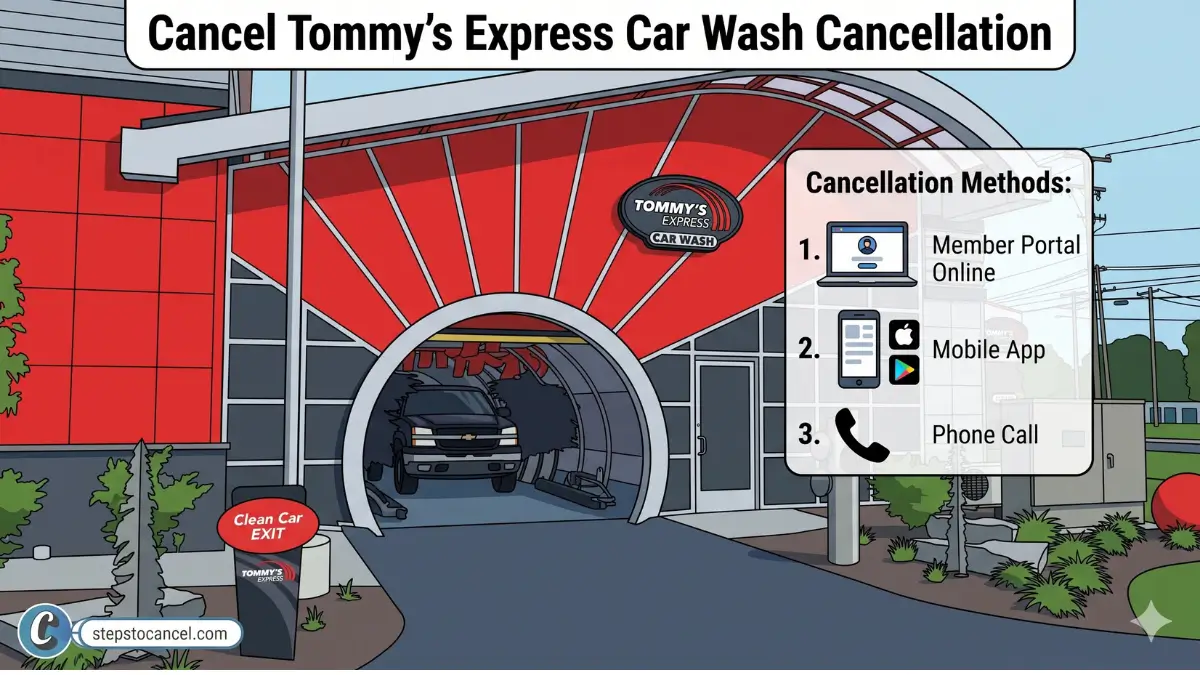
To cancel a Tommy’s Express TommyClub plan, open the Tommy’s Express app, choose the vehicle, tap the arrow next to Modify and select Deactivate Plan, or call Guest Services at (616) 369-8917. Do it at least five business days before the plan renews (Terms §2(m)), and repeat it for each vehicle. You keep washing until the paid period ends, with no pro-rated refund.
Tommy’s Express runs TommyClub through its app and Member Portal rather than at the wash, so the steps differ from many other car wash cancellation guides. Telling on-site staff does not cancel a plan (Terms §2(n)).
This guide covers each method, the per-vehicle rule, the pause option, the 30-day free trial and what to do if you can’t log in.
Before You Cancel: What You Need
- Tommy’s Express app installed, or access to app.tommys-express.com in a browser
- Account login credentials (email and password)
- Billing date — the renewal date for each vehicle’s plan
- One cancellation per vehicle — each enrolled car requires its own deactivation
Signed up at the wash and never used the app? If your plan doesn’t appear in the app, call Guest Services at (616) 369-8917 to find and cancel it. Requests made outside the app need at least five business days to process (Terms §2(n)).
How to Cancel Tommy’s Express Car Wash Membership
The Tommy’s Express Terms allow cancellation in the app or by calling Guest Services (§2(n)). The browser-based Member Portal at app.tommys-express.com also lets you manage your account.
Cancellation walkthrough video
Method 1: Tommy’s Express App (Recommended)
These are the steps in the Tommy’s Express help article “Deactivate subscription”. Cancel at least five business days before your plan renews (Terms §2(m)).
Download the official app for Android or IOS, then follow the steps listed below.
Open Tommy’s Express official Mobile App
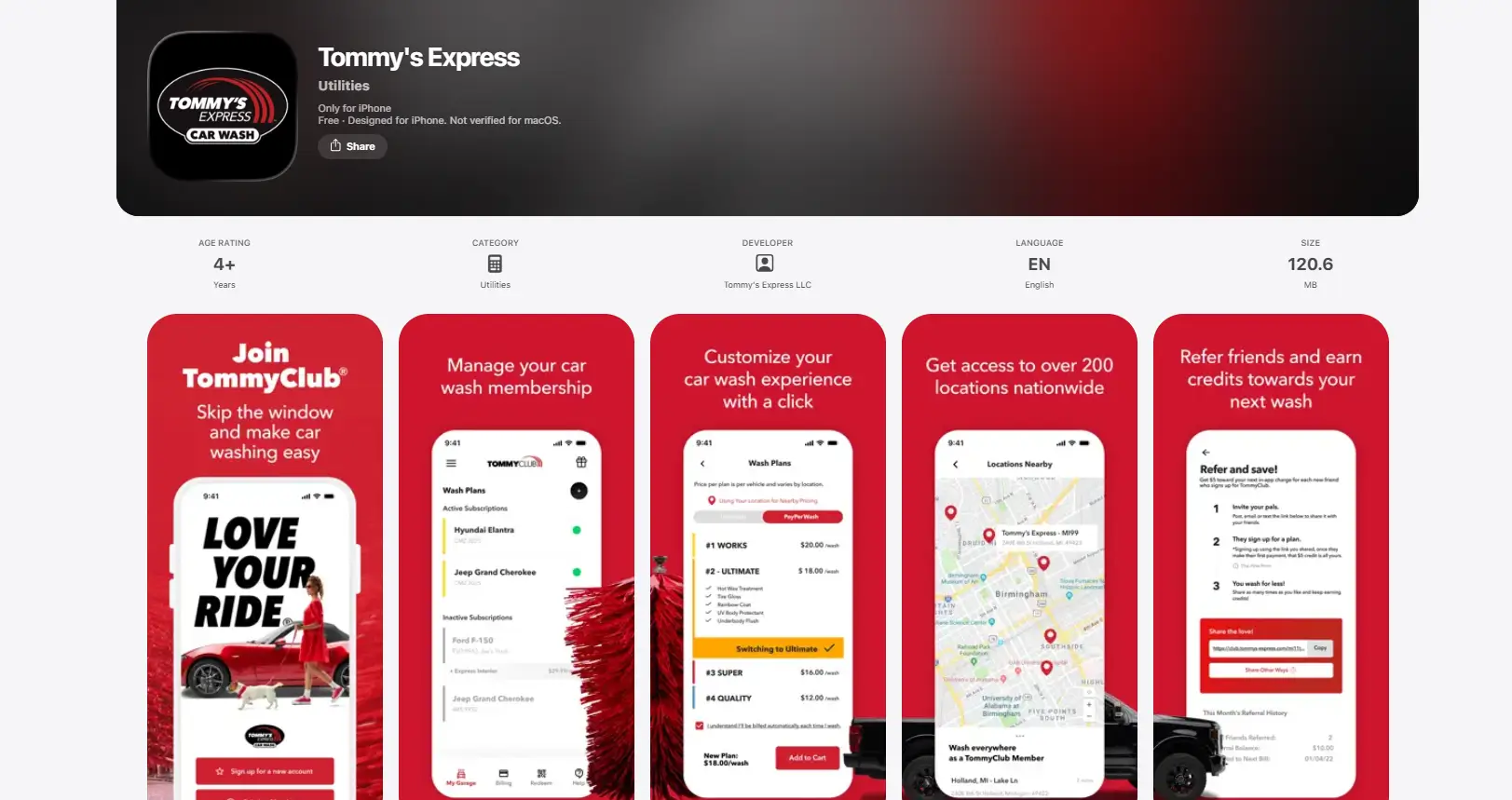
Open the Tommy’s Express app and sign in.
Select Your Vehicle
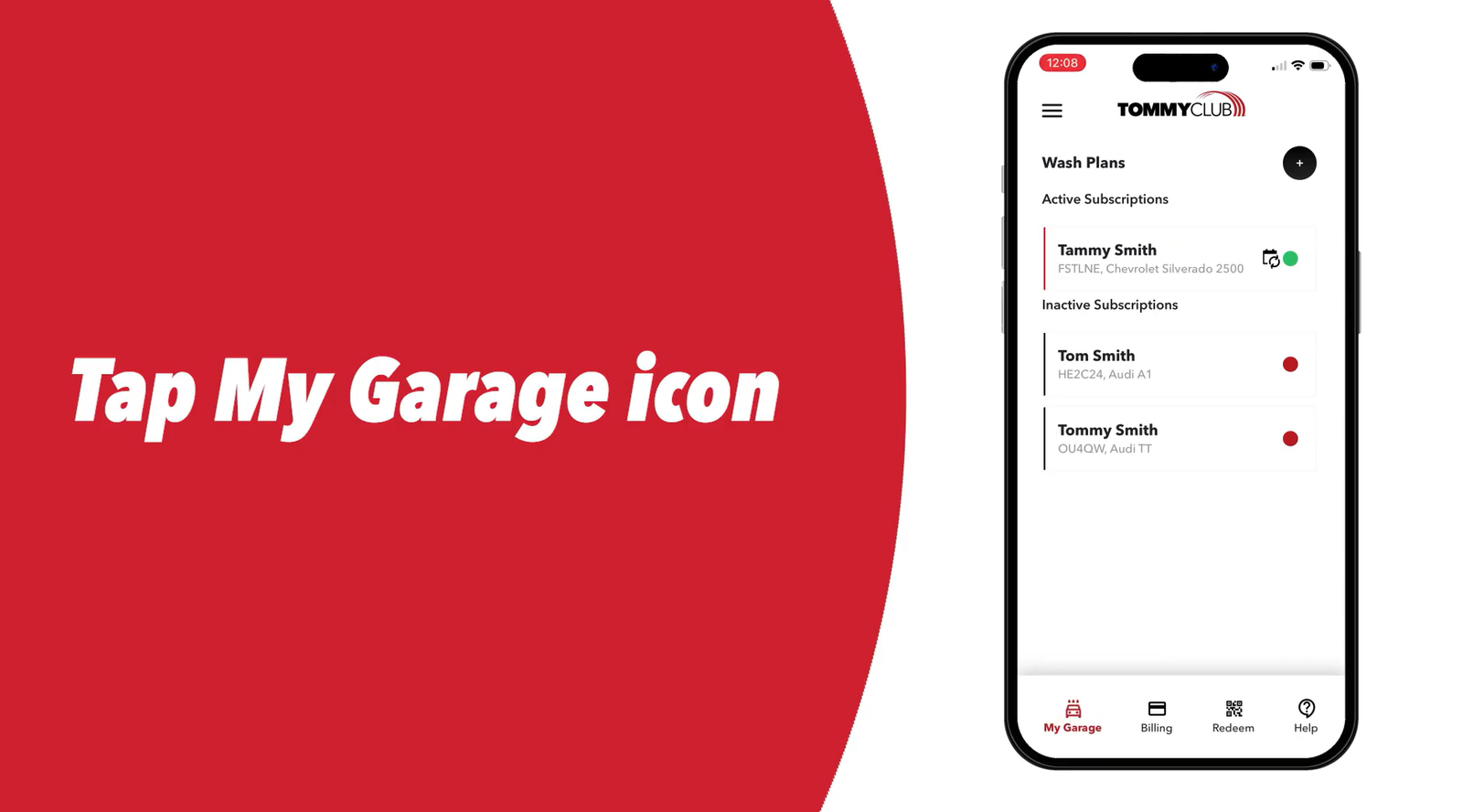
Tap on “My Garage” menu then choose the vehicle whose plan you want to deactivate from your garage.
Tap the Modify Drop-Down
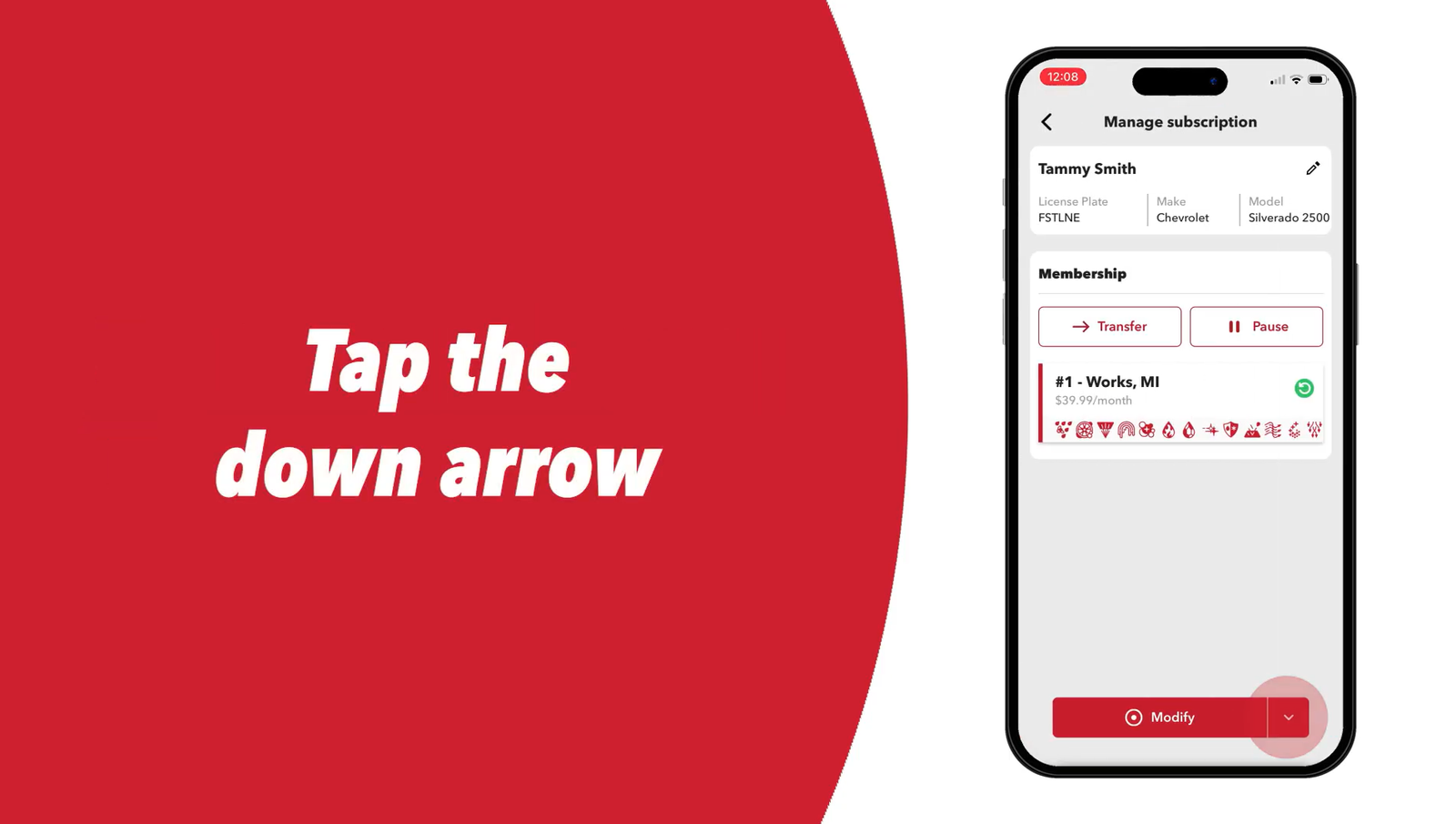
Tap the drop-down arrow next to Modify.
Select Deactivate Plan
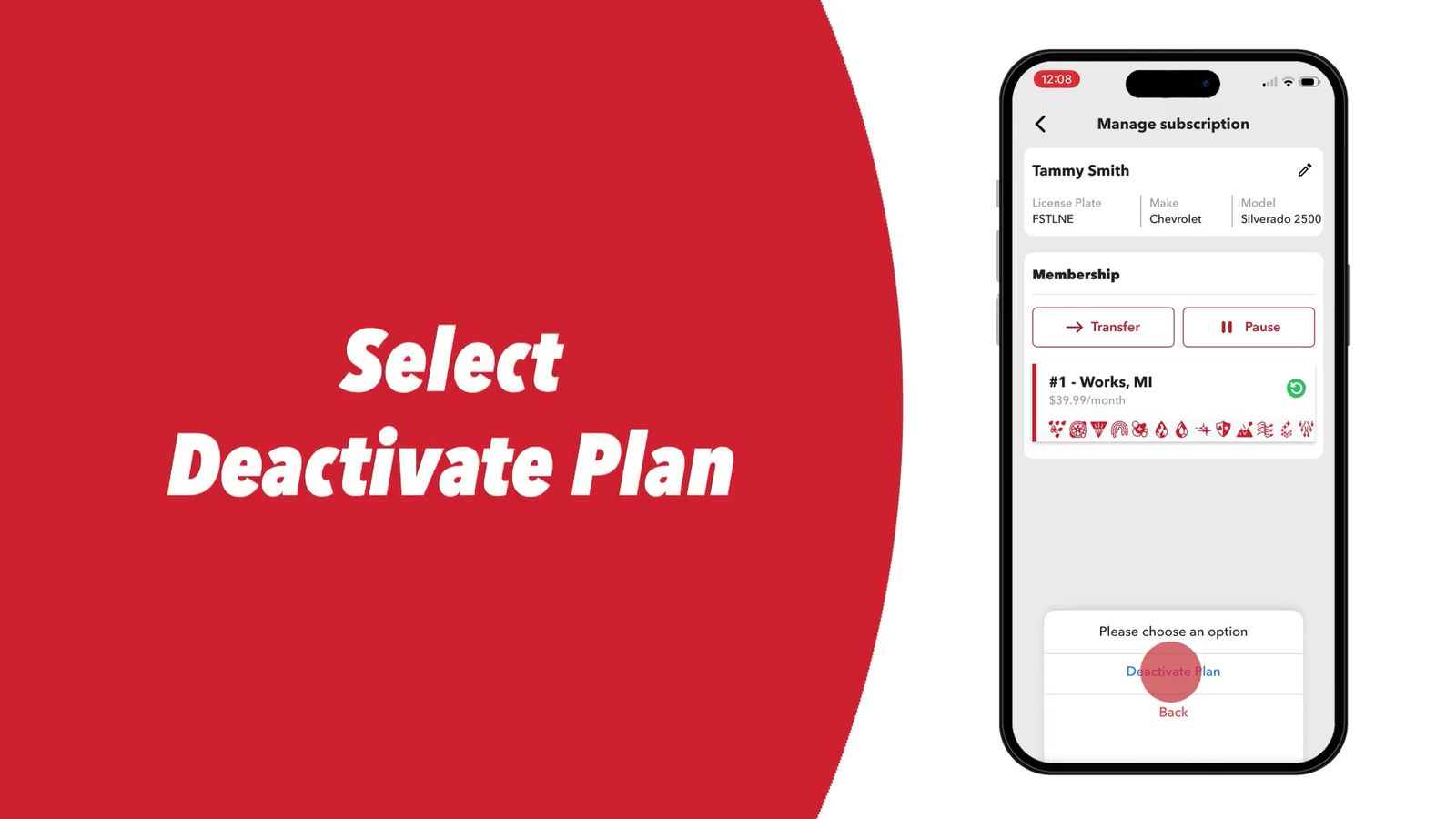
Select Deactivate Plan from the menu. (This is the cancellation option — Tommy’s Express does not use the word “Cancel” in the UI.)
Pick a Reason
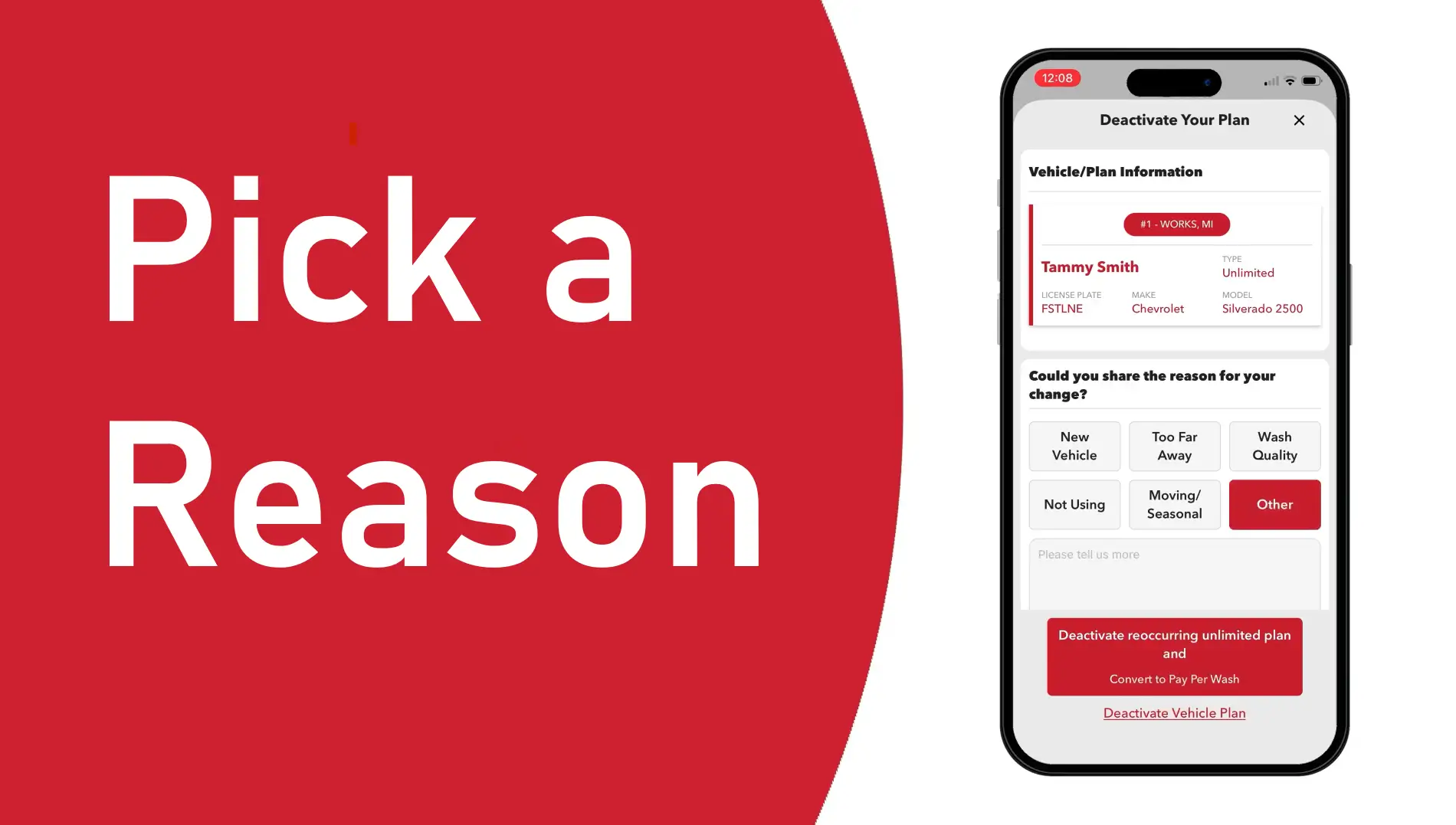
Select a reason for deactivation from the list provided.
Tap Deactivate Vehicle Plan
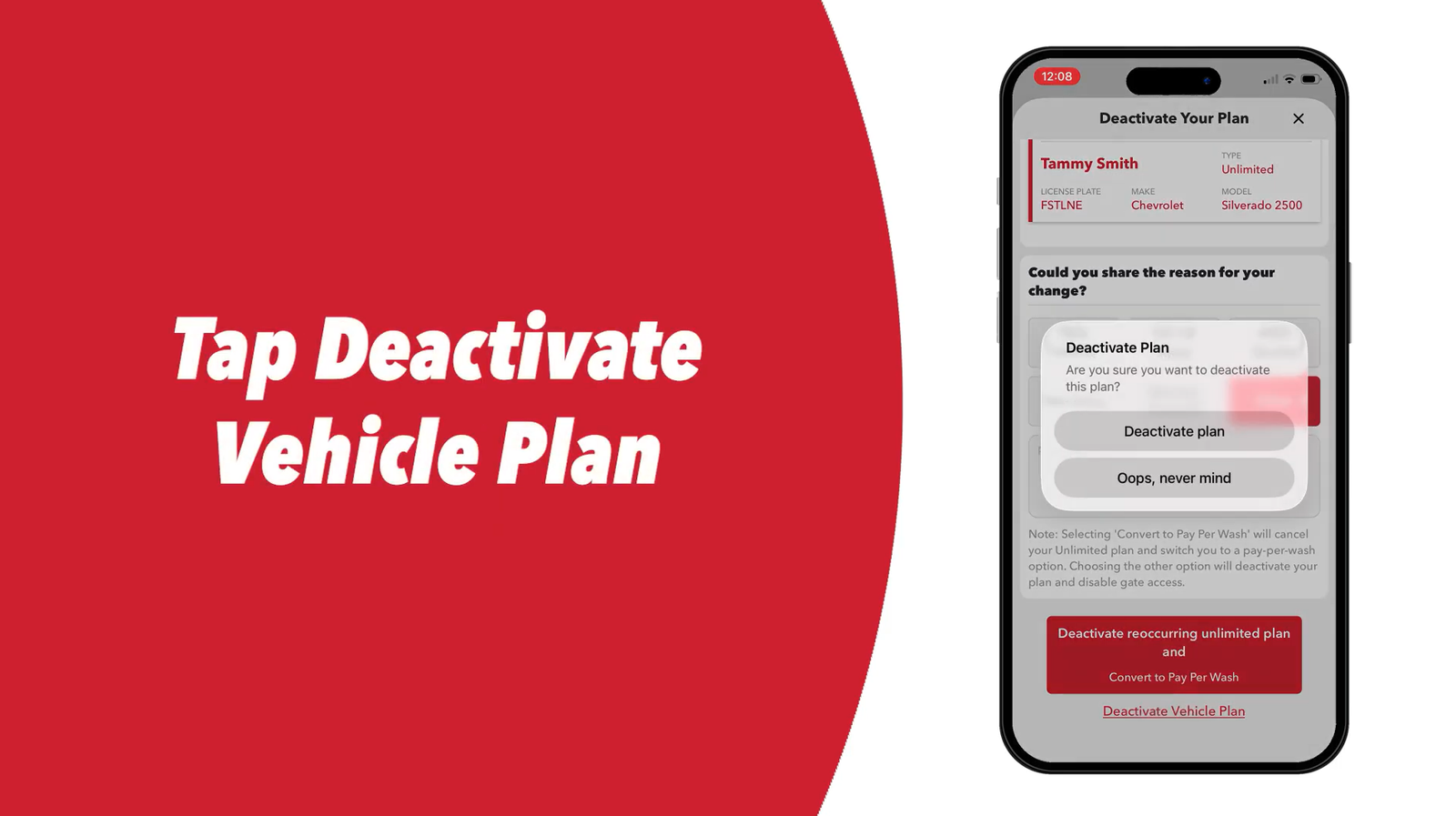
Tap Deactivate Vehicle Plan to proceed.
Confirm a Second Time
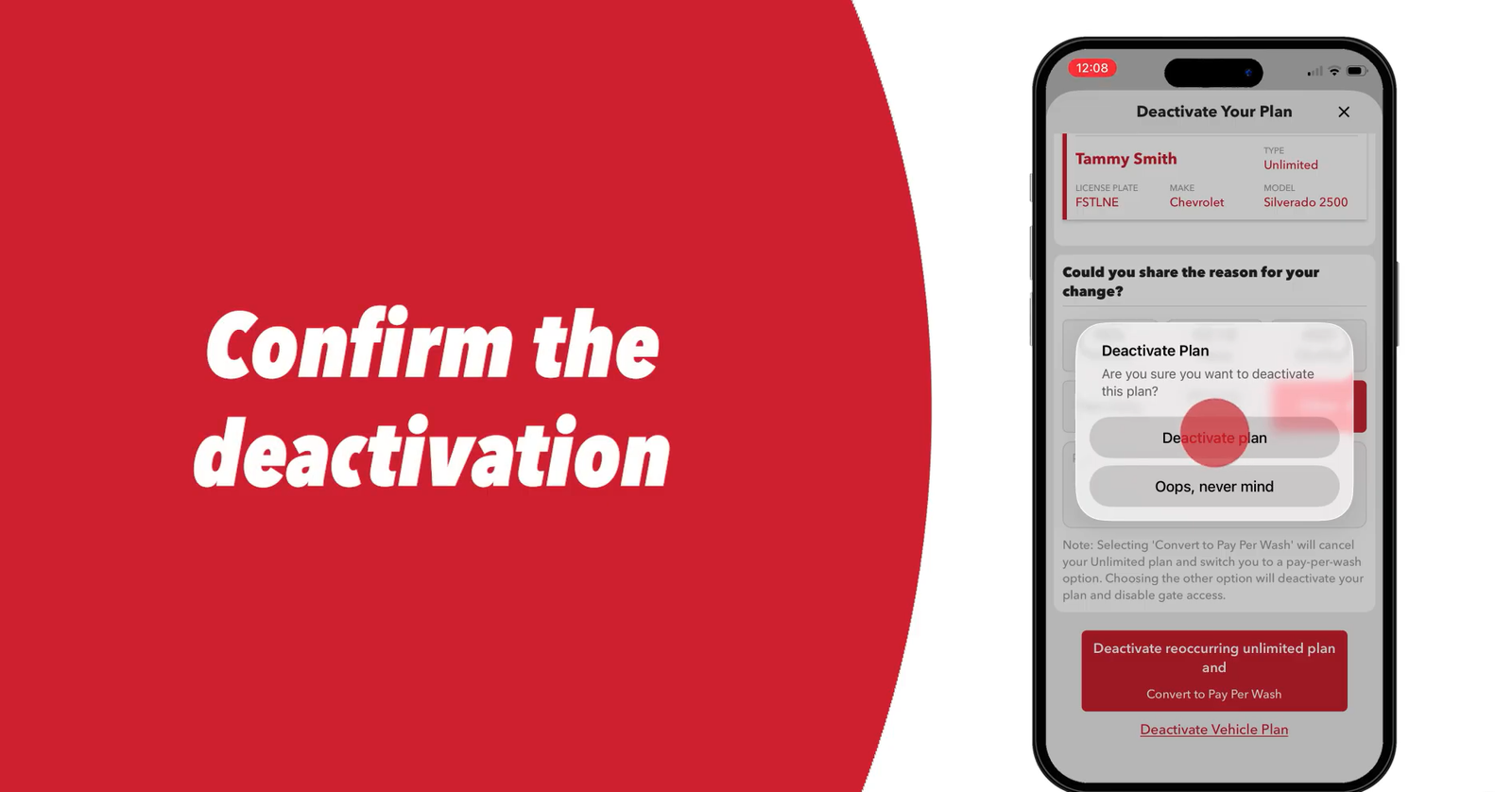
Tap Deactivate Plan again to confirm. Tommy’s Express requires two confirmations to process the deactivation.
Tap the X to Close
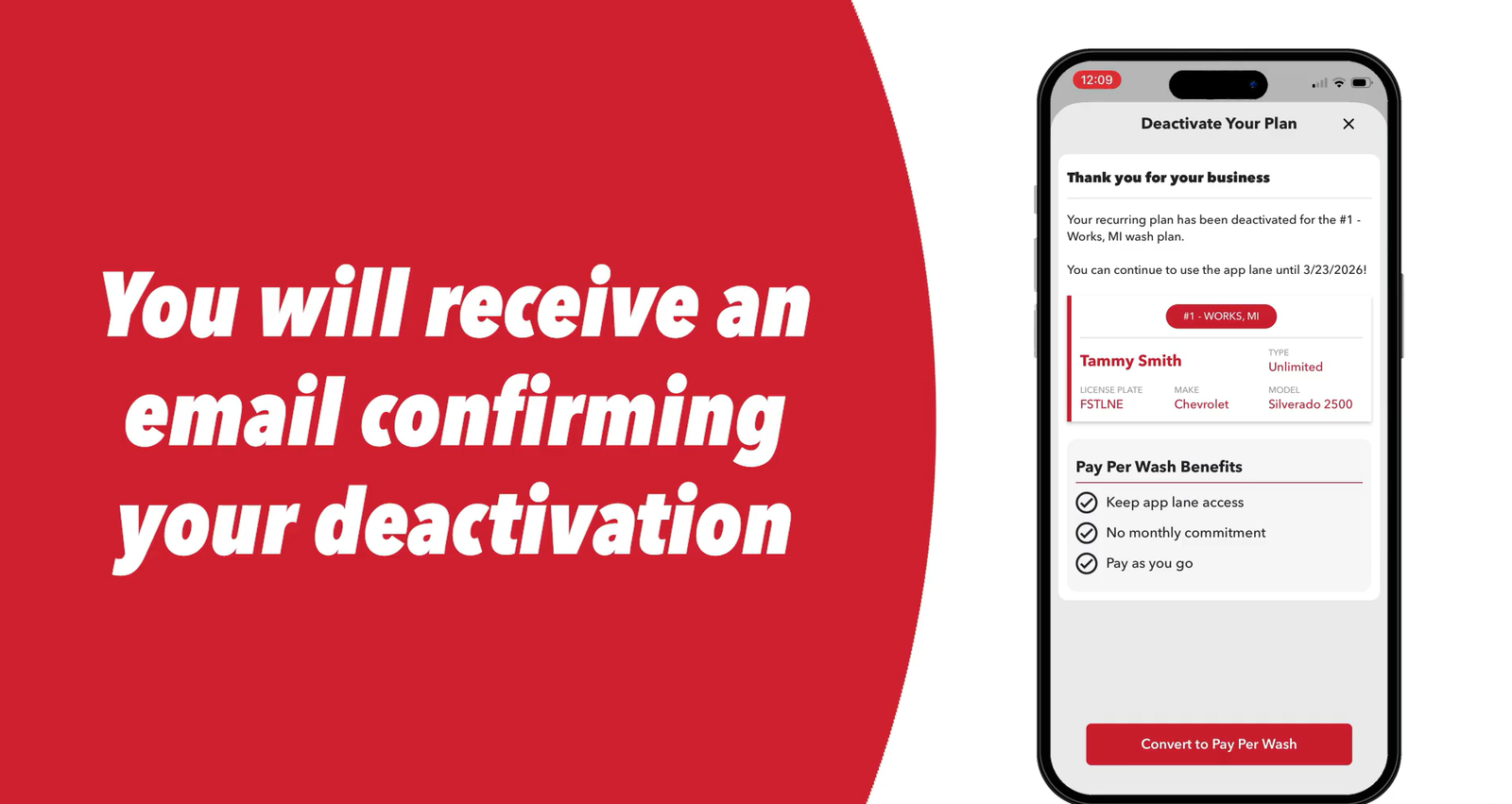
Tap the X in the top right corner to close the screen. Tommy’s Express sends a confirmation email once the deactivation registers.
Multiple vehicles? Repeat Steps 1–8 for each car enrolled in TommyClub. Deactivating one vehicle does not cancel others on the same account.
Method 2: Member Portal (Web Browser)
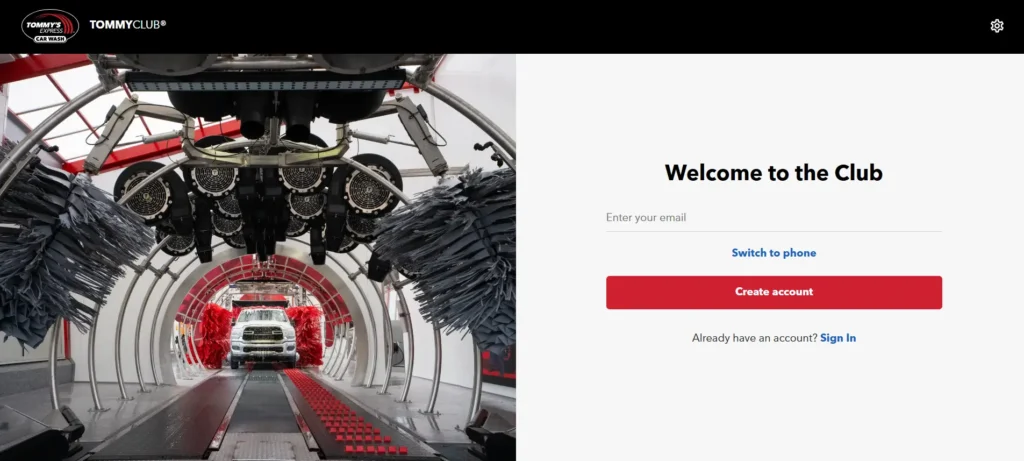
Tommy’s Express says its browser-based Member Portal lets you manage your account. Its help center doesn’t list portal cancel steps, so the labels below follow the app flow and may differ slightly.
1. Access the Member Portal: Type app.tommys-express.com into your desktop or mobile web browser.
2. Sign In to Your Account: Enter your registered email address or phone number to log in.
3.Select Your Vehicle: Click Garage from the navigation menu, then click the specific vehicle you want to remove.
4.Open the Modify Menu: Click the drop-down arrow next to the Modify button.
5.Choose the Deactivate Option: Click Deactivate Plan from the drop-down menu.
6.Provide a Reason: Select your cancellation reason from the provided list.
7.Confirm the Cancellation: Click Deactivate Vehicle Plan. Finally, click Deactivate Plan a second time to submit and finish the process.
If you can’t find the deactivate option in the portal, use the app or call Guest Services.
Method 3: Cancellation by Phone
The Terms name the Guest Services line as the other way to cancel (§2(n)).
- Call Customer Support: Dial (616) 369-8917.
- Check the Hours: Call Monday through Friday (8:00 AM to 8:00 PM ET) or on weekends (8:00 AM to 5:00 PM ET).
- Provide Your Details: Give the agent your registered phone number, full name, and vehicle license plate.
- Request Confirmation: Ask the agent to cancel your account and send a confirmation email before you hang up.
Call at least five business days before your plan renews: requests made outside the app need that long to process (Terms §2(n)). If you call later, expect one more monthly charge.
Note: Support hours are Monday to Friday 8 a.m.–8 p.m. ET and weekends 8 a.m.–5 p.m. ET (contact page). If you can’t reach an agent and your renewal is close, cancel in the app instead.
In person: Telling staff at the wash does not cancel your plan. The Terms say cancellations can’t be processed by verbal requests to on-site staff (§2(n)).
Free Month Promo: Cancel Before Day 30
Tommy’s Express offers new members a 30-day free trial for one vehicle, applied automatically in the app. It needs a payment method on file (Terms §3(b)), and you’re charged once the 30 days end unless you cancel first (help center, “How to redeem 30-Day FREE trial”).
If you only want the free month, deactivate the plan well before day 30, keeping the five-business-day rule in mind. The pause option isn’t available during a free trial.
Cancellation Policy & Need-to-Knows
| Policy Item | Details |
|---|---|
| Cancellation Method | App or Guest Services phone (Terms §2(n)); Member Portal for account management; not by telling on-site staff |
| Cancellation Fee | None — month-to-month, “no cancelation fees” (Tommy’s Express blog) |
| Refund Policy | None — no refunds or credits for partly used periods (Terms §1(l)) |
| Notice | At least five business days before renewal (Terms §2(m)) |
| Membership Access After Cancellation | Continues through end of current billing cycle |
| Per-Vehicle Cancellation | Each vehicle requires a separate deactivation |
| Failed Payment | Plan is halted; if payment is collected within 10 days it continues, otherwise it is deactivated (Terms §2(l)) |
| Confirmation | Email sent automatically after successful app or portal deactivation |
Pause Option (30, 60, or 90 Days)
Tommy’s Express offers a pause feature directly in the app if you need a temporary break rather than a full cancellation.
- Open the app, go to My Garage and choose Manage My Subscription.
- Tap Pause Subscription.
- Choose a pause duration: 30, 60, or 90 days.
The pause applies to billing dates only; it doesn’t freeze your current wash period. Your plan restarts automatically when the pause ends (Terms §2(p)). Longer pauses are available at your local Tommy’s location, and pausing isn’t available on a free trial or gift card. Set a reminder before the pause ends if you’d rather cancel.
Solutions to Common Issues
App locked out — can’t log in to cancel: Open app.tommys-express.com in a browser. The Member Portal provides the same deactivation flow as the mobile app and does not require the mobile version to work. If both fail, call (616) 369-8917 with at least 5 business days to spare before your billing date.
Charged after deactivating: Locate your confirmation email and the date it was sent. If the charge processed after that date, contact Guest Services at (616) 369-8917 or email support@tommys-express.com with the confirmation as evidence. If Tommy’s Express does not resolve it, contact your card issuer to dispute the charge — provide the confirmation email as documentation.
Pause expired and got charged: Tommy’s Express auto-restarts billing when a pause period ends. If you wanted to cancel rather than pause, deactivate in the app immediately and contact support if a charge already posted.
Plan not showing in the app: If you signed up at the wash and your plan doesn’t appear in the app, call Guest Services at (616) 369-8917 or email support@tommys-express.com to locate it, and allow five business days for a phone cancellation.
After You Cancel
- Save your confirmation email immediately after deactivation.
- Check each vehicle in your garage separately — one confirmation email means one vehicle was deactivated.
- Watch your statement: if you cancelled fewer than five business days before renewal, one more charge can still post.
- Use the cashier lane for washes after your paid period ends (Terms §2(o)).
- Reactivate through the app or Member Portal when ready.
Contact Information
| Channel | Details |
|---|---|
| Member Portal | app.tommys-express.com |
| Phone | (616) 369-8917 |
| Business Hours | Mon–Fri 8AM–8PM ET, Sat–Sun 8AM–5PM ET |
| Email (Support Only) | support@tommys-express.com |
| Official Deactivation Guide | Tommy’s Express Help Center |
| Terms & Conditions | tommys-express.com/agreement |
Frequently Asked Questions
Does Tommy’s Express charge a cancellation fee?
No. TommyClub is month-to-month with no cancellation fees or early termination penalties.
Will I get a refund after deactivating?
No. Tommy’s Express issues no pro-rated refunds for unused time. Your membership stays active through the end of the billing cycle you already paid for.
I have three cars enrolled — do I cancel them all at once?
No. Deactivate each vehicle separately in the app or Member Portal. One deactivation does not affect other vehicles on the same account.
The app won’t let me log in. How do I cancel?
Open app.tommys-express.com in a browser — the Member Portal provides the same deactivation flow. If the portal also fails, call (616) 369-8917 with at least 5 business days before your billing date.
Can I pause my TommyClub membership instead of canceling?
Yes. Open the app, select your vehicle, and tap Pause Subscription. Choose 30, 60, or 90 days. Billing resumes automatically when the pause period ends.
I used the free month and got charged the next month. Is that correct?
Yes, if the plan wasn’t cancelled before the 30-day free trial ended. The trial turns into a paid plan unless you cancel before it expires (Tommy’s Express help center).
How do I know my cancellation went through?
Tommy’s Express sends a confirmation email after a successful app or portal deactivation. If no email arrives within a few hours, the deactivation may not have completed — re-open the app and check whether the vehicle still shows an active plan.
Leave a Reply