BetterMe is a widely used health and wellness app offering personalized workout plans, meal guidance, and mental health resources. With over 150 million downloads, it’s a trusted choice for fitness enthusiasts.
However, you might want to cancel your fitness subscription if you’ve achieved your goals, need to save money, or are exploring other services. And if you are not sure about process then this guide is for you.
BetterMe Cancellation Overview
| Detail | Key Information |
|---|---|
| Cancellation Methods | Website, App Store, Google Play, PayPal |
| Notice Period | At least 24 hours before renewal to avoid charges |
| Refund Policy | No refunds for partial periods; contact support for inquiries |
| Common Issues | Charges after cancellation, confusion over platform, difficulty finding options |
| Contact | support@betterme.world, BetterMe Support |
Official Cancellation Methods
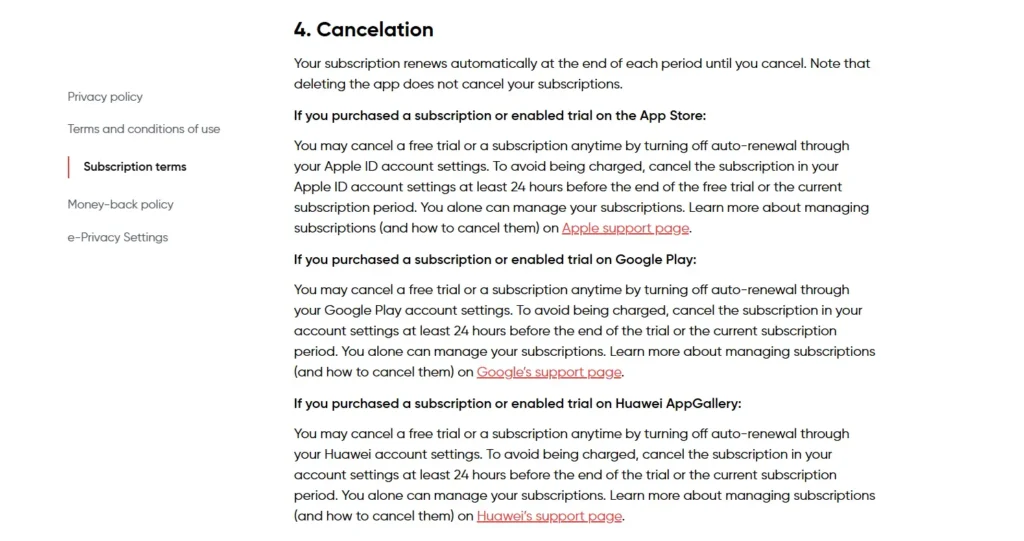
BetterMe’s cancellation process depends on where you subscribed—website, App Store, Google Play, or PayPal. Deleting the app doesn’t cancel your subscription, so follow the correct steps below.
Note: Always confirm your subscription platform by checking your purchase confirmation email or bank statements. Canceling through the wrong platform (e.g., the app for a Google Play subscription) won’t work.
If You Subscribed Through the BetterMe Website
To cancel via the BetterMe app or website follow the steps listed below.
Via Website Online
- Login to your Betterme account, open https://betterme.world/ from your browser.
- Click on your profile from top right corner.
- Then, Tap on “subscription” to update settings.
- Finally, click on “Turn off auto-renewal” to cancel your subscription.
Via App
- Open BetterMe and Login to your account.
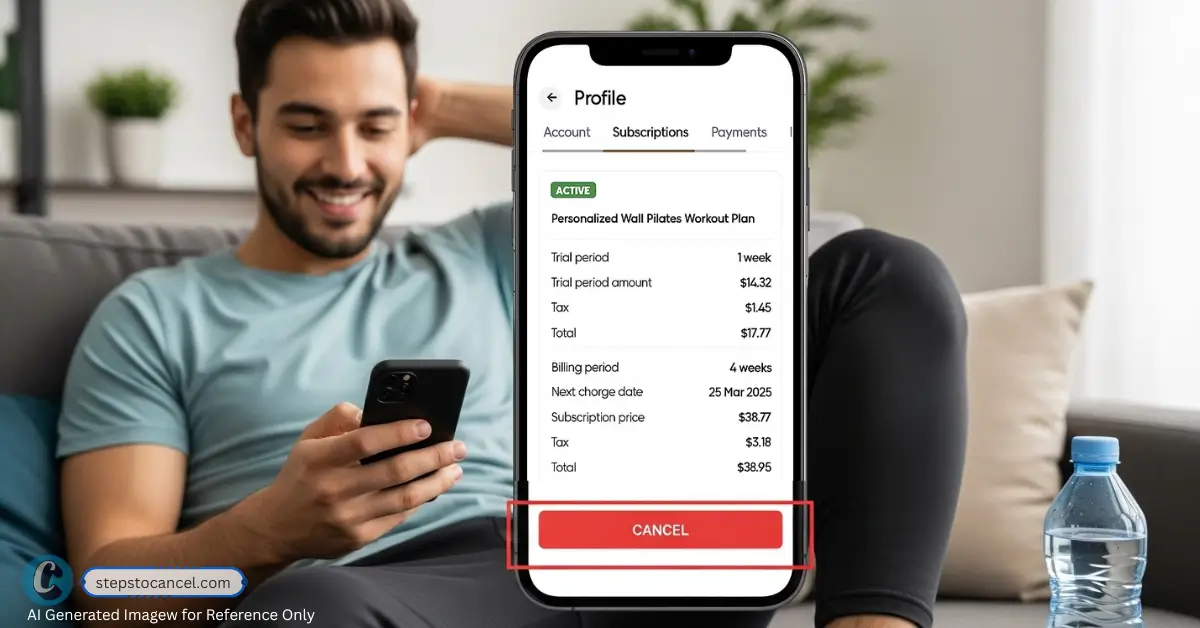
- Go to “Profile” by tappin on top right.
- Tap on “Subscriptions,” check your billing details.
- Now, click on “Cancel” to stop auto payment.
This method is straightforward for web subscribers, but some users report difficulty finding the cancellation option or delays in processing. We suggest keep confirmation as evidance.
If You Subscribed Through the App Store (iPhone/iPad)
Terminating your subscription is the only way to cancel if subscribed via Apple ID. Follow the step to cancel:
- Open the Settings app,
- Tap your name, then select “Subscriptions.”
- Find “BetterMe” in the list,
- Then tap on “Cancel Subscription,” and confirm.
If You Subscribed Through the Google Play Store (Android)
To cancel via the Google Play Store app on your Android device, follow the
- Open the Google Play Store,
- Tap your profile icon on top right corner, and
- Select “Payments & Subscriptions” from the menu.
- Find “BetterMe,” app and select “Cancel Subscription.”
- Choose a reason for cancellation, then tap Continue to proceed.
This method is user-friendly, but some users don’t realize they need to use Google Play, not the BetterMe app, causing confusion.
If You Subscribed Through PayPal
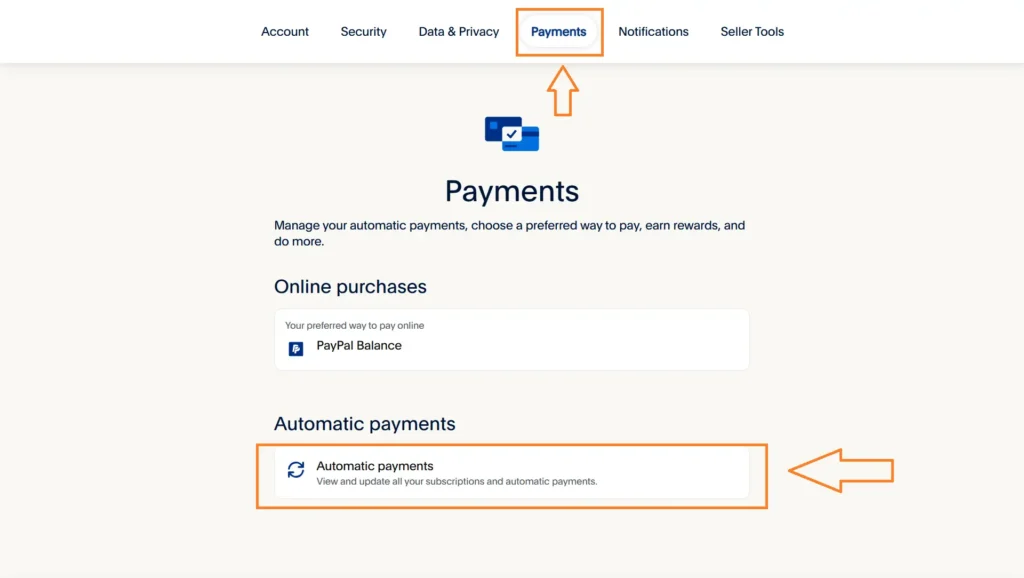
To cancel your automatic payments through PayPal account.
- Log into your account at paypal.com,
- Click the Settings (gear) icon, and select “Payments.”
- Scroll down and Click on “Automatic Payments,”
- Find and Tap on “BetterMe,” from the list.
- Finally, select “Cancel” to end your subscription.
This is simple but requires logging into PayPal, and some users forget to check their automatic payments, leading to unexpected charges.
Alternative or User-Reported Cancellation Routes
If official methods fail, user experiences on internet forums suggested these workarounds:
Contact BetterMe Support Directly
You can directly email at support@betterme.world with your cancellation request.
This is helpful if you can’t access the cancellation option or face technical issues. Users report mixed success, with some getting quick responses and others facing delays.
- Send an email with your account email, subscription ID (from confirmation email), and a clear cancellation request.
- Example: “Subject: Cancel My Subscription”
Dear BetterMe Support,
Please cancel my subscription effective immediately. My details: [Full Name], [Email], [Subscription ID]. Please confirm cancellation. Thank you.” - Follow up if no response within 3–5 days. Keep all correspondence as proof.
Dispute Charges with Your Bank or Payment Provider
If BetterMe still continues to charge your after sucessfully terminating the contract. Contact your bank or payment provider to dispute unauthorized charges.
This can stop charges if BetterMe bills you post-cancellation. Reddit users report success, especially with Apple Pay or credit card disputes, but it may not resolve subscription status.
Steps to dispute BetterMe unauthorized charges after cancellation
- Gather proof of cancellation (confirmation email, screenshots).
- Contact your bank or payment provider to dispute charges or block payments.
- Follow up with BetterMe to ensure the subscription is canceled to avoid future issues.
File a Complaint with Consumer Protection Agencies
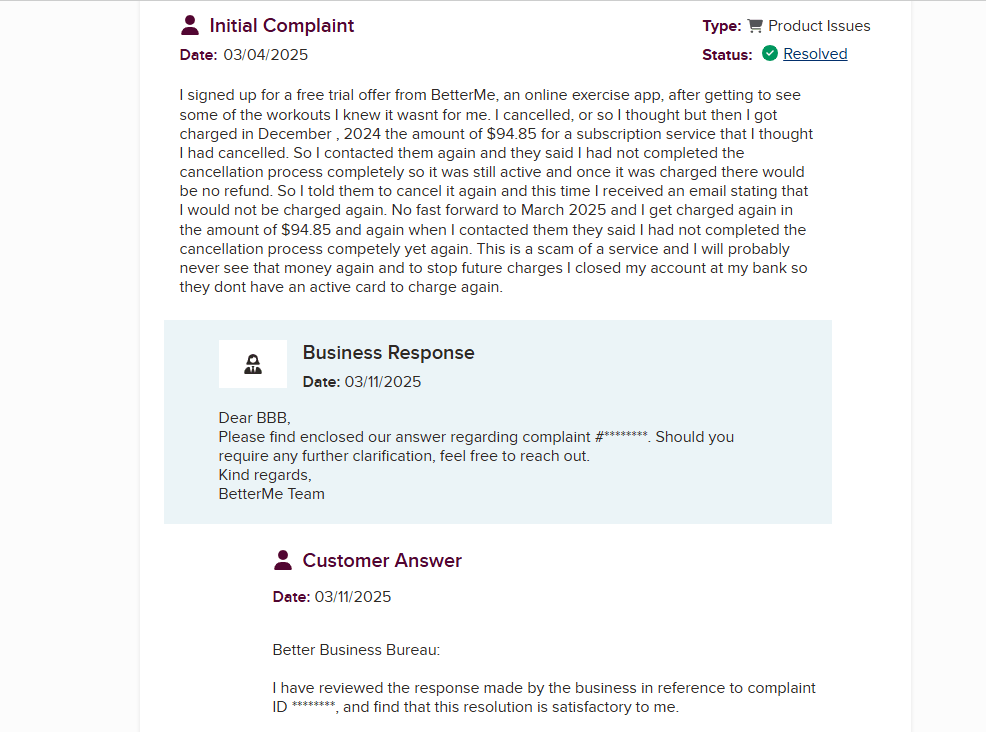
Submit a complaint to agencies like the Better Business Bureau or your local consumer protection office. This can pressure BetterMe to resolve persistent issues, as seen in user reports on X and Trustpilot. It’s a last resort but effective for unresolved charges.
Cancellation Policy of BetterMe App
BetterMe allows cancellation at any time, but you must cancel through the platform where you subscribed at least 24 hours before the renewal date. No refunds are typically offered for partially used periods, but you retain access to premium features until the billing cycle ends.
The 24-hour notice period can catch users off guard, leading to unwanted charges. Reddit and Trustpilot reviews highlight confusion over auto-renewals and non-refunded periods, making it critical to act early.
- Check your subscription renewal date in your confirmation email or platform settings.
- Cancel at least 24 hours prior to avoid charges.
- For refund inquiries, email support@betterme.world or request through App Store/Google Play during the subscription period.
- If you believe charges violate consumer laws, reference your local regulations (e.g., California’s Automatic Renewal Law) when contacting support.
Common Issues users face while Cancelling BetterMe
Canceling BetterMe can feel like a hurdle due to these common issues reported on Reddit, Trustpilot, and X:
| Issue | Solution |
|---|---|
| No Notification | The app does not remind or notify your before charging. |
| Charged After Cancellation | Provide proof of cancellation (email, screenshot) to support@betterme.world or dispute with your bank. |
| Can’t Find Cancellation Option | Verify your subscription platform; check confirmation email or bank statements. Contact support for guidance. |
| Unsure Which Platform Was Used | Review purchase confirmation email or bank statements to identify the platform. |
| No Confirmation Received | Check subscription status on the platform; email support if unresolved. |
These issues can leave you feeling frustrated or helpless, but keeping records and following up promptly can resolve them.
FAQ Section
Can I cancel my BetterMe subscription through the app?
What happens if I delete the BetterMe app?
Will I get a refund if I cancel mid-subscription?
How do I know if my subscription is canceled?
What if I’m still being charged after canceling?
Did this guide help you cancel your subscription? Let us know!