Author: Matthew Andrew

  • How to Cancel Misfits Market Subscription Online?

    How to Cancel Misfits Market Subscription Online?

    Managing daily grocery shopping can be challenging for everyone. Misfits Market offers delivery of affordable groceries directly to your doorsteps, but it might not be ideal for everyone.

    You might be looking to cancel your Misfits Market subscription. For reasons such as changes in preferences, looking to cut costs, exploring the local market, or service issues.

    Groceries charges occur at the start of each billing cycle and automatically renew unless canceled. So, it is important to terminate it if you no longer need it. We have covered everything you need to know.

    Cancellation Policy

    Misfits Market offers cancellation via 2 different methods 1. online account management and 2. contact form.

    It does not charge any cancellation fees but you must cancel your membership before 9:00 p.m. Eastern Time on the last day of your billing cycle to avoid further charges. And if you cancel through the “contact form” send a request at least 48 hours before your expiry date.
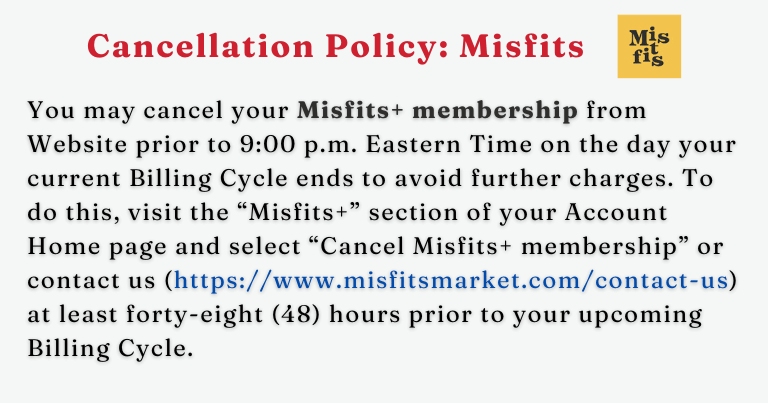
    Cancellation Policy of Misfit

    How to Cancel Misfits Market Subscription Online?

    You cancel the Misfits Market Subscription online by first downgrading your account to a Flex plan and then requesting account cancellation.
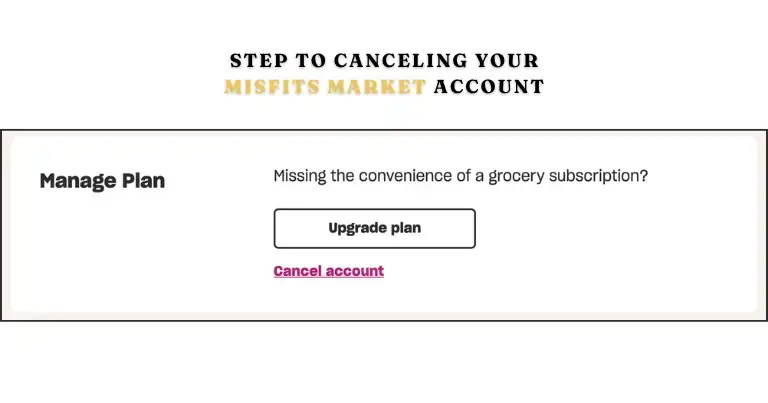
    Close Misfits Market Account
    Screenshot of Misftis Market Cancellation

    Follow the 5 easy steps below to cancel your subscription online from the official website:

    1. Visit  https://www.misfitsmarket.com
    2.  Log in to your Misfits market account using your details.
    3.  Go to the “My Plan” page in your account
    4.  At the bottom of the page, click the “cancel plan” button below the upgrade plan button.
    5.  Click the purple “Cancel Plan” button in the “Still want to cancel” prompt.

    After your membership is canceled, you will receive a confirmation email.

    Your orders do not automatically stop when you cancel your membership; you must cancel it separately.

    Misfit Market Cancellation Request via the Contact Form
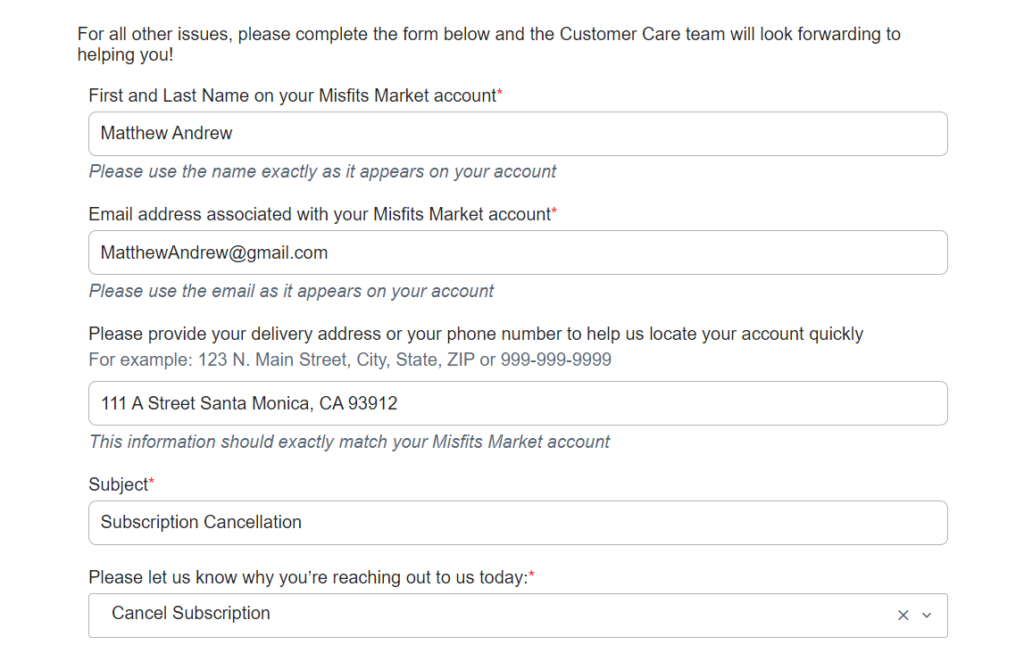
    Misfit Cancellation Form Online

    Follow 6 simple steps to request for cancellation: 

    1. Visit the Contact Us page of the Misfits Markets website.
    2.  Fill out your Full Name and Email used while signing up.
    3.  Add “Request to Cancel the Subscription” on “Subject”.
    4.  Select the “Cancel Subscription” on the MM Contact Us Form option.
    5.  Add reasons why you need to cancel your membership.
    6.  Finally, complete the process by solving the captcha and hitting “submit”.

    If you encounter any problem while canceling, then you can message their assistance team using a contact form with error details.

    How to Downgrade to Flex Plan subscription?

    A flex plan is an order-as-you-go model, this does not auto-fill carts, boxes, or delivery.
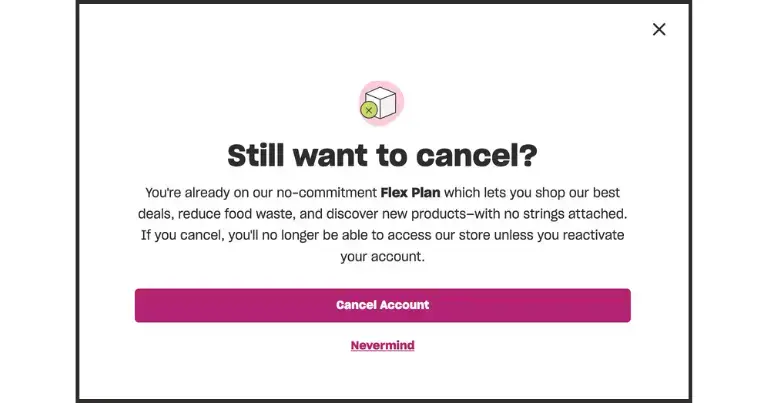
    Downgrade Misfits Market Subscription Online

    Follow the 4 steps listed below to downgrade to your Grocery Subscription to a flex plan.

    1.  Log in to your account using your credentials.
    2.  Go to the “My Plan” page in your account.
    3. Scroll down to the “Need a break?” section.
    4. Click on “Pause or Cancel Subscription” to cancel your Flex Plan.

    Refund Policy
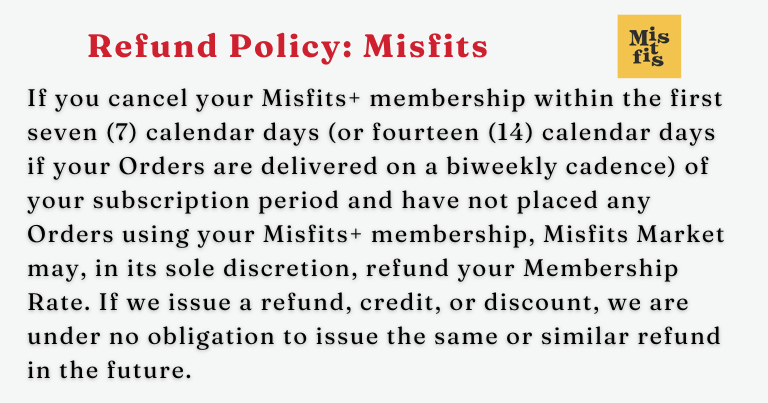
    Refund Policy of Misfit Market

    Misfit Market will refund only if you cancel within 7 days (or 14 days for biweekly deliveries) of registration and have placed no orders.

    All refunds are processed through the original payment method and have no processing fees. It can take a few business days to process, depending on the payment method and bank.

    How to get a refund from Misfits Market?

    To receive a refund for an item, First log in to your account, then go to the “orders page” Now, and scroll down to the previous orders. Locate the item from the list, and click the “Report Issue” button.

    How do I contact Misfits Market customer support?

    If you need help with any questions about services like orders, shipping, refunds, and returns. You can contact corporate support using the details listed in the table below.

    Contact InformationDetails
    Phone Number+1 215-995-0065
    Email Addresscontact@misfitsmarket.com
    Physical AddressPhiladelphia, PA 19148 United States
    Business HoursMonday – Friday: 9:00 AM – 6:00 PM
    Connect Details

    Social Media Accounts

    InformationDetails
    Facebookhttps://www.facebook.com/misfitsmarket/
    Instagramhttps://www.instagram.com/misfitsmarket/
    Xhttps://twitter.com/misfitsmarket
    Pinteresthttps://www.pinterest.com/misfitsmarket/
    TikTokhttps://www.tiktok.com/@misfitsmarket
    YouTubehttps://www.youtube.com/@MisfitsMarket
    Social Media accounts of Misfits Market

    FAQs

    Can I pause my Misfits Market subscription?

    Yes, you can pause. Login to your account, Go to your “My Plan page” then click on “Pause” under “Need a break?”.

    Does Misfits Market charge a monthly fee?

    No, Misfit Market does not charge monthly fees on the flex plan or grocery subscription. You only pay for what you order from the company.

    Can I Cancel My Order?

    If you didn’t mean to place an order, you may be able to cancel it quickly. After your order is confirmed, check your Orders page for a “cancel order” button. This option is available for a limited time, so act fast! Currently, this feature is only for eligible customers, but we hope to offer it to everyone soon.
  • 4 Methods to Cancel your Sky Zone Membership with Ease

    4 Methods to Cancel your Sky Zone Membership with Ease

    Sky Zone, a leading indoor trampoline park, offers fun for all ages, but canceling your membership can feel frustrating when the process isn’t clear.

    Whether you’re moving, low on budget, or just done jumping, we’re here to guide you through the easy step by steps to cancel your Sky Zone membership. It is important to note that “Cancellation policies” vary by park.

    Note: The Sky Zone membership cancellation online process is the primary method for most locations, but some parks may offer alternatives like email or in-person cancellations. Check your park’s policy through your contarct.

    How to Cancel Sky Zone Membership?

    You can cancel your cancel your Sky Zone subscription in 5 easy steps:

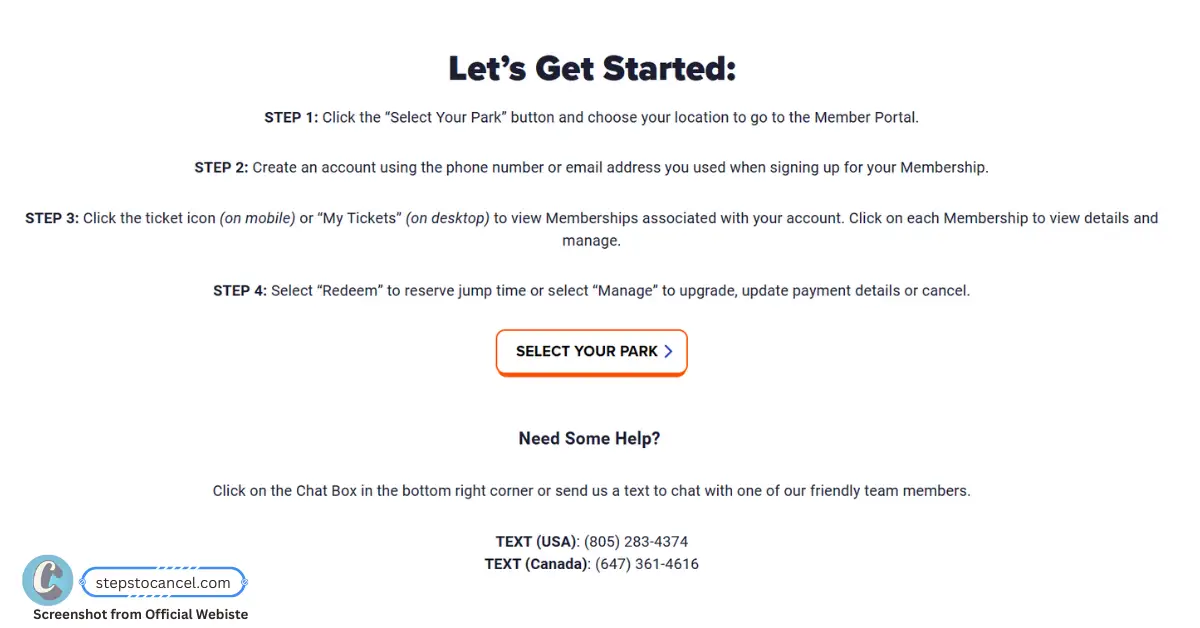
    1. Visit the Sky Zone Member Portal

      Visit the Sky Zone Member Portal
      You can cancel your Sky Zone membership online by visiting your location’s official Member Portal at https://www.skyzone.com/member-portal/.
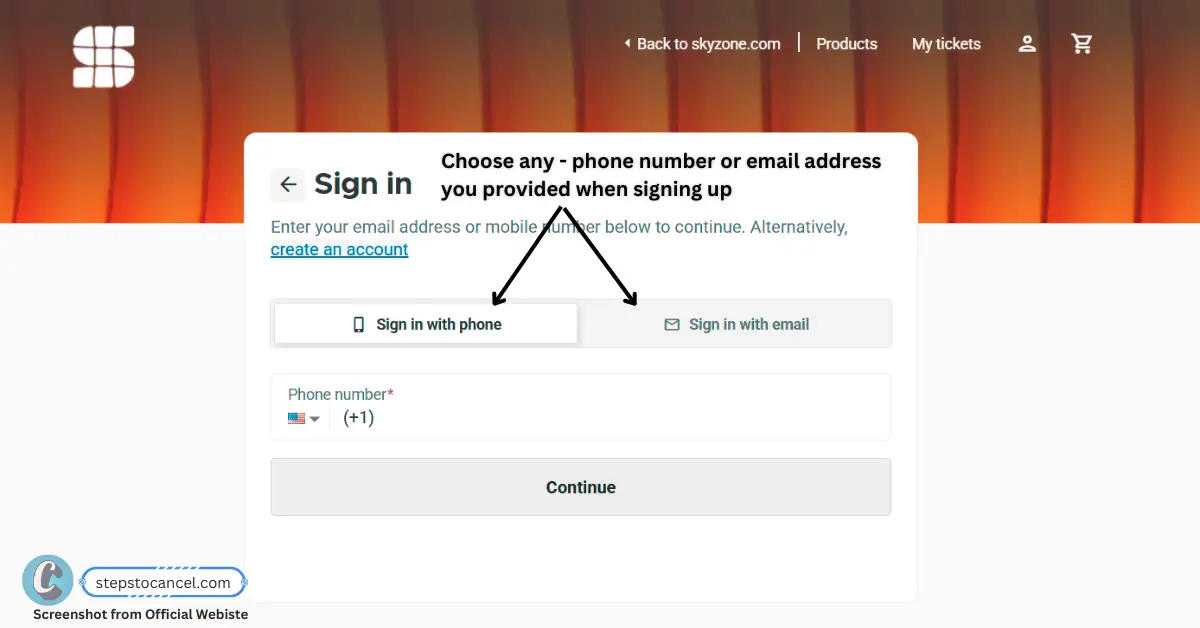
    2. Log In or Create New Account

      Log In or Create New Account
      Sign in using the phone number or email address you provided when signing up for your membership.

      If this is your first time loggin then you need to signup for an account, you simply need to enter your email or phone [Any] then check your for verification code, enter it and then enter your full name and comfirm deteial to create an account.
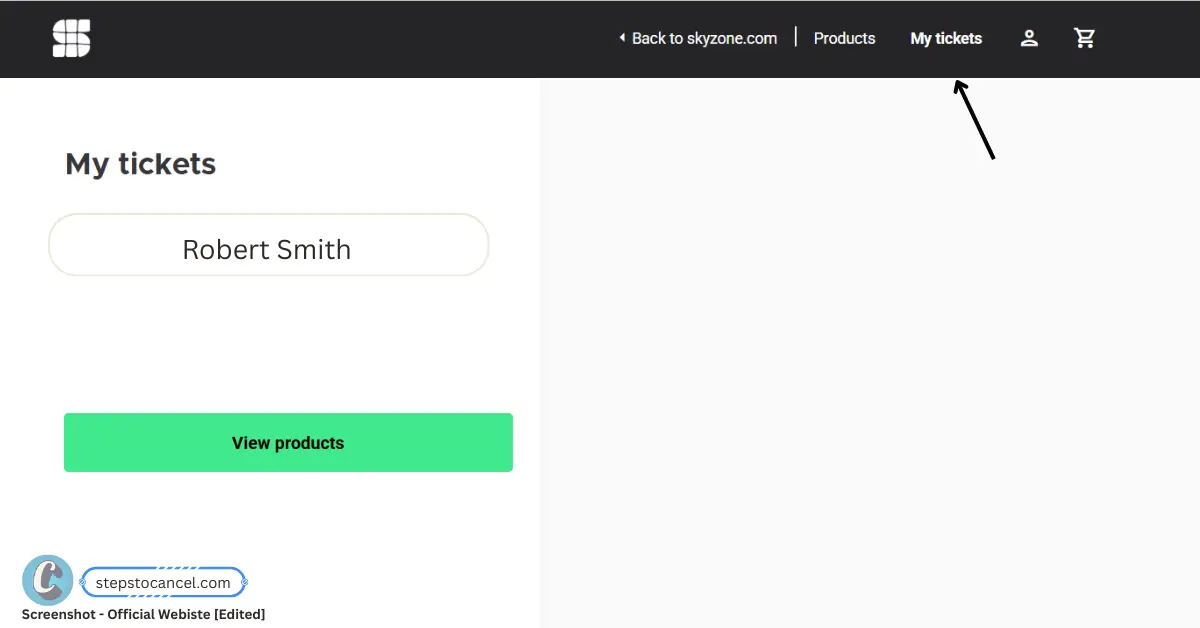
    3. Locate Your Membership

      Locate Your Membership
      Once logged in, click “My Tickets” (or the ticket icon on mobile) to view your active membership. This step helps you find the correct membership quickly, reducing annoyance from searching through multiple options.
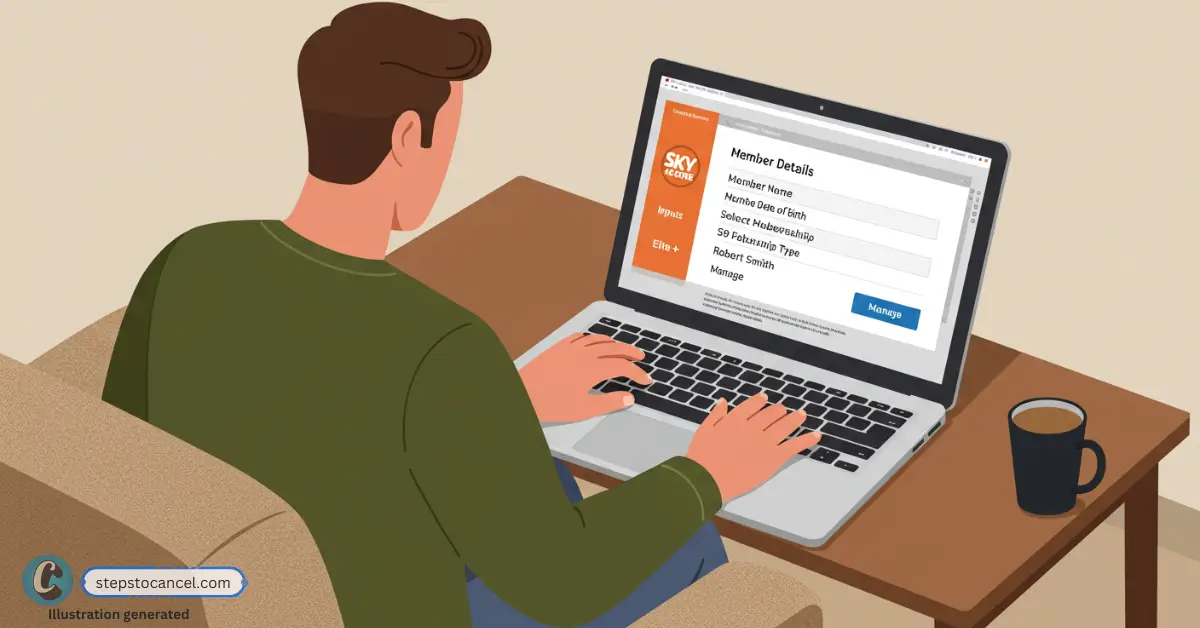
    4. Submit Cancellation Request

      Submit Cancellation Request
      Select your membership, click “Manage,” and choose “Cancel.” Follow the prompts to submit your cancellation request. If you have multiple memberships (e.g., for family members), check if your park allows canceling them together—contact your local park if unsure.
    5. Verify Cancellation

      Verify Cancellation
      After submitting, verify your cancellation request by reviewing the details. Check your email for a confirmation from Sky Zone to ensure the process is complete, avoiding difficult situations like unexpected billing.

    Key Takeaways for Canceling Your Sky Zone Membership

    1. Cancellation Methods: Most locations accept online cancellation, but some allow email, phone, in-person, or mail requests—check your contract.
    2. Minimum Commitment: All memberships have at least a 3-month minimum term.
    3. Notice Period: 3 days or at least 72 hours’ notice before your next billing date (some parks require up to 30 days).
    4. Auto-Renewal: Memberships automatically renew monthly unless you cancel.
    5. Pause Membership: Sky Zone does not allow pausing or freezing memberships.
    6. Cancellation Fee: Canceling before the 3-month minimum means you must pay the remaining balance of the term; no refunds after the initial 3-day window.

    Alternative Sky Zone Cancellation Methods (Location-Specific)

    As per the Sky Zone official website, all cancellation requests must be submitted through an online form.

    However, some locations has additional cancellation methods, we suggest you to check your contarct – Email if signed online or physical page.

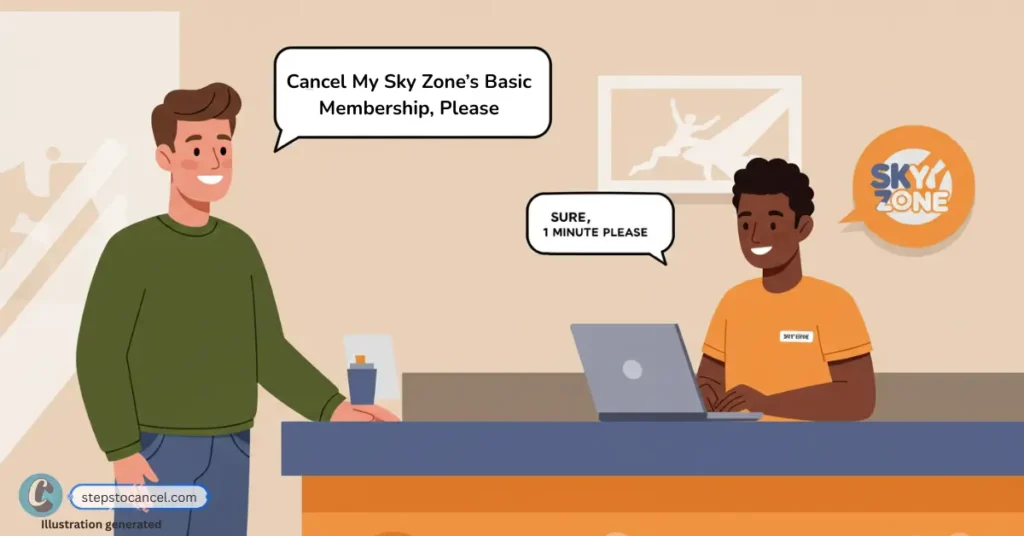
    Method 1: In-Person or By Phone

    illustration of man visiting sky zone location to cancel his membership

    Call your local Sky Zone park first [Find park number] to ask if they accept phone cancellations, as policies vary by location. If available, provide your full name, membership number, and contact details to process the cancellation.

    If phone cancellation isn’t accepted, ask about visiting in person or getting help with the online form. Some locations may assist you directly at the park.

    Always request confirmation via email or reference number, regardless of the method used. Follow up within 48 hours if you don’t receive confirmation to ensure your cancellation was processed.

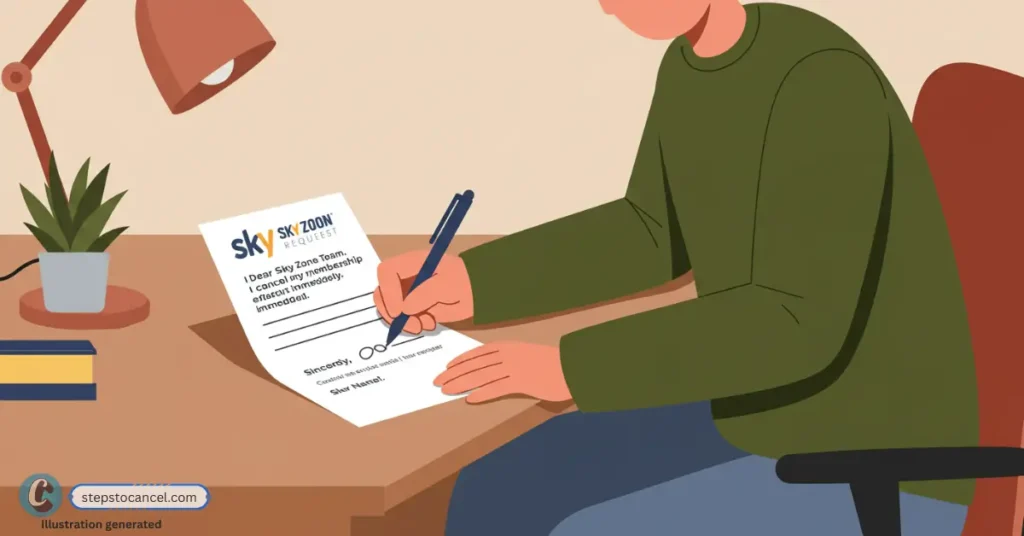
    Method 2: By Mail

    illustration of man writing cancellation letter to send via mail to sky zone

    Step 1: Find Your Park’s Mailing Address
    Visit your local Sky Zone park’s page at skyzone locations or check your membership agreement for the correct mailing address.

    Step 2: Write Your Cancellation Request
    Create a clear, written request stating your intent to cancel your membership.

    Copy this Email Template:

    Subject: Membership Cancellation Request - [Your Name]
    
    Dear Sky Zone Team,
    I am requesting to cancel my Sky Zone membership effective [Date].
    
    Member Details:
    Name: [Your Full Name]
    Membership Number: [Number]
    Phone: [Your Phone Number]
    Email: [Your Email]
    
    Please confirm receipt of this cancellation request and provide a confirmation email.
    
    Thank you,
    [Your Name]
    [Signature]

    Step 3: Send Via Certified Mail
    Mail your request using certified mail with return receipt to ensure delivery confirmation and create a paper trail.

    Wait for Confirmation: Expect a confirmation email within 3-5 business days. Follow up if you don’t receive one.

    Method 3: By Email

    illustration of man writing cancellation email to sky zone
    1. Email your local Sky Zone park’s contact email (check https://www.skyzone.com/locations/ for the address).
    2. Include your full name, membership number, and contact details, with a clear request to cancel.

    Note: These alternative methods are not available at all Sky Zone locations. Most parks require cancellations through the official website’s Member Portal. Contact your local park to confirm available methods and avoid frustrating delays.

    Need Help?

    If canceling feels impossible or you face problems, use these support channels:

    1. Sky Zone Membership Cancellation Phone Number – USA: (805) 283-4374
    2. Canada Support: (647) 361-4616
    3. Support Hours: Monday–Thursday 12 PM–8 PM PST, Friday 12 PM–10 PM PST, Saturday 9 AM–10 PM PST, Sunday 9 AM–8 PM PST
    4. Sky Zone Support Email:
    5. Chat: Use the chat box on https://www.skyzone.com/
    6. Contact Form: https://www.skyzone.com/contact/ (for inquiries, not direct cancellations)
    7. Locations: Find your park’s contact details at https://www.skyzone.com/locations/ (141 U.S. locations)

    FAQ

    Can I Cancel My Sky Zone Membership Online?

    Yes, you can cancel your Sky Zone membership oline by visiting your location’s Member Portal at https://www.skyzone.com/member-portal/

    Can I Get a Refund After Canceling My Sky Zone Membership?

    No, Sky Zone memberships and tickets are non-refundable, even after cancellation. Cancel before your billing date to avoid further charges.

    What is the notice period for canceling a Sky Zone membership?

    You must provide cancellation notice at least 72 hours (3 days) before your billing date. Check your local park’s policy as notice periods vary by location. .

    Can I freeze or pause my Sky Zone membership?

    No, Sky Zone does not allow freezing or pausing memberships. Contact your local park for possible alternatives.

    Why was I charged after canceling my membership?

    You may have canceled too close to your billing date. For help, contact Sky Zone support at (805) 283-4374 (U.S.) or (647) 361-4616 (Canada).

    Can I cancel my Sky Zone membership in-person?

    Yes, some locations allow in-person cancellations, but most require using the Member Portal online. Contact your local park to confirm.

    Can I downgrade my Sky Zone membership?

    Yes, you can request sky zone membership downgrade after the initial 3-month period. Contact your local park for more infomation.

    Can I use my Sky Zone membership at other locations?

    No, memberships are only valid at the location where you signed up. Check with your park for possible transfer options.

    Can I transfer my membership?

    No, Memberships are only valid at the location where purchased and cannot be transferred to other parks.